
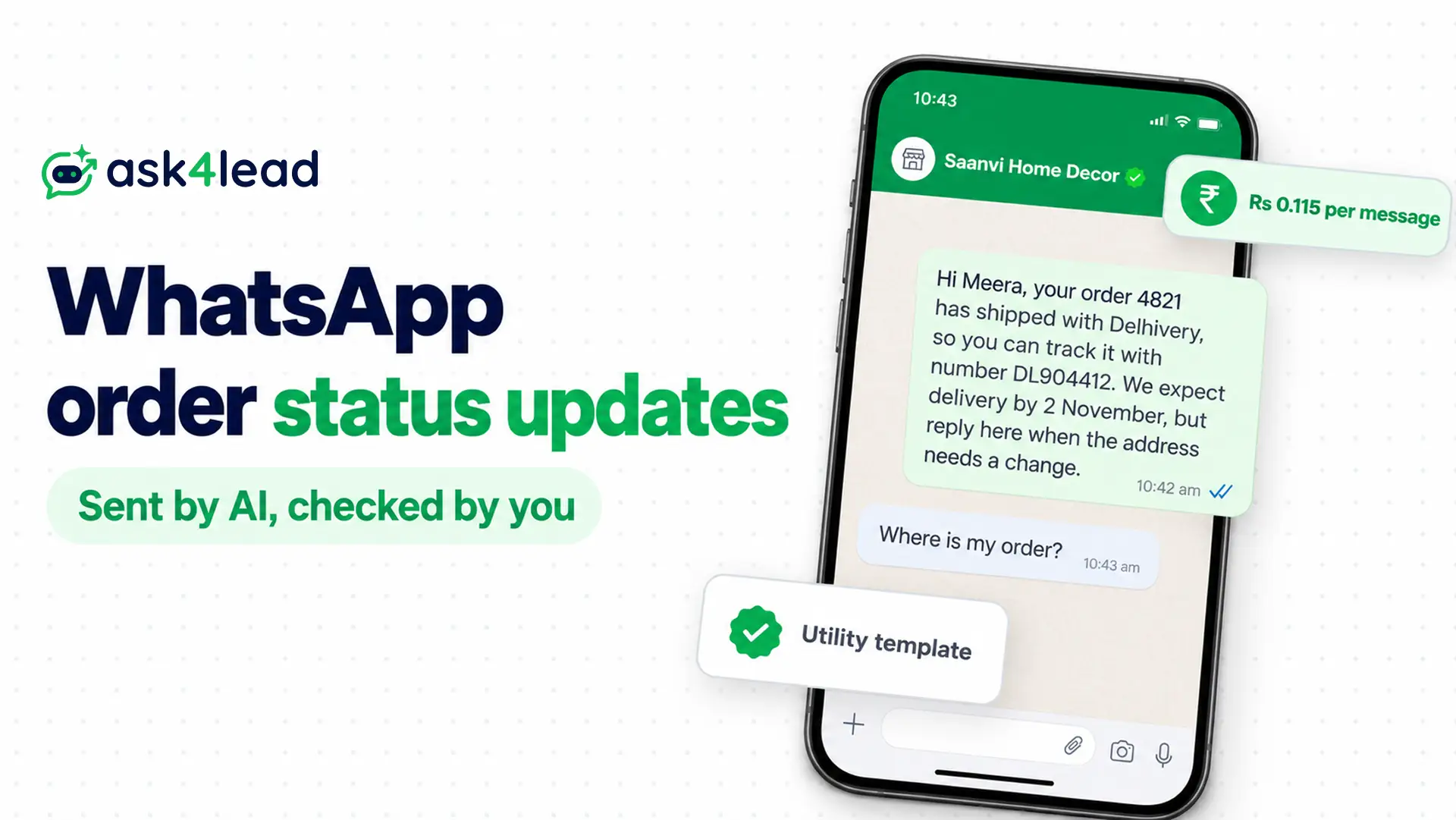
WhatsApp order status updates are automatic messages that tell a customer where an order stands, from payment to delivery. Your store sends each one when the order changes, and an AI answers the replies. The steps below build on the order notification setup and add the reply side.
You need the WhatsApp Business Platform, Meta’s official API. The free WhatsApp Business app cannot fire a message when an order changes.
What are WhatsApp order status updates?
WhatsApp order status updates are template messages your system sends when an order changes stage, such as shipped. Each carries the order number, the new status and a tracking link. Customers reply in the same chat, so a second job appears: someone has to answer. Three parts handle the work.
| Part | What it does | Message type | Meta charge in India |
| Status template | Tells the customer the order moved | Utility template | Rs 0.115 per message |
| AI reply | Answers the follow-up | Service message | Free for the first 1,000 a month, then Rs 0.115 |
| Person | Handles what the AI should not | Service message | Same as the AI reply |
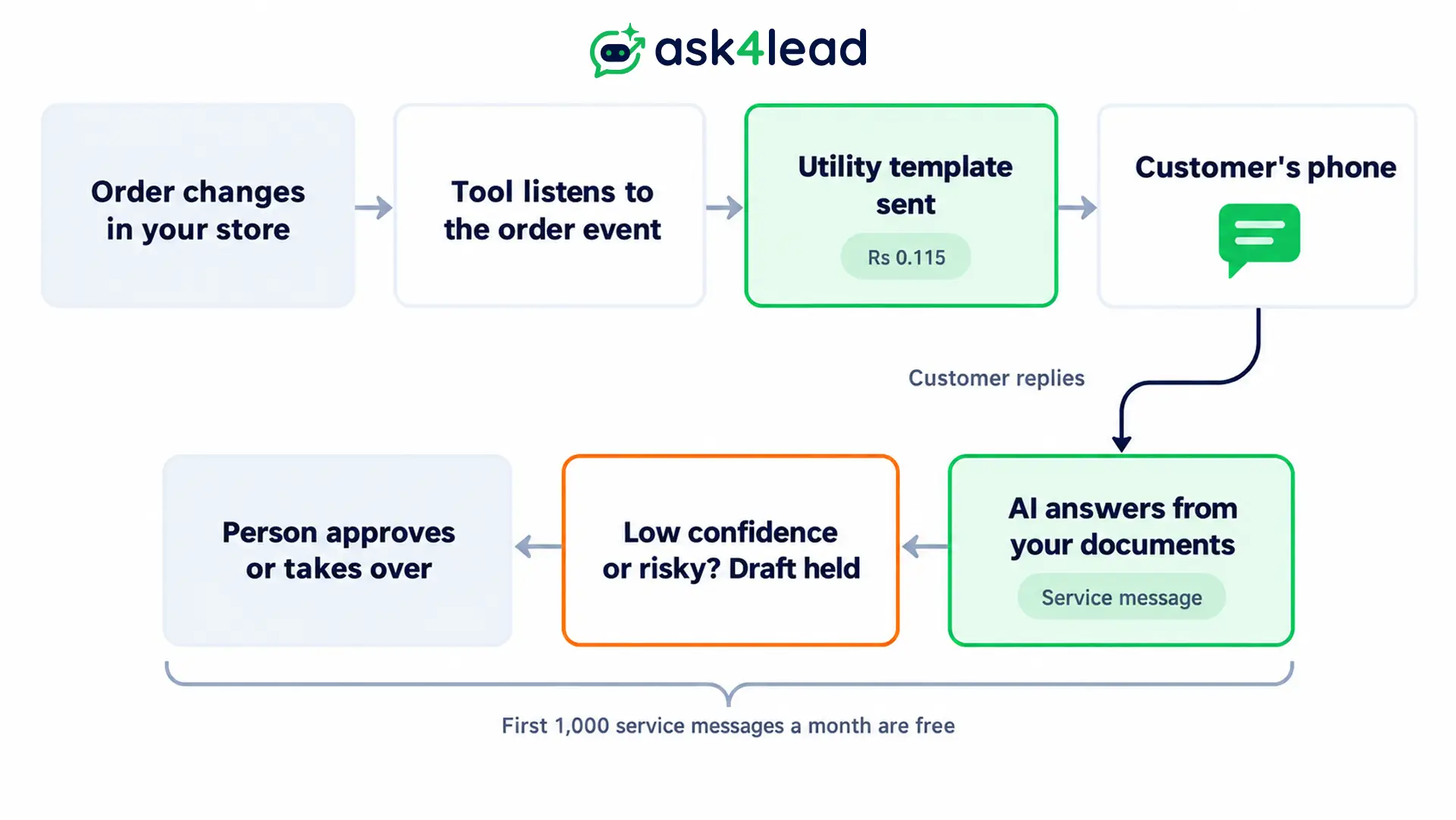
Meta bills a reply from any third-party AI as a service message. Only its own agent gets a token price. See AI agent vs support rep cost for that comparison.
Which events need WhatsApp order status updates
Send a message whenever the customer would otherwise ask “where is my order?”. These 6 WhatsApp order status updates cover most chats, and each one uses a utility template. A seventh case, the late order, needs a check you run yourself, because couriers report scans and never missed promises.
| Event | What to include | Why it matters |
| Order placed or payment pending | Order number, amount, payment link | The buyer can pay at once |
| Shipped | Courier, tracking link, expected date | These 3 answer most questions |
| Out for delivery | Delivery window, any cash on delivery amount | The buyer has the money ready |
| Delivery failed | Reason, how to rebook | You act before the parcel returns |
| Delivered | Confirmation, how to report a problem | A wrong parcel reaches you early |
| Delayed or stuck | New window, how to cancel | Buyers stop guessing |
Message first when a parcel runs late
Silence breaks trust, while delay rarely does. Sellers who message first say customers stay calm, because a new date beats no date. See alert message examples for wording.
Run this check every day:
- List the orders with no courier scan after your cut-off.
- List the orders that will miss the promised window.
- Send the delayed template before the customer writes, using scheduled WhatsApp messages if your tool supports them.
Treat “label created, no scan” as its own status
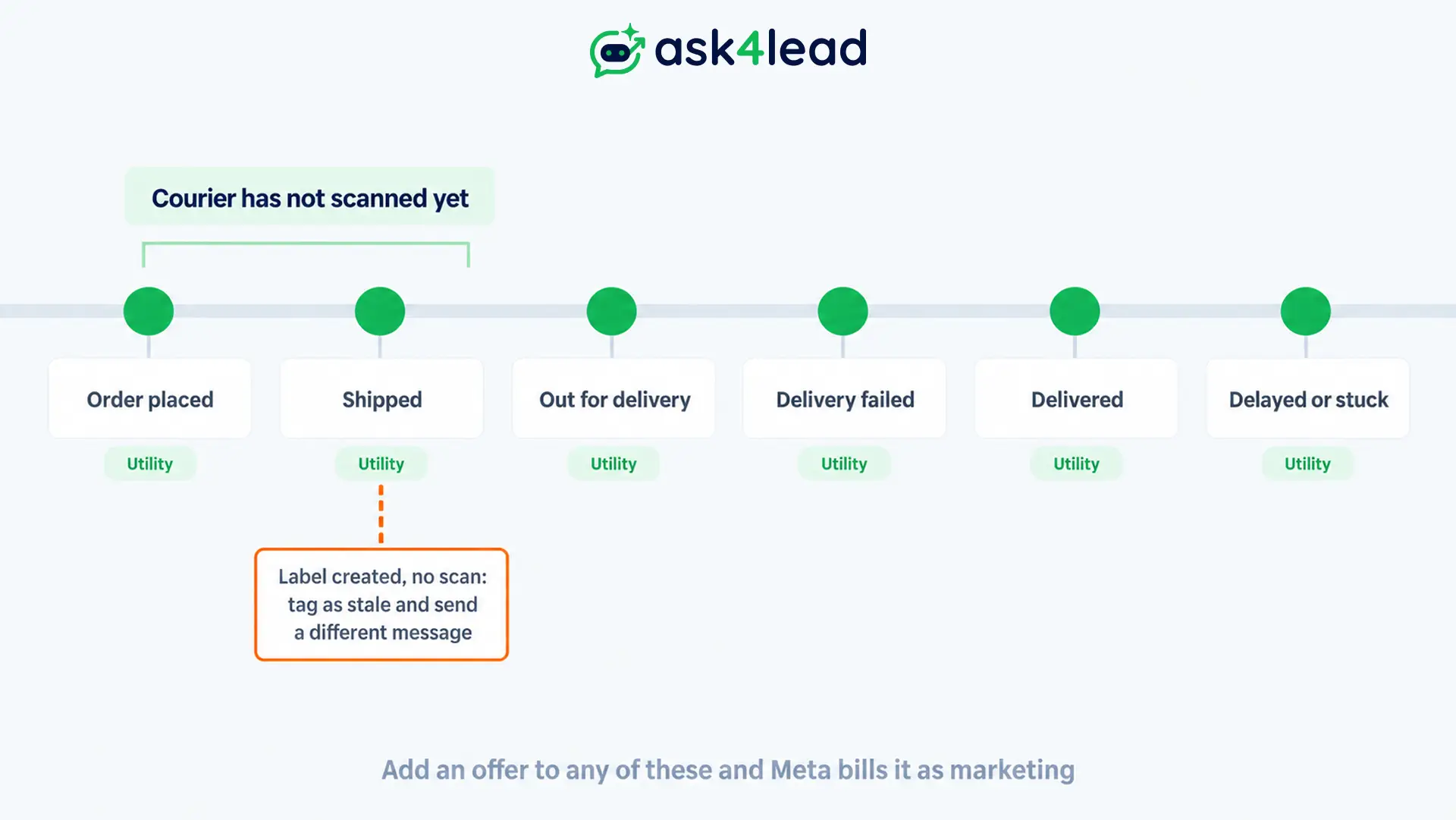
A label exists, but the courier has not collected the parcel. Saying “on its way” now promises movement that has not started. So tag these orders as stale and send this instead:
Your parcel is ready, but the courier has not collected it yet. We will check again at 6 pm, then message you.
For more follow-up wording on WhatsApp order status updates, see these reminder message examples.
How to trigger WhatsApp order status updates from your store
Put the trigger in a tool that listens to your store’s order event, not in a delay inside an email workflow. That tool fires the utility template on each stage change, and your email flow stays untouched. You have 3 routes, and each leaves you owning a different share of the work.
| Route | How it works | You own |
| Store app or provider connection | The app subscribes to order events | The templates only |
| Automation tool | It calls Meta’s Cloud API | Approvals, sender setup and retries |
| Your own code on a webhook | You send from your backend | All of the above, plus hosting |
On Shopify Basic, use the webhook route from the guide linked above. Shopify limits the Send HTTP request action to the Grow, Advanced and Plus plans, so Flow cannot make the call for you.
Why a 30-second delay is fine for WhatsApp order status updates
A message 30 to 60 seconds after checkout still looks instant. Skip the delay logic at first, because a message that arrives beats a perfect one that fails.
How to write templates for WhatsApp order status updates
A template is a pre-approved message with variables, such as {{1}} for the name. Meta approves a utility template only when it is not promotional and relates to 1 specific order. Write each of these 4 WhatsApp order status updates once, submit it, then reuse it for every order.
Payment pending: Hi {{1}}, we received order {{2}} for Rs {{3}}, so please pay with this link to confirm it: {{4}}
Order shipped: Hi {{1}}, your order {{2}} has shipped with {{3}}, so you can track it with number {{4}}. We expect delivery by {{5}}, but reply here when the address needs a change.
Out for delivery: Hi {{1}}, order {{2}} is out for delivery, so keep Rs {{3}} ready for cash on delivery. Reply here when nobody will be home.
Delayed: Hi {{1}}, order {{2}} is taking longer than planned, but the new delivery window is {{3}}. Reply here when you want to wait, change the address or cancel.
When you build these in Ask4Lead, the template builder fills variables from your CRM fields. It also shows Pending, Approved or Rejected status. To send an approved template to a batch of opted-in customers, use WhatsApp Campaigns.
What turns a utility template into marketing
Meta counts an order update with a promo as marketing. A delivery apology with a credit counts the same way. The price gap is large, so keep offers in a separate message.
| Message | Category | Price in India |
| “Your order has shipped with Delhivery” | Utility | Rs 0.115 |
| “Shipped, plus 10% off your next order” | Marketing | Rs 0.8631 |
| “Sorry for the delay, we added a credit to your account” | Marketing | Rs 0.8631 |
Marketing costs about 7.5 times more than utility. Read Meta’s template categorisation page for the full test.
Why a live template can change category
- Meta can recategorise an approved template when its content stops meeting the guidelines.
- Sellers report a utility template that quietly became marketing, so the invoice was the only warning.
- You can ask Meta for a review within 60 days of the change.
Check the category of each utility template in WhatsApp Manager once a week, because a silent change shows up first on the invoice. Watch your quality rating as well. If Meta rejects a template instead, this rejection checklist lists the usual causes. Then this guide to editing templates covers a resubmission.
How AI handles replies to WhatsApp order status updates
An AI can answer replies to WhatsApp order status updates only with data it can see. Policy, courier names and delivery windows come from your documents, but a live scan needs an order system connection. That split decides what you automate and what goes to a person.
What Ask4Lead’s AI can answer today
Ask4Lead’s AI Sales Assistant answers from your company profile and uploaded documents. It also reads your website content, services catalog and the recent chat.
| Customer question | Can the AI answer? | Where the answer comes from |
| Return window, cash on delivery rules, delivery time by zone | Yes | Your documents and profile |
| Where is the tracking link? | Yes, when the template holds it | Your status template |
| What did the courier scan last? | Not documented | A lookup into your order system |
However, Ask4Lead does not document a live lookup into a store or courier system. So put the tracking link in every status template, and let the customer open the live page. Then teach the rest through the AI knowledge profile, and see how to train the AI on your FAQs. A WhatsApp AI agent vs chatbot comparison shows why this differs from a button menu.
Sort every reply into 4 lanes
The common failure is an AI that answers every “where is my order?” from courier status alone, so sort first.
| Situation | Who answers | Why |
| Tracking moves normally | The AI | The status and the link are enough |
| No scan after cut-off | The AI, then you tag the order | The courier is behind, so the message must say so |
| High value, late, international or repeat contact | A person | A wrong answer costs more |
| Address change or cancellation after dispatch | A person | The courier may refuse |
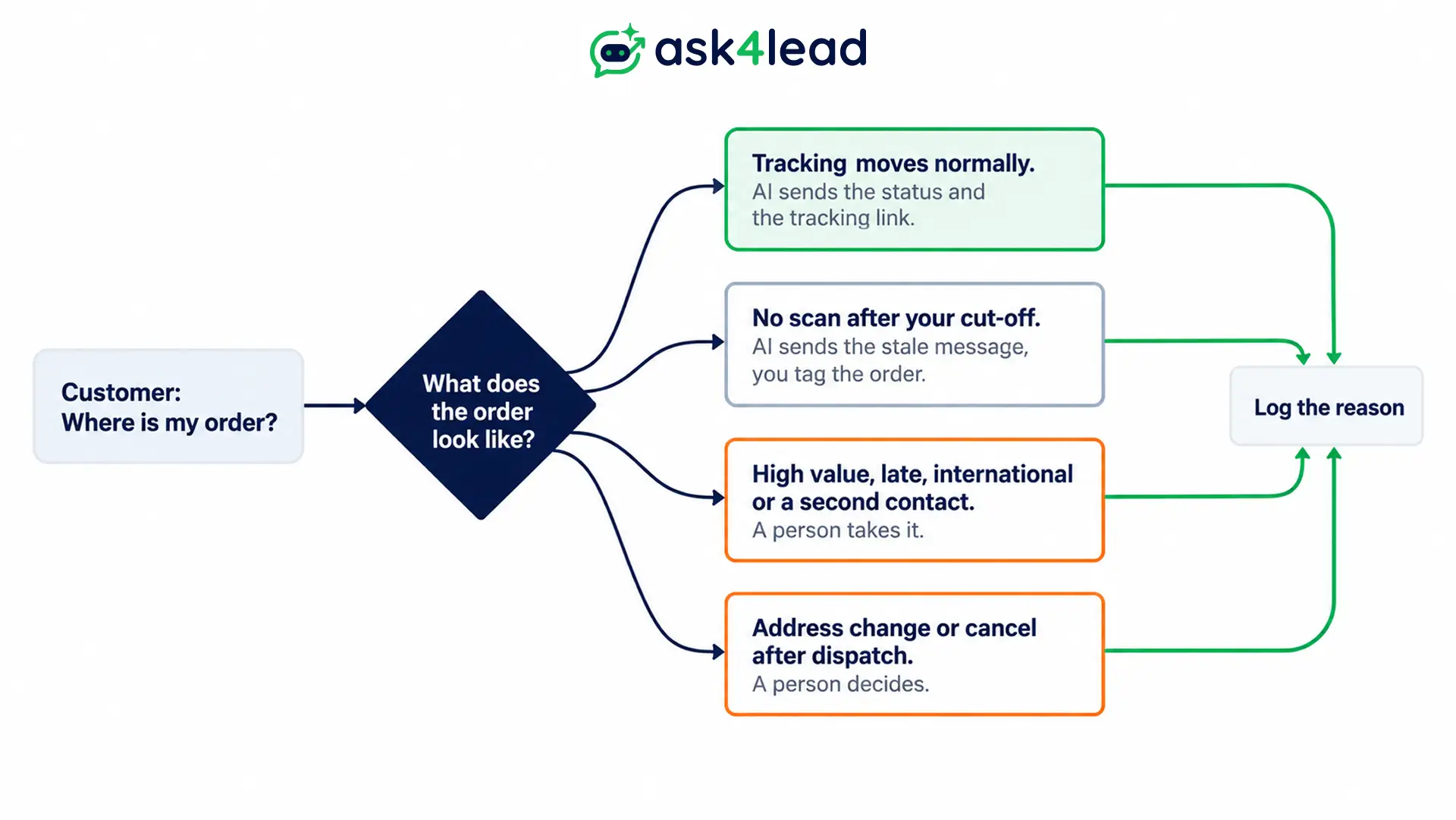
Then log the reason for each handoff, so you can see which courier, warehouse or product creates the most work. Give agents chat snippets for the usual replies.
Hold risky drafts for a person
Turn on human approval for the first weeks, because you will learn which answers need a review. Ask4Lead holds low-confidence drafts in the Work Queue, and the customer sees nothing until an agent approves.
Then read how to design a WhatsApp human handoff, because it sets rules for when chats leave the AI.
What WhatsApp order status updates cost in India
WhatsApp order status updates cost Rs 0.115 per delivered template in India. Each AI or human reply you send costs nothing for the first 1,000 a month, then Rs 0.115. These are Meta’s list rates effective 1 October 2026, so your invoice may differ if a provider adds markup.
| Message | Meta list rate in India |
| Utility template (status update) | Rs 0.115 per delivered message |
| Marketing template | Rs 0.8631 per delivered message |
| Service message (AI or person reply) | Rs 0.115 after the first 1,000 per number each month |
A worked example for 500 orders
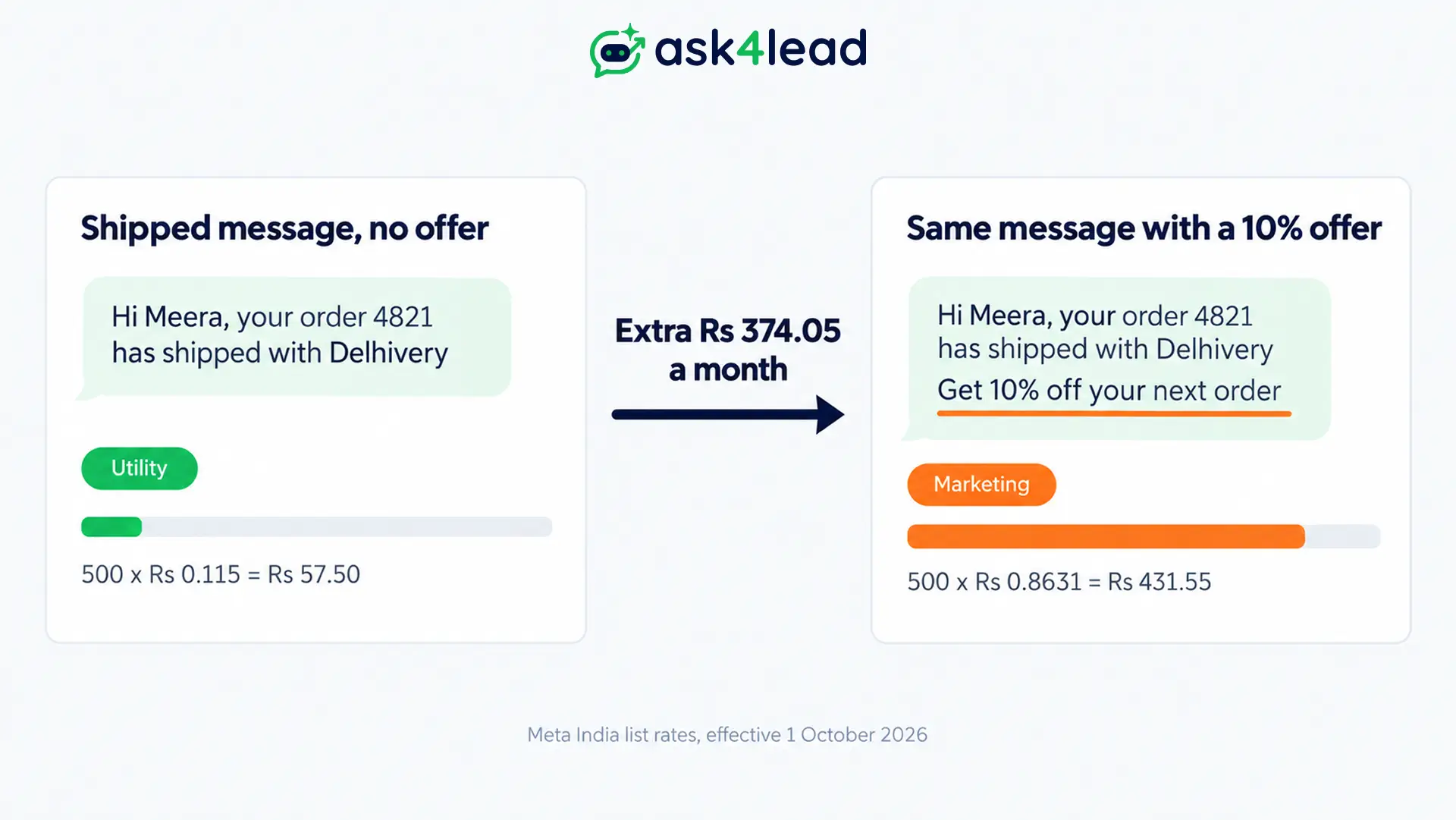
Take 500 orders a month with 4 status templates each. Then see what 1 offer does to the shipped template.
| Scenario | Maths | Cost a month |
| All 4 templates as utility | 2,000 messages × Rs 0.115 | Rs 230 |
| Shipped template alone, as utility | 500 × Rs 0.115 | Rs 57.50 |
| Shipped template with a 10% offer | 500 × Rs 0.8631 | Rs 431.55 |
| Extra cost of the offer | Rs 431.55 minus Rs 57.50 | Rs 374.05 |
Where Meta does not charge, and 1 setting to check
- Meta charges a utility template even when the customer messaged you recently.
- A free entry point window is the exception. It opens after a click-to-WhatsApp ads chat and lasts up to 7 days. Meta charges no marketing, utility, authentication or service messages while it lasts.
- Add a payment method in Meta’s Billing Hub. Without one, Meta delivers service messages only inside the free 1,000, so AI replies stop after that.
Some providers publish per-message prices above Meta’s list rate, so compare your invoice with the table above. See WhatsApp Business API pricing in 2026 for the full rate picture, then check Meta’s pricing page for any change.
How the 24-hour window affects WhatsApp order status updates
When a customer messages you, a 24-hour window opens, and each new message resets it.
| Situation | What you can send |
| Customer wrote in the last 24 hours | Free text, so the AI can reply |
| No message for 24 hours or more | An approved template only |
| Late-order update to a silent customer | The delayed template |
Then read the 24-hour rule explained for edge cases, and the rules for AI replies for opt-in limits.
How to test WhatsApp order status updates before launch
Run every event with a real test order before a customer sees one. A wrong variable or category in your templates is cheap to fix before launch and costly after. Each check takes minutes, so work through this list of 6:
- Place a test order for each of the 6 WhatsApp order status updates, then confirm each template arrives with correct variables.
- Check the category that Meta assigned to each template in WhatsApp Manager, because that sets the price.
- Reply “where is my order?” while the window is open, then read the AI answer.
- Reply 25 hours later, and confirm the AI cannot send free text without a new customer message.
- Ask to cancel after dispatch, then confirm the chat reaches a person.
- Type a wrong order number, and confirm the AI asks again instead of guessing.
The AI agent testing guide has more cases, so use it after these 6. Then, once real orders flow, track the share of order chats that need a person with the AI agent metrics and the AI Dashboard.
This does not apply if you sell fewer than a handful of orders a week. At that volume, a manual reply from the shared team inbox costs less than the setup.
FAQs
1. Are WhatsApp order status updates free?
No, because Meta charges each delivered utility template, which is Rs 0.115 in India. However, messages inside a free entry point window cost nothing.
2. Do customers need to opt in to WhatsApp order status updates?
Yes, because Meta says you can message only users who opted in. So ask at checkout and keep the record, as the opt-in consent guide explains.
3. Can the AI read live courier status for WhatsApp order status updates?
Only when your system gives it a lookup. Ask4Lead’s AI answers from your documents and catalog, so include the tracking link in each status template.
4. Which category should WhatsApp order status updates use?
Keep offers in a separate marketing message, so the status template stays a utility template. A status message needs to refer to 1 specific order.
5. What if I use Shopify Basic?
Use a webhook route outside Shopify Flow, because Basic lacks Flow’s HTTP request action.
Conclusion
WhatsApp order status updates work when 3 parts line up. Each event has a utility template, the AI answers only what it can see, and a person takes the rest. Your costs stay small when the category stays utility.
Before you launch, check that you have:
- Written 1 utility template for each of the 6 events, so no update depends on a manual message
- Kept every offer out of the status templates, because an offer turns them into marketing
- Added the tracking link to each template, so the customer can check live status
- Set 4 lanes for replies, including the stale-shipment rule, before the first real order
- Added a payment method in Billing Hub, so AI replies keep sending after the first 1,000
Next, run the 6-step test, then review the first week of chats.
Stop answering “where is my order?” by hand
Every status update you send invites a reply, so a slow answer brings the customer back to you tomorrow. When you use Ask4Lead, the template builder fills order details from your CRM.
The AI Sales Assistant answers from your own policies, while Human Approval holds risky drafts. Then the Work Queue gives a person the chats that need them.
You can also see how e-commerce teams use it or read about the WhatsApp AI agent for e-commerce.
