
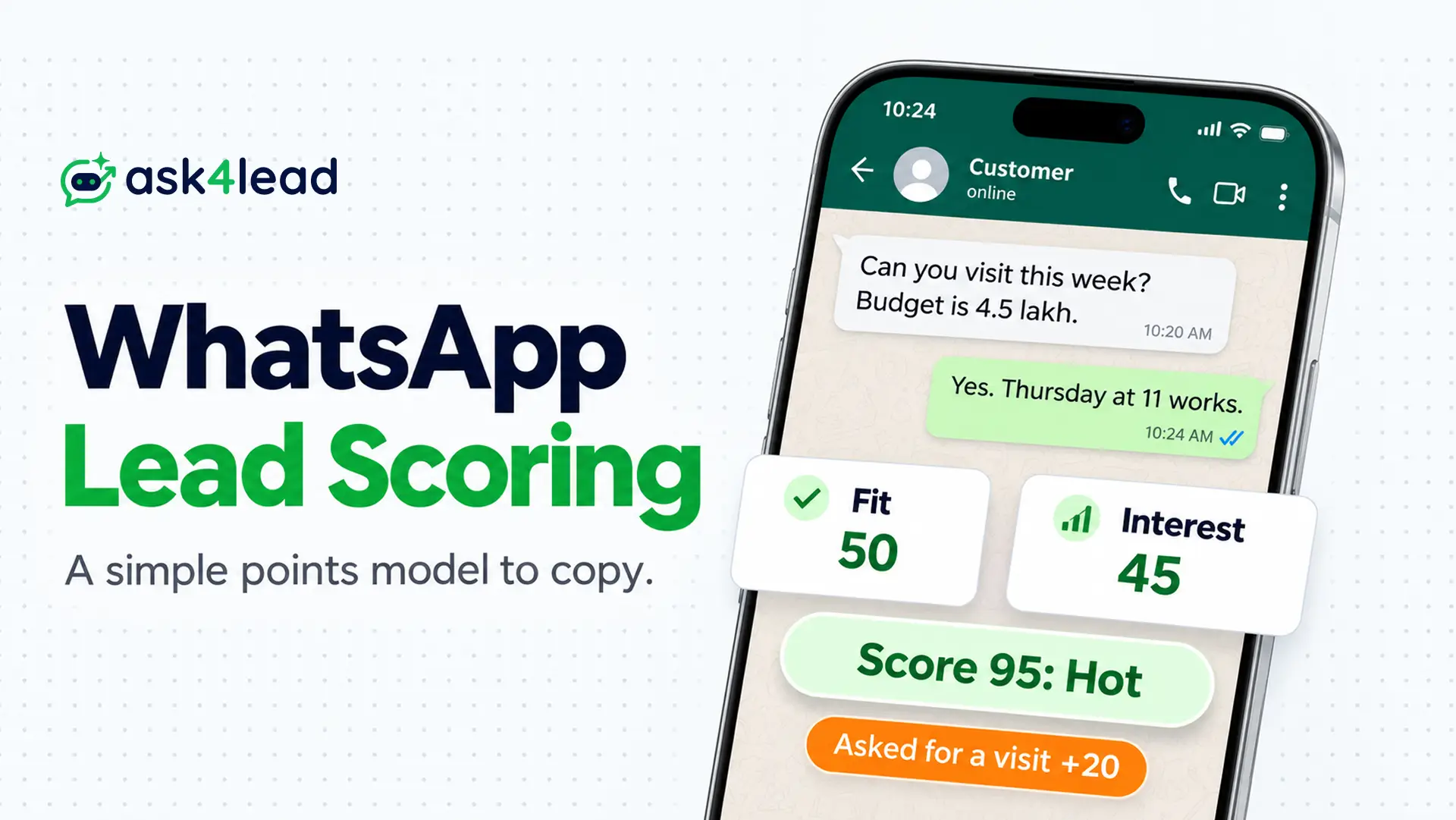
WhatsApp lead scoring is a 0 to 100 number on every chat, so your team answers likely buyers first. The number comes from points for who the lead is and what the lead does in the chat.
First, you get one WhatsApp lead scoring model to copy, with points, cut-offs and six worked leads. Then you get a decay rule and a 30-lead test. If you need the questions behind the points, read the guide to AI lead qualification.
What Is WhatsApp Lead Scoring?
WhatsApp lead scoring adds points for facts you collect once and for actions the lead takes in the chat. Then the total sorts leads into hot, warm and cold, so your team works hot leads first. However, a score is a sort order and not a promise to buy.
Two kinds of points keep the model honest:
- Fit points: these cover facts such as need and city, so you collect them once.
- Interest points: these cover actions such as asking for a price, and they fade when the chat goes quiet.
Keeping them apart stops a silent lead from outranking a keen lead who is unsure about budget.
Which WhatsApp Lead Scoring Signals Deserve Points?
WhatsApp lead scoring should reward only what a lead said or did that points toward a purchase. So fit answers and buying actions earn points, while receipts, message counts and ad source do not. Fewer signals give you a score your team can explain.
1. Score the answers you collect once
First, ask for 4 facts: what the lead needs, when, the budget range and the city. Then ask one question at a time and stop after 3 or 4. Builders who tested longer chats report that people stop replying.
The lead record in Ask4Lead saves the name, budget and requirements the AI finds, so nobody retypes them.
2. Score the actions that show buying intent
For example, “How do I pay?” beats ten friendly messages. So give points for these 5 actions:
- Fast reply: score it when the lead answers your first message within 1 hour.
- Answers: score it when the lead replies to a qualifying question.
- Price or availability: score it if the lead asks what it costs or whether you have stock.
- Strong action: score it when the lead asks for a quote, visit, demo, call or payment steps.
- Proof of need: score it if the lead sends a photo, plan or document that shows the need.
3. Leave 4 signals unscored
However, some signals look useful but mislead. So leave these 4 out of your WhatsApp lead scoring:
- Read receipts: users can switch read receipts off, so “unread” may only mean “private”.
- Delivery status: it only proves the phone got the message, so it says nothing about interest.
- Message count: a chatty lead is not always a buying lead, since a short “how do I pay?” says more.
- Ad source: record it in a column, then compare hot rates by source each month.
The 100-Point WhatsApp Lead Scoring Model to Copy
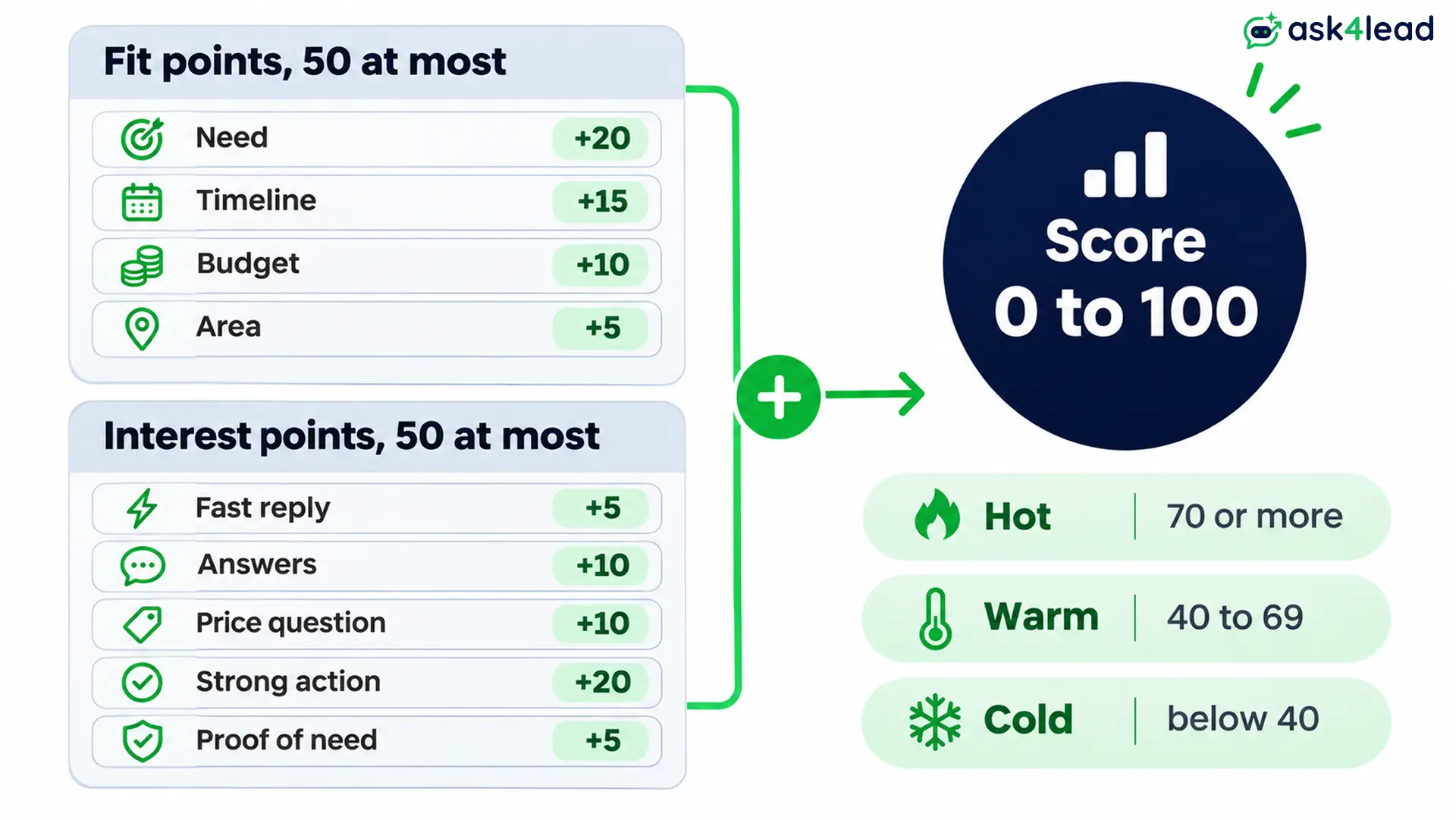
This WhatsApp lead scoring model gives up to 50 Fit points and up to 50 Interest points. Then it multiplies Interest by a freshness factor.
Treat these numbers as a start, because your own won and lost deals should set the final weights.
1. Fit points, 50 at most
- Need: add 20 if the need is clear and you sell it, or 5 if it is vague.
- Timeline: add 15 if the lead buys within 30 days, 8 if within 31 to 90 days, otherwise 0.
- Budget: add 10 if the budget meets your minimum, otherwise 0.
- Area: add 5 if the lead lives inside the area you serve.
Unknown scores 0 and never a penalty, since a lead you have not asked has not refused.
2. Interest points, 50 at most
- Fast reply: add 5 if the lead answers within 1 hour.
- Answers: add 5 when the lead answers a question, up to 10 in total.
- Price or availability: add 10 when the lead asks.
- Strong action: add 20 if the lead asks for a quote, visit, demo, call or payment steps.
- Proof of need: add 5 when the lead sends a photo or document.
3. Gates and negatives for WhatsApp lead scoring
First, check these before you add any points:
- Gate: if the need is outside your services, the area is wrong or the lead is spam, stop here. Then mark it “not a fit” and save the reason.
- “Not now” or “just researching”: take 10 off Interest, since the lead said to wait.
- No reply to 2 follow-ups: take 15 off Interest, because silence after nudges means something.
- “Not interested” or STOP: close the lead and honour the opt-out, then stop scoring it.
Finally, floor every total at 0.
4. Let Interest Points Decay in WhatsApp Lead Scoring
Interest fades when a chat goes quiet. So multiply Interest by a freshness factor based on the last reply:
- 0 to 3 days ago: multiply by 1, since the chat is still warm.
- 4 to 14 days ago: multiply by 0.5, because interest cools.
- Over 14 days ago: multiply by 0, so only Fit points remain.
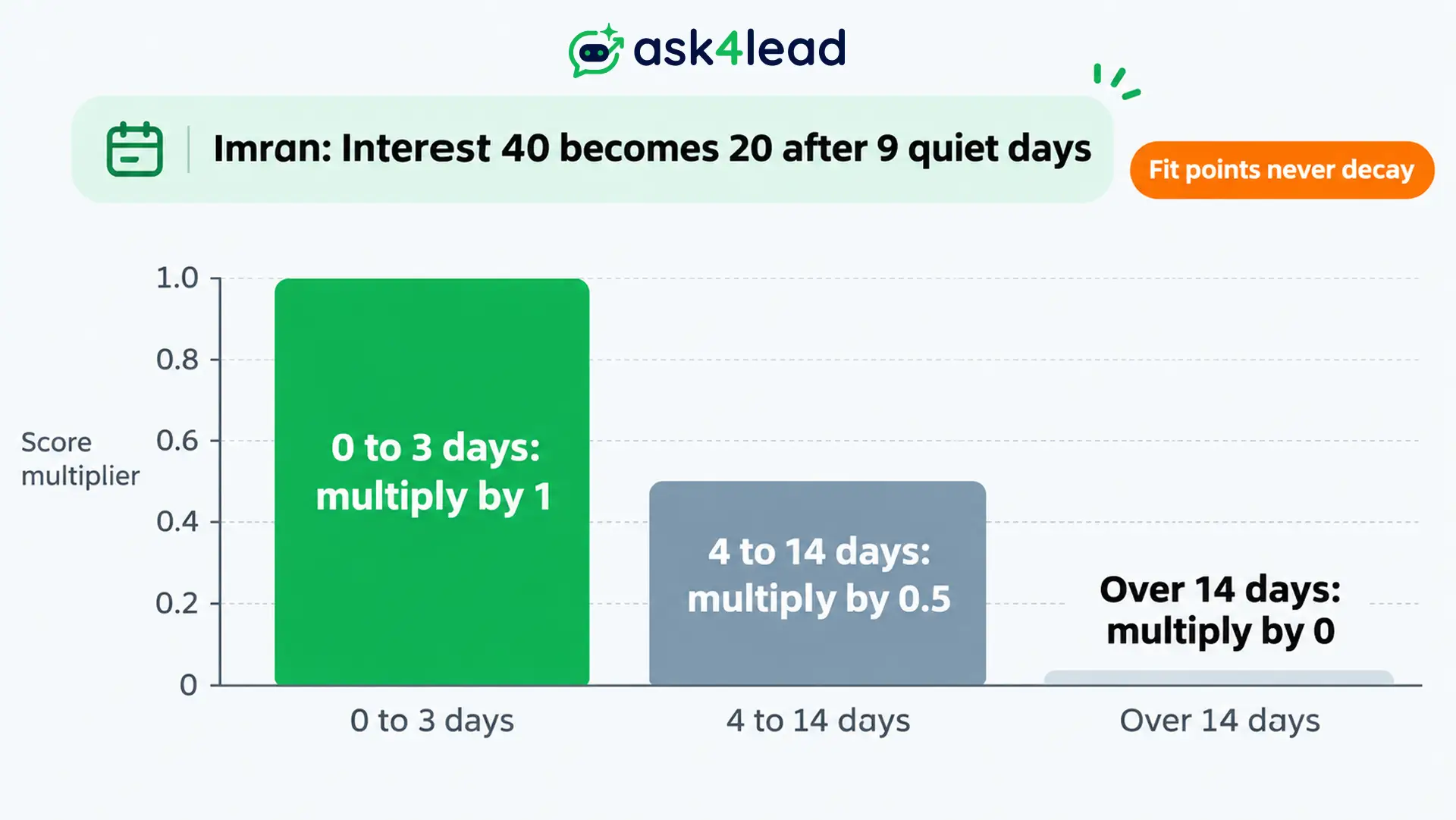
Fit does not decay, though you should re-ask the timeline once its window passes. Then a lead whose Interest reaches 0 needs a follow up reminder.
Meanwhile, the Work Queue in Ask4Lead lists quiet open deals under Stale No Recent Reply.
5. Set the Hot, Warm and Cold Cut-Offs for WhatsApp Lead Scoring
- Hot: call at once when the total is 70 or more.
- Warm: follow up when the total is 40 to 69.
- Cold: send a template when the total is below 40.
Next, add one override: a lead who asks for a person or a call goes to hot, whatever the number. Keep the score anyway, since the test needs it. Then add a capacity check. If hot leads outnumber what your reps can answer in an hour, raise the cut-off by 5.
How Six Leads Score in a WhatsApp Lead Scoring Example
First, take an interior design studio in Pune. It sells kitchen and wardrobe packages and takes projects of ₹3,00,000 or more. Then six invented leads arrive over two weeks. The table shows each WhatsApp lead scoring result and its route.
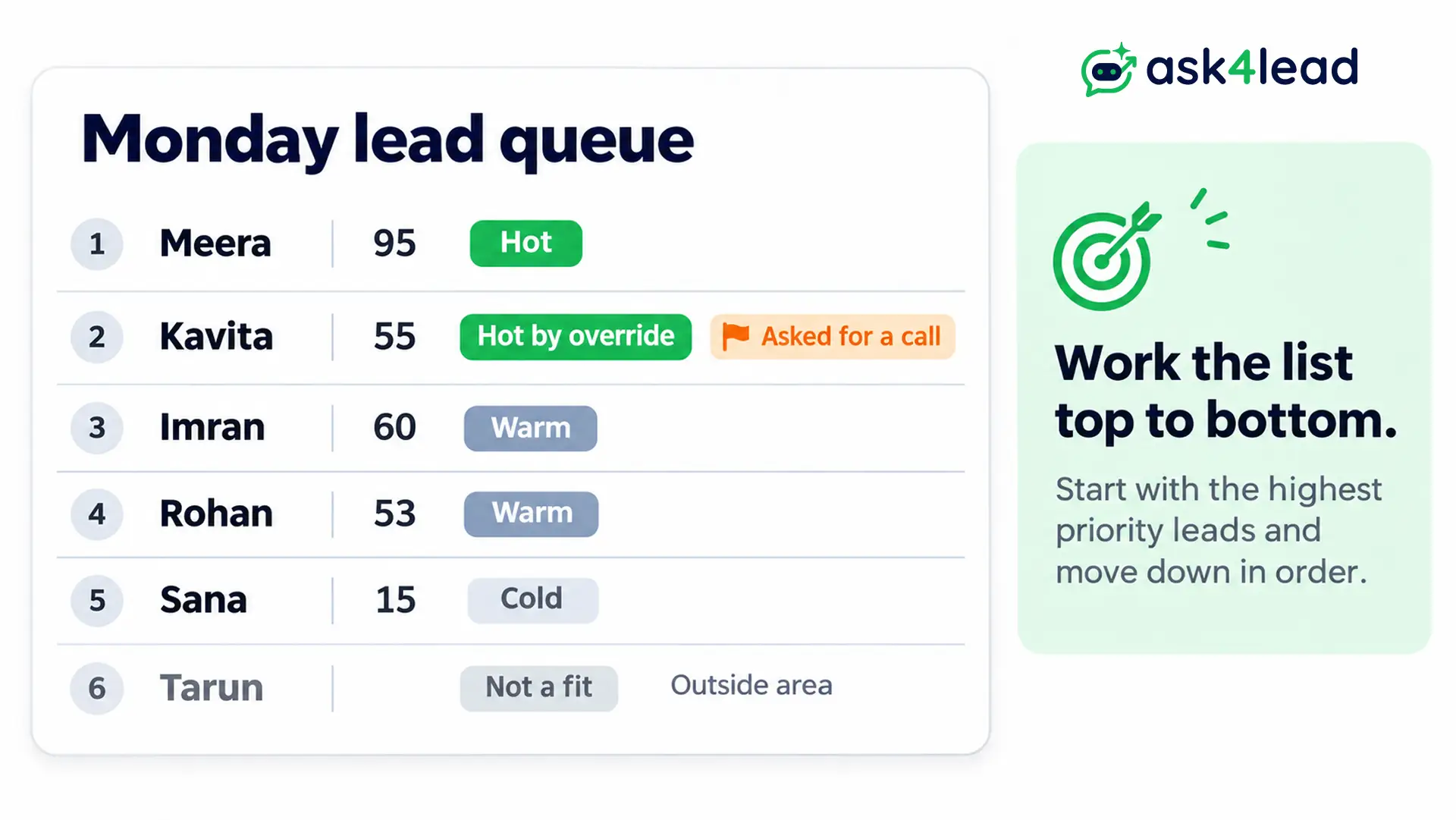
| Lead | Fit | Interest | Freshness | Total | Route |
| Meera | 50 | 45 | 1 | 95 | Hot |
| Kavita | 25 | 30 | 1 | 55 | Hot by override |
| Imran | 40 | 40 | 0.5 | 60 | Warm |
| Rohan | 33 | 20 | 1 | 53 | Warm |
| Sana | 10 | 5 | 1 | 15 | Cold |
| Tarun | Gate | None | None | Not scored | Not a fit |
Read each lead’s story
- Meera wants a kitchen this month and shared a ₹4,50,000 budget. Her Fit is 50, from need 20, timeline 15, budget 10 and area 5. Interest adds up to 45 from a fast reply, two answers, a price question and a visit request.
- Kavita asked for a call but gave no budget or timeline. Her 55 is warm, yet the call request sends her to hot.
- Imran asked for a quote 9 days ago and then went quiet. He scored 80 then, so decay halves his Interest and he is now 60.
- Rohan has a clear need and a 2-month timeline. However, he has not said a budget, so he stays warm.
- Sana only said hello, so she gets a template later.
- Tarun lives in Nagpur, outside the studio’s area, so he gets a polite reply and a saved reason.
Work the list in score order
As a result, Monday’s order is Meera, Kavita, Imran, Rohan and Sana. Imran moves up if he replies, since a new message resets freshness to 1. In Ask4Lead, the AI moves cards to Qualified in the sales pipeline. Compare that stage with your score.
How to Build the WhatsApp Lead Scoring Sheet
Because volume is low at first, a spreadsheet is enough for WhatsApp lead scoring on your first 100 leads. Give each lead one row and let formulas add the points. Then you can change a weight and recalculate everything.
1. Create the columns
Next, use these columns in this order:
- A to C: hold the phone, source and received date, so every lead stays traceable.
- D to G: hold the need, timeline, budget and area points, because each answer needs its own cell.
- H: caps the four Fit columns at 50, so Fit cannot overflow.
- I and J: hold Interest points and the last reply date, since freshness needs a date.
- K to M: hold freshness, total and band, then you sort by total.
- N and O: hold the status and the reason, so rejected leads stay visible.
2. Add four formulas
Then add four formulas, and paste each one down its column. They cover Fit, freshness, total and band:
H2: =MIN(50,SUM(D2:G2))
K2: =IF(TODAY()-J2<=3,1,IF(TODAY()-J2<=14,0.5,0))
L2: =MAX(0,ROUND(H2+MIN(50,I2)*K2,0))
M2: =IF(L2>=70,"Hot",IF(L2>=40,"Warm","Cold"))
3. Log every lead before you score it
When a chat starts, write a row with the status “received”. Later, change it to “scored” or “not a fit” and add a reason. Then received minus scored shows leads that vanished. A cold lead needs no alert, yet it still needs a row.
4. Mirror the band in Ask4Lead
Because sheets do the maths, tags can show the WhatsApp lead scoring result inside the chat. Ask4Lead’s lead record lets you create custom tags, so tag each lead Hot, Warm or Cold.
Then you can filter WhatsApp Campaigns by tag. The feature pages do not describe a points engine or a numeric cut-off, so keep the maths in your sheet.
How to Test Your WhatsApp Lead Scoring on 30 Closed Leads
Score 30 leads you already closed, using only what you knew in their first 3 days. Then count wins in each band. Hot should win at least twice as often as warm. If it does not, change one weight and test again.
1. Pick a fair sample
First, take the last 30 closed leads and include both won and lost ones. Then score each one from its first 3 days of chat.
If you score from the full chat, the model cheats, since later messages reveal the outcome. However, a score built on a thin guess can look fine on made-up data and still drift on real chats.
2. Read the win rate per band
The numbers below illustrate the check and are not a benchmark.
| Band | Leads | Won | Win rate |
| Hot | 9 | 5 | 56% |
| Warm | 12 | 3 | 25% |
| Cold | 9 | 1 | 11% |
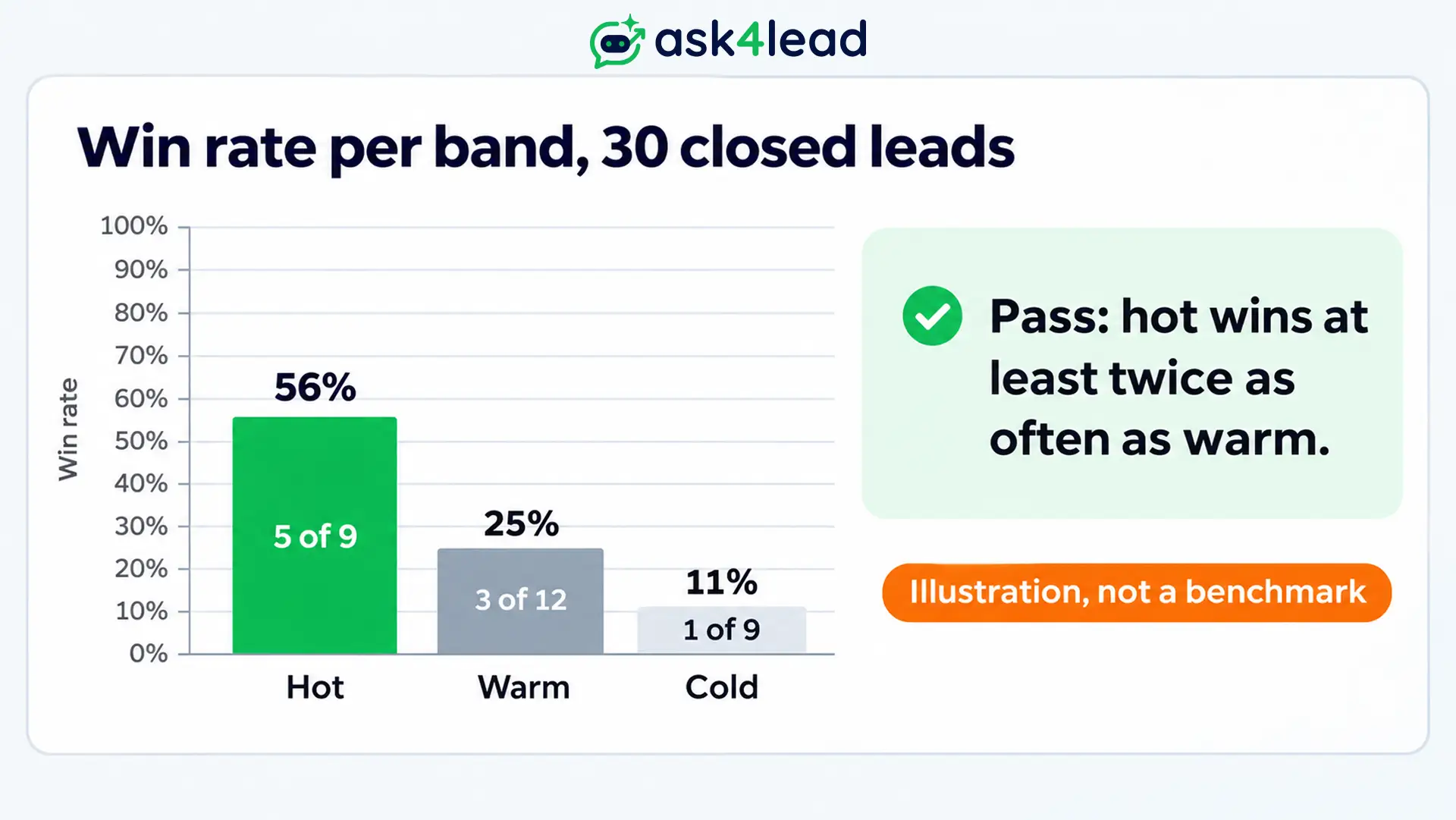
Here the hot band wins about twice as often as warm, so the model passes. The sample is small, so test again at 100 leads.
3. Change one weight at a time
If a cold lead won, find which signal it showed and raise that signal. Likewise, if a hot lead lost, find which Fit points it held and lower them. Also, changing two things at once hides the cause.
In Ask4Lead, reports and analytics filter metrics by custom tags, so you can compare Hot-tagged leads with closed deals.
How to Use WhatsApp Lead Scoring After the Score
WhatsApp lead scoring matters only when the score changes what happens next. So send hot leads to a person, warm leads to a follow-up plan and cold leads to a cheap template. Then keep a human in the loop for high-value leads.
1. Route each band
- Hot: assign an owner within minutes, using your assignment rules, so nobody waits.
- Warm: set a follow-up date and a short note, so the chat does not sink.
- Cold: add to a monthly list, but only if the person opted in, as WhatsApp opt-in consent explains.
2. Mind the 24-hour window
First, a reply inside the 24-hour window is a service message. Also, Meta’s pricing page gives each number 1,000 free service messages a month from 1 October 2026. Outside the window, however, you need an approved template, charged per delivered message. So a hot lead costs less to answer than a cold lead costs to nurture.
3. Keep a person before the message
For high-value leads, use four steps: score, recommend, approve, send. Instead, never let one number decide whether a valuable lead hears back. In Ask4Lead, human approval holds low-confidence AI replies, so a person checks them first. Meanwhile, the AI Sales Assistant flags pricing questions for a human.
4. Send the result back to Meta
For Click to WhatsApp ads, Meta’s Conversions API for business messaging can take the outcome back. It accepts a QualifiedLead event with a value and currency, plus the ctwa_clid from the webhook.
Send it once a person confirms a hot lead, not on every score change. Ask4Lead’s feature pages do not describe this sending, so post the event from your own CRM.
Then follow the click-to-WhatsApp ads guide for the pattern.
FAQs
1. How many questions should WhatsApp lead scoring ask?
Ask 3 or 4, one at a time. Each extra question loses some leads, so collect the rest after a person takes over.
2. Should AI set the score?
Let AI read the chat and fill the fields. Then let fixed rules add the points, so the same answers always give the same score.
3. How often should I update WhatsApp lead scoring?
Update it whenever the lead replies. Meanwhile, the freshness formula handles quiet days, so check hot leads daily.
4. What score should count as hot in WhatsApp lead scoring?
Start at 70, then adjust until the hot list matches what your reps can answer within the hour.
5. Does Ask4Lead score leads automatically?
Its feature pages do not describe a points engine. Instead, the AI fills the lead record and suggests a pipeline stage. So keep points in a sheet and mark the band with a tag.
Conclusion
WhatsApp lead scoring works when you score Fit and Interest apart, let quiet chats decay and test on closed leads. Start with the 100 points above, then adjust one weight at a time.
Before you score your first lead, check that you have:
- Four Fit questions asked one at a time.
- Five Interest actions with their points.
- One gate, one decay rule and one override.
- Your sheet, logging every lead as “received”.
- A 30-lead test booked for next week.
Next, score last month’s 30 closed leads and see which band won.
Stop sorting WhatsApp leads by gut feel
If your best leads still wait behind chatty ones, Ask4Lead fixes the order. The lead record saves budget and requirements, and tags mark each band.
Meanwhile, the Work Queue lists quiet deals, and human approval holds pricing replies for a person.
