
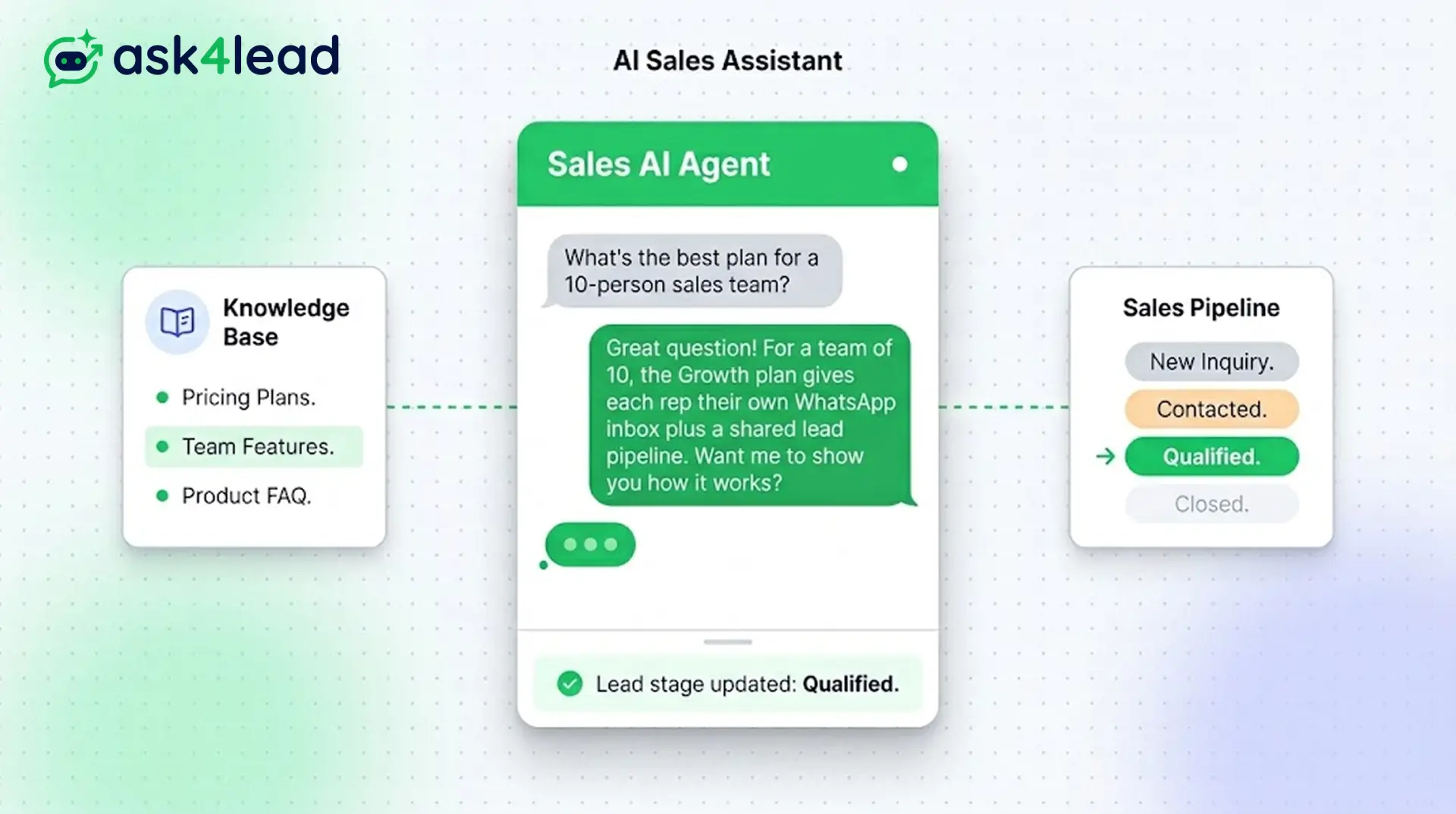
When a customer messages your WhatsApp number, the AI Sales Assistant reads the message. It checks your company’s knowledge base and replies in natural language.
The Assistant asks about their specific situation instead of sending a button menu. It works 24/7 and replies in under 60 seconds. Your team then receives a lead with the exact problem attached.
Replies in under 60 seconds, 24/7 using your own business knowledge, not generic AI.
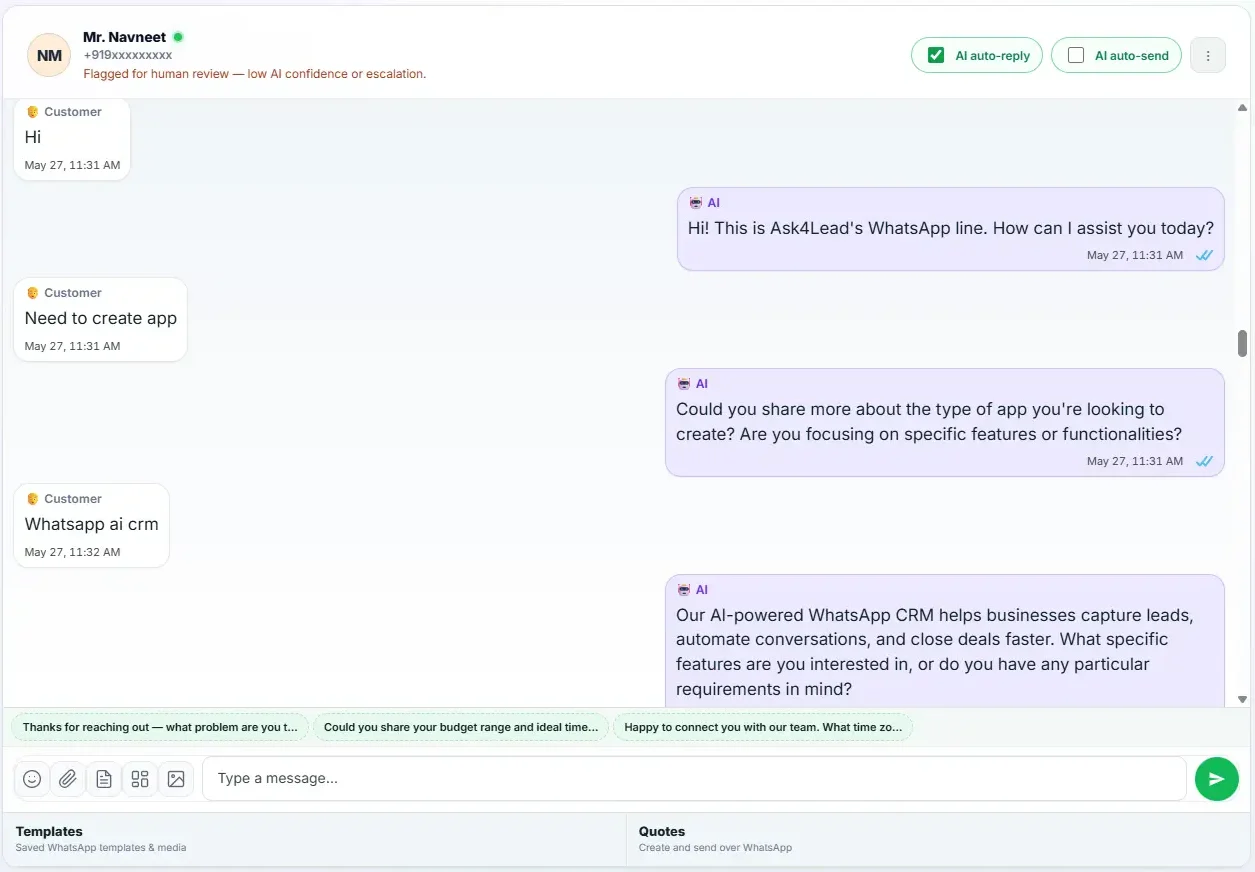
A Conversational AI Built on Your Business Knowledge
The AI Sales Assistant is Ask4Lead’s conversational AI layer. This feature talks to your customers directly on WhatsApp.
It reads what the customer wrote instead of routing them through fixed buttons. The AI then decides if a button menu or an open question fits better. Finally, it responds in natural language using your business information.
Your company profile, uploaded documents, website content, and services catalog inform every reply. The AI also uses the recent history of that specific conversation.
If you have not connected an AI provider yet, the Assistant generates a placeholder reply so your team can test the full workflow, including lead creation, pipeline movement, and follow-up scheduling, before activating live AI replies.
Why Standard WhatsApp Chatbots Keep Missing Qualified Leads
Most WhatsApp chatbots send the customer a menu: “Select your interest: Property, Loan, Insurance, Other.”
Customers either pick the closest guess or give up entirely if their situation does not fit those options.
Over time, this pattern fills the pipeline only with customers who fit the buttons. Everyone else walks away unnoticed.
Key Insight: Ask4Lead’s AI Sales Assistant supports button menus where they help. However, its primary job is to keep the conversation going in natural language. It steps in whenever a customer’s situation does not fit a predefined option. No lead disappears just because the menu lacked the right button.
How the AI Sales Assistant Works, Step by Step
When a new WhatsApp message arrives and the AI is active for that conversation, Ask4Lead follows the same five-step sequence every time:
- Gathers context: The system pulls in your company’s AI profile, uploaded knowledge documents, and website content. It also reviews the services catalog and the recent messages in that conversation thread.
- Finds the relevant information: searches your knowledge base for the specific content that answers what the customer just asked or described.
- Generates a structured reply: writes the response in natural language, while also working out a confidence level and a suggested next pipeline stage for the lead record.
- Sends or holds the reply: The message goes out over WhatsApp immediately. Alternatively, the system holds it in the Work Queue if you enabled human approval. The lead record updates automatically in both cases.
- Falls back to a placeholder: The Assistant generates a placeholder reply if you have not configured an AI provider yet. This allows your team to test the full lead-capture and pipeline workflow end to end.
Core Capabilities of the AI Sales Assistant
The AI Sales Assistant is designed to be accurate first and conversational second:
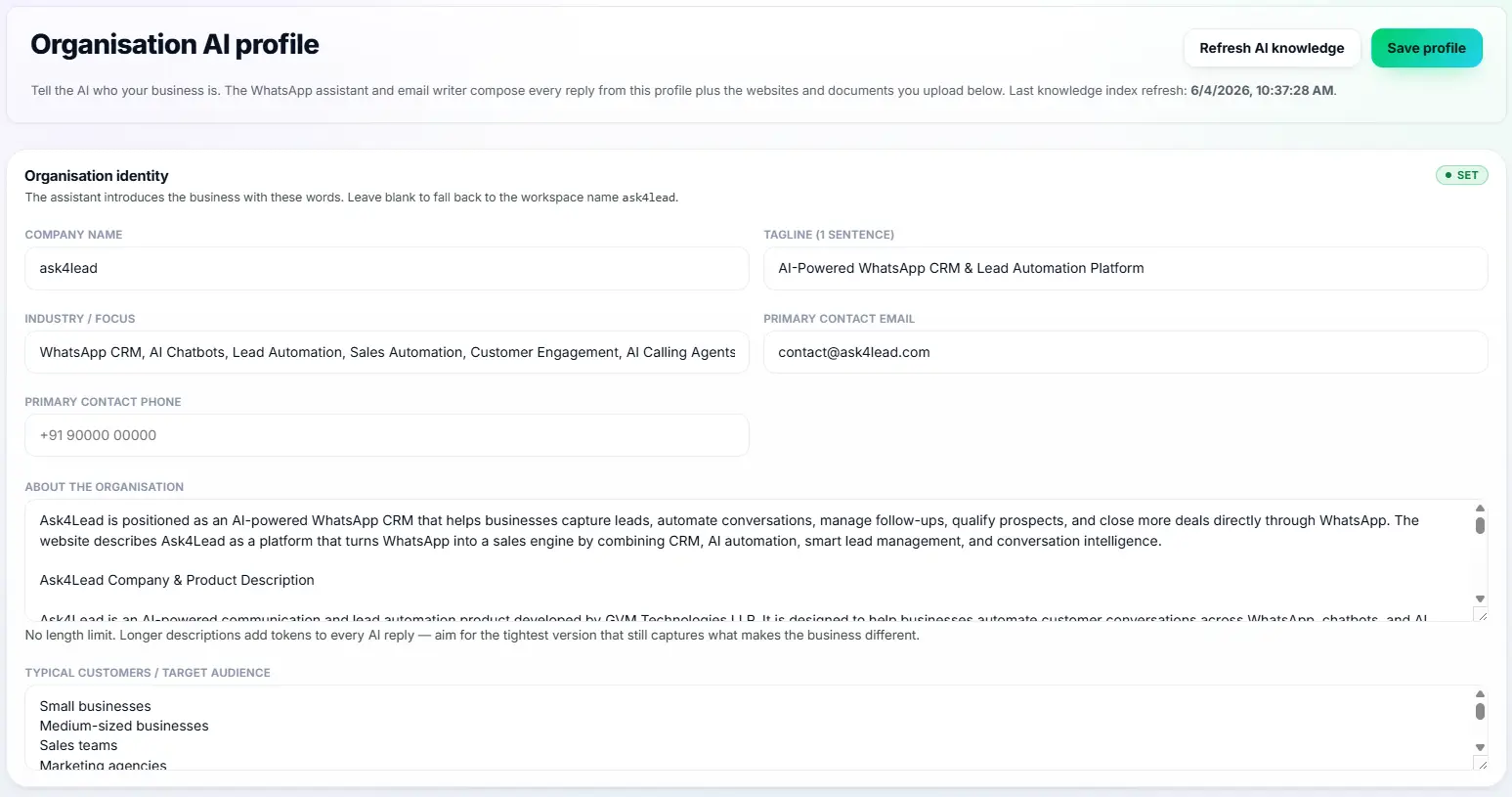
- Your company profile, uploaded documents, website content, and services catalog ground all answers. The AI ignores generic knowledge from the internet.
- Uses the recent conversation history so follow-up questions stay relevant to what the customer already said in that specific chat thread.
- The AI follows your tone guide and any do-not-say rules from the Tenant AI Profile. This keeps every reply consistent with your brand.
- The Assistant extracts qualification details from the conversation and suggests the next pipeline stage automatically. This populates the lead record without manual data entry.
- Detects pricing questions and flags those conversations for a human before any figure is shared or promised.
- Can be switched on or off for any individual conversation, giving your team full control without affecting other active chats.
AI Sales Assistant vs. Button-Menu Chatbots
| Button-Menu Chatbot | Ask4Lead’s AI Sales Assistant |
| Customer picks from 3–5 preset options | Customer describes their actual situation in their own words |
| If the need isn’t on the menu, the chat dead-ends | The AI asks a natural follow-up question instead of stopping |
| Business receives a name, number, and a menu choice | Business receives a lead with the customer’s specific problem already recorded |
| Same canned reply sent to every customer regardless of their message | Reply is grounded in that customer’s conversation and your knowledge base |
| Pricing questions get a fixed canned response | Pricing questions are detected and flagged for a human before anything is promised |
How the AI Sales Assistant Connects to Your CRM and Pipeline
Every conversation the AI Sales Assistant has updates a structured record in Lead Management, including the pipeline stage it suggests for the Sales Pipeline. When a reply needs a human to review it before sending, it moves automatically to the Work Queue under Human Approval. The Tenant AI Profile controls every aspect of how the AI behaves: tone, rules, and the knowledge it draws from.
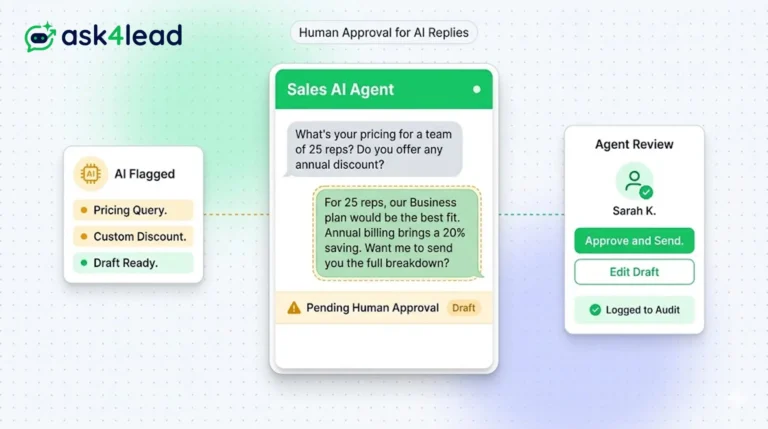
- Human Approval for AI Replies: review, edit, or approve any AI draft before it sends to the customer
- Lead Management: see how every AI conversation becomes a structured lead record with stage, tags, and deal value
- Tenant AI Profile: configure the tone, rules, documents, and knowledge the Assistant uses in every reply
Industries and Teams That Use the AI Sales Assistant
- Real estate teams use it to ask about budget, location, and possession timeline before a human joins the conversation, so the agent’s first call is already warm and contextual.
- Healthcare clinics use it to understand what a patient wants to consult about and suggest the right specialist and available slot, reducing front-desk workload on busy days.
- E-commerce brands use it to answer product questions, check stock availability from the services catalog, and handle order queries outside business hours.
- B2B and agency teams use it to qualify inbound WhatsApp leads overnight so sales reps start the day with context-rich conversations instead of cold ones.
FAQs
Does the AI Sales Assistant replace button menus completely?
No. Button menus are still available for quick, structured choices, such as selecting a service category. The AI Sales Assistant adds the ability to go beyond those buttons whenever a customer’s situation does not fit the available options, asking natural follow-up questions instead of ending the conversation.
What happens if the AI is not sure how to answer?
Every AI reply includes a confidence signal. The system automatically flags low-confidence replies for human review before sending them. You can enable Human Approval mode for any conversation. This ensures a team member checks every draft before it goes to the customer.
Can I turn the AI off for specific conversations?
Yes. You can switch the AI Sales Assistant on or off per conversation. A team member can take over a chat manually at any time without changing the AI settings for the whole workspace. The rest of the team keeps working uninterrupted.
Where does the AI get its information from?
From your Tenant AI Profile: the company description, tone guide, do-not-say rules, uploaded documents, website content, and services catalog you configure in Settings. The AI does not use generic internet knowledge outside what you have provided.
Does the AI Sales Assistant work if I haven’t connected an AI provider yet?
Yes. Without an AI key configured, the Assistant generates a placeholder reply so you can test the full conversation flow, lead creation, and pipeline movement before activating live AI replies. Your team can explore the entire workflow on day one.
Is the AI Sales Assistant included in every Ask4Lead plan?
The AI Sales Assistant is part of Ask4Lead’s core feature set. Each AI reply uses one credit from your workspace’s credit balance. You top up credits on demand through Razorpay. The AI keeps replying as long as your balance remains above zero, ensuring no surprise billing.
Related Features
Human Approval for AI Replies
Our CRM requires human approval for AI replies whenever confidence is low. You can review, edit, and approve drafts before the customer sees them.
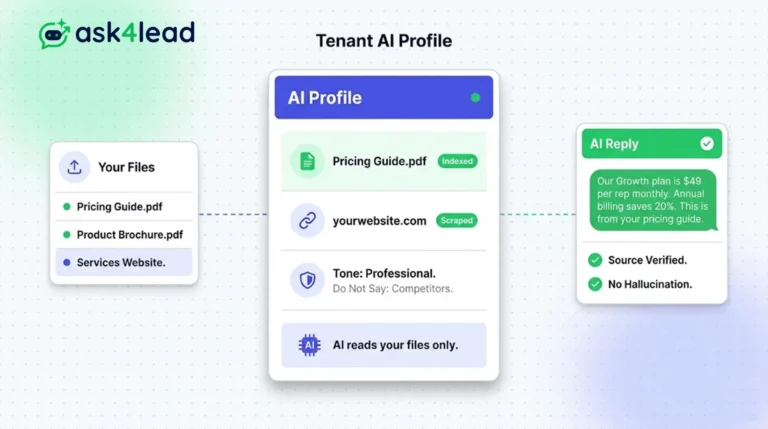
Tenant AI Profile
Tenant AI Profile ensures your WhatsApp assistant speaks exactly like your brand. You upload your documents, and the AI uses only that knowledge.
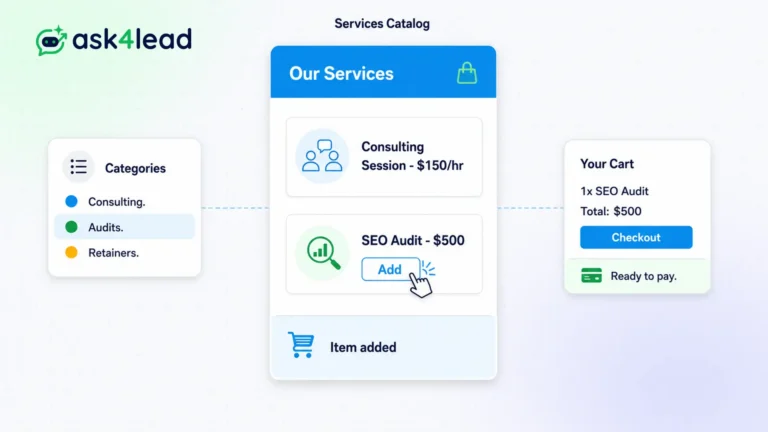
Services Catalog
The Ask4Lead WhatsApp product catalog stores your entire inventory inside the CRM. It serves as the single source of truth for your pricing.