
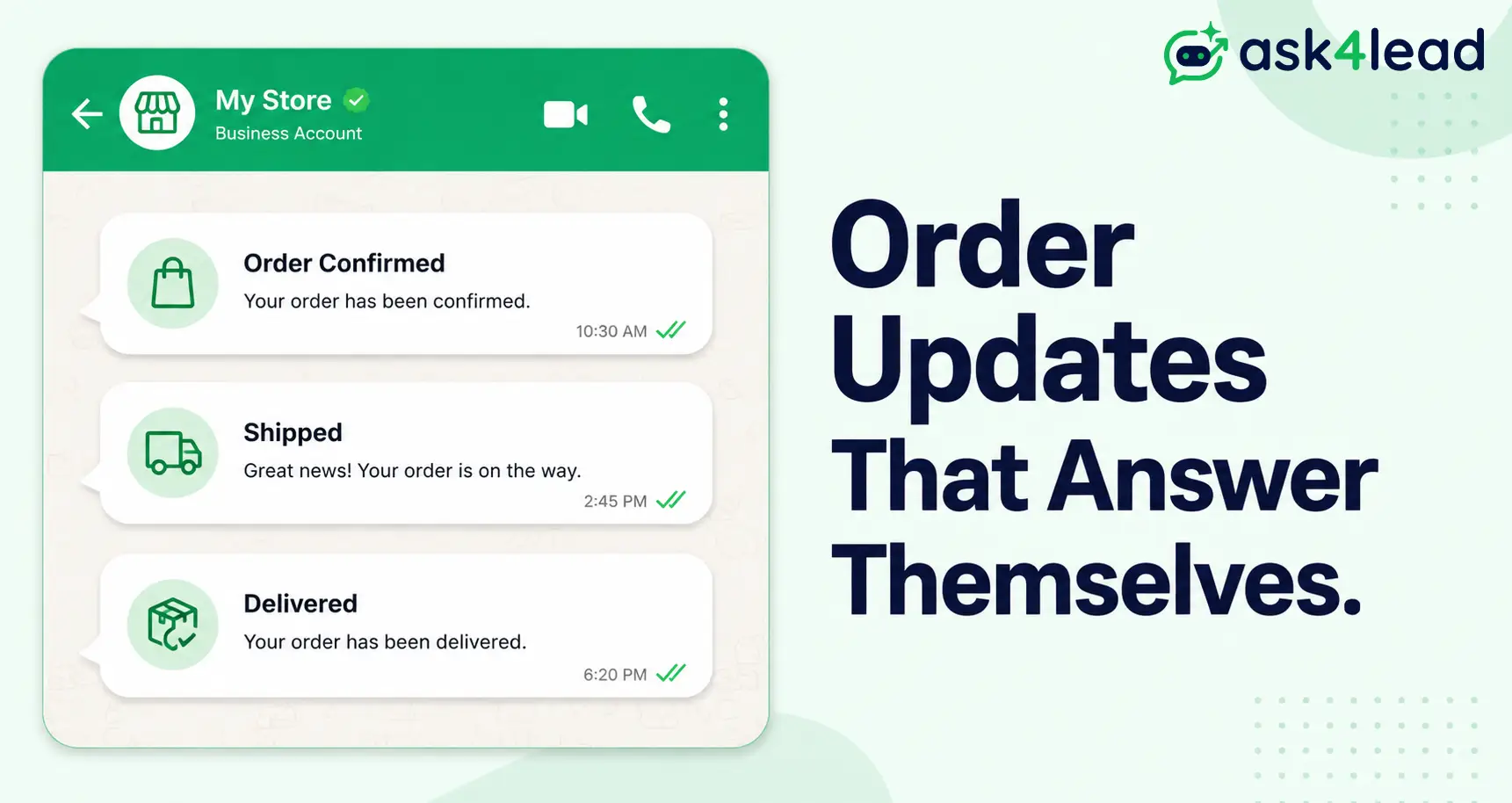
Quick answer: WhatsApp order and shipping notification automation sends order confirmation, shipping, and delivery updates to customers on WhatsApp automatically, the moment your store’s order status changes.
It runs on the WhatsApp Business API through pre-approved utility templates. Meta’s 2026 research found 91% of shoppers prefer order updates through messaging over email.
For e-commerce brands running order support on WhatsApp, this replaces a slow manual reply with a message that lands in seconds. This guide covers what to automate, setup on Shopify and WooCommerce, real 2026 India costs, and the gap most automated setups leave open.
Key Takeaways
- 91% of shoppers prefer order updates via messaging (Meta, 2026). WhatsApp’s open rate runs near 98%, against roughly 20% for email.
- Only a correctly classified utility template gets the cheap rate. One promotional line can reclassify it as marketing, billed at several times the price.
- Shopify Basic runs this today through webhooks. No Flow HTTP action or plan upgrade needed.
- Since 1 October 2026, Meta bills utility templates even inside the 24-hour window, so older cost estimates are stale.
- A notification is one-way. Someone still has to handle what the customer types back.
- In India, the common blocker isn’t the tech. It’s Meta’s verification asking for a GST number a small seller doesn’t have yet.
What Is WhatsApp Order and Shipping Notification Automation?
WhatsApp order and shipping notification automation connects your store’s order system to the WhatsApp Business API, so events like a payment confirmed or package shipped trigger a message automatically.
The message is a pre-approved “template,” filled in with that order’s details: name, order number, tracking link. That one-time approval is what makes it reliable at scale.
1. Notification Automation vs. a WhatsApp Chatbot: The Real Difference
Notification automation is one-way: your store fires an event, WhatsApp delivers a message, done. A chatbot or AI agent handles the other direction, reading what the customer types back.
- Notifications keep customers informed without adding headcount.
- Conversation handling answers what customers say back, the harder half of the job (see the Notification Gap section below).
2. WhatsApp Business App vs. WhatsApp Business API vs. Coexistence
The free WhatsApp Business App supports 1 person replying manually. The WhatsApp Business API connects to your store’s backend through a Business Solution Provider (BSP) and sends templates automatically at any volume.
Meta also supports coexistence: running the Business App and the API on the same number, so automated messages land in the app you already check. See our App vs. API vs. coexistence comparison.
Why Store Owners Are Moving Order Updates to WhatsApp
Meta’s 2026 research found 91% of shoppers prefer order updates through messaging, and 90% specifically want timely status alerts.
1. WhatsApp vs. Email vs. SMS for Order Updates: The Real Numbers
WhatsApp wins on a combination email and SMS can’t match: a near-98% open rate, a clickable tracking link, and a channel the customer already has open.
| Channel | Typical open rate | Customer sees it | Cost per message (India, utility) |
| ~98% | Within minutes | ~₹0.11 to ₹0.15 | |
| ~20% to 43% | Hours to days, often missed | Effectively free, low deliverability | |
| SMS | ~90% to 95% opened, low click-through | Within minutes | Comparable to or higher than WhatsApp utility rate |
Chedraui, a Mexican retail chain, moved post-purchase surveys to WhatsApp and saw a 5x higher response rate and 3.8x ROI versus email and SMS.
2. Why “Where Is My Order” Tickets and Return-to-Origin Cost So Much in India
A “where is my order” (WISMO) ticket costs a support team real minutes: pulling the order, checking tracking, typing a reply, repeated across hundreds of orders a week.
India’s COD-heavy stores carry a bigger cost too: Return to Origin (RTO), where a courier can’t confirm the customer and the order gets sent back. Shiprocket Engage cut RTO losses by 45% after moving confirmations to WhatsApp.
The 6 Notification Stages Worth Automating
Most stores automate 4 to 6 checkpoints, not just “your order shipped.” Each stage answers a question the customer would otherwise message to ask.
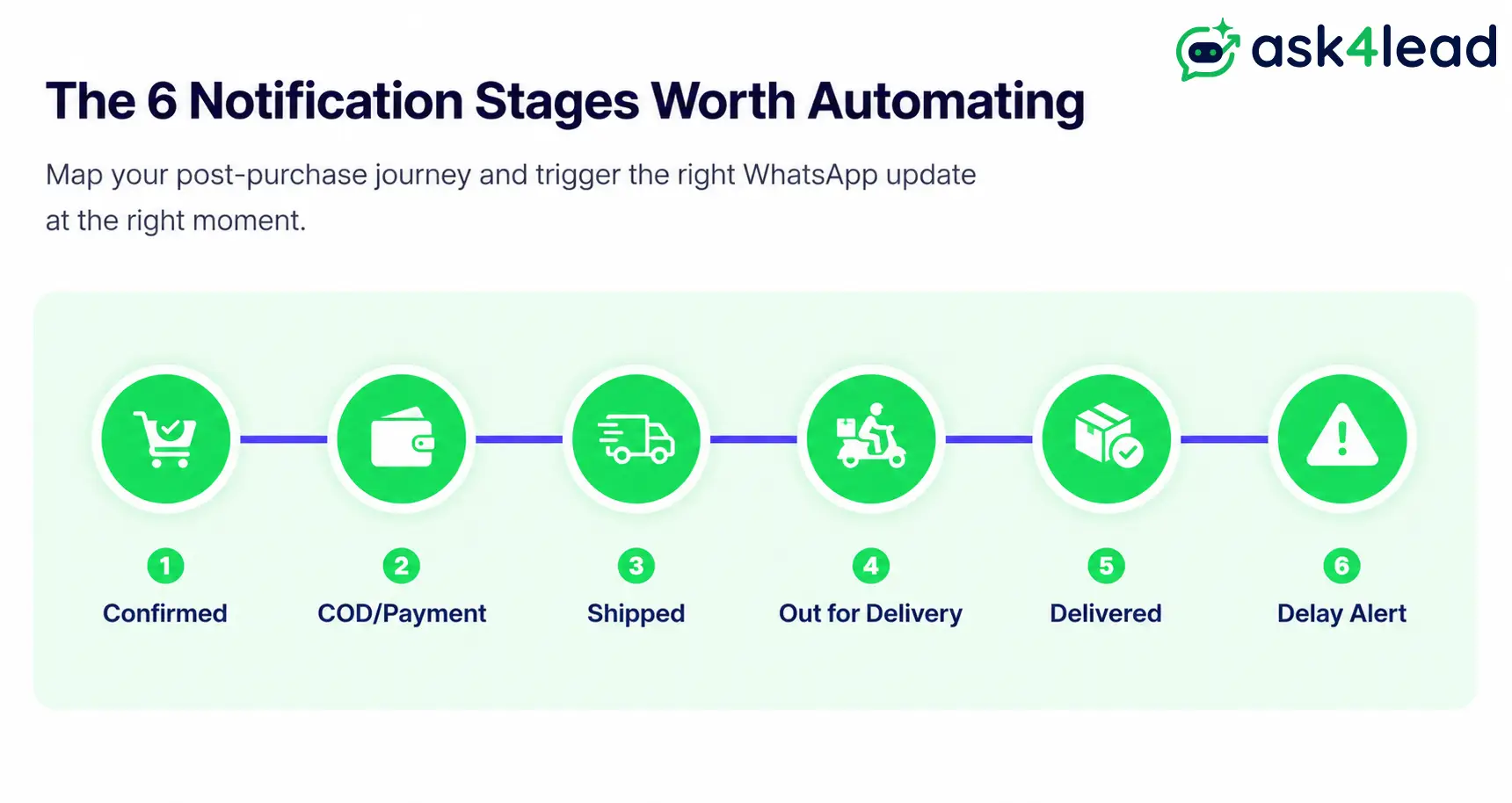
| Stage | Trigger event | What the message answers |
| Order confirmed | Order placed / payment captured | “Did my order actually go through?” |
| Payment or COD confirmation | Payment verified, or COD order accepted | “Is this order real and confirmed?” |
| Shipped | Courier pickup / dispatch scan | “Has it left the warehouse yet?” |
| Out for delivery | Last-mile scan | “Is it arriving today?” |
| Delivered | Delivery confirmation scan | “Did it actually arrive?” |
| Delayed or exception | Missed SLA, return-to-origin flag | “Why hasn’t it moved in 3 days?” |
1. The Core Sequence: Confirmed, Shipped, Delivered
These 3 stages are the easiest to launch first. They map directly onto events every ecommerce platform already fires.
2. The 3 Stages Most Stores Forget to Automate
- COD confirmation cuts RTO by getting a real “yes” before the courier leaves the warehouse.
- Delay alerts prevent a WISMO ticket during an actual problem, and most stores never test this one.
- A review request, sent 1 to 2 days after delivery, closes the loop without feeling automated.
Heavier post-purchase flows belong in a dedicated WhatsApp abandoned cart recovery sequence, not bolted onto order notifications.
How WhatsApp Order Notification Automation Actually Works
The automation runs on the WhatsApp Business API, not the free Business App, since only the API sends templates automatically when a system event fires.
1. Utility vs. Marketing vs. Authentication Templates, Explained
Meta classifies every message template into 1 of 3 categories, and the category decides the price, not the wording alone.
| Category | Typical use | Relative cost |
| Utility | Order confirmations, shipping updates, delivery alerts | Lowest, roughly 80% to 90% cheaper than marketing |
| Marketing | Promotions, sale announcements, re-engagement blasts | Highest, several times the utility rate |
| Authentication | OTPs, login and account-recovery codes | Low, capped to that use case |
Globally, marketing runs roughly $0.01 to $0.14 per message; utility runs $0.004 to $0.05, before any BSP markup.
2. Why Template Misclassification Is the Most Expensive Silent Mistake
One promotional line in a transactional message can push Meta to classify the whole template as marketing. It then bills at the marketing rate for every order until someone gets it resubmitted correctly.
Keep transactional messages strictly transactional. Route promotions through a separate WhatsApp Campaigns template instead.
3. What the 24-Hour Customer Service Window Means for Your Messages
When a customer messages first, or replies to a notification, it opens a free-form 24-hour window for replies without a template. See the full 24-hour rule for the edge cases.
This window is central to October’s pricing change, since it’s losing its blanket “free” status.
Setting This Up on Shopify, WooCommerce, and Custom Stores
Every route ends the same way: your order event reaches a system holding your approved templates that can call the Business API.
1. Shopify: Basic Plan vs. Advanced and Plus
On Advanced and Plus, Flow’s HTTP request action can call a WhatsApp tool directly. On Basic, that action isn’t available, which trips up merchants who assume they’re stuck.
The workaround: most WhatsApp order-notification apps subscribe to Shopify’s orders/create and orders/fulfilled webhooks directly, the same events Meta’s developer documentation uses. Basic’s Flow limitation never comes into play.
2. WooCommerce: Plugin Route vs. Webhook Route
WooCommerce’s order-status hooks are open by default, so most stores pair a shipment-tracking plugin with a dedicated WhatsApp plugin, or a Zapier/Make bridge.
Plugin quality varies: a well-known WooCommerce WhatsApp order-notification extension sits at 2.3 out of 5 on the official marketplace, support response time being the top complaint.
3. Custom or Headless Stores: The DIY Path
In-house teams often skip pre-built apps: a webhook calls the WhatsApp Cloud API directly, or routes through Make or n8n. This avoids SaaS markup but shifts monitoring onto your own team.
Whichever route fits, the sequence is the same:
- Get API access through a BSP or Meta’s Embedded Signup.
- Write and submit utility templates (confirmed, shipped, delivered, delayed) for approval.
- Connect your store’s order events to the messaging system.
- Add an opt-in checkbox at checkout and keep a consent record.
- Test each stage with a real order before going live.
What WhatsApp Order Notification Automation Actually Costs in 2026
Budget for 2 costs: Meta’s per-message fee by category, plus an optional platform fee if you use a BSP tool.
1. The October 1, 2026 Pricing Change Nobody’s Budget Accounts For
Utility templates inside the 24-hour window used to be free, but since 1 October 2026 Meta bills them there too. Free-form replies get 1,000 free service messages a month per number, then Meta charges each one.
2. A Realistic Monthly Cost Example for 1,000 Orders
India’s utility rate runs roughly ₹0.11 to ₹0.15 per message as of mid-2026. A confirmed, shipped, and delivered message for 1,000 orders is around 3,000 utility messages: roughly ₹330 to ₹450 in Meta fees before any BSP fee.
Weighed against WISMO support hours and RTO losses, automation pays for itself quickly, even before October makes waiting costlier.
Getting Access to the WhatsApp Business API in India
Most guides assume API access is a formality. For India-based sellers, it often isn’t.
1. Do You Need a GST Number for WhatsApp Business API Access?
Meta’s verification flow typically expects standard registered-business documentation, and a GST number is the one document small sellers below the registration threshold often don’t have.
The fix isn’t faking documentation. Confirm exactly which proof your BSP accepts, and register properly if you’re already close to the GST threshold.
2. Choosing a BSP vs. Meta’s Direct Embedded Signup
A BSP handles the integration and often streamlines verification paperwork. Ask4Lead onboards through Meta’s own Embedded Signup, a guided flow rather than a raw developer application.
Verify the account health dashboard shows your real messaging limit before planning a launch date.
The Notification Gap: Why “Where Is My Order” Tickets Don’t Disappear
A notification is a broadcast, not a conversation. Orders generate replies whether the system handles them or not, so automating the outbound message solves only half the problem.
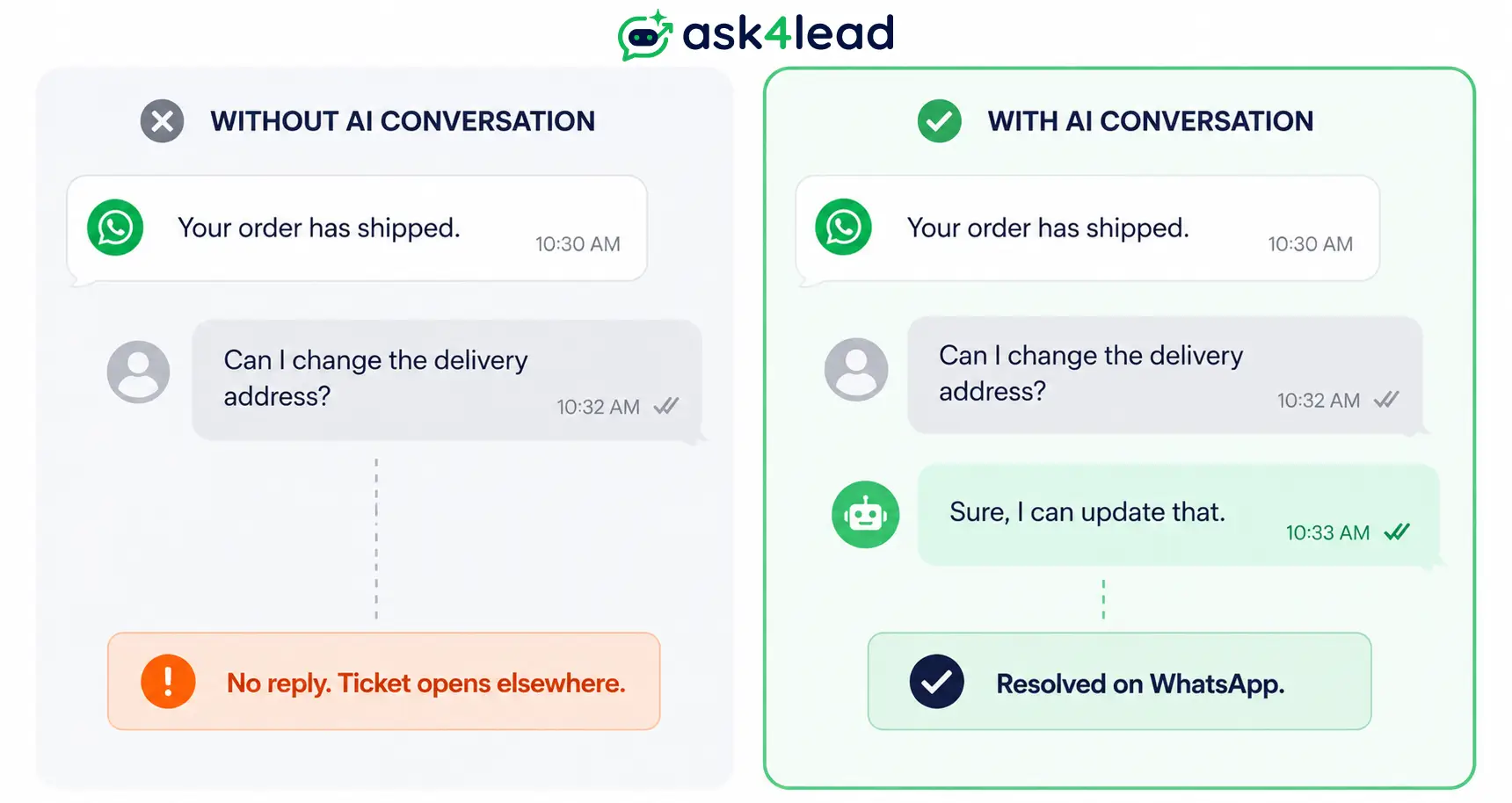
1. What Happens When a Customer Replies to “Your Order Has Shipped”
Customers reply to shipping notifications constantly: “can I change the address,” “do you have this in another size,” “I want to cancel.” A static system either can’t receive that reply, or it lands in an inbox nobody watches.
The ticket relocates from email to an unanswered WhatsApp thread. Batch your triggers too: 3 items in 1 order should get 1 combined confirmation, not 3 separate pings.
2. Turn Order Replies Into Real Answers, Not Missed Messages
This is where the humanized AI Sales Assistant inside Ask4Lead picks up the thread. It reads the order and product context you’ve given it and answers the exact question in plain English.
Anything needing a human routes into a shared team inbox with the full conversation attached, not just a name and a number.
Every shipped-order notification generates a reply. Make sure something is actually reading it.
Mistakes That Cost Money or Get WhatsApp Numbers Banned
1. The Compliance Mistakes That Get Numbers Flagged
- Skipping the opt-in record. A compliance risk, not a courtesy; see opt-in and consent rules before your first send.
- Ignoring quality rating at volume. Sending too fast, or getting repeatedly reported, gets a number rate-limited; check quality rating and account health before a big sale.
- Using an unofficial or web-session API. Looks cheaper, but risks the number outright; see what actually triggers a ban first.
- Skipping verification. Shoppers are 79% more likely to message a verified business.
2. The Content Mistakes That Waste the Automation You Built
- Manual broadcasts instead of triggered templates. This is exactly how numbers get flagged for spam-like patterns.
- Never testing the delay message. Stores test “shipped” and “delivered” and forget the message that actually prevents a WISMO ticket.
- Building notifications and stopping there. With no place for replies to land, “where is it” just moves to an unmonitored thread.
If a number gets flagged despite doing everything right, recovery is possible, but it costs days of delivery visibility you don’t get back.
FAQs
1. Is WhatsApp order notification automation free?
No. Utility templates cost Rs 0.115 per delivered message in India (rate card from 1 October 2026), and since that date Meta bills them even inside the 24-hour window. Free-form replies stay free only for the first 1,000 a month per number.
2. Do I need the WhatsApp Business API for order and shipping updates?
Yes, for anything automated. The free Business App works for a single person replying manually, but only the API sends pre-approved templates automatically at any volume.
3. Will sending automated order alerts get my WhatsApp number banned?
Not if the messages are opt-in, correctly classified as utility templates, and sent through an official connection. Bans trace back to unofficial APIs or spam-like patterns, not to order notifications themselves.
4. What is the difference between a utility and a marketing template?
Utility covers a transactional update tied to something the customer already did. Marketing covers promotions and costs several times more per message, so keep the 2 content types separate.
5. Can I automate WhatsApp order notifications on Shopify’s Basic plan?
Yes. Flow’s HTTP request action needs Advanced or Plus, but most WhatsApp order-notification apps connect through Shopify’s order webhooks, available on every plan including Basic.
6. Do I need a GST number to get WhatsApp Business API access in India?
Often, yes, since Meta’s standard verification expects registered-business documentation that typically includes a GSTIN. Confirm exactly which proof your BSP accepts before assuming you’re blocked.
7. How much does WhatsApp order notification automation cost in India?
For 1,000 orders a month with 3 utility messages each, expect roughly ₹330 to ₹450 in Meta’s per-message fees, plus any platform fee from your BSP or automation tool.
8. Can I keep using my personal WhatsApp Business App alongside the automated API?
Yes, if your BSP supports coexistence, a Meta-supported setup running the Business App and the API on 1 number at once. Confirm this before onboarding if keeping the familiar app matters to your team.
Conclusion
WhatsApp order and shipping notification automation is one of the fastest wins available to an ecommerce store: a near-98% open rate, a 6-stage sequence, and a setup path on every major platform, including Shopify Basic.
India’s RTO math alone, a 45% reduction in one documented case, tends to justify the setup on its own.
The part almost every setup gets wrong is stopping at the outbound message. Every shipped-order notification generates a reply, whether the system answers it or not, so budget for October’s pricing change and classify every template correctly from day 1.
Ready to close the Notification Gap on your own store?
Sign up free for 100 AI credits and let Ask4Lead’s AI Sales Assistant answer every order reply your notifications create.
