
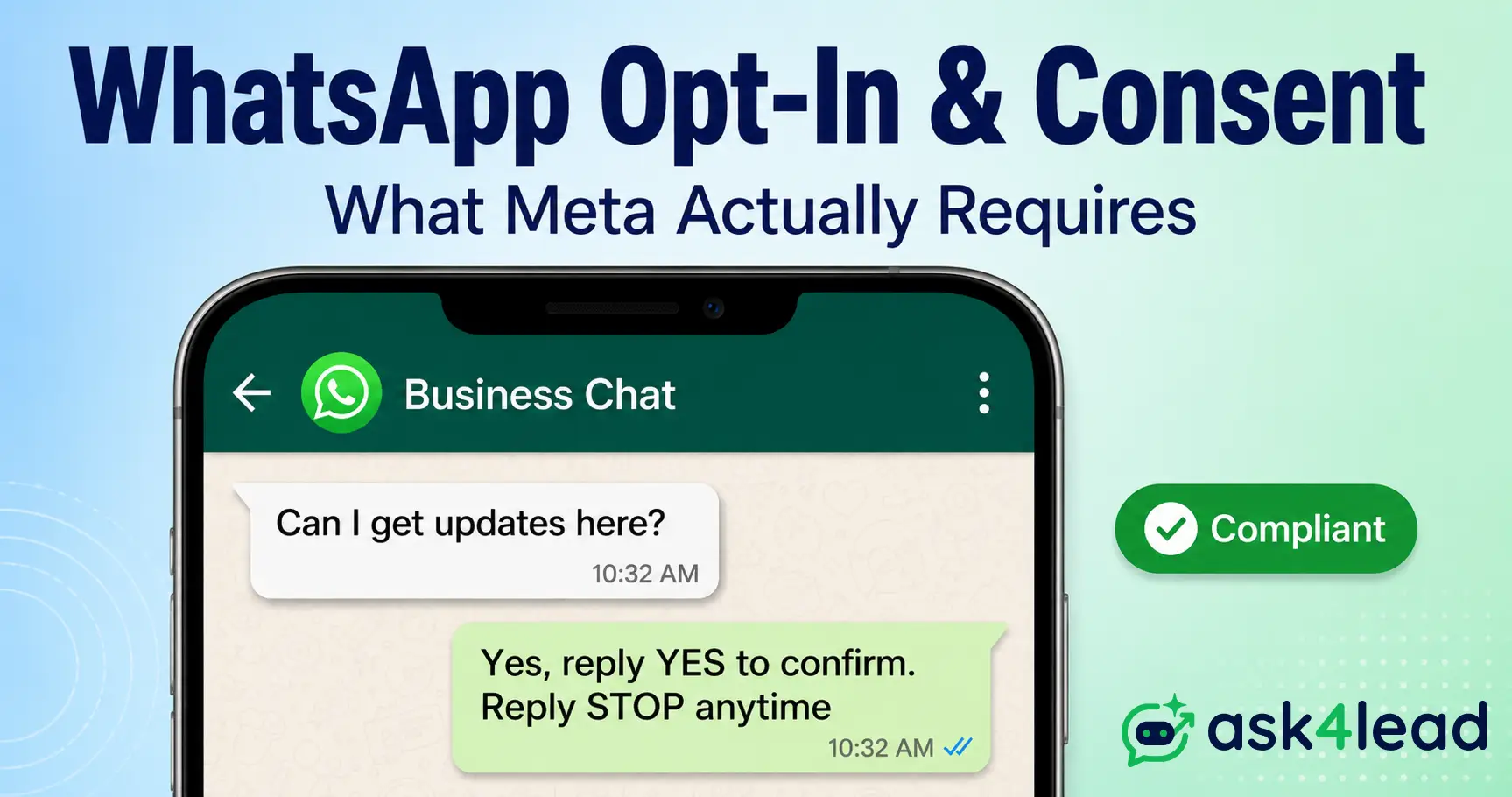
WhatsApp opt-in is the permission a contact gives before your business can message them. Meta’s own policy requires only 2 things: clear agreement to receive messages, and your business named up front.
That’s simpler than most guides suggest. Most owners trying to send bulk WhatsApp messages without tripping a ban still get the details wrong, in ways that either under-protect the account or overcomplicate a process that should take an afternoon to set up.
Quick answer: Meta’s real bar is narrower than most compliance guides claim. A general checkbox counts as valid opt-in if it clearly names your business and confirms the person is agreeing to hear from you. Naming WhatsApp directly isn’t strictly required by Meta, but it’s still the safer, higher-converting choice.
Key Takeaways
- Meta’s actual opt-in requirement is 2 things, not the strict “must say WhatsApp” rule most articles describe.
- Click-to-WhatsApp ads open a 72-hour free messaging window, a different rule than the standard 24-hour reply window.
- A customer messaging you first only opens a temporary window. It’s never ongoing marketing consent.
- GDPR’s “soft opt-in” exception for email does not carry over to WhatsApp, even where Meta’s own rule is looser.
- Consent has to be documented and kept in sync with whatever tool actually sends your broadcasts, or it won’t hold up under review.
WhatsApp Opt-In, Defined: What Actually Counts as Consent
WhatsApp opt-in is permission that meets Meta’s own bar: the contact clearly agrees to receive messages, and your business is named. Owning someone’s number or getting a single reply from them doesn’t clear that bar.
1. The 2 Things Meta’s Own Policy Requires (Not What Most Guides Claim)
Meta’s WhatsApp Business Messaging Policy lists exactly 2 requirements for valid opt-in. The person must be agreeing to receive communication from your business, and your business’s name has to be stated clearly.
That’s the entire bar. A general marketing checkbox at checkout can satisfy it, as long as it says those 2 things, even without the word “WhatsApp” printed anywhere in the sentence.
Most WhatsApp marketing guides still describe a stricter, WhatsApp-only rule that Meta relaxed with its November 2024 policy update. If a guide tells you a general consent checkbox “never” counts, that guidance is out of date.
2. Why “WhatsApp-Specific” Consent Is Still the Safer Standard
Meta’s minimum and a safe minimum aren’t the same thing. Naming WhatsApp specifically sets accurate expectations, and that clarity is what keeps your block and report rate low, the number Meta’s spam systems actually watch.
GDPR treats valid consent as needing to be “specific,” and EU regulators generally read that as naming the exact channel. If any part of your contact list lives in the EU or UK, write “WhatsApp” into the consent language regardless of what Meta’s own minimum technically allows.
3. Marketing, Utility, Authentication and Session Messages Need Different Consent Levels
WhatsApp splits every outbound message into a category, and the opt-in bar shifts with each one:
| Message type | What it’s for | Consent needed |
| Marketing | Promotions, offers, broadcasts | Explicit opt-in, naming your business |
| Utility | Order updates, appointment reminders | Tied to a transaction the customer already started |
| Authentication | OTPs, login codes | Implied by the action itself |
| Session/service | Free-form replies within 24 hours | Customer’s own inbound message |
Marketing is where accounts get into trouble most often, since it’s the category businesses are tempted to send in bulk without checking the list first. The 24-hour session rule governs that last row specifically, and it’s worth understanding on its own before you build a broadcast strategy on top of it.
Why Meta Enforces Opt-In So Strictly
Meta enforces opt-in because unsolicited messages are the single strongest signal its spam systems look for. A pattern of blocks and complaints from non-consenting recipients doesn’t just risk a rejected template, it caps how many people you can message at all.
1. How Meta’s Spam Detection Actually Flags an Account
Meta’s systems track 2 signals closely: how many recipients block or report a number, and how many messages go to contacts who never interacted with the business before.
Sending even a modest volume, as few as 50 to 100 identical messages a day, to people who never opted in is enough to get flagged. That’s true even inside the official Business API if the opt-in list behind it isn’t clean.
Low volume doesn’t fix a missing opt-in. It only slows down how fast Meta’s systems notice the pattern.
2. The Enforcement Ladder: Quality Rating, Sending Caps, and Restriction
A consent problem rarely causes an instant ban. It moves through stages instead:
- Quality rating drops from block and report signals.
- Daily sending capacity shrinks, often down to around 250 unique users for a 24 to 72-hour cooling period.
- Temporary restrictions follow if the pattern continues, typically another 24 to 72 hours.
- Permanent number bans apply only to persistent, severe violations.
Each stage is a chance to fix the underlying opt-in gap before the next one hits. Ask4Lead’s WhatsApp Account Health feature surfaces the quality rating in real time, so a consent problem shows up as a warning, not a surprise restriction.
3. A Restriction Isn’t Always a Consent Problem
Not every account restriction traces back to a missing opt-in. Some businesses running Click-to-WhatsApp ads get flagged because a security or rate-limiting rule on their own site silently blocks Meta’s ad crawler. That reads as a broken landing page to Meta’s systems, not a bulk-messaging violation.
Before you assume a restriction is a consent issue, check your website’s bot and crawler rules alongside your opt-in records. Fixing the wrong problem wastes the appeal window Meta gives you.
The Legal Layer: GDPR, India’s DPDP Act, and Where WhatsApp’s Rules Fall Short
Meta’s platform rules are the floor, not the ceiling. Depending on where your contacts live, GDPR in the EU and UK, or India’s DPDP Act, 2023, also govern how you collect and use a phone number for marketing.
1. GDPR’s Soft Opt-In Exception, and Why It Doesn’t Carry Over to WhatsApp
Under GDPR, email marketing can sometimes rely on “soft opt-in,” an exception that lets you email an existing customer about similar products without a fresh checkbox, as long as they can opt out easily. WhatsApp has no equivalent carve-out written into its own policy.
Even where a country’s law allows a softer standard elsewhere, Meta still requires an active opt-in step before a marketing template goes out on WhatsApp. Don’t assume an email exemption transfers over.
2. A November 2025 EU Ruling Freemium Businesses Should Know About
In November 2025, the Court of Justice of the EU ruled on Inteligo Media SA v ANSPDCP (C-654/23). The case involved a freemium news site sending newsletters without a separate consent checkbox.
The court held that “soft opt-in” can apply even to a free account, as long as the free tier is genuinely subsidized by a paid upgrade or ad revenue.
That ruling matters if you run a freemium app and want to email users. It does not extend to WhatsApp, since the exception it interprets sits inside the ePrivacy rules for email, and Meta’s own WhatsApp policy doesn’t recognize a soft-opt-in equivalent at all.
3. India’s DPDP Act, 2023 and the WhatsApp Trust Problem It’s Trying to Fix
India’s Digital Personal Data Protection Act treats a phone number as personal data. It requires a clear notice plus consent before you process that number for marketing.
The law is arriving at a moment when Indian consumers already describe handing over disconnected numbers or landlines at checkout, specifically to dodge unwanted WhatsApp promotions from banks and retailers.
For a business selling over WhatsApp in India, the fix is the same as the platform rule: name your business, say what you’ll send, and make opting out easy. The same compliant flow satisfies both the legal notice requirement and Meta’s own policy.
7 Ways to Legally Collect WhatsApp Opt-In (Ranked by How Well They Convert)
Real WhatsApp opt-in comes from a moment where the contact clearly agrees to hear from your named business. Here’s what qualifies, split by where the moment happens.
Digital & Offline and In-Person Collection Points That Work Best
- Checkout or signup checkbox, worded to name your business and, ideally, WhatsApp directly.
- Click-to-WhatsApp ads, where starting the chat is itself the consent action, and it opens a 72-hour free messaging window rather than the standard 24-hour one.
- Keyword reply, where a contact texts a word like “JOIN” after seeing an invite on your website or packaging.
- QR codes tied to a clear “join our WhatsApp list” message, not a bare scan with no context.
Tip: add one short preference question to your signup flow (“order updates only, or offers too?”). People finish flows they feel some control over, which raises completion rates on any of the 4 methods above.
- Point-of-sale consent, written down at the moment: name, number, date, and what they agreed to.
- Business cards or packaging inserts with a QR code and a one-line explanation of what they’ll get.
- Event or in-store sign-ups, logged the same day, not reconstructed from memory afterward.
The “Borrowed Consent” Trap: Purchased Lists, Shared Checkout Data, and Other False Positives
A purchased, scraped, or “verified” third-party list has no WhatsApp-specific consent attached, no matter what the seller claims. Treat every number on it as cold until it goes through a fresh opt-in step.
A less obvious version of the same trap shows up through shared checkout and shipping infrastructure. Some checkout widgets used across many unrelated online stores quietly pool visitor data, phone numbers included, into a single shared backend database.
A completely different brand can end up messaging you based on a purchase made somewhere else entirely, simply because both stores route checkout through the same provider.
Warning: if a list was sourced from a shared vendor, a “database” someone is selling, or a checkout tool used by other brands, it fails every test in this guide, even if the numbers on it are real, active customers of someone.
A verified green tick doesn’t fix this either. It confirms your business’s identity to Meta, not that any given contact agreed to hear from you.
Single Opt-In vs. Double Opt-In: A Decision Framework, Not a Default
Single opt-in accepts a clear action as consent. Double opt-in adds a confirmation step, where the contact replies “YES” before joining your marketing list. Meta requires neither by default, so the right choice depends on where the contact came from.
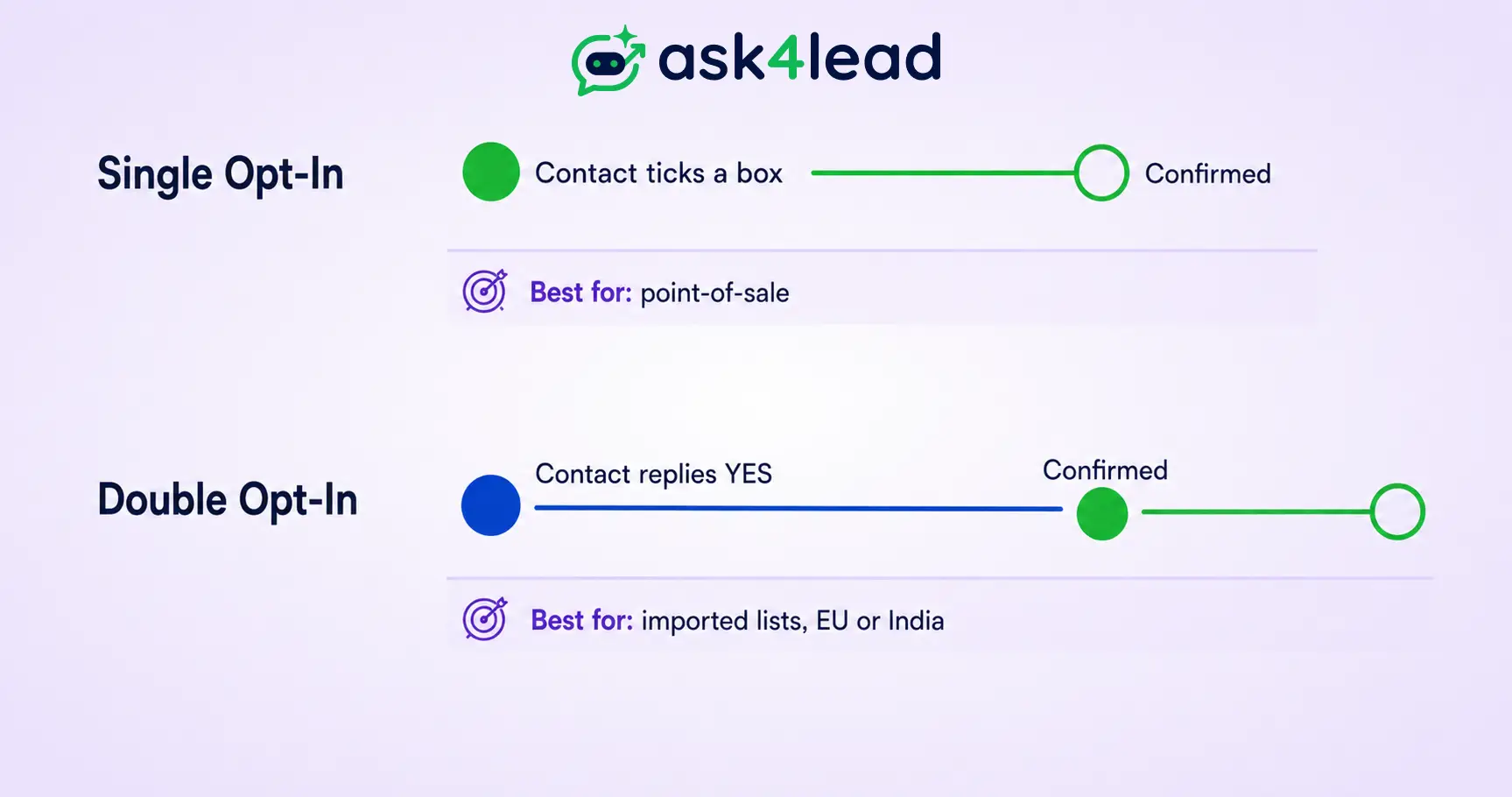
| Factor | Single opt-in | Double opt-in |
| Setup effort | Low, a form or a reply | Slightly more, needs a confirmation flow |
| List quality | Good, but includes typos and accidental clicks | Higher, only confirmed numbers join |
| Best for | Point-of-sale, low-volume lists | Bulk imports, ad-driven signups, EU/India contacts |
| Compliance strength | Meets Meta’s baseline | Stronger proof if a number is ever reported |
1. When a Single Action Is Enough
For a small, direct list, like customers who fill in a checkout box or scan a QR code at your counter, a single clear action is a reasonable, low-friction choice. The action itself is specific and intentional already.
2. When a Confirmation Step Pays for Itself
If you’re importing a list from another channel, running paid ads at volume, or messaging contacts in the EU or India, a confirmation reply gives you a timestamped, contact-owned record. A real estate team migrating an old spreadsheet of leads is a textbook case, since half those contacts likely never agreed to WhatsApp specifically.
Writing a WhatsApp Opt-In Message That Doesn’t Feel Like Spam
A compliant opt-in message names your business, states what you’ll send, and tells the contact how to stop it, in a short message before or alongside the first marketing template.
1. The 5 Non-Negotiable Elements
- Your business name, so the contact knows exactly who’s messaging them.
- What type of messages they’ll get (offers, updates, reminders).
- How often, roughly, so nothing feels like a surprise.
- A clear opt-out instruction (“reply STOP anytime”).
- Where they gave consent, noted for your own records if it isn’t obvious from context.
2. Opt-In Copy You Can Adapt Right Now
“Hi, this is [Business Name] on WhatsApp. You’ll get order updates and occasional offers here. Reply STOP anytime to opt out. Reply YES to confirm.”
For a checkout checkbox instead of a message: “[ ] Send me order updates and offers from [Business Name] on WhatsApp.”
3. The 2026 Marketing Opt-Out Button and What It Actually Fixes
For years, the most common complaint about business messaging wasn’t the offers themselves, it was that typing “STOP” didn’t reliably work once a business switched numbers or campaigns. Meta’s 2026 rule requiring a built-in Marketing Opt-Out Button on every marketing template is a direct response to that pattern.
The button sits alongside your opt-in message as a second, always-visible way out. Templates missing it face growing approval friction, which is part of why templates get rejected more often than businesses expect.
Documenting Consent So You Can Prove It Later
If Meta or a regulator ever asks how a contact ended up on your list, “I think they signed up somewhere” isn’t an answer. A consent record turns opt-in from a one-time action into evidence you can produce on demand.
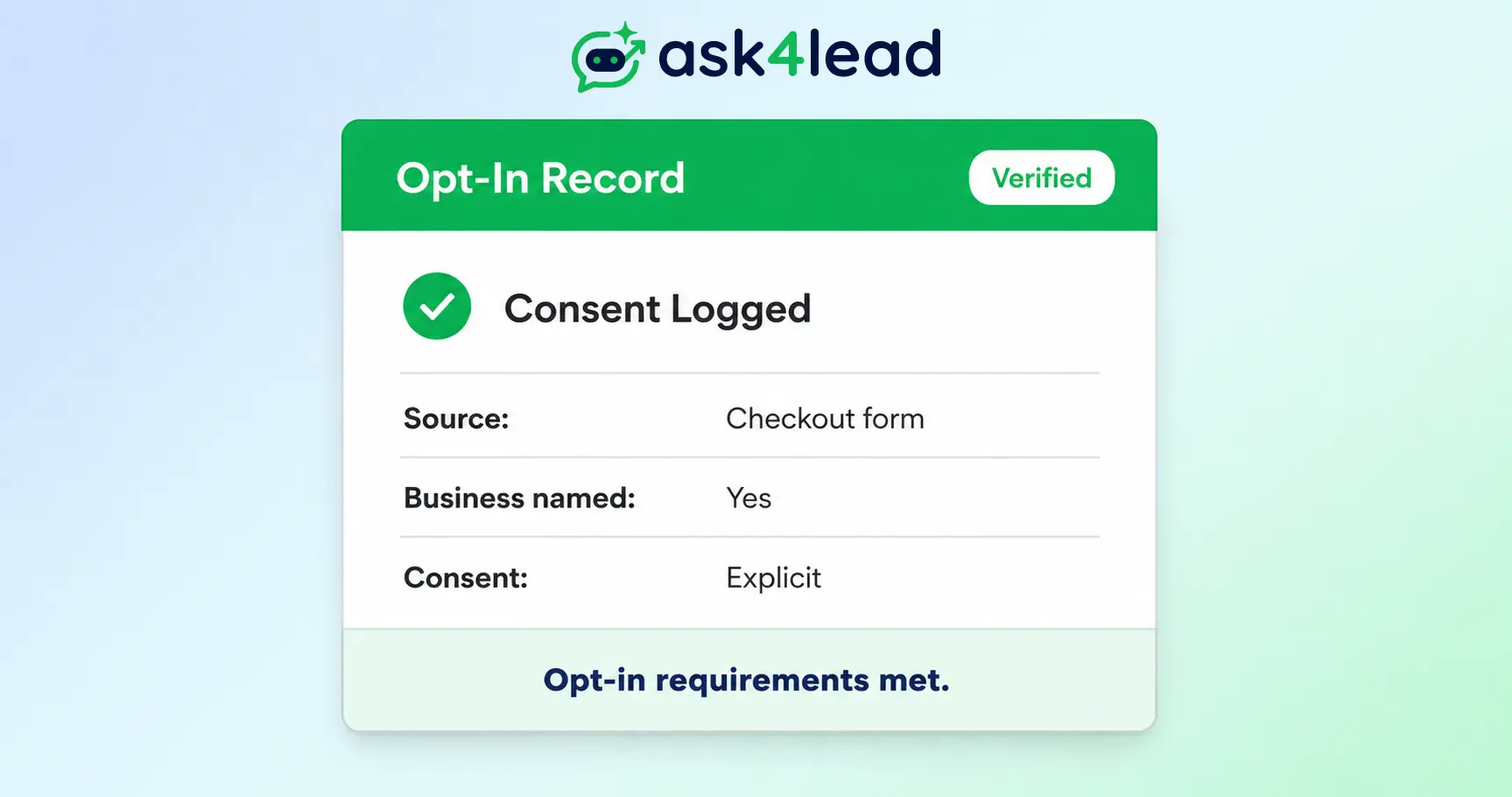
1. The Consent Record Every Contact Needs
- Full phone number in international format.
- Source of consent (checkout form, QR code, keyword reply, in-person).
- Timestamp of when consent was given.
- Exact wording they agreed to, if it wasn’t a fixed checkbox.
- Opt-out status, updated the moment they unsubscribe.
2. Closing the Gap Between Consent Collected and Consent Enforced
Plenty of businesses collect consent correctly in a website form or a spreadsheet. Their sending tool just has no way to recognize a new opt-in automatically.
The contact sits unmessaged for weeks, or worse, gets added to a broadcast manually, outside the flow meant to protect the account.
Ask4Lead’s Audit Logs feature closes that gap by keeping the consent trail attached to the contact record itself, inside the same CRM that sends the message, so nothing has to be reconstructed by hand later.
3-question consent check: before any contact joins a broadcast, confirm they said yes explicitly, they knew it would be WhatsApp specifically, and you can show when and where that happened. If any answer is no, send a one-time confirmation request instead of a marketing message.
Turning a Clean Opt-In List Into Booked Revenue
Collecting consent correctly isn’t only a compliance step, it’s also what makes a list worth having in the first place.
1. Why Opt-In Quality Beats List Size
A smaller list of people who genuinely agreed replies more, buys more, and ignores fewer of your messages than a larger list built from strangers. Quality consent is a growth lever, not just a legal checkbox.
2. How Ask4Lead Keeps Every Broadcast Opt-In Only
Ask4Lead’s WhatsApp Campaigns feature is built opt-in first. Broadcasts only reach contacts marked as consented in your CRM, so a bulk send can’t accidentally land on someone who never agreed to hear from you.
Pair that with the WhatsApp Business API integration and the WhatsApp Templates feature, which flags a template missing the required opt-out language before you submit it for approval.
Once someone opts in, Ask4Lead’s AI Sales Assistant picks up the conversation in plain English instead of a button menu, and asks what they actually need before handing your team a qualified lead. You stay in control throughout, since any AI reply can require human approval before it sends.
For a broader view of growing this list once consent is sorted:
- The WhatsApp lead generation guide, for turning opted-in contacts into pipeline.
- The WhatsApp marketing strategies breakdown, for what to send once you’re compliant.
- The best WhatsApp marketing software roundup, if you’re still choosing a platform.
- The WhatsApp broadcast limit guide and the WhatsApp Business App vs. API comparison, if your account is already restricted and you’re rebuilding your sending strategy.
FAQs
1. What counts as valid WhatsApp opt-in consent?
Consent that meets Meta’s own bar: the contact clearly agreed to receive messages, and your business’s name was stated. Naming WhatsApp specifically isn’t strictly required by Meta, but it’s the safer standard, and EU or India law may require it regardless.
2. Does a customer messaging me first count as opt-in?
Only for the 24-hour session window that follows. It doesn’t authorize future marketing broadcasts once that window closes, since Meta treats inbound contact and ongoing marketing consent as separate things entirely.
3. Can I use an old customer database or a purchased list to message people on WhatsApp?
No. A purchased, scraped, or imported list has no WhatsApp-specific consent attached, even if the people on it are real customers somewhere else. Run it through a fresh opt-in confirmation before sending anything.
4. What’s the difference between opt-in for marketing messages and utility messages?
Marketing messages need active, named opt-in. Utility messages, like order updates or appointment reminders, are tied to a transaction the customer already started, so the consent bar sits lower by design.
5. Do I need double opt-in on WhatsApp?
Meta doesn’t require it, but it’s worth the extra step for imported lists, ad-driven signups, or contacts in the EU or India, where a confirmed, timestamped “yes” gives you stronger proof if a number is ever reported.
6. Does Click-to-WhatsApp ad traffic count as opt-in automatically?
Starting a chat from the ad counts as consent for that conversation, and it opens a 72-hour free messaging window. It doesn’t extend into an unlimited license to send unrelated marketing broadcasts after that window closes.
7. What happens if I message someone who never opted in?
Complaints and blocks from that contact count against your quality rating. Enough of them shrinks your daily messaging limit, which can escalate into a full account restriction if the pattern continues unchecked.
Conclusion
WhatsApp opt-in isn’t paperwork, it’s the difference between a list that grows safely and a number that gets shut down. Collect consent that meets Meta’s actual bar, document it per contact, and treat every borrowed or purchased list as unconsented until proven otherwise.
Build Your WhatsApp List the Right Way, Starting Today
Ask4Lead keeps consent, campaigns, and conversations together in a single workspace, so every broadcast you send only ever reaches contacts who actually said yes, and every qualified lead lands in your pipeline with full context attached.
