
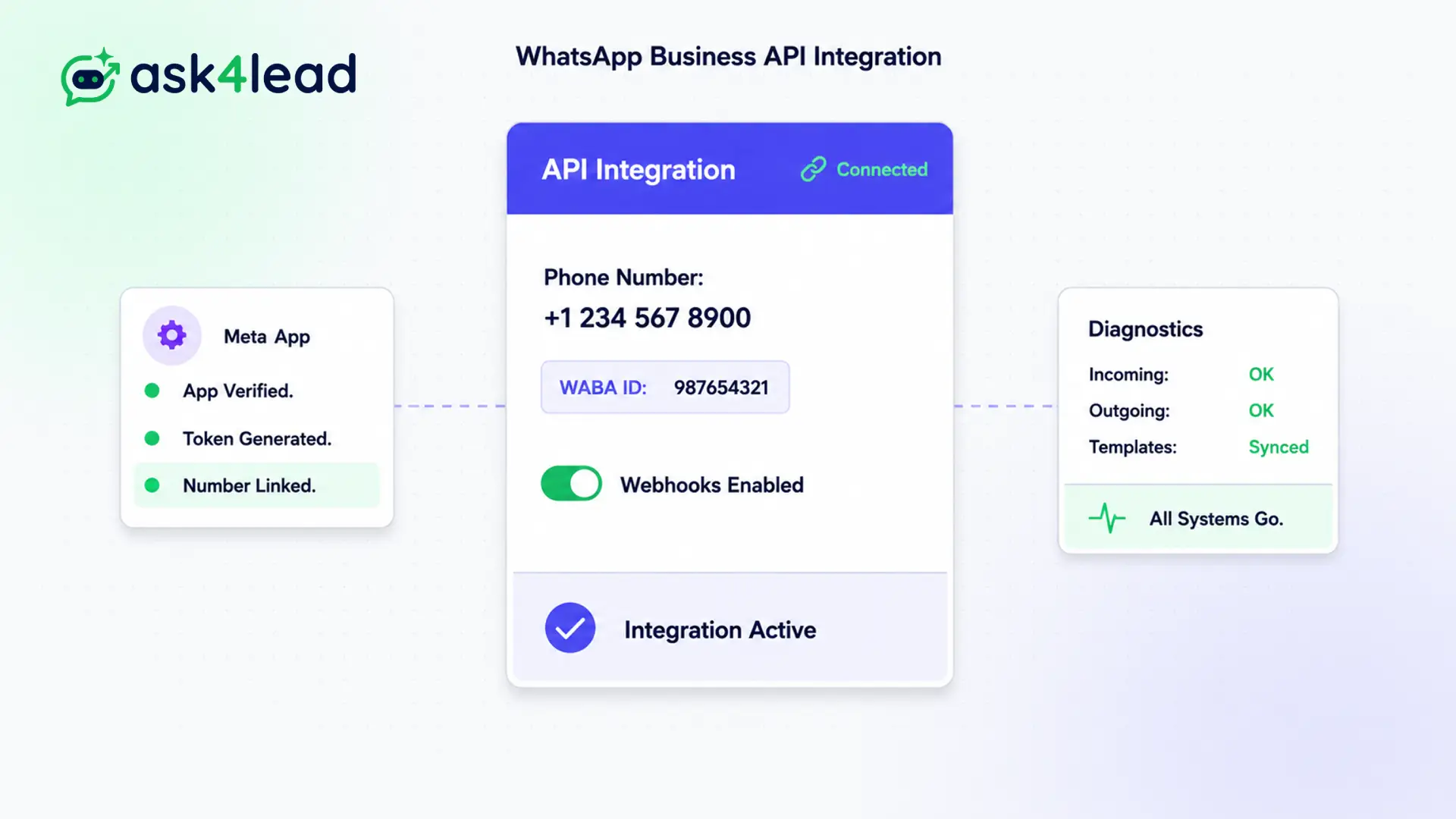
If you use unofficial software or QR code scrapers, Meta will eventually detect it and ban your number permanently.
Our official WhatsApp business API integration unlocks true enterprise capabilities safely, allowing you to bypass the restrictive limits of the standard mobile app.
Connect your number in five minutes. Support unlimited team members, trigger mass marketing campaigns securely, and guarantee 100% message delivery without ever getting blocked.
Never get banned. Operate with enterprise-grade stability.
Why You Need a Proper WhatsApp Business API Integration
If you use the standard WhatsApp app on your phone, you are severely limited. You can only link a maximum of four devices, and sending bulk marketing messages will trigger an immediate spam ban.
A legitimate WhatsApp business API integration unlocks enterprise scale. It completely removes device limits, allows for rapid AI bot automation, and provides a secure, scalable infrastructure for your business communications.
With Ask4Lead, you don’t need any coding skills. We handle the complex technical connection for you automatically.
Stop Using Dangerous Unofficial QR Code Scrapers
Many cheap CRMs use “QR Code scraping.” They force you to scan a code on your phone to connect your number. This directly violates Meta’s Terms of Service.
When Meta detects these unofficial connections, they permanently ban your phone number. You lose all your customer contacts and chat history instantly.
Key Insight: Ask4Lead is an official tech provider. Our WhatsApp business API integration guarantees your number is 100% compliant with Meta, ensuring you never face a catastrophic account ban.
How to Set Up Your WhatsApp Business API Integration
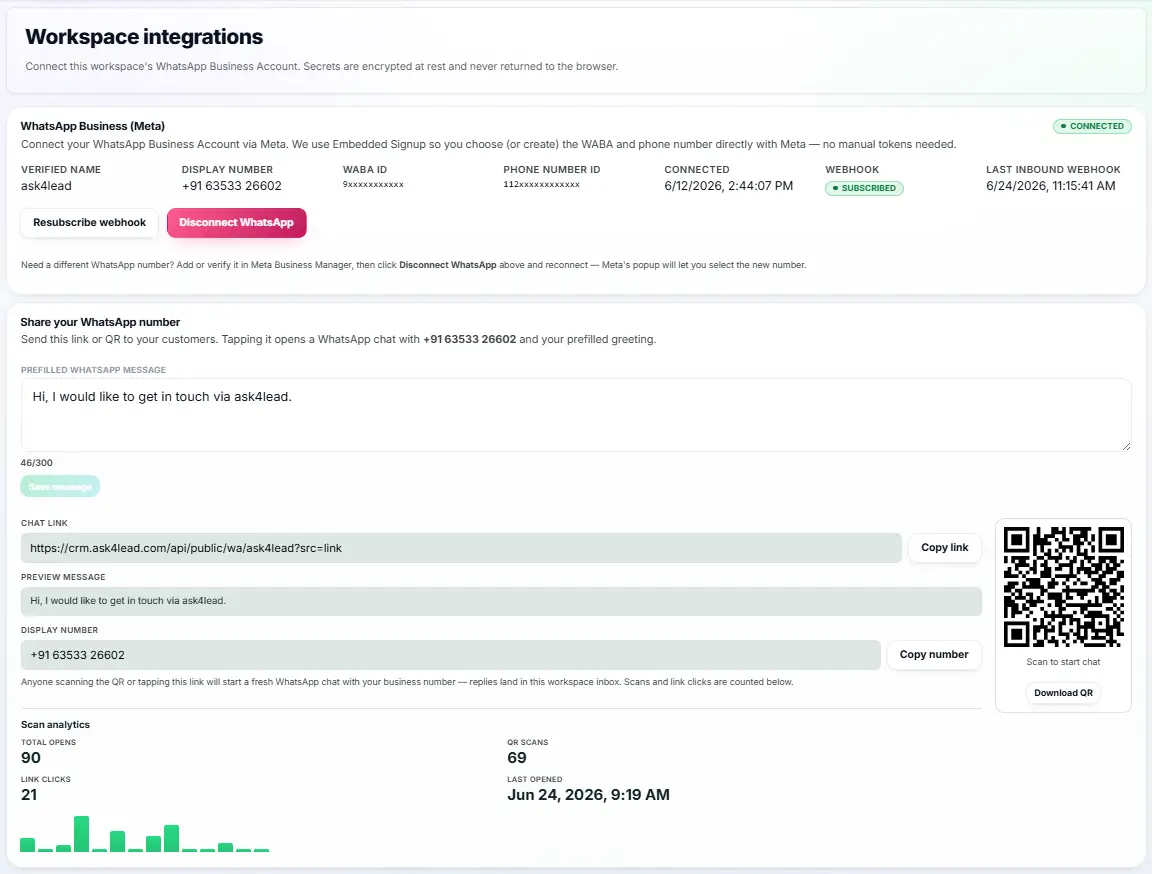
Our embedded signup process makes connecting your number effortless:
- Start the setup: Click “Connect WhatsApp” in your Ask4Lead dashboard settings.
- Log into Facebook: A secure popup prompts you to log into your Facebook Business Manager.
- Verify your business: Follow Meta’s quick verification prompts directly on the screen.
- Register the number: Input the phone number you want to use (note: it must not be currently active on the mobile app).
- Start messaging: The integration completes instantly. You can now use the Shared Team Inbox with your entire team.
Core Capabilities of the API Integration
An official WhatsApp business API integration unlocks powerful tools previously reserved for massive corporations:
- Support an unlimited number of human agents all working from the same central phone number.
- Send fully automated AI messages instantly without relying on a slow, battery-drained phone connection.
- Broadcast marketing campaigns to thousands of users simultaneously without getting blocked.
- Earn the official “Green Tick” verified badge next to your brand name (subject to Meta approval).
- Send rich interactive message templates containing quick-reply buttons, product catalogs, and images.
- Receive guaranteed 99.9% uptime directly from Meta’s global server infrastructure.
Standard App vs. WhatsApp Business API Integration
| Standard WhatsApp Business App | Official WhatsApp Business API Integration |
| Limited to only 4 connected web devices | Supports unlimited simultaneous users globally |
| High risk of permanent bans for bulk messaging | 100% safe, approved bulk marketing campaigns |
| No advanced AI bot automation integration | Deep, instantaneous AI integration capabilities |
| Phone must remain powered on and connected to internet | Fully cloud-based; your physical phone is not needed |
How the API Connects to Your Ask4Lead CRM
The WhatsApp business API integration is the foundational pipe that makes Ask4Lead work. Without it, you cannot use our advanced CRM features.
- Shared Team Inbox: The API allows 50+ agents to reply from one number simultaneously.
- AI Sales Assistant: The API delivers the bot’s messages in milliseconds.
- WhatsApp Account Health: The API reports back your number’s quality rating directly from Meta so you can avoid penalties.
Businesses That Require the API
- Growing Sales Teams that have outgrown the restrictive 4-device limit on standard WhatsApp Web.
- E-commerce Brands that need to send 10,000 promotional messages safely during big sales events.
- Healthcare Providers that require secure, stable, and highly compliant messaging infrastructure.
- Franchise Businesses that want to manage multiple location numbers from one central, unified dashboard.
FAQs
Can I keep the WhatsApp app on my phone?
No. A phone number can only exist on the standard app OR the API. Once you set up your WhatsApp business API integration, you will manage all messages through the Ask4Lead dashboard.
Can I use my existing landline number?
Yes! You can connect almost any number that can receive an SMS or a voice call for the initial verification code, including landlines and toll-free numbers.
Do I need to be a developer to connect the API?
Not at all. We use Meta’s embedded signup. It is a simple graphical popup that walks you through the WhatsApp business API integration process. No coding is required.
Does Meta charge for API messages?
Yes. Meta charges a small per-conversation fee based on the user’s country and the type of conversation (e.g., Marketing vs. Service). You manage these costs via your Ask4Lead credits.
Will I lose my existing chat history?
Unfortunately, Meta does not allow transferring chat history from the mobile app to the API. You can start with a clean slate, but all new chats are saved forever in Ask4Lead.
How do I get the Green Tick verified badge?
Once you have completed your WhatsApp business API integration, you can apply for the Official Business Account status through your Facebook Business Manager. Approval depends on Meta’s criteria.
Related Features

WhatsApp Account Health
Meta strictly monitors how customers react to your messages. If they block you, your WhatsApp number health drops, risking a permanent ban.

WhatsApp Credits
Manage your messaging costs with total transparency. Buy prepaid credit packs and pay only for what you use, with zero hidden fees.