
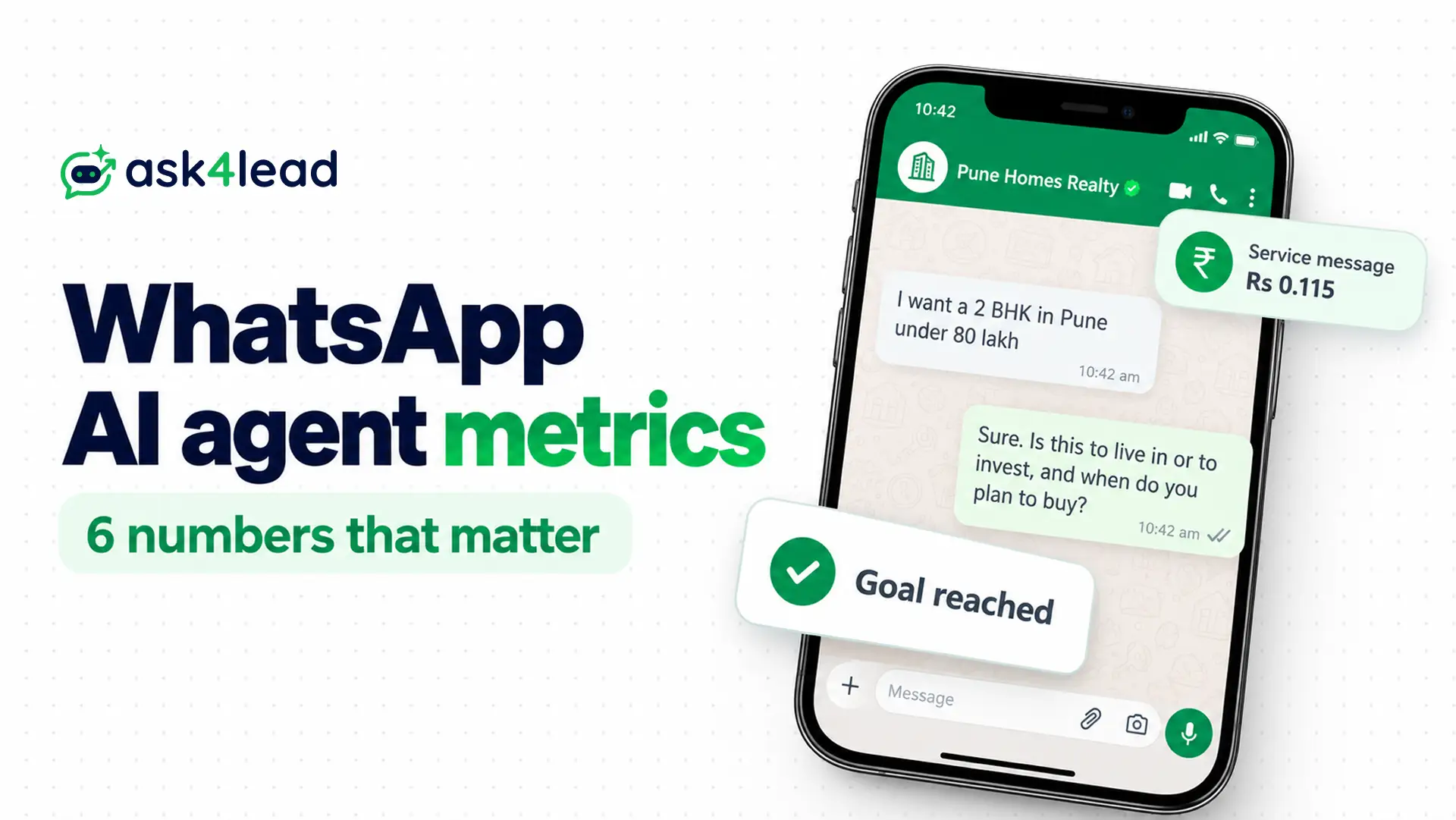
WhatsApp AI agent metrics are the numbers that show whether an AI answering your customers on WhatsApp is fast, right and worth its cost.
Track 6: time to first useful reply, goal completion rate, avoidable handoff rate, silent-lead recovery rate, wrong-answer rate and cost per useful outcome.
Ask4Lead’s AI Dashboard shows some of these WhatsApp AI agent metrics natively. However, this guide gives the formula and the denominator for all 6.
What are WhatsApp AI agent metrics?
WhatsApp AI agent metrics are numbers you calculate from real chats to judge speed, results, safety and cost. Each answers 1 question, so each needs a written formula.
Without the formula, 2 people can read the same dashboard and still reach opposite conclusions.
Many teams start by counting messages sent. However, that figure rises when the agent rambles, so it says nothing about leads.
| Metric | Question it answers | Formula |
| Time to first useful reply | How fast does a customer get a real answer? | Median gap to the first useful AI reply |
| Goal completion rate | How many chats reach the goal? | Goal chats ÷ valid chats |
| Avoidable handoff rate | Does the AI pass on chats it could answer? | Avoidable handoffs ÷ reviewed handoffs |
| Silent-lead recovery rate | Do follow-ups bring quiet leads back? | Leads who replied ÷ leads followed up |
| Wrong-answer rate | How often does the AI say something false? | Wrong answers ÷ reviewed answers |
| Cost per useful outcome | What does 1 qualified lead cost? | Total cost ÷ goal completions |
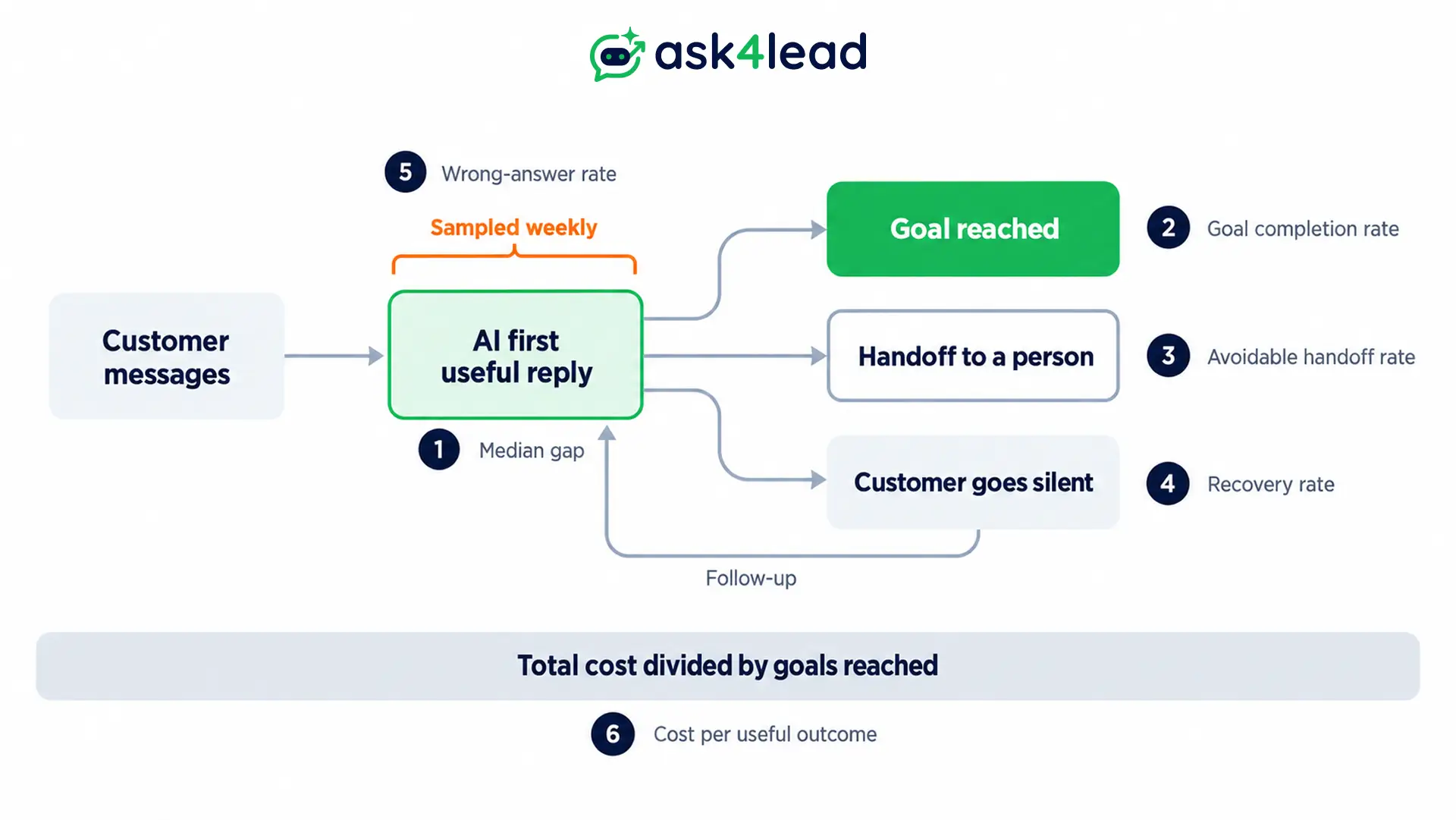
The 6 WhatsApp AI agent metrics work as pairs. Speed needs the wrong-answer rate beside it, and the goal completion rate needs the handoff rate beside it. So a single number can look healthy while its pair shows the damage.
The exception is an agent that only sends fixed templates, because a broadcast has its own metrics, such as delivery and replies.
Check the data before you read any WhatsApp AI agent metrics
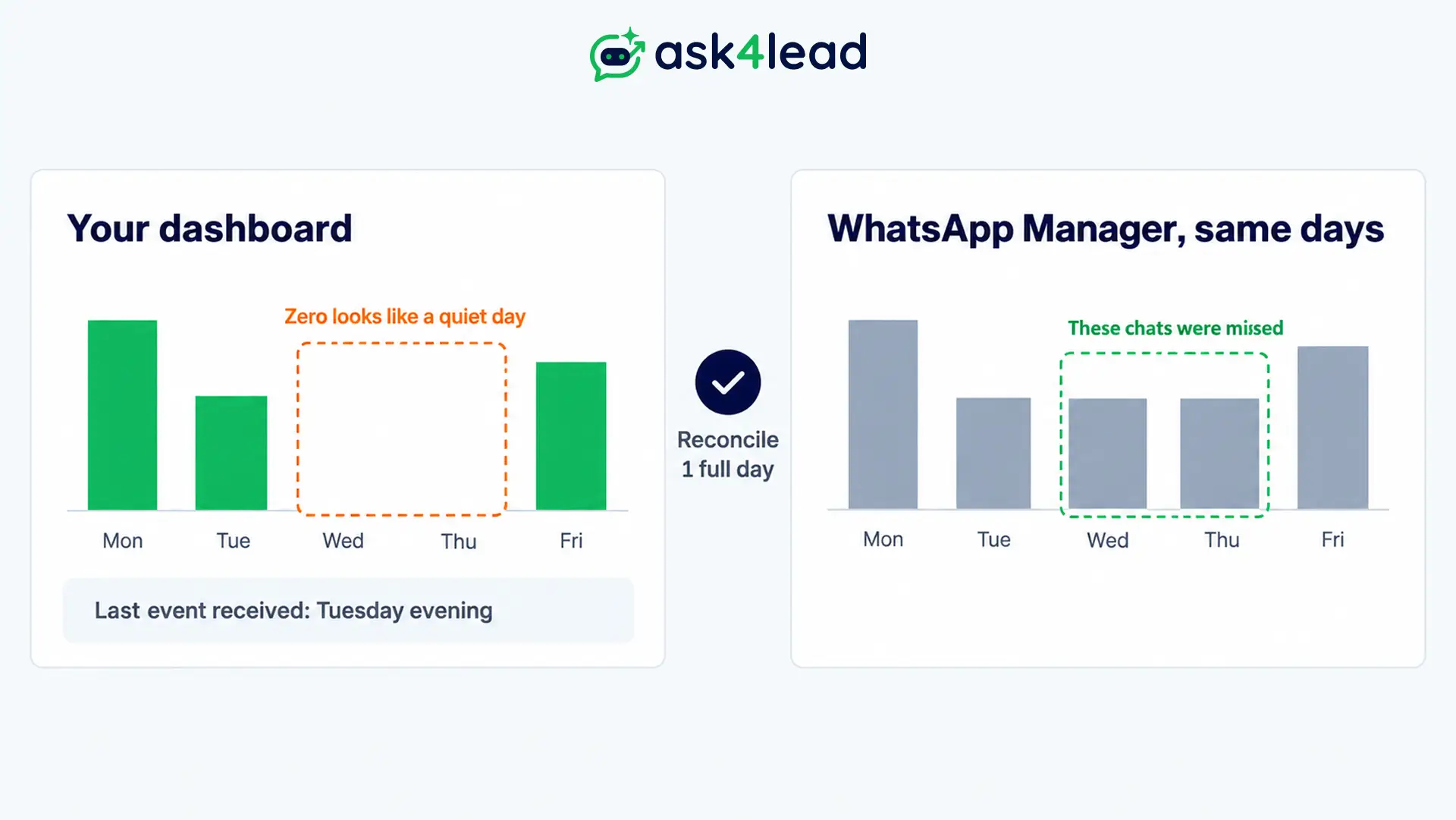
A broken connection looks like a quiet week. When the webhook stops delivering, the dashboard shows 0 enquiries, and 0 looks like a result. So confirm the data is complete before you read any WhatsApp AI agent metrics, using the 3 checks below.
- Show the last event time: print the timestamp of the latest received message above everything else in the report. Then alert your team when no message arrives for longer than your normal quiet gap.
- Reconcile 1 full day: compare conversations in your CRM with the counts in WhatsApp Manager for the same day and time zone. If the totals differ, messages went missing.
- Write the definition beside every number: source, date range, time zone and filters. Ad tools and CRMs can cut “yesterday” in different time zones, so the same day may give 2 totals.
If the agent goes offline, what to do when the AI agent goes offline covers replaying the messages you missed.
WhatsApp AI agent metrics: the 6 formulas
Each of the 6 formulas answers 1 question and takes valid conversations as its denominator. A valid conversation is a chat where the customer sent at least 2 messages, so 1-word tests, spam and accidental taps stay out of every denominator and cannot flatter your results.
WhatsApp AI agent metrics: time to first useful reply
Time to first useful reply is the gap between the customer’s message and the first AI message that answers it or asks the next qualifying question. However, a greeting such as “Hi, how can I help?” does not count, because it answers nothing.
Median gap between the customer’s message and the first useful AI reply, plus the share answered inside a limit you set.
Use the median, not the average, because 1 stuck chat can drag an average up. Also split night hours from day hours, since the agent’s biggest edge is the time when nobody sits at the desk.
Reports and Analytics shows first response time from inbox timestamps, so check whether greetings count. Then see how a human assistant compares on follow-up in this speed test of AI versus a VA.
WhatsApp AI agent metrics: goal completion rate
The goal completion rate is the share of valid chats that reach the 1 outcome the agent exists to produce. Pick 1 goal and write its test. For example, “qualified” could mean budget, area and timeline captured.
Chats that reached the goal ÷ valid chats.
Some analytics tools count an abandoned chat as contained, so the rate looks healthy while customers left. Instead, count a completion only when a record proves it, such as a filled field, a booked slot or a received payment.
The AI Dashboard reports a qualification rate, while Lead Management stores the name, budget and requirements the AI collects. If you wonder whether an agent can finish this job alone, read when an agent can qualify leads alone.
WhatsApp AI agent metrics: avoidable handoff rate
A handoff rate on its own is ambiguous, because the same figure can be healthy when pricing and complaints belong to people and unhealthy when they do not. So review a sample of handoffs and mark each one “needed” or “avoidable”.
Avoidable handoffs ÷ reviewed handoffs.
Then read a sample of chats that never reached a person. Count those that should have, then divide by the sample size to get the missed handoff rate. Missed handoffs hurt more, because the customer never gets help.
Ask4Lead’s Handoffs metric opens the exact threads, while its Low Confidence log lists answers the AI doubted. For the rules on when and how to pass a chat, see the WhatsApp human handoff guide.
WhatsApp AI agent metrics: silent-lead recovery rate
A silent lead is a customer who stopped replying after the AI’s last message and before reaching the goal. So recovery shows whether your follow-up works.
Silent leads who replied after a follow-up ÷ silent leads followed up.
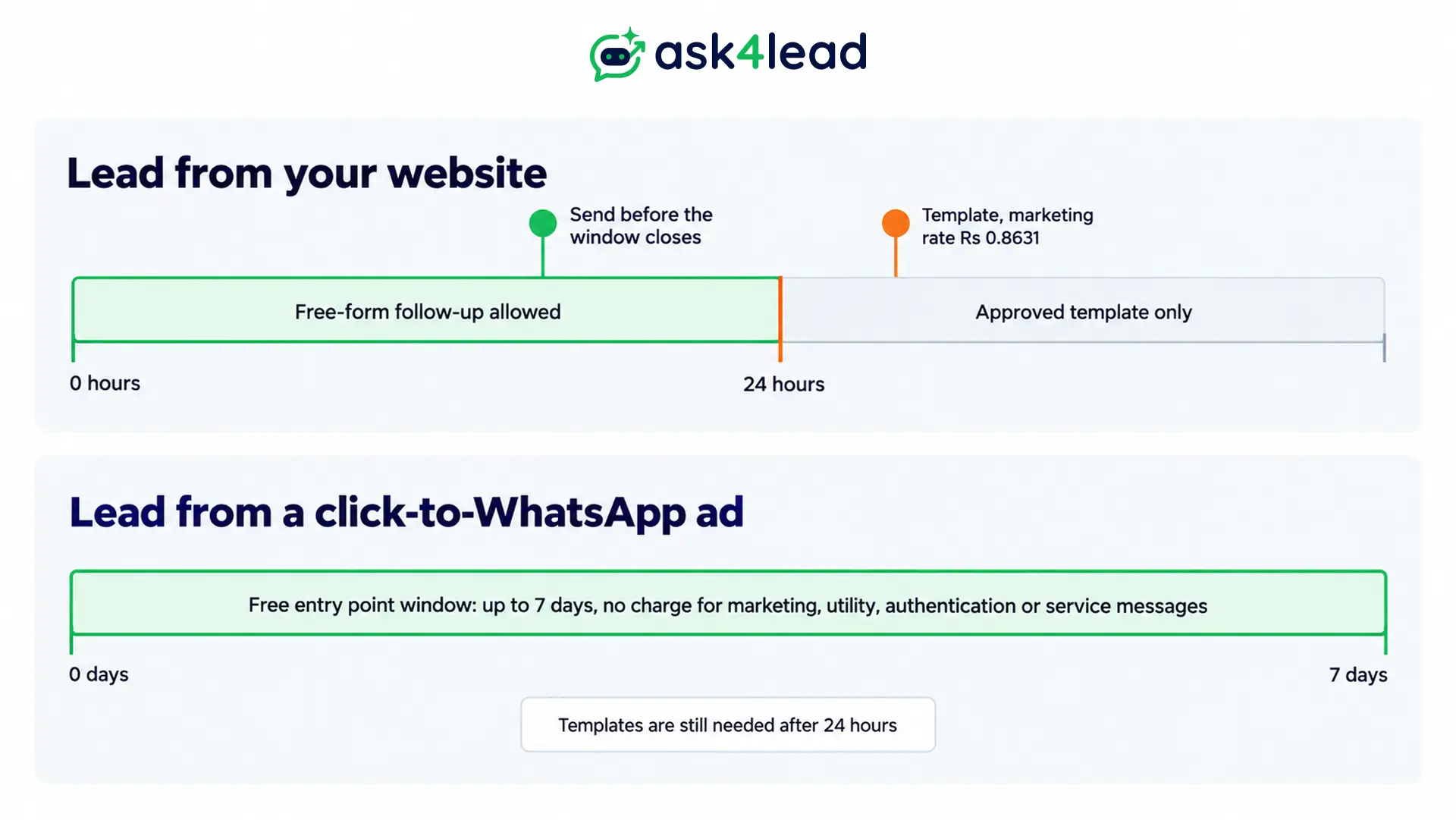
Also report the goal completion rate for leads reached after a follow-up. Timing matters because of the 24-hour rule: a free-form follow-up works only inside the window that opens with each customer message, and after it closes, restarting the chat takes a Meta-approved template (Meta’s send messages documentation).
Leads that arrive from a click-to-WhatsApp ad are treated differently. Meta’s free entry point window can last as long as 7 days, and inside it no marketing, utility, authentication or service message is charged.
Watch your quality rating while you follow up, because Meta links quality to messaging-limit increases (Meta’s messaging limits documentation). Account Health shows that rating as a colour: Green, Yellow or Red.
WhatsApp AI agent metrics: wrong-answer rate
The AI writes free text, so it can sound fluent and be wrong. A high goal completion rate with a high wrong-answer rate is a warning, not a win.
Each week, first review a random sample of chats plus every chat the AI flagged as low confidence. Then mark each AI answer correct, wrong or unsupported by your files.
Wrong and unsupported answers ÷ reviewed answers.
Also keep a second count for critical errors: a price, date, policy or promise. Sample size matters, as the table shows, because the ranges are 95% intervals that we calculated from the formula, not from any business data.
| Reviewed answers | If you find | Plausible true rate |
| 50 | 3 wrong (6%) | About 2% to 16% |
| 200 | 6 wrong (3%) | About 1.4% to 6.4% |
So judge several weeks together, not 1. Then fix the cause in the AI Knowledge Profile, and read how to train an AI on your FAQs for the method. Meanwhile, send prices and promises through Human Approval until the rate stays low.
WhatsApp AI agent metrics: cost per useful outcome
Meta bills WhatsApp per delivered message, by category, not per conversation. So cost per conversation is a number you build yourself.
(AI platform fee + Meta message charges + human time on handoffs) ÷ goal completions.
Meta began billing service messages on 1 October 2026, meaning free-form replies from an AI or a person, once a business number passes 1,000 in a month. On the India rate card, a service message costs ₹0.115 but a marketing template costs ₹0.8631, from Meta’s pricing documentation.
Two mistakes distort this number:
- Missing handoff time: teams count only software and Meta charges.
- Full-commission thinking: a lost lead is worth lost leads × close rate × commission, not the full commission.
For the human side of the comparison, see how a support rep’s cost compares.
How to read the 6 WhatsApp AI agent metrics together
Look at the 6 results side by side, because 1 figure alone hides the cause. Each pattern below points to 1 cause to test and 1 first fix, so you do not rewrite the whole agent when 1 setting is the problem. Then change 1 thing per week, so you can tell which fix worked.
| Pattern | Cause to test | First fix |
| Fast replies, low goal completion rate | The AI answers but never asks | Add qualifying questions |
| High completion, high wrong-answer rate | The AI agrees with everything | Route prices to approval |
| High avoidable handoffs | Missing facts in the AI’s files | Add the most frequent handoff topics |
| Low recovery | Follow-up is late or out of window | Send before the window closes, then use a template |
| Cost per outcome rising, goal completion rate flat | Junk chats and long chats | Filter the source, shorten the flow |
For the same checks before launch, read about testing the agent first.
WhatsApp AI agent metrics: the messaging cost from Meta’s rates
The only fixed numbers in your cost formula are Meta’s. For service messages, each business number gets 1,000 free a month, and every later message costs ₹0.115 in India. The table below is plain arithmetic on those 2 published figures, with no assumed business data.
| Service messages in a month | Charged messages | Meta charge |
| 1,000 | 0 | ₹0 |
| 5,000 | 4,000 | ₹460 |
| 20,000 | 19,000 | ₹2,185 |
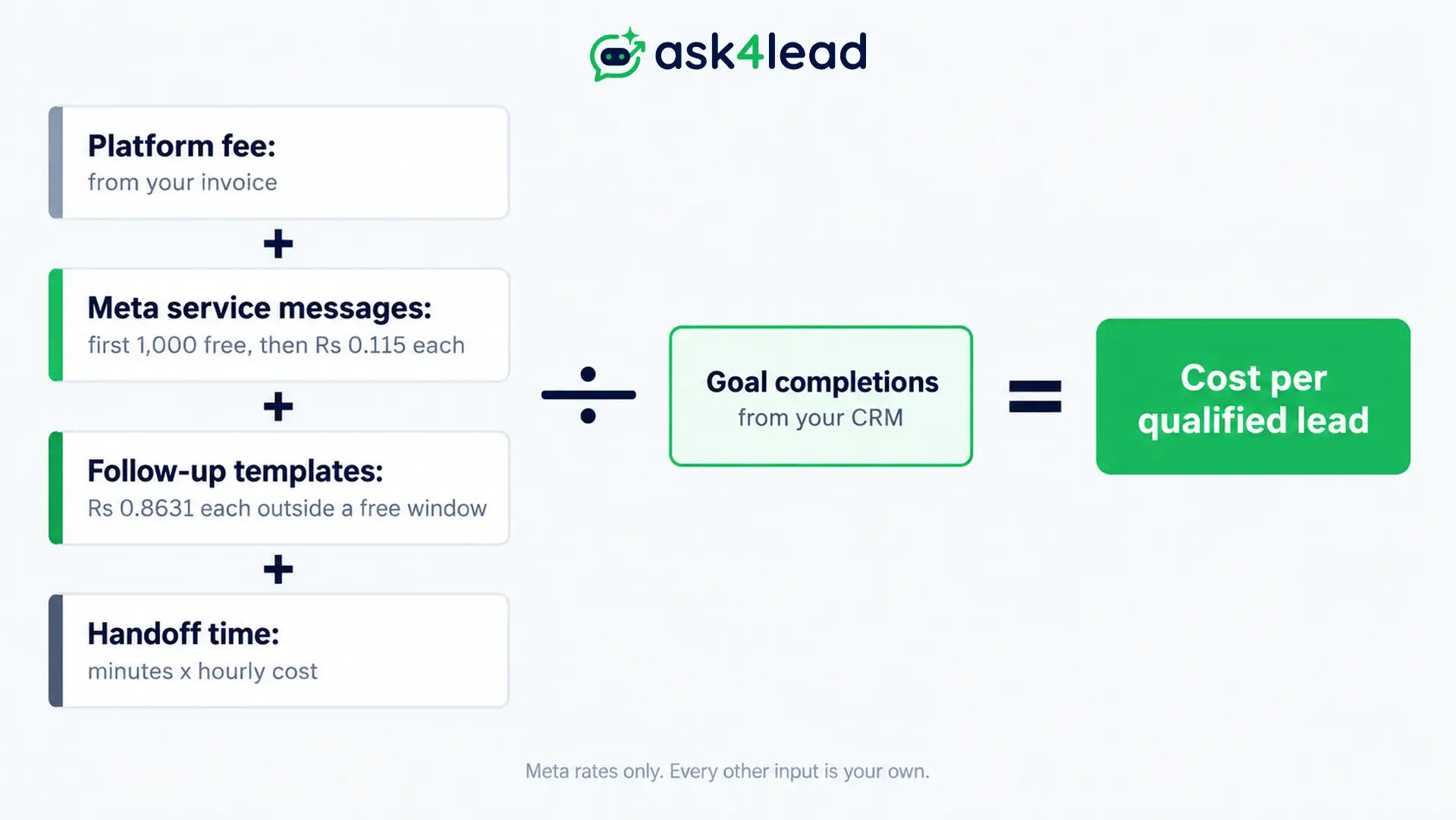
A marketing template costs ₹0.8631 each, so 100 of them cost ₹86.31. Inside a free entry point window those sends are not charged.
The other 3 inputs are yours, and no guide can supply them:
- Platform fee: the amount on your invoice for the month.
- Handoff time: minutes spent on handed-off chats × the hourly cost of the person who handles them.
- Goal completions: the count from your CRM, using the goal you wrote.
Add the first 3 lines, divide by the count of goal completions, and you have the cost per qualified lead. Then compare it with what 1 lead is worth to you. For rates by message type, see the 2026 pricing breakdown.
Baseline and weekly review for WhatsApp AI agent metrics
Benchmarks for WhatsApp AI agent metrics are unreliable, because the guides we read either give none or give targets without a method. So measure your human team first, over a normal working week, then compare the agent against that baseline.
Bias note: Ask4Lead sells this product, so weigh this table with that in mind. Its documented dashboards cover metrics 1 to 3 and part of 6, so you calculate the rest.
| Metric | In Ask4Lead | You calculate |
| Time to first useful reply | First response time in Reports | Remove greetings, take the median |
| Goal completion rate | Qualification rate in the AI Dashboard | Goal chats ÷ valid chats |
| Avoidable handoff rate | Handoffs list, Low Confidence log | Label a sample of handoffs |
| Silent-lead recovery rate | Filter by tag or campaign | Followed up vs replied |
| Wrong-answer rate | Low Confidence log only | A weekly answer audit |
| Cost per useful outcome | Usage and token consumption, CSV export | Add Meta charges and handoff time |
Then run a short review each week:
- Check freshness: confirm the last event time and the day’s reconciliation before you read anything.
- Read the 6 WhatsApp AI agent metrics: compare each against its written definition.
- Read the chats behind the worst number: a number shows where the problem is, but a chat shows why.
- Change 1 thing: then log the change and the date.
Before you scale follow-ups, read the WhatsApp AI rules, so a recovery gain does not break a Meta rule.
FAQs
1. How quick should the first useful reply be?
There is no universal figure. Take the median reply time of your human team as the baseline, then set your target from it.
2. Which metric should I track first?
Start with the goal completion rate, because it shows whether the agent produces results. Then add the wrong-answer rate.
3. Is containment the same as resolution?
No. Containment counts chats the AI closed without a person, but resolution needs proof the customer got what they needed.
4. How many chats should I review each week?
Start with 50 answers, then use the interval table to see when you need more. Then judge the rate over several weeks.
5. Does Meta charge per conversation?
No. Meta bills each delivered message by its category, and service messages cost nothing below a monthly threshold of 1,000 per number.
6. Can I measure the agent without a CRM?
Yes. A sheet with 1 row per chat and 6 columns works if you export the chats once a week.
Conclusion
WhatsApp AI agent metrics work only when you write the formula and keep the data complete. So measure speed, results, safety and cost together, because each number hides a failure its pair would catch.
Before you review the first week, check that you have:
- Written 1 goal and its test for the goal completion rate
- Added the last event time to the report
- Labelled a sample of handoffs
- Planned a weekly answer audit
- Added Meta charges and handoff time to your cost
Next, record your human team’s numbers as the baseline for your WhatsApp AI agent metrics, then compare the agent against them.
Stop guessing whether your WhatsApp AI agent works
Without numbers, a quiet dashboard and a failing agent look the same. Ask4Lead’s AI Dashboard tracks deflection, qualification and low-confidence answers, Reports and Analytics follows first response time and funnel drop-off, Human Approval holds risky drafts, and Account Health flags quality rating drops.
The AI Sales Assistant drafts replies in plain English, so the chats you measure read like real conversation, not a button menu.
