
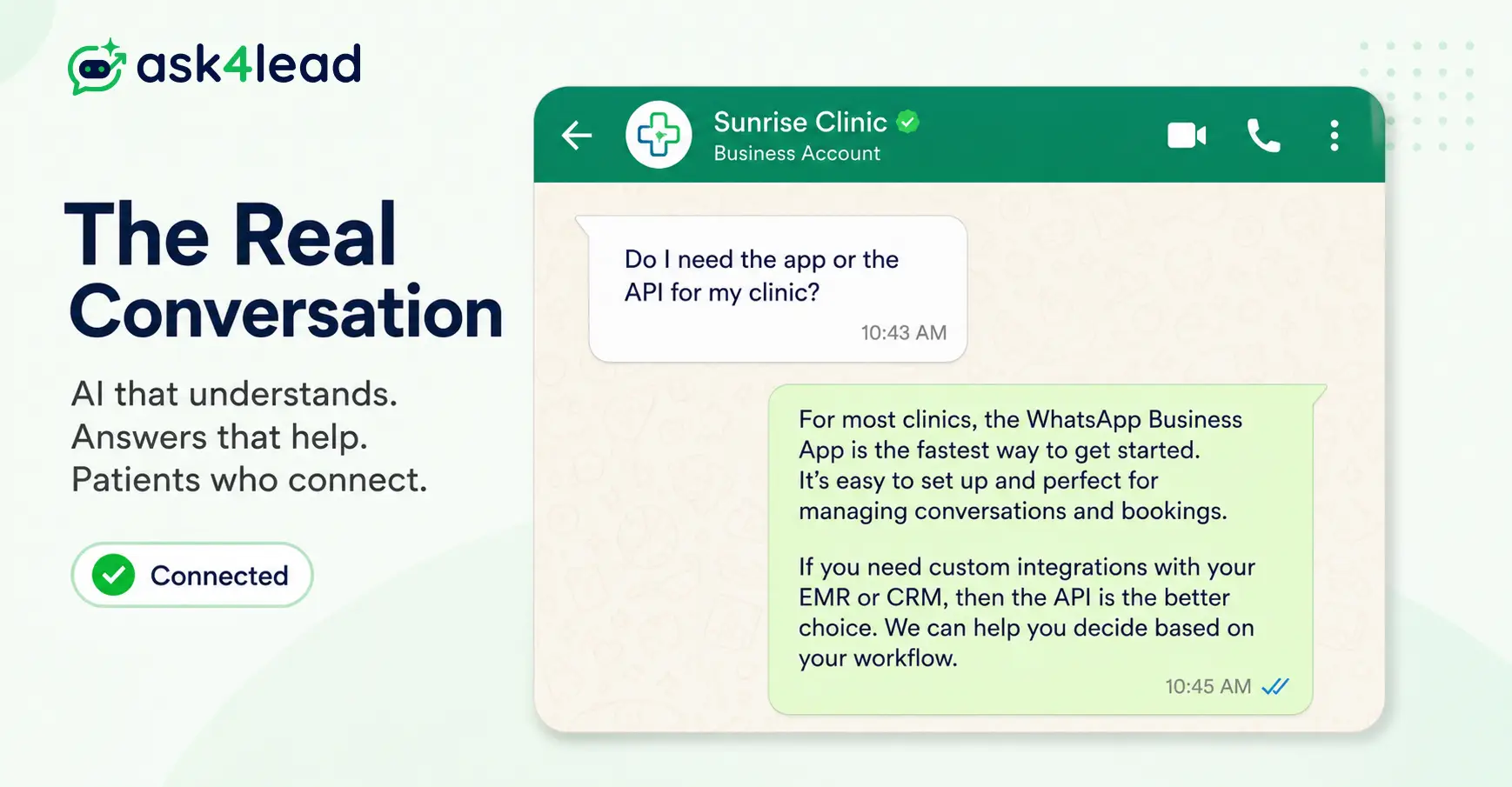
Quick answer: WhatsApp is for personal chats only. The WhatsApp Business App is a free tool for 1 person running a small operation from a phone. The WhatsApp Business API is Meta’s paid, developer-grade platform behind every multi-agent inbox, chatbot, and CRM integration.
Most businesses outgrow the free app once they pass roughly 40-50 conversations a day, or once more than 1 person needs to reply from the same number.
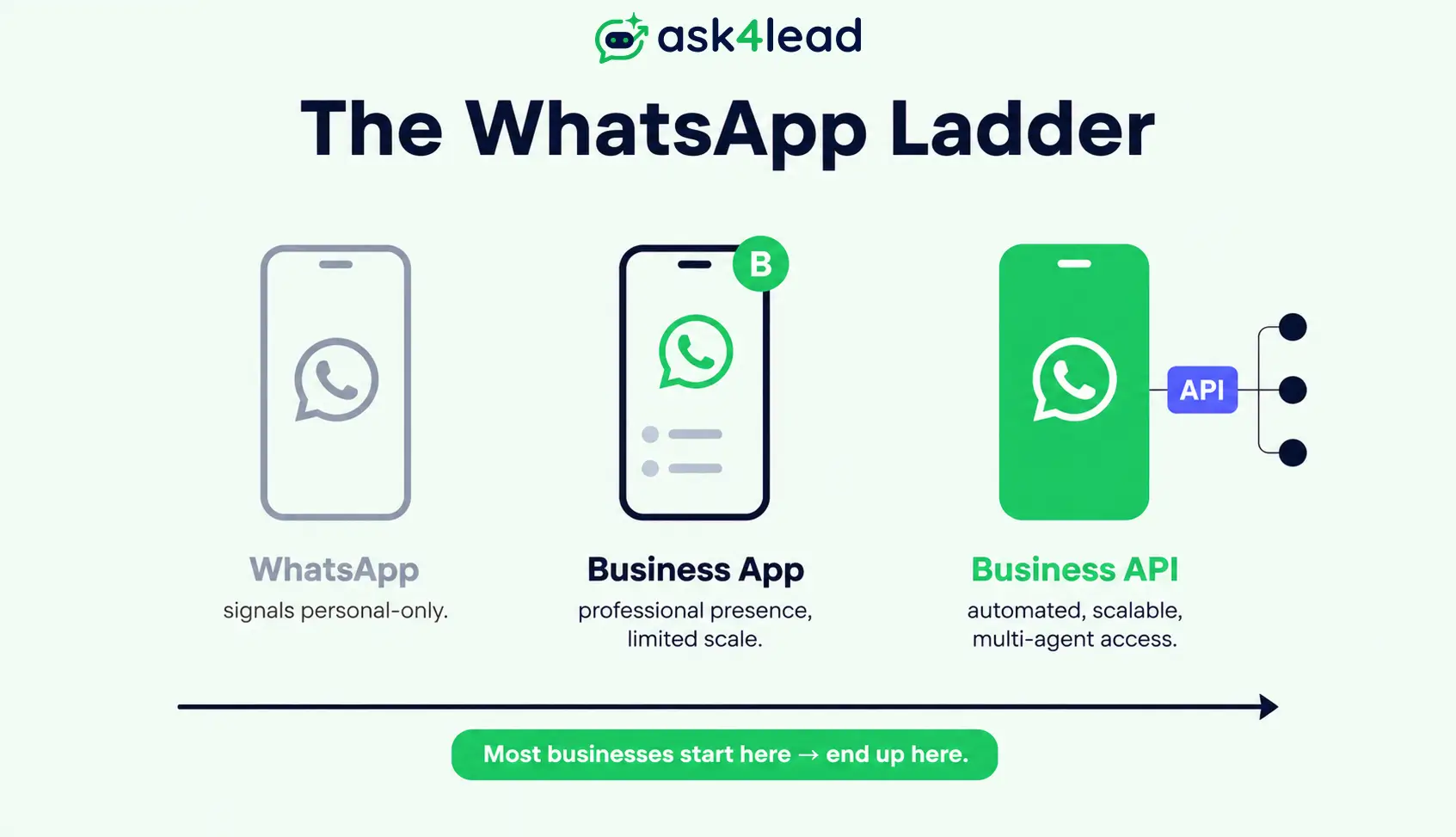
WhatsApp, the WhatsApp Business App, and the WhatsApp Business API are 3 separate products built by Meta for 3 different jobs.
Most business owners don’t pick wrong because they lack information. In fact, they pick wrong because every vendor selling API access has a reason to make the API sound like the obvious answer for everyone, even the solo shop owner who’s perfectly fine on the free app for another year.
Key Takeaways
- WhatsApp is personal-only. The Business App and the Business API are the 2 real choices for a business.
- Up to roughly 20-50 conversations a day, handled by 1 person, the Business App works well with no CRM or automation need.
- Once more than 1 person replies from the same number, or you need automation, AI, or CRM syncing, the Business API becomes necessary.
- Since Meta’s Coexistence feature rolled out, you no longer have to choose one forever. Both can run on the same number at once.
- The real ongoing cost of the API is conversation-based billing plus a platform fee, not a flat subscription, and template category (marketing vs. utility) changes what you pay.
What WhatsApp, the Business App, and the Business API Each Do
All 3 run on the same underlying WhatsApp network. In fact, a message sent from any of them lands in the customer’s ordinary WhatsApp chat screen, with no visible difference on the receiving end.
What changes is who built the tool, what it costs, and how many people can use it at once.
1. WhatsApp (personal)
Regular WhatsApp is the free consumer app. It has no business profile, no catalog, no automated replies, and no way to route a conversation to a teammate.
Meta’s own commerce policy doesn’t intend it for business messaging at any real scale. Still, it works fine for a founder replying to a handful of referral customers, and it stops working the moment a second person needs to help answer chats.
2. WhatsApp Business App (the free upgrade)
The WhatsApp Business App is a separate, free download built specifically for small businesses. It adds a verified-style profile, a , quick replies, automated greeting and away messages, and labels to sort chats by status.
It still runs from 1 primary phone. Meta added support for up to 4 linked companion devices (a desktop, a tablet, a second phone); however, every device shares 1 login and 1 inbox with no per-agent separation.
3. WhatsApp Business API (the platform, not an app)
The WhatsApp Business API, officially the WhatsApp Business Platform, has no install screen at all. It’s a set of Meta endpoints that other software connects to, either through Meta’s own Cloud API directly or through a Business Solution Provider (BSP) such as Twilio, 360dialog, or Gupshup.
There’s no built-in chat screen on the API side. You need a platform layered on top of it, like a shared inbox or a , before your team can see or reply to a single message.
In 1 line each:
- WhatsApp: personal chats, not for business.
- Business App: free, 1 person, basic tools.
- Business API: paid platform, built for teams and automation.
WhatsApp Business App: Real Capabilities and Real Limits
The Business App earns its price tag of 0. It’s the correct tool at a specific, common stage of business, not a downgrade to apologize for.
1. What’s Included for Free
- A verified-looking business profile with hours, address, and a website link.
- A product catalog customers can browse without leaving the chat.
- Quick replies and automated greeting or away messages.
- Labels (“New,” “Paid,” “Pending”) to sort an inbox manually.
- Broadcasts to up to 256 recipients per list, provided each recipient has saved your number, since a still applies at this tier.
2. Where the Free Plan Hits a Wall
There’s no way to assign a chat to a specific teammate, no audit trail of who answered what, and no webhook to push a new lead into a CRM the moment it arrives.
In practice, a founder who used to run everything from 1 phone hits this wall the instant a second person needs to help. The app has no concept of ownership, only 1 shared inbox everyone sees at once.
That single gap, not automation, is what pushes most small businesses toward the API.
WhatsApp Business API: How the Platform Works
In short, the API fits any business where more than 1 person replies from the same number, where volume outgrows what a phone can handle, or where the business wants automation, AI-assisted replies, or a real CRM sync.
1. Cloud API, a BSP, or a Tech Partner: Why the Difference Matters
Meta gives you 2 doors in, and a third, less-discussed door that changes what happens when something breaks:
- Direct Cloud API. Free to connect, but you build the sending interface, webhook handling, and template management yourself.
- A BSP. A Meta-approved reseller that layers a usable product on top of the same API, usually at a markup on top of Meta’s own conversation rate.
- A Meta Tech Partner or Business Partner. A step up from a plain BSP, since a Business Partner can escalate a stuck ticket directly into Meta’s own support queue rather than only opening a generic support form.
In practice, most comparison guides stop at “Cloud API vs. a BSP.” That skips the question that matters most once a number gets flagged: does your provider have a real escalation path into Meta, or are you both stuck reading the same rejection email?
Before signing with any provider, ask 1 blunt question: if my number gets restricted tomorrow, what exactly happens, and who do you call? A vague answer is the answer.
2. Templates, the 24-Hour Window, and the Real Cost Breakdown
Once a customer messages you, the API gives you a free-form to reply with anything. Outside that window, only a pre-approved can restart the conversation.
Meta reviews every template under 1 of 3 categories, and the category, not the word count, decides your rate:
- Marketing: offers, announcements, and promotions. Highest cost, most likely to get rejected on a soft pitch.
- Utility: order status, appointment reminders, service updates. Lower cost, easier approval.
- Authentication: OTPs and login codes. Lowest cost, fastest review.
A message written like an ad gets billed as marketing, or . In other words, the identical information, reframed as a status update, often qualifies as utility instead, at a meaningfully lower rate.
API usage has been billed on a per-conversation basis since June 2023, with rates set by category and country. is the source of truth, since rates get revised periodically.
Every business number also gets a messaging tier tied to its and quality rating. As a result, the tier caps how many new customers you can message with templates in a rolling 24-hour period, and it grows automatically as your quality score holds up. Blocks and spam reports push it down, never up.
Side-by-Side Comparison: All 3, One Table
| Particluar | WhatsApp (Personal) | WhatsApp Business App | WhatsApp Business API |
| Cost | Free | Free | Conversation-based fees + BSP/platform fee if you use one |
| Built for | Personal chats | 1 person, low volume | Teams, automation, scale |
| Agents on 1 number | 1 | 1, plus 4 linked devices | Unlimited, via a shared inbox |
| Automation | None | Greeting/away/quick replies only | Full: chatbots, AI replies, workflows |
| CRM integration | No | No | Yes, via webhook/API |
| Broadcast limit | Not applicable | 256 per list | Tiered, up to 100,000+ contacts/day as trust builds |
| Message templates | Not applicable | Not applicable | Required outside the 24-hour window |
| Setup time | None | Minutes | Roughly 1-3 weeks, business verification and template review included |
| Verification badge | No | Optional | Green-tick verification available at higher tiers |
1. The 2 Rows That Force an Upgrade
Agents-on-1-number and CRM integration are the rows that matter. In short, everything else in the table is a matter of degree; those 2 are a wall the free app cannot get past, no matter how it’s configured.
2. What This Table Leaves Out
The table treats every API path the same, but setup effort and support quality vary a lot between a raw Cloud API integration, a discount BSP, and a full platform. If you’re already comparing providers, see how the stack up before picking one on price alone.
Which One Fits Your Business Right Now
Instead of a sales pitch, score your business against these 3 signals.
1. Message Volume Decides Faster Than Anything Else
Under roughly 20-30 conversations a day, handled by 1 person, the free Business App holds up fine. Past 40-50 conversations, or once replies start slipping by a few hours because 1 person can’t keep pace, that volume alone justifies the API.
2. A Second Person on the Number Changes Everything
This is, in fact, the single biggest trigger, bigger than volume. The Business App has no concept of “assign this chat to Priya” or “this one’s support, not sales.”
The moment 2 or more people need to work the same number without stepping on each other, real chat assignment through a and an history stop being nice-to-haves. They become a requirement only the API meets.
3. Automation, AI, or CRM Syncing Is the Silent Trigger
If every lead still gets typed into a spreadsheet by hand after the chat ends, that’s a manual step the app forces on you forever, since only the API side supports . If a bot only understands a rigid numbered menu instead of what the customer typed, that’s a limitation, not an API limitation, though it’s still only fixable on the API side.
Most WhatsApp bots on the market send a predefined button menu. As a result, when the customer’s real question isn’t one of the listed options, the conversation stalls and the lead goes cold.
supports buttons and goes beyond them: it holds a plain-English conversation, asks what the customer needs, then attaches the problem, need, and urgency to the lead automatically, not just a name and a number.
Quick self-check before you decide:
- 20-50 conversations a day, 1 person answering, no CRM need: the Business App is enough.
- 2 or more people need to reply from 1 number: move to the API.
- Automation, AI replies, or CRM syncing needed: move to the API.
Coexistence: Running the App and the API on One Number
Meta rolled out a feature called Coexistence, expanded through 2025, that lets a single number run the Business App and the Business API at the same time. New messages mirror between both sides in real time.
1. How the Sync Behaves in Practice
In practice, a team can keep using the familiar app on a phone while and AI-assisted replies run through the API in parallel, once Coexistence is switched on.
What syncs between the app and the API:
- Roughly the last 6 months of message history
- Your full contact list
- Every new message going forward, in both directions, through webhooks
What stays app-only, even with Coexistence active:
- Group chats
- Voice and video calls
- Broadcast lists created inside the app
2. Coexistence Does Not Loosen WhatsApp’s Spam Rules
Here’s a real misconception worth killing directly: Coexistence is a data-sync feature, not a new sending permission. Therefore, blasting a broadcast through the app side while Coexistence is active gets flagged by the exact same detection system as any other bulk send.
If you’ve read that “switching to the API is permanent and irreversible,” that was true before Coexistence and it no longer is. So, confirm which model a provider is offering you before you sign, since some still migrate numbers the old, one-way route by default.
What Nobody Tells You Before You Migrate
A handful of mistakes repeat across almost every business that waits too long to move off the app, or moves without checking these first:
- Using a gray-market tool instead of the real API.
- Running 2 Meta apps to separate “test” from “live.”
- Writing templates before checking the category.
- Budgeting for the API as if it were free.
1. Gray-Market WhatsApp Tools Carry a Ban Risk Few Admit Upfront
Plenty of small businesses try an unofficial WhatsApp Web automation library before ever touching the real API, because it looks free and fast to set up. That path runs outside Meta’s terms, and enforcement is only a matter of time, not a maybe.
Consequently, when the ban lands, the number resets with no history, no warning, and customers who had you saved now see a stranger’s number. through official channels is possible, but avoiding the gray-market route in the first place is far cheaper than any recovery process.
2. A Duplicate “Test” App Is a Documented Way to Get Permanently Banned
This one rarely makes it into comparison guides: specifically, creating a second Meta app to separate “dev” from “production” is a common, avoidable cause of a permanent, unappealable ban on an otherwise fully verified account.
Meta’s own developer console already includes a built-in test number inside a single app for this exact purpose. Instead, use that built-in number, and you remove one of the least-documented ways businesses .
3. Template Wording Quietly Decides Your Monthly Bill
A template written like an ad gets the marketing rate, or gets rejected and delays your launch by days while you resubmit. The identical information, reframed as a status update or a reminder, frequently qualifies for the lower utility rate instead.
As a result, businesses that write templates first and think about category second end up stuck in repeat rejection cycles that push a launch back by weeks, not days.
4. “It’s an API, So It Must Be Free” Is the Most Common Budgeting Mistake
The word “API” makes some owners assume it’s a free developer tool. However, every conversation-based fee applies regardless of who built the integration on top of it. A prepaid model makes that cost visible per message instead of buried in a monthly invoice.
Moving straight from an unlimited flat-fee to Meta’s per-category conversation billing is the single most common cost surprise in the first month after switching.
FAQs
1. Can I use the WhatsApp Business API and the WhatsApp Business App on the same number?
Yes, through Meta’s Coexistence feature. Both run on the same number at once, with new messages syncing in real time, though group chats, calls, and app-created broadcast lists stay app-only.
2. Is WhatsApp Business API free or paid?
Connecting to the API has no license fee by itself, but every conversation outside the free 24-hour window is billed per Meta’s conversation-based pricing, plus a platform or BSP fee if you use one. It is not free to run at real volume.
3. Does WhatsApp Business API support voice and video calls?
No. Voice and video calling only works through the personal app and the Business App, even when Coexistence is active on the same number.
4. Do I need a BSP to use the WhatsApp Business API?
Not strictly. Meta’s Cloud API can be connected directly, but you still need software to send, receive, and manage templates, since no chat interface ships with the raw API. A BSP, Tech Partner, or a platform like Ask4Lead provides that interface plus onboarding support.
5. Will switching to the API delete my old chat history?
A standard migration does not carry over Business App history by default. Coexistence is the exception: it syncs roughly the last 6 months of history and your full contact list the moment it’s enabled.
6. Can Meta ban a verified, official WhatsApp Business API account?
Yes. Verification and BSP support reduce risk but don’t eliminate it. Opt-in hygiene, template accuracy, and avoiding duplicate developer apps matter more to account survival than which provider door you walked through.
7. What’s the real difference between a BSP and a Meta Tech Partner?
A BSP resells API access, often with a markup on Meta’s conversation rate. A Tech Partner or Business Partner can additionally escalate a stuck issue directly into Meta’s own support queue, which matters far more than the markup the day something breaks.
Conclusion: Match the Tool to Where Your Business Is Today
Regular WhatsApp is for personal chats. The Business App is a solid free tool for 1 person handling a manageable volume. The Business API is the right call the moment more than 1 person needs to reply, volume outpaces a single phone, or the business wants automation and CRM integration built in, whatever industry you’re in.
None of the 3 is objectively better. Instead, Coexistence means you don’t even have to guess right on the first try, since the app and the API can now run on the same number while you find out.
Your Next Step
If your honest answer points to the API, the next decision is which platform sits on top of it. Most vendors hand a rep a name and a phone number and call it a lead.
Ask4Lead’s platform takes the opposite approach: a plain-English AI conversation grounded in your own catalog and business knowledge, a full sales pipeline you can see in 1 place, and human approval before any AI reply sends so you stay in control the entire time. Browse the full feature list to see everything included.
Sign up free for 100 AI credits and connect your WhatsApp Business API number through Meta’s own Embedded Signup to see the difference a real conversation makes on your very first lead.
