
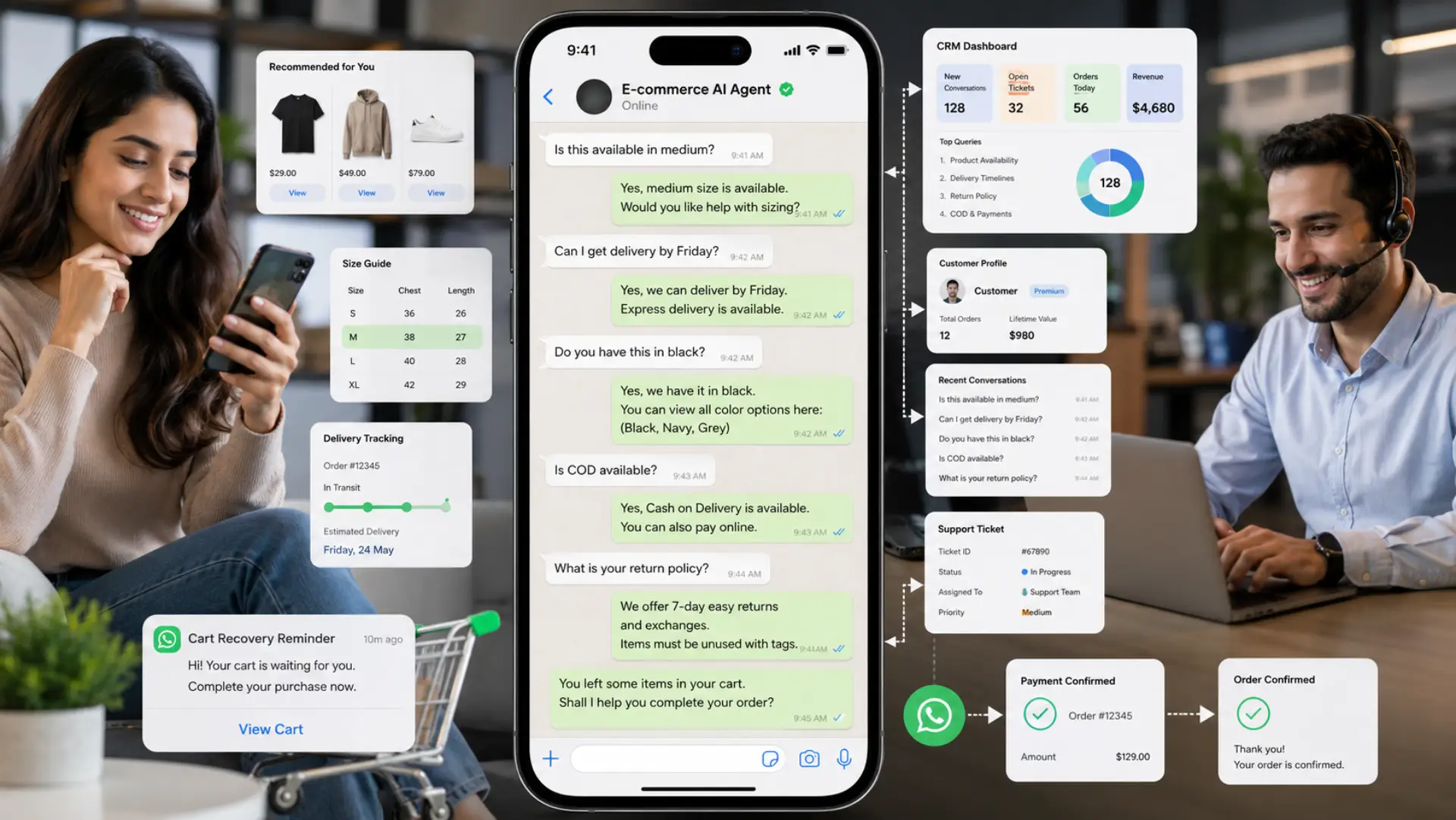
When an online shopper hesitates at checkout, a five-minute delay kills the sale. An intelligent WhatsApp AI agent fixes this by answering instantly, resolving product doubts naturally, and closing the deal directly in the chat.
The e-commerce landscape is shifting rapidly. Customers no longer tolerate filling out static web forms or waiting 24 hours for an email reply. They expect instant, accurate, and human-like interactions on the messaging app they already use daily.
This comprehensive guide explores the exact mechanisms, setup procedures, and operational strategies for deploying a WhatsApp AI agent in an e-commerce environment. Unlike high-intent commercial industry pages, this guide is designed to educate store owners on the technical and strategic realities of conversational commerce.
What is a WhatsApp AI Agent for E-Commerce?
A WhatsApp AI agent for e-commerce is not a traditional chatbot. Standard chatbots operate on rigid decision trees, forcing users to navigate complex button menus (“Press 1 for Shipping, 2 for Returns”).
In contrast, an AI agent utilizes natural language processing to read user intent, cross-reference the store’s specific product catalog, and provide nuanced, conversational answers.
Key Differences: Standard Bot vs. AI Agent
| Functionality | Standard Chatbot | WhatsApp AI Agent |
|---|---|---|
| User Interaction | Rigid, numbered button menus | Natural, plain-English dialogue |
| Context Memory | Forgets previous messages instantly | Remembers sizing and preferences throughout the chat |
| Product Knowledge | Limited to pre-programmed FAQs | Ingests your entire Shopify/WooCommerce catalog |
| Lead Qualification | Captures only basic contact details | Identifies budget, intent, and exact product interest |
The Cart Abandonment Crisis: Email vs. WhatsApp
Cart abandonment costs the e-commerce sector billions annually. Traditionally, brands have relied on email marketing to recover these lost sales. However, consumer behavior has changed, rendering email recovery increasingly ineffective.
When a customer abandons a cart, they usually have an unaddressed objection. They might be unsure about shipping timelines, refund policies, or specific sizing metrics.
- The Email Problem: Email cart recovery campaigns typically see open rates below 20 percent. Even when opened, emails offer one-way communication. The customer cannot easily ask a clarifying question.
- The WhatsApp Solution: WhatsApp messages command a 98 percent open rate. More importantly, when the customer receives a WhatsApp reminder, they can reply immediately with their objection. The AI agent instantly resolves the doubt, drastically increasing the probability of conversion.
Comparative Metrics: Recovery Campaigns
| Metric | Email Campaigns | WhatsApp AI Campaigns |
|---|---|---|
| Average Open Rate | 18 – 22% | 95 – 98% |
| Average Response Time | 4 – 6 Hours | Under 60 Seconds |
| Two-Way Interaction | Low (Static Links) | High (Conversational) |
5 Core Use Cases for WhatsApp AI in Retail
Deploying a WhatsApp AI agent transforms multiple departments within an e-commerce operation. Here are the five primary applications:
- Instant Product Recommendations: When a customer asks for “blue formal shirts under 2000 rupees,” the AI queries the catalog and instantly suggests exact matches, applying necessary discounts automatically.
- Automated Order Tracking: The most common e-commerce support ticket is “Where is my order?” The AI agent connects to shipping APIs to provide real-time location updates without human intervention.
- Frictionless Returns Processing: Customers can initiate returns directly in WhatsApp. The AI verifies the return window against store policy and generates shipping labels automatically.
- Proactive Restock Alerts: The system automatically notifies customers via WhatsApp when a previously out-of-stock item in their wish list becomes available.
- VIP Customer Routing: High-value customers or complex complaints are immediately identified by the AI and routed to human managers, ensuring premium accounts receive priority care.
Step-by-Step Setup Guide for E-Commerce
Implementing a conversational AI system requires structured execution. Follow these steps to ensure a smooth deployment that aligns with Meta’s technical requirements.
- Secure the WhatsApp Business API: You cannot run advanced AI on the standard WhatsApp Business app. You must apply for the official API through a certified provider.
- Upload Brand Context: Gather all your product PDFs, return policies, sizing charts, and store URLs. This data serves as the boundary for the AI’s knowledge base.
- Define Handoff Protocols: Determine exactly when the AI should stop talking and transfer the chat to a human. Common triggers include the word “manager,” multiple unrecognized queries, or high-value cart totals.
- Configure Meta-Approved Templates: WhatsApp requires pre-approved message templates for outbound communication (like cart recovery messages). Submit these for approval early.
- Deploy and Monitor: Launch the system in a controlled environment, monitoring the first 100 conversations to ensure the AI correctly interprets complex sizing and shipping questions.
Preventing AI Hallucinations in E-Commerce
The primary fear e-commerce operators have regarding AI is “hallucination”—the tendency of language models to invent facts, quote incorrect prices, or promise impossible shipping speeds.
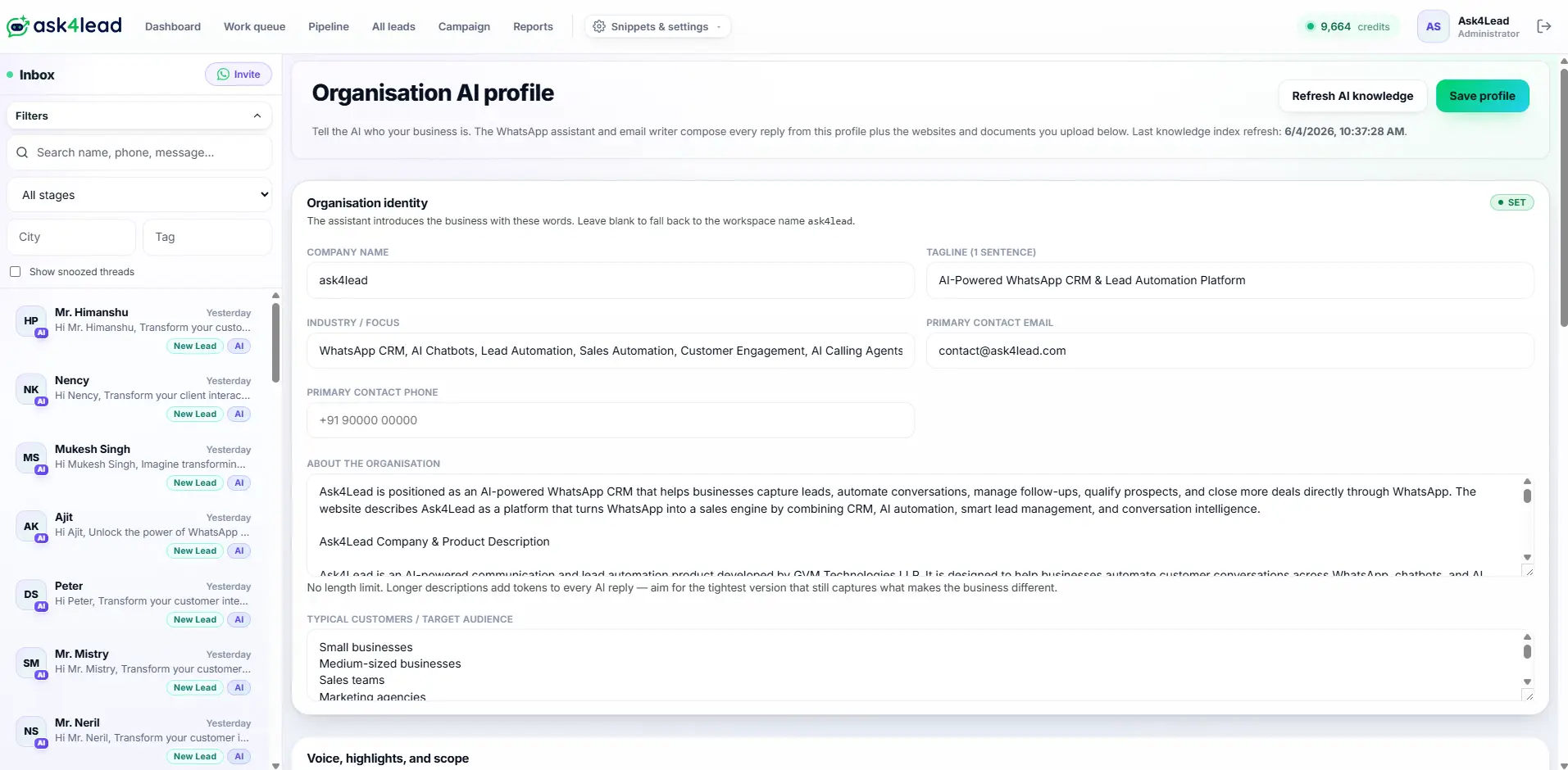
To operate safely in a commercial environment, the AI must be strictly contained using a dedicated Knowledge Profile. Here is how advanced systems like Ask4Lead secure their AI agents:
- Isolated Data Ingestion: The AI is explicitly instructed to ignore general internet knowledge. It can only pull answers from the specific documents, PDFs, and URLs uploaded by the store owner.
- Fallback Protocols: If a customer asks a question that is not covered in the uploaded brand context, the AI does not attempt to guess. It automatically replies with a polite holding message and flags the chat in the CRM for a human agent.
- Dynamic Catalog Integration: By connecting directly to the store’s backend (like Shopify or WooCommerce), the AI pulls live pricing and inventory data, ensuring it never sells an out-of-stock item.
Managing High-Volume Traffic During Flash Sales
During events like Black Friday, Diwali, or specialized flash sales, e-commerce stores experience massive spikes in message volume. Attempting to manage this with a single smartphone is mathematically impossible.
A robust WhatsApp AI setup requires a comprehensive CRM architecture to manage this influx.
- Multi-User Shared Inbox: Instead of one device, an entire team of support representatives logs into a centralized dashboard simultaneously.
- 9-Stage Kanban Pipeline: Conversations are not just a list of chats; they are categorized into distinct pipeline stages (e.g., “Inquiry,” “Cart Abandoned,” “Payment Pending,” “Closed Won”).
- Algorithmic Work Queues: The system prioritizes incoming messages based on urgency. A complaint regarding a damaged product is pushed to the top of the queue, while standard tracking questions are handled instantly by the AI.
Protecting Your WhatsApp Business Number
High-volume messaging carries a severe operational risk. If an e-commerce store blasts thousands of cart recovery messages without strategic pacing, Meta’s automated systems may flag the account for spam.
A drop in your WhatsApp Quality Rating can result in temporary messaging blocks or permanent number bans. To prevent this, strict Sending Policies must be enforced:
| Risk Factor | Automated Protection Mechanism |
|---|---|
| Spam Reports | Automatically appending clear “Reply STOP to unsubscribe” language to all outbound templates. |
| Quality Rating Drops | Real-time monitoring of Account Health; automatically pausing campaigns if the status shifts from Green to Yellow. |
| Velocity Violations | Intelligent message pacing, sending broadcasts in staggered batches rather than instantaneous mass blasts. |
By implementing these technical guardrails, e-commerce stores can achieve the speed and scale of AI automation without risking their most valuable communication channel.
FAQs
1. What is a WhatsApp AI agent for e-commerce sales and support?
A WhatsApp AI agent for e-commerce is a conversational system that reads your specific product catalog and talks to customers in plain English. It understands complex shopping questions, recommends exact items, and captures qualified leads directly within the chat interface.
2. How does WhatsApp conversational commerce recover abandoned carts?
The AI uses bulk messaging campaigns to send personalized follow-ups exactly 60 minutes after a cart is abandoned. Because WhatsApp has a 98 percent open rate, the AI can instantly address the buyer’s hesitations and process the order before they leave.
3. Can an AI agent handle complex e-commerce support tickets?
Yes. The AI connects to your uploaded store policies to answer shipping, return, and warranty questions accurately. If a situation requires human empathy or complex intervention, the system instantly flags the conversation and routes it to an available support agent.
4. How fast do customers expect a response on WhatsApp?
Mobile shoppers expect a response on WhatsApp within 60 seconds. A delay of just five minutes drastically reduces the probability of a closed deal, as hesitant buyers will quickly switch to a competitor who answers their questions immediately.
5. How does the AI know my specific e-commerce pricing?
Store owners upload their PDFs, sizing charts, and product URLs into the AI Knowledge Profile. The agent references this isolated database in real-time to quote accurate prices and stock rules. It never guesses or invents information.
