
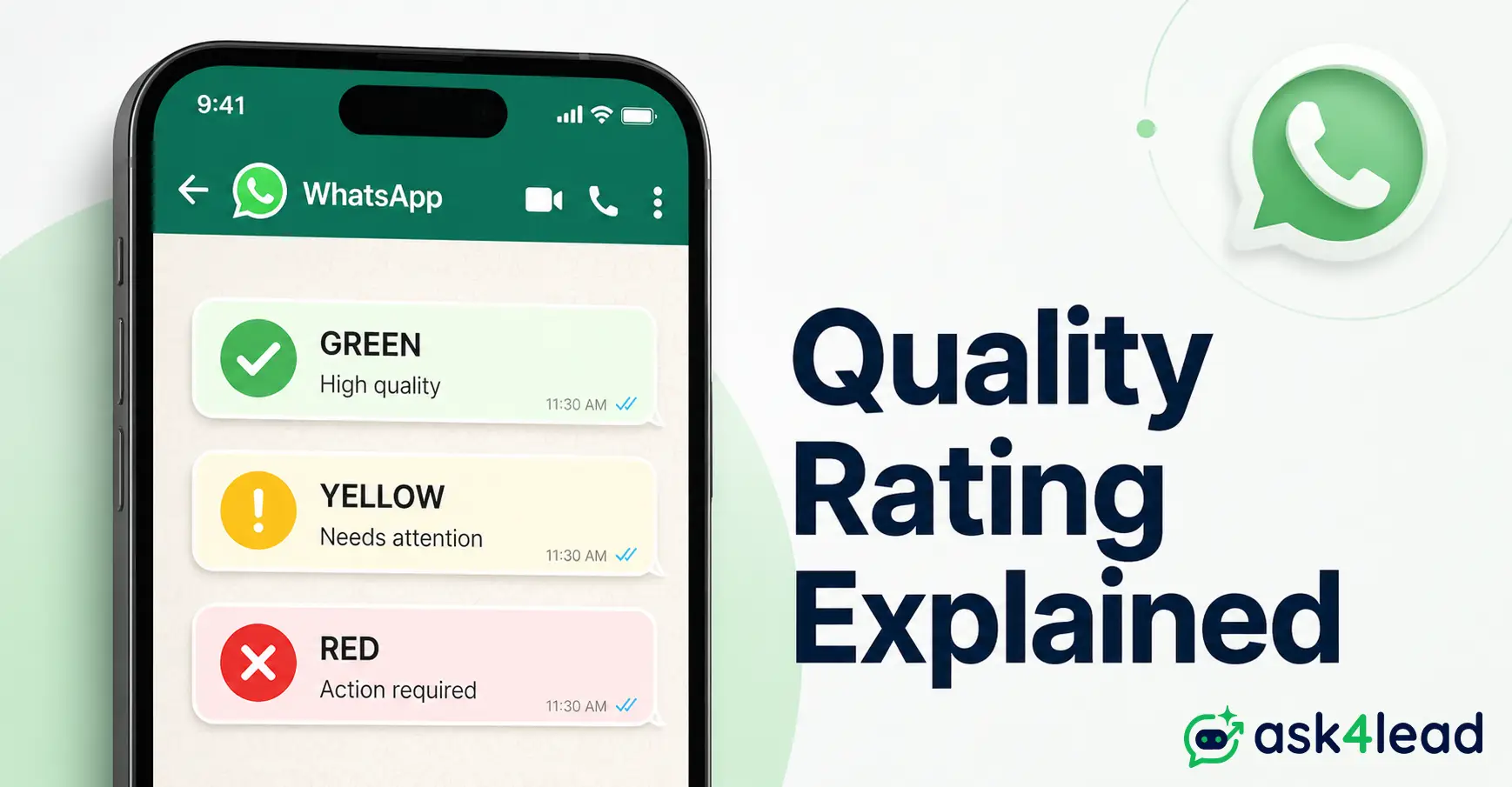
Quick answer: WhatsApp quality rating is Meta’s live, per-number score of how recipients actually respond to a WhatsApp Business number’s messages. It shows up only as Green, Yellow, or Red inside Ask4Lead’s Account Health dashboard, never as a public 0-5 score. It can drop within hours of 1 careless broadcast.
Key Takeaways
- Quality rating measures recipient behavior (blocks, reports, replies), not send volume, and it re-evaluates on a rolling basis, not once a day.
- Meta publishes only 3 status colors. A numeric “0-5 quality score” quoted anywhere else describes an unofficial metric, not what WhatsApp Manager shows.
- The rating is scored per phone number. The daily messaging limit it unlocks is often pooled at the business portfolio level.
- A Yellow or Red rating is recoverable through changed sending behavior. It is a different event from a template rejection or a full account ban.
- A badly built AI agent can tank a rating as fast as a careless human broadcast. A well-built one protects it.
WhatsApp quality rating decides how many people a business number can reach tomorrow, based on how people reacted to it today. It runs on every number connected through the WhatsApp Business Platform.
Most guides stop at explaining the 3 colors. This one goes further, into 3 things most quality-rating advice skips entirely:
- How Meta actually infers real opt-in from behavior, not paperwork
- Why 1 Red number can quietly cap what a whole business portfolio can send
- Whether an AI chatbot helps or hurts the score, and what a safe one looks like
What Is WhatsApp Quality Rating?
WhatsApp quality rating is a live reputation score Meta assigns to a single business phone number. Meta builds it from recent recipient behavior, weighing replies, blocks, and spam reports far more heavily than raw send volume.
It surfaces only as a status color inside WhatsApp Manager. That color directly controls how many new customers the number can message with templates in a rolling 24-hour period.
The rating belongs to the number, not the business overall. In one WhatsApp Business API account, different numbers can sit at completely different statuses at the same time:
- Number A: Green, high engagement, limit growing
- Number B: Yellow, frozen limit, under watch
- Number C: Red, shrinking limit, heavier template scrutiny
1. The 3 Status Colors and What Each One Unlocks
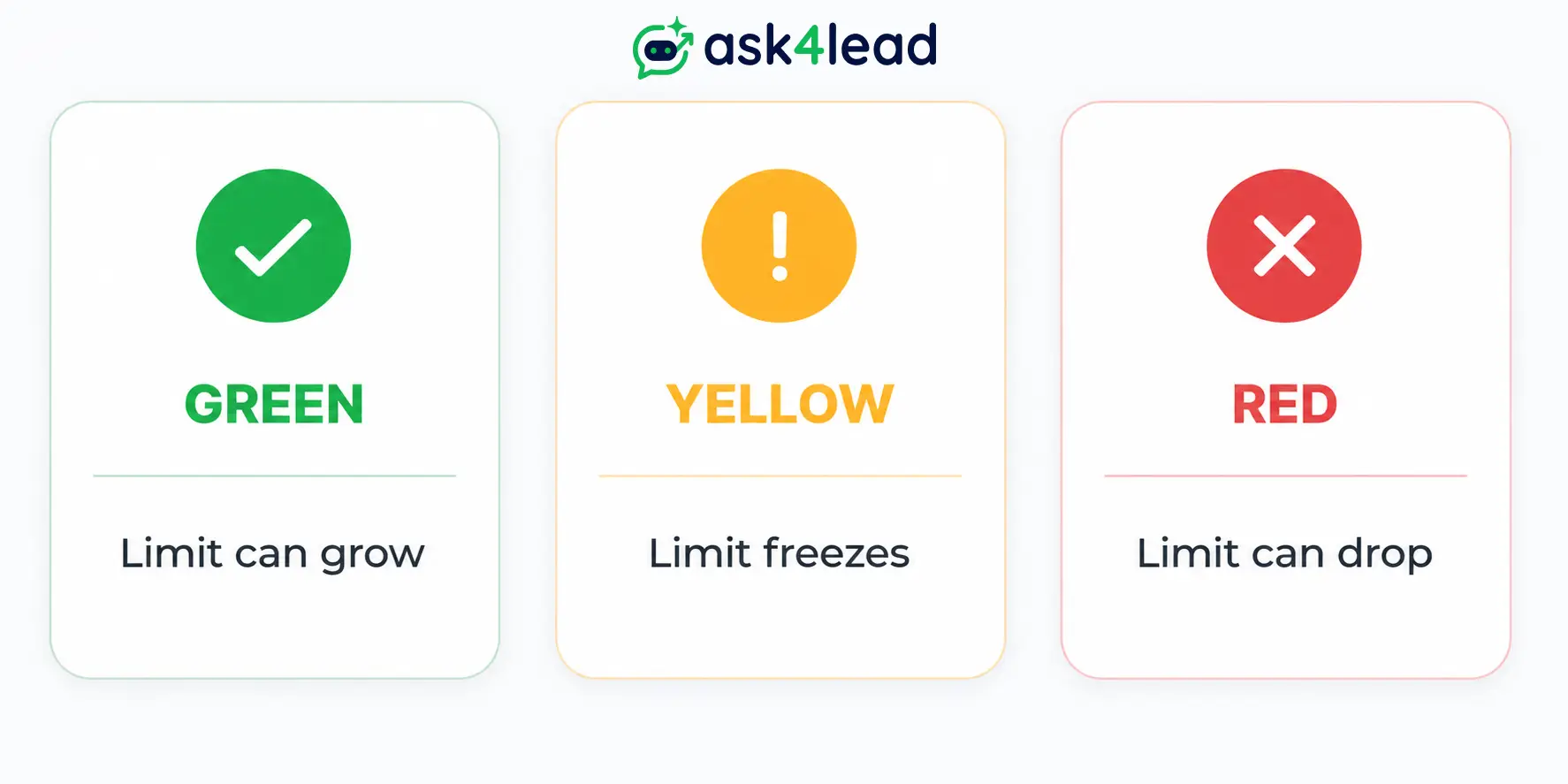
Meta shows exactly 3 states for quality rating. Each one carries a direct, immediate consequence for sending capacity.
| Status | What recipients are doing | What happens next |
| Green (high quality) | Replying, saving the number, opening media | Messaging limit can scale up automatically |
| Yellow (medium quality) | Rising blocks or reports, often after 1 aggressive send | Limit freezes; no tier growth until it clears |
| Red (low quality) | Sustained negative signals over several days | Limit can shrink; new templates face heavier review |
The Meta Business Help Center’s own quality rating page confirms this 3-color model is the entire public system.
2. Why “Quality Rating” and a “0-5 Score” Are Not the Same Thing
Plenty of secondhand articles mention a numeric quality score somewhere between 0 and 5. That figure does not appear anywhere in Meta’s current WhatsApp Business Platform documentation.
It likely traces back to an older Facebook Page quality metric that got mixed up with WhatsApp over time. Both sit under the same Meta Business Suite, which makes the confusion easy.
If a tool shows a number instead of a color, treat it as that vendor’s own internal estimate, not Meta’s official rating.
How Meta Actually Calculates Your Score
Meta weighs how recipients react to a number’s messages far more heavily than how many messages it sends. Two businesses can send identical volumes and land on opposite ratings.
1. The Positive Signals That Build Trust
- A recipient replies to a message, even briefly
- A recipient saves the business number to their contacts
- A recipient taps a quick-reply button instead of ignoring the message
- A recipient opens an image, PDF, or video sent inside a conversation
2. The Negative Signals That Erode Quality Rating
- Tapping “Block” on the business’s contact card
- Reporting a specific message as spam
- Leaving templates unread and unanswered, repeatedly
- Receiving a message the recipient never agreed to get in the first place
A single aggressive broadcast to a stale list can flip a healthy number from Green to Yellow within hours. Whoever sent it usually finds out only after the damage is visible.
3. How Meta Infers Real Consent, Not Just Documents
Meta cannot read a business’s consent records or CRM opt-in logs. What it can measure is the ratio of reports to send volume across a specific message batch.
- Send to a list that genuinely opted in, and a handful of reports barely register against the total
- Send that same volume to a list that never opted in, and the report ratio spikes almost immediately
Consent, in Meta’s system, is something a business proves through behavior data, not paperwork. “We have their number on file” was never a safe substitute for an actual opt-in.
Quality Rating vs. Everything Else People Confuse It With
Quality rating, messaging tier, template category, account status, and the 24-hour window are 5 separate systems. Most people lump them together as “the WhatsApp problem,” and mixing them up leads to the wrong fix.
1. The Quick Comparison Table
| Term | What it actually is | Read the full breakdown |
| Quality rating | Per-number reputation score (Green/Yellow/Red) | This guide |
| Messaging tier / broadcast limit | Daily cap on new contacts a number can message | WhatsApp broadcast limit guide |
| Template category | Whether a message is filed as Marketing, Utility, or Authentication | Why templates get rejected |
| Account status | Whether the number can send at all (Connected, Flagged, Restricted, Banned) | Ask4Lead’s full unban guide (linked further below) |
| 24-hour window | The free-reply period after a customer’s last message | The WhatsApp 24-hour rule explained |
Meta’s own template quality documentation confirms category and quality rating run through separate review systems.
2. Why Mixing Up These Terms Costs You Reach
Confusing these 5 systems leads to the same 3 wrong fixes, over and over:
- Switching to a brand-new number after a Yellow rating, which throws away weeks of earned trust
- Disputing a template rejection as if it were an account ban, which wastes the appeal window meant for real restrictions
- Blaming “the ban” for a problem that was actually a frozen tier, and never touching the sending behavior that caused it
Each mechanic gets its own full breakdown, including the exact difference between WhatsApp, the Business App, and the Business API. This page focuses on the reputation signal underneath all of them.
What Actually Tanks a WhatsApp Number’s Quality Rating
Most quality rating drops trace back to a handful of repeatable, avoidable patterns. None of them are bad luck.
1. How Real Recipients Decide to Block or Report a Number
People who talk openly about handling unwanted business messages describe a consistent pattern:
- The first unwanted message gets ignored, or gets a “STOP” reply
- A second message from the same number, despite that, gets an immediate block and report
Businesses almost never see step 1 happen. They only see the score drop a few hours after step 2, with no obvious warning in between.
That pattern is exactly why a working opt-out protects a rating better than almost anything else on this list. A recipient who feels ignored skips straight to WhatsApp’s native “Block” button.
2. Cold Lists, Purchased Databases, and Missing Opt-In
- Messaging a list bought or scraped from somewhere other than the business’s own customers
- Importing CRM contacts who only ever agreed to email or a phone call, never WhatsApp
- Reviving a list that has gone quiet for months with a sudden promotional push
- Skipping a visible, working way to stop receiving messages
3. Sending Too Often With Nothing New to Say
Multiple broadcasts to the same list within a short window, with no real change in relevance between them, reads as spam even when the product is legitimate. WhatsApp is not email.
A few signs a business has crossed that line:
- The same offer sent twice in one week to an unresponsive list
- A “just checking in” message with no new information attached
- A broadcast fired the same day a previous one already underperformed
The Portfolio Effect Nobody Warns You About
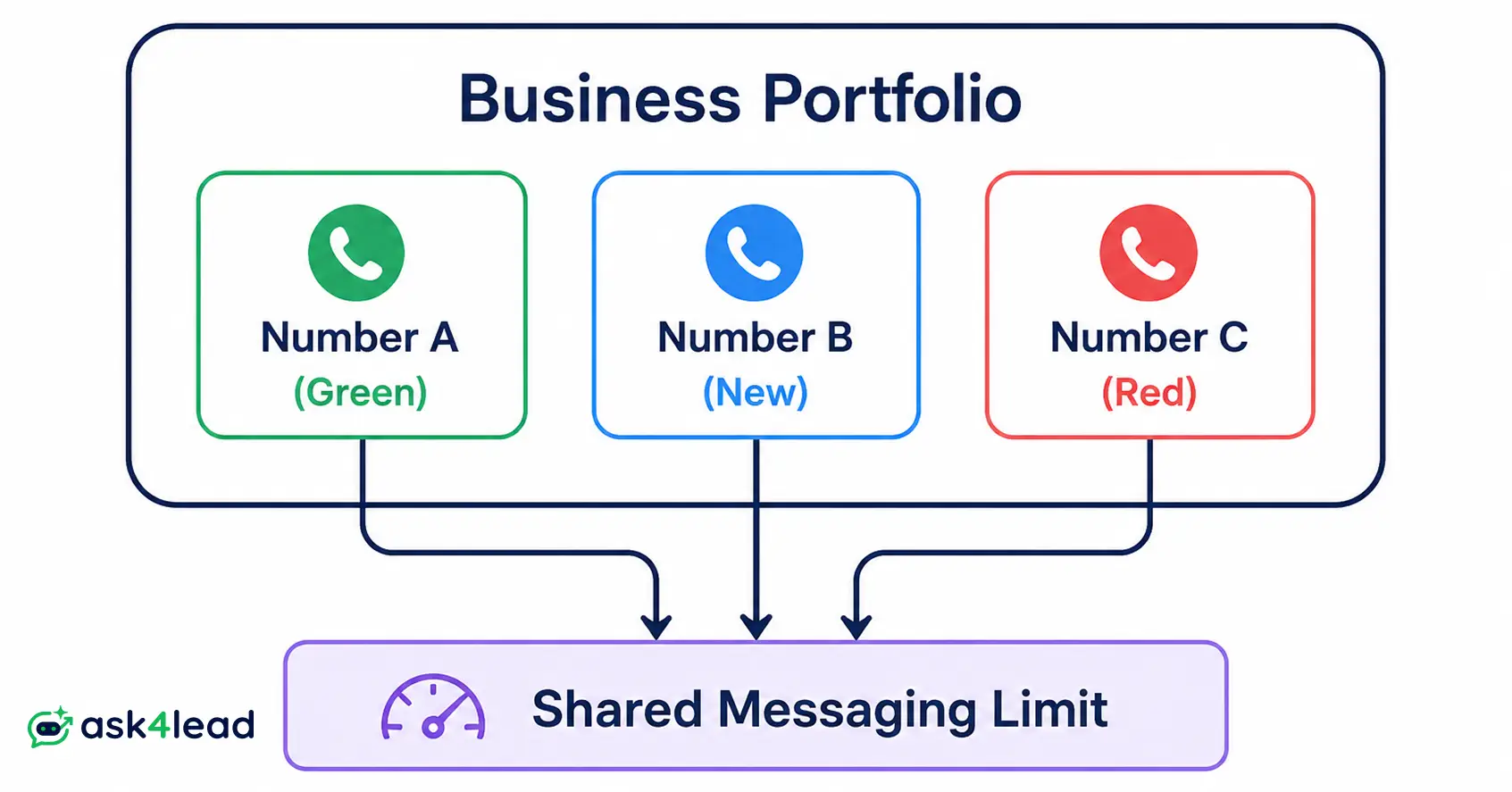
Quality rating is scored per number. The messaging limit it unlocks, though, is calculated and shared at the business portfolio level, across every number registered under it.
| What it measures | Per-number or portfolio-wide? |
| Quality rating (Green/Yellow/Red) | Per number |
| Messaging limit (daily contact cap) | Shared across the whole portfolio |
| Template category and approval | Per template, per number |
1. Shared Limits Across a Business Portfolio
Add several numbers to one portfolio and they draw from a shared capacity pool, not independent ones, per Meta’s own messaging limits documentation. A new, untested number added to an established portfolio inherits that shared ceiling from day 1.
That’s exactly why launching a new campaign type, a new geography, or an experimental AI agent flow on the same portfolio as a proven, high-volume number carries more risk than it looks like on paper.
2. Why Isolating Test Numbers and New Campaigns Matters
Keep a new sending pattern contained until it’s proven:
- Run it on a separate portfolio first, so a bad first week never touches the limit shared by numbers that already earned trust
- Watch its status for at least 1 full rolling window before scaling volume
- Fold it into the main portfolio only once it holds Green on its own
The 4 C’s: A Framework to Protect Your WhatsApp Quality Rating
Every legitimate quality-rating best practice reduces to 4 habits a business fully controls. Ask4Lead calls this framework the 4 C’s: Consent, Content, Cadence, and Care.
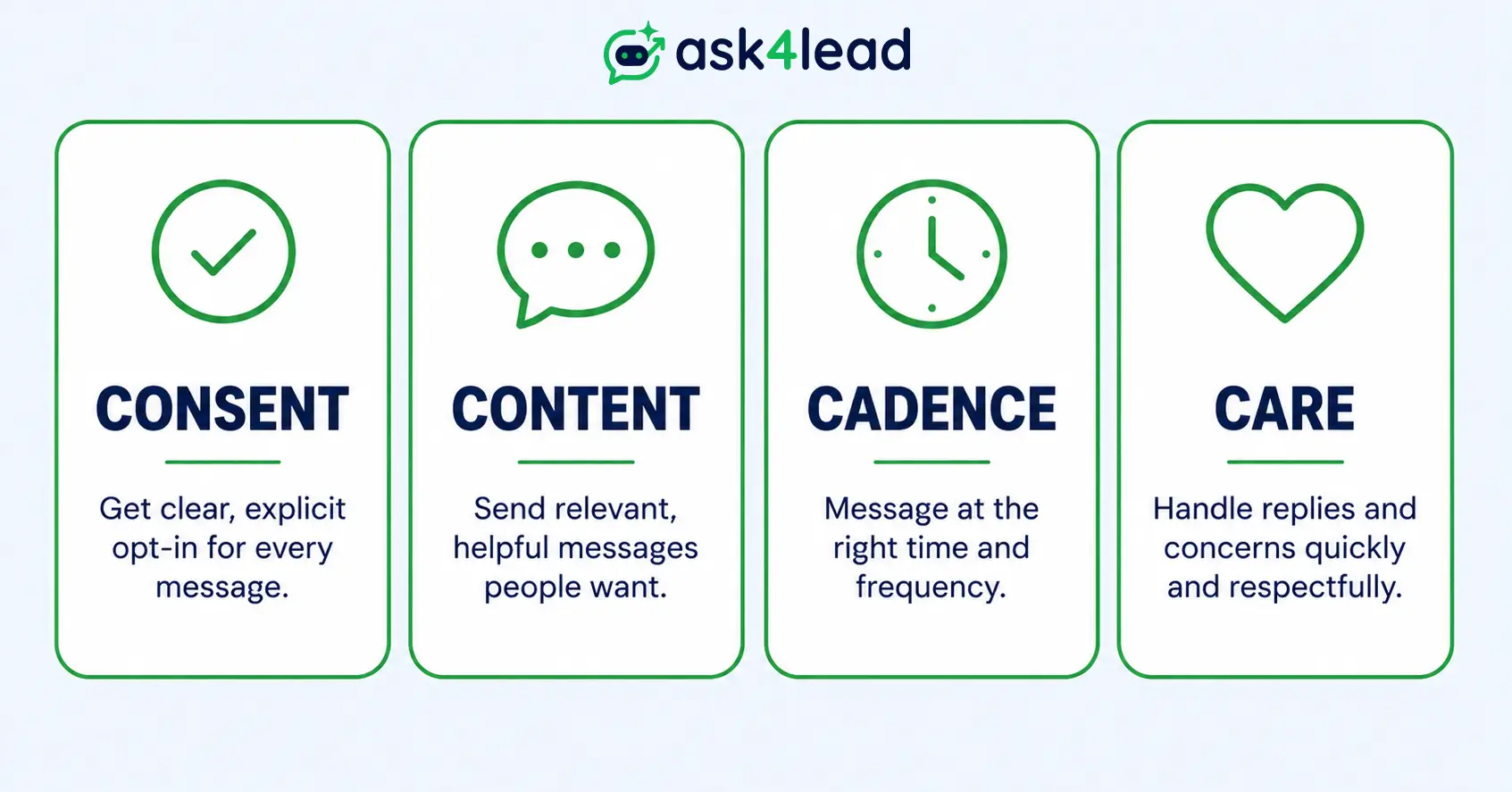
1. Consent: Message Only People Who Actually Opted In
Every recipient should be able to point to the exact moment they agreed to hear from a business on WhatsApp. That moment could be a click-to-WhatsApp ad, a website form, or a message they sent first.
An imported list that only ever confirmed email consent is not a safe substitute, no matter how complete the CRM record looks.
2. Content: Make Every Message Worth Opening
Personalize past a first name. A message tied to something the recipient actually did earns a reply, while a generic promotional blast earns a block.
Grounding replies in a business’s own product catalog and past conversation history, instead of a fixed script, keeps every reply relevant to what the customer actually asked.
3. Cadence: Respect Frequency and the Reply Window
Space out promotional sends deliberately. WhatsApp does not tolerate the daily-touch cadence an email list puts up with.
Scheduling messages around realistic intervals, instead of manually blasting the moment a campaign is ready, keeps sending patterns predictable. Predictable patterns read as healthier than sudden spikes.
4. Care: Reply Fast and Make Opting Out Effortless
A visible, one-tap way to stop messages keeps a frustrated recipient from reaching for “Block” instead. Fast replies matter just as much, since slow responses quietly drag engagement down over weeks.
Quick self-check, one question per C:
- Consent: could this recipient name the exact moment they opted in?
- Content: does this message reference something the recipient actually did?
- Cadence: has this list heard from the business in the last 24 hours already?
- Care: is there a visible, working way to stop these messages?
What to Do the Moment Your Rating Drops
A quality rating drop is recoverable, but only if sending behavior changes immediately instead of continuing whatever caused it. Waiting it out rarely works on its own.
1. Stop, Diagnose, and Isolate the Cause First
Pause every non-essential broadcast the moment a number shows Yellow. Check recent campaign performance to isolate the cause:
- The list itself, if it was cold, purchased, or hadn’t heard from the business in months
- The frequency, if multiple sends went out in a short window
- The content, if the message was generic or off-topic for that recipient
Send only to the most engaged, recently active contacts while the number recovers. Stay well under the current limit rather than testing its edges.
2. Read the Full Recovery Playbook When Status Goes Beyond Yellow
A number moving to Red, getting Flagged, or getting Restricted outright is a different, deeper process than a quality dip. WhatsApp’s own restricted-account guidance covers the review request itself.
The full appeal mechanics, realistic approval odds, and the 60-day reset window live in Ask4Lead’s guide to getting unbanned from WhatsApp Business. Treat this page as the reputation-mechanics half of that story, not a replacement for it.
AI Agents and Your WhatsApp Quality Rating
An AI agent can protect a quality rating or actively damage it. The difference comes down entirely to how it was built.
1. Why a Poorly Built Bot Tanks Engagement Fast
Recipients cannot tell whether an irrelevant message came from a script or a person, and they react the same way either time. A few patterns that trigger blocks fast:
- Answering off-topic or ignoring what the customer actually asked
- Repeating the same reply regardless of context
- Continuing to message someone after they’ve clearly disengaged
Whether automation itself increases ban risk depends on the same consent and relevance rules covered throughout this guide. Automation just executes those rules faster, for better or worse.
2. What a Well-Built AI Agent Actively Protects
An agent grounded in a business’s real catalog and conversation history answers the actual question instead of guessing. That’s precisely the kind of relevant reply that keeps a rating healthy.
Human approval before anything sends adds a second layer of control on top of that. It’s the safeguard Ask4Lead’s AI Sales Assistant is built around, rather than firing off scripted replies with no oversight.
FAQs
1. What does a WhatsApp quality rating of Red actually mean?
Red means Meta has detected sustained negative engagement, block, or report signals on that specific number over the recent measurement window. It can immediately shrink the daily messaging limit and trigger closer scrutiny of any new templates.
2. How long does it take for a WhatsApp quality rating to recover?
There’s no fixed timeline published anywhere. A status can shift within a single re-evaluation cycle once sending behavior improves, but Meta typically wants several consecutive days of healthy engagement before restoring the previous tier.
3. Is a low quality rating the same as getting banned?
No. A low quality rating usually caps or lowers the messaging limit rather than banning the number outright. Full bans are more commonly triggered by policy violations, like unofficial bulk-sending tools.
4. Does a brand-new phone number start with a good quality rating?
No. A new number starts neutral, with no history in either direction. It still needs consent, relevant content, and controlled sending from message 1 to earn a Green status.
5. Can 1 bad broadcast really drop a healthy quality rating?
Yes. A single aggressive send to a large, unengaged, or non-consenting list can flip a Green number to Yellow within hours, especially on a number without much sending history yet.
6. Does quality rating affect every number in a business account equally?
Quality rating itself is scored per number, but the messaging limit it unlocks is often shared across every number in the same business portfolio. A struggling new number can constrain capacity for an established one on that same portfolio.
7. Can switching to a new number fix a quality rating problem?
Rarely, and usually not without losing the sending history and trust the old number had already built. Fixing the underlying consent, content, or frequency issue works out better than restarting from zero almost every time.
Conclusion
WhatsApp quality rating is not a setup step a business clears once and forgets. It is a live signal that reacts to every message sent from a number, for as long as that number stays active.
It rewards exactly 4 habits, in this order of impact:
- Real consent, not an assumed one
- Relevant content, not a generic script
- Controlled cadence, not sudden spikes
- Fast, easy-to-use care, not a hidden opt-out
Get those 4 right, and messaging tiers, template approvals, and delivery rates tend to take care of themselves. Get them wrong, and no amount of appealing, switching numbers, or paying a stranger who DMs you after a restriction will fix what a changed sending pattern would have fixed for free.
See Your Live Quality Rating Before It Drops, Not After
Watching a dashboard after the damage is done isn’t protection. Ask4Lead’s AI Dashboard shows the real-time status and daily limit for every number in one place, alongside the same AI Sales Assistant control layer covered above.
