
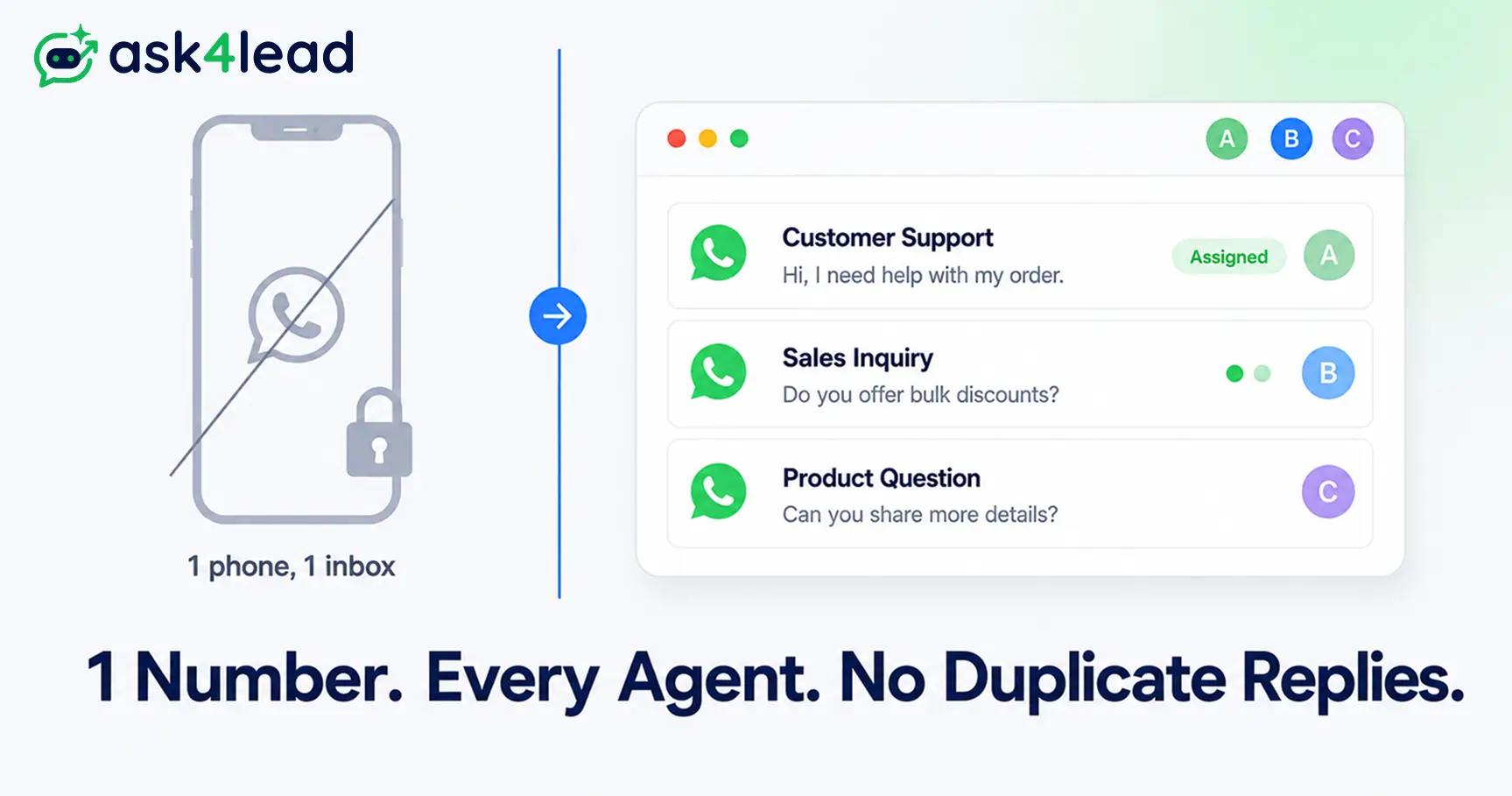
A WhatsApp shared inbox is software that connects to one WhatsApp Business number. It lets several agents, or a mix of agents and AI, see the same conversations and reply from one screen.
A WhatsApp shared team inbox is how a team of 3, 10, or 30 agents replies from one number without 2 people answering the same customer twice.
WhatsApp does not build this in by default. The free app caps out at a handful of linked devices, with no ownership and no routing between agents.
Real multi-agent replies need one of 3 paths, each compared below: linked devices, WhatsApp Coexistence, or the WhatsApp Business API with a shared inbox platform.
Quick answer: WhatsApp does not let multiple agents share one number for free beyond a handful of linked devices (4 free, 10 with Meta Verified). Real multi-agent replies need either WhatsApp Coexistence, which runs the app and the official API on the same number, or the WhatsApp Business API connected to a shared inbox platform, the only setup with no agent cap, chat assignment, and internal notes.
Key Takeaways
- There are only 3 real ways to get multiple agents onto one WhatsApp number: linked devices, Coexistence, or the Business API with a shared inbox tool.
- The free app supports 5 total sessions (1 phone plus 4 linked devices), rising to 10 with Meta Verified, and none of those tiers add chat ownership.
- A shared inbox only stops duplicate replies if it has both conversation assignment and a live typing signal, not just a shared login.
- Meta switched from per-conversation to per-message pricing on July 1, 2025, so most “hidden fee” complaints are actually the platform’s own subscription, not Meta.
- Even sophisticated unofficial automation, built on accessibility APIs rather than simple scraping, still caps out around 30 to 40 messages a day on 1 machine.
- AI auto-replies without a review layer can quietly damage your WhatsApp quality rating before a human ever notices.
- A shared inbox alone covers a small reactive team; once you need pipeline stages, you need a WhatsApp CRM built around that same inbox.
What a WhatsApp Shared Team Inbox Actually Is
A WhatsApp shared team inbox, also called a WhatsApp team inbox or multi-agent inbox, sits between your WhatsApp number and your team. Every authorized agent sees every conversation at once, instead of it living on one person’s phone.
The full history stays attached to the conversation, not to whoever happened to answer it first.
1. Why One Phone Cannot Run a Sales or Support Team
The moment a 2nd person needs to reply from the same number, the native app works against you. Whoever’s phone the number lives on becomes a single point of failure.
- Reps get a name and a number with no history. The next agent to reply cannot see what a customer already explained.
- One departure erases the record. If the person holding that phone leaves, every chat and saved contact leaves with them.
- Follow-ups have no owner. Nobody is formally responsible for a lead, so the ones needing a 2nd nudge quietly go cold.
2. Shared Inbox vs. Just Adding Linked Devices
Linking a 2nd phone or laptop through WhatsApp Web is not a shared inbox. Linked devices just mirror the same one-owner inbox onto more screens, with no concept of who owns which chat.
In practice, 2 agents can open the same conversation at once and both start typing, and the app warns neither of them.
A real shared inbox platform fixes that: it assigns each conversation to one agent, tracks status, and keeps a private layer of notes the customer never sees.
The 3 Ways Multiple Agents Can Reply From One WhatsApp Number
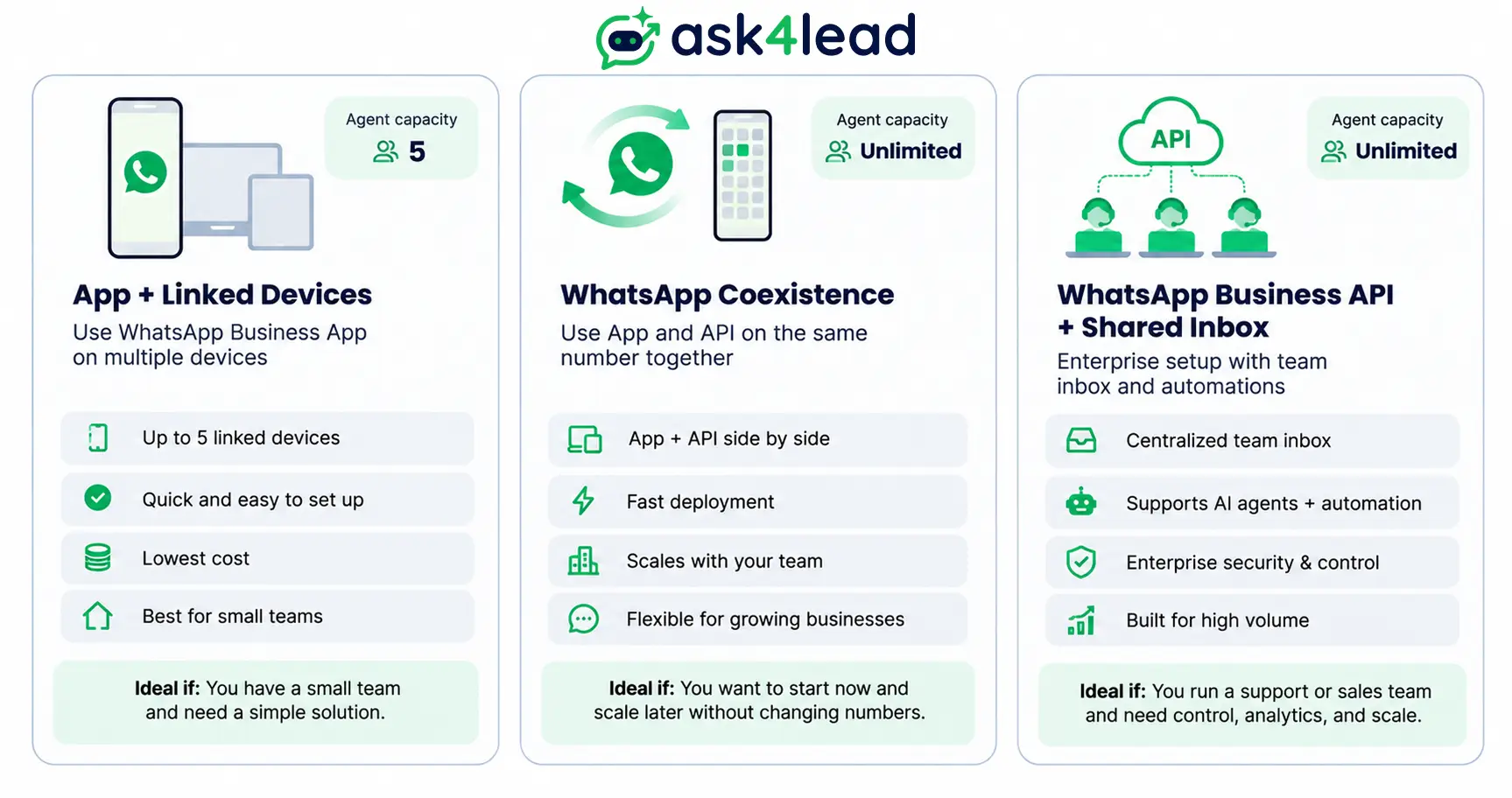
There are 3 real setups for multiple agents on one WhatsApp number. Each trades off cost, agent capacity, and setup effort differently, so the table below is worth checking before you pick one.
1. WhatsApp Business App Plus Linked Devices
The free app links up to 4 companion devices to your primary phone, for 5 sessions total. Meta Verified, a paid subscription, raises that to 10 linked devices.
This is what most 2-person teams already run, without knowing it has a name. It works only while agents rarely handle the same customer at once, and breaks down past a 3rd or 4th agent since there is still no ownership or routing.
See WhatsApp vs. the Business App vs. the Business API for how the free app differs from the paid API underneath.
2. WhatsApp Coexistence: App and Cloud API on the Same Number
WhatsApp Coexistence is Meta’s own onboarding path, rolled out in 2025, that runs the free app and the Cloud API on the same number at once. Messages sent from either side sync to the other in real time.
This suits a team not ready to give up the app entirely. An owner keeps replying personally while the rest of the team works from a shared inbox platform on the API side.
Most quick explainers skip 2 catches:
- Onboarding unlinks your companion devices. Anyone using linked-device access loses it and has to reconnect afterward.
- You still need a technology partner. Reaching the API side requires a Meta-approved partner, often called a BSP or business solution provider, and the order you complete these steps in matters more than most guides admit.
3. WhatsApp Business API Plus a Shared Inbox Platform
The WhatsApp Business API removes the agent cap entirely. It is not a phone app at all, just a connection your shared inbox platform uses to send and receive messages for you.
Ask4Lead onboards a number through Meta’s Embedded Signup process, which handles the technical setup so you never touch Meta’s developer console.
Assignment, notes, and reporting are native to the platform, not bolted onto a phone app afterward.
Comparing platforms broadly rather than access methods? This WhatsApp Business API alternative breakdown covers how the providers themselves differ.
| Setup | Cost | Agents on one number | Setup effort | Main limitation |
| App plus linked devices | Free | Up to 5 sessions (10 with Meta Verified) | Minutes | No assignment, no notes, easy double-replies |
| WhatsApp Coexistence | Free from Meta; tool subscription extra | Unlimited on the API side, app side stays capped | Hours, needs a technology partner | Companion devices unlink during onboarding |
| Business API plus shared inbox | Per-message fee on templates plus platform subscription | Unlimited | 1 to 2 days | Standard SaaS setup, no WhatsApp-specific ceiling |
How Shared Inboxes Actually Stop Duplicate Replies
A shared inbox stops duplicate replies through 2 mechanics working together, not 1: a visible owner on every conversation, and a real-time signal the moment another agent starts responding.
1. Chat Assignment, Ownership and Live Typing Indicators
A new conversation gets auto-assigned by a rule, or sits in a queue an agent claims manually. Once claimed, that agent’s name shows for the whole team.
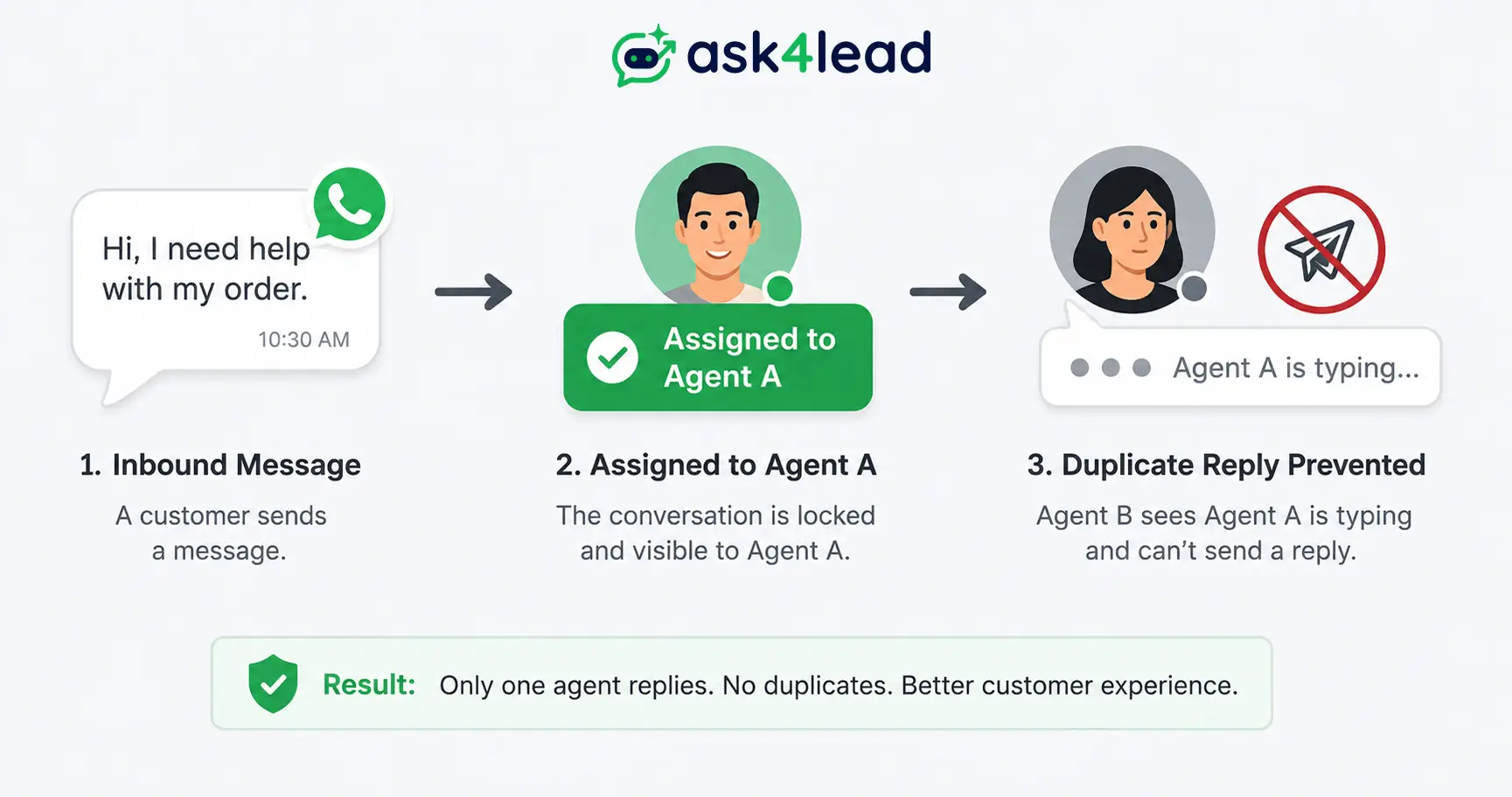
Ask4Lead’s inbox also flags when a teammate is already typing inside a claimed chat. That comes from the same real-time sync layer that stops 2 people answering the same question 10 seconds apart.
Managers get the same visibility through the work queue, a daily list of what actually needs attention instead of a raw chat feed nobody prioritizes.
2. Internal Notes vs. Customer-Visible Messages
Internal notes let an agent tag a colleague or leave context the customer never sees. That replaces the group-chat screenshots teams use to coordinate manually.
Pairing notes with saved reply snippets keeps answers consistent across agents handling similar questions.
One check before buying a tool: notes and real replies should look clearly different in the interface. A note sent to the customer by mistake is worse than the duplicate-reply problem you were trying to fix.
The Feature Checklist Most Shared Inbox Guides Skip
A shared inbox tool needs to do more than put multiple logins on one number. It should give you role-based permissions, an audit trail, clear pricing, and a way to stop AI replies from damaging your standing with Meta.
| Capability | What it actually prevents | Where to check it |
| Role-based access | A support rep exporting your full contact list | Admin settings, before you invite agents |
| Audit trail | “What did my team actually send?” going unanswered | Per-message logs tied to the sending agent |
| Transparent per-message billing | Confusing your bill with Meta’s separate charges | The platform’s pricing page, not a sales call |
| AI human-approval layer | An unsupervised bot tanking your quality rating overnight | Whether AI replies need sign-off before sending |
1. Role-Based Access, an Audit Trail and Manager Visibility
A support rep should not export the full contact list. A manager needs to see who sent a specific message without borrowing a personal phone.
Ask4Lead handles both through user and role management paired with audit logs.
Response times and per-agent load show up the same way, through reports and analytics, instead of a manager guessing who is overloaded this week.
2. What You Actually Pay Meta vs. What the Platform Charges
Replying to a customer who messaged you first is free, inside the 24-hour session window that starts when their message arrives. Meta only charges for business-initiated template messages sent outside that window.
Since July 1, 2025, that billing moved from a flat per-conversation fee to per-message pricing, documented directly by Meta.
Where the confusion comes from: the “per-message markup” complaint circulating among small businesses usually is not Meta double-charging. It is the shared inbox platform’s own subscription fee on top of Meta’s actual per-message cost, 2 separate bills from 2 separate companies.
| Message type | When it applies | Who bills you | Approximate 2026 cost |
| Customer service reply | Agent replying inside the 24-hour window | Meta | Free |
| Marketing template | Business-initiated, outside the window | Meta, per message | $0.025 to $0.1365 in the US, roughly $0.01 in India |
| Utility or authentication template | Order updates, OTPs, and similar | Meta, per message | $0.004 to $0.0456 |
| Platform subscription | Using a shared inbox tool | The tool provider, not Meta | Varies by plan |
Ask4Lead runs on pay-as-you-go credits through Razorpay at ₹0.50 per credit, 1 outbound message per credit.
Template messages draw from that same balance, so spend and approvals both live in one place.
3. The AI Quality-Rating Risk Nobody Talks About
Most shared inbox comparisons only worry about 2 human agents replying at once. Fewer mention what happens once an AI agent joins the mix with no review layer.
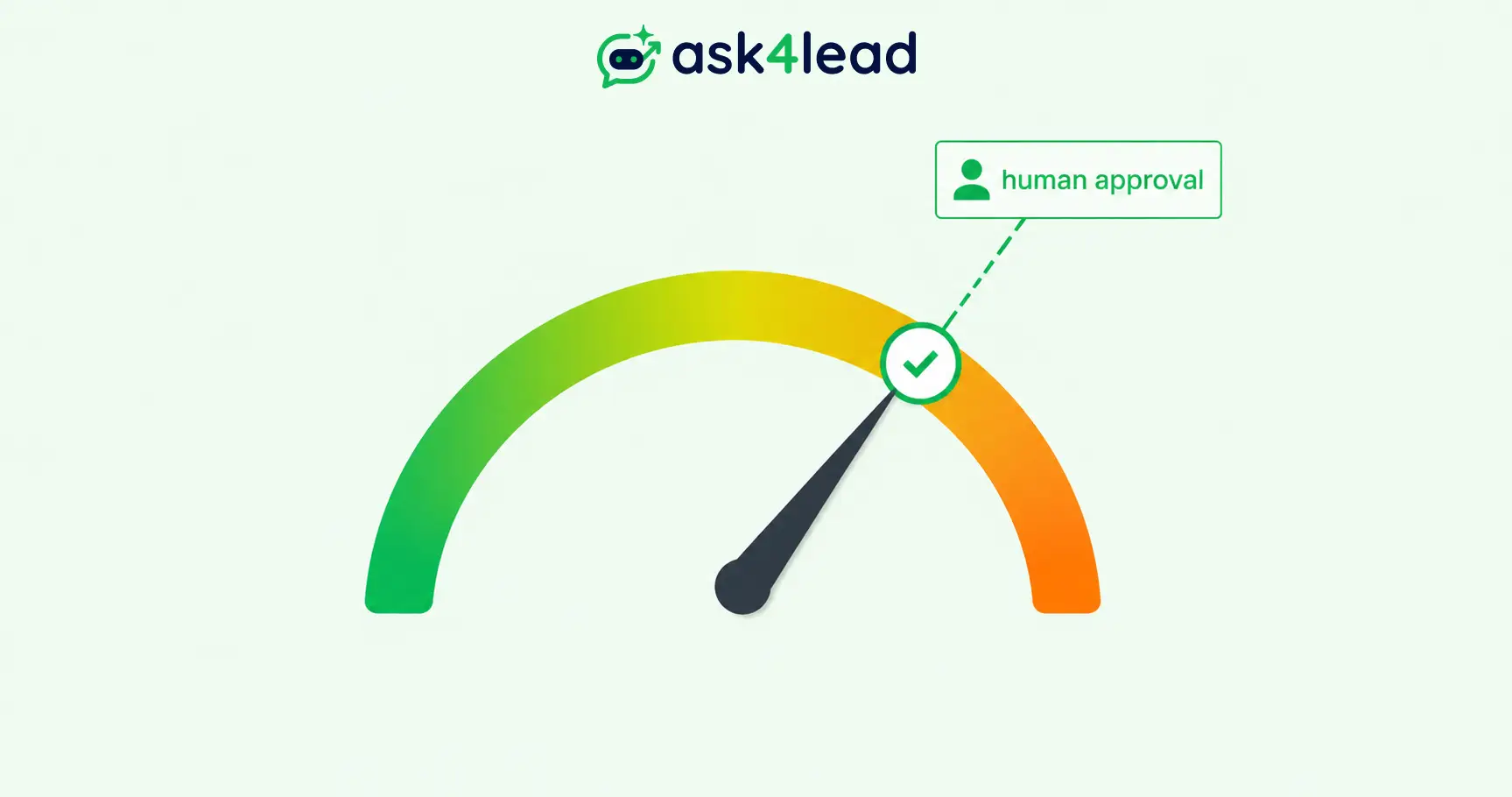
An unsupervised bot can quietly cause real damage:
- Off-tone or repetitive replies trigger customer blocks and reports.
- Blocks and reports lower the quality rating, and Meta throttles the number before anyone notices.
- By the time a human checks, daily sending is already capped.
Ask4Lead’s human approval workflow lets AI draft a reply while flagging low-confidence messages for a human to approve first.
Sending policies then auto-pause outbound messages if the quality rating starts slipping, a layer plain “multiple logins” tools do not have.
Mistakes That Get Shared WhatsApp Numbers Banned or Restricted
The most expensive mistake here is building a multi-agent workflow on an unofficial WhatsApp client instead of the official app, Coexistence, or the Business API.
1. Unofficial and Scraped WhatsApp Clients, Even the Clever Ones
Some teams route one WhatsApp session to several computers by automating the desktop app or scraping WhatsApp Web, usually to dodge the cost of the official API. Meta actively detects this and bans the numbers running it.
Even the more sophisticated versions, built on the same accessibility layer screen readers use to drive the composer field programmatically, run into the same wall:
- Around 30 to 40 outbound messages a day before typing patterns look automated.
- 1 person at a time, never a real team.
- The whole number at risk, not just a feature. Losing it means losing the contact list and every conversation attached to it.
2. Ignored Quality Ratings and Opt-In Rules
Meta tracks a quality rating on every number, based on block and report rates. It also checks whether recipients gave opt-in consent first.
A dropping rating throttles daily messaging long before a full ban.
Ask4Lead’s account health feature surfaces that rating in the dashboard, so a drop gets caught early instead of after the limits already kicked in.
Shared Inbox, Full CRM, or Self-Hosted: Choosing the Right Layer
A shared inbox alone answers chats without duplicates. A full WhatsApp CRM adds what happens after the reply, and self-hosting trades convenience for full data control.
| Layer | Best for | Who maintains it | Data ownership |
| Shared inbox alone | 2 to 5 agents, reactive support | The platform vendor | Vendor-hosted |
| Full WhatsApp CRM | Teams tracking leads past the first reply | The platform vendor | Vendor-hosted |
| Self-hosted, open-source | Engineering-led teams needing full control | Your own team | Fully in-house |
1. When a Shared Inbox Alone Is Enough
A shared inbox alone usually covers a team that looks like this:
- 2 to 5 agents, mostly handling reactive, inbound conversations.
- No broadcast campaigns yet, just replies.
- A “pipeline” that is really a spreadsheet nobody updates.
It stops being enough the moment you need to know which agent closed the most deals, since a plain inbox has no concept of a lead stage.
That is where a 9-stage sales pipeline and lead management with saved context start to matter more than the inbox itself.
Automated follow-up reminders close the loop so a lead never sits untouched.
2. Why Your Existing CRM’s Inbox Probably Does Not Support WhatsApp
Plenty of teams already pay for a CRM like HubSpot or Zoho and assume its shared inbox covers WhatsApp the way it covers email. In most default setups, it does not.
WhatsApp usually needs a dedicated integration or a purpose-built WhatsApp CRM sitting alongside it, not a generic inbox retrofitted after the fact.
That gap is exactly why growing teams move chats and pipeline both into 1 WhatsApp-native platform instead of stitching 2 tools together.
3. The Self-Hosted, Open-Source Option
Self-hosted, open-source WhatsApp team-inbox projects do exist, built on the same underlying Cloud API as any paid platform. The tradeoff is real.
You maintain the server, the webhooks, and every future Meta API change yourself, instead of a vendor doing it for you. That fits a team with real engineering capacity and a strong reason to keep chat data fully in-house.
It rarely works out cheaper once engineering hours are counted against a SaaS subscription.
How to Set Up a Shared WhatsApp Inbox, Step by Step
Setting up a shared WhatsApp inbox takes 3 stages: pick an access method, register or migrate your account, then connect a shared inbox platform and add your agents.
1. Pick Your Access Method
Match the method to your headcount and growth plan. Under 3 agents replying occasionally can start with linked devices; anyone planning to grow past that should go straight to the API rather than migrate twice.
2. Register or Migrate Your WhatsApp Business Account
Starting fresh, register directly on the API through your chosen technology partner. Already running the app with real chat history, Coexistence keeps that history intact while adding API access.
3. Connect a Shared Inbox Tool and Add Your Team
Assign roles and routing rules so new chats reach the right agent. Teams running more than one brand can use self-serve organization registration to add each one.
Multi-tenant workspaces then keep every number organized under 1 account instead of scattered logins.
A conversation that cannot be handled tonight does not have to sit untouched either. Snoozing it until the next shift keeps the queue honest.
4. Try Ask4Lead’s Shared Team Inbox Free
Ask4Lead combines the shared inbox with the CRM pipeline from day 1. A chat assignment and a lead stage update happen on the same screen, instead of 2 tools you keep in sync manually, and every AI-drafted reply stays inside the human-approval workflow above.
FAQs
1. Can multiple people reply from the same WhatsApp number without the API?
Yes, in a limited way. The free app links up to 4 extra devices (5 sessions including the phone), or 10 with Meta Verified. Everyone shares one inbox with no ownership or notes, so it only works for very small teams.
2. Is WhatsApp Coexistence free?
Coexistence is not a separate paid Meta feature, but you still need a Meta-approved technology partner to reach the API side. That partner or your shared inbox tool charges its own subscription; Meta only bills you for templates sent through the API.
3. How many devices can I link to a WhatsApp Business number for free?
4 linked devices alongside your primary phone, for 5 active sessions, or 10 with Meta Verified. Neither limit turns the app into a real multi-agent workflow with chat assignment.
4. Does a shared WhatsApp inbox work with WhatsApp groups?
No. The WhatsApp Business API cannot create, join, or reply inside WhatsApp groups, so an API-based shared inbox manages 1-to-1 conversations only.
5. Will switching to the API disconnect my current WhatsApp Business App?
A direct API migration replaces the app on that number. Coexistence keeps the app running alongside the API, though linked companion devices get unlinked during onboarding and need reconnecting.
6. What is the real cost of running a WhatsApp shared inbox in 2026?
Replies inside the 24-hour session window are free on the API. Business-initiated templates cost roughly $0.004 to $0.14 per message by category and country, plus whatever your shared inbox platform charges as a subscription.
7. Does my existing CRM’s shared inbox, like HubSpot or Zoho, support WhatsApp?
Not natively in most standard setups. WhatsApp usually needs a dedicated integration or a purpose-built WhatsApp CRM working alongside your existing tools.
8. Can AI auto-replies hurt my WhatsApp quality rating?
Yes, if nothing reviews them before they send. Off-tone or repetitive AI replies trigger blocks and reports the same way a careless human reply would.
Conclusion
Multiple agents replying from one WhatsApp number is a solved setup problem now, not a workaround to hack together. Linked devices work for 2 or 3 people who rarely handle the same customer at once.
Coexistence is the right middle step if you are not ready to leave the app. Past a handful of agents, the WhatsApp Business API with a proper shared inbox is what holds up.
The teams that get this wrong are usually not choosing the wrong access method. They are choosing a tool that only solves the human half of the problem and leaves AI replies, quality ratings, and follow-up to chance.
Whichever industry runs your number, the test stays the same. The inbox should show who owns each chat, what was already said, and what happens next.
Nobody should have to dig through one phone, or hope the AI said the right thing.
