
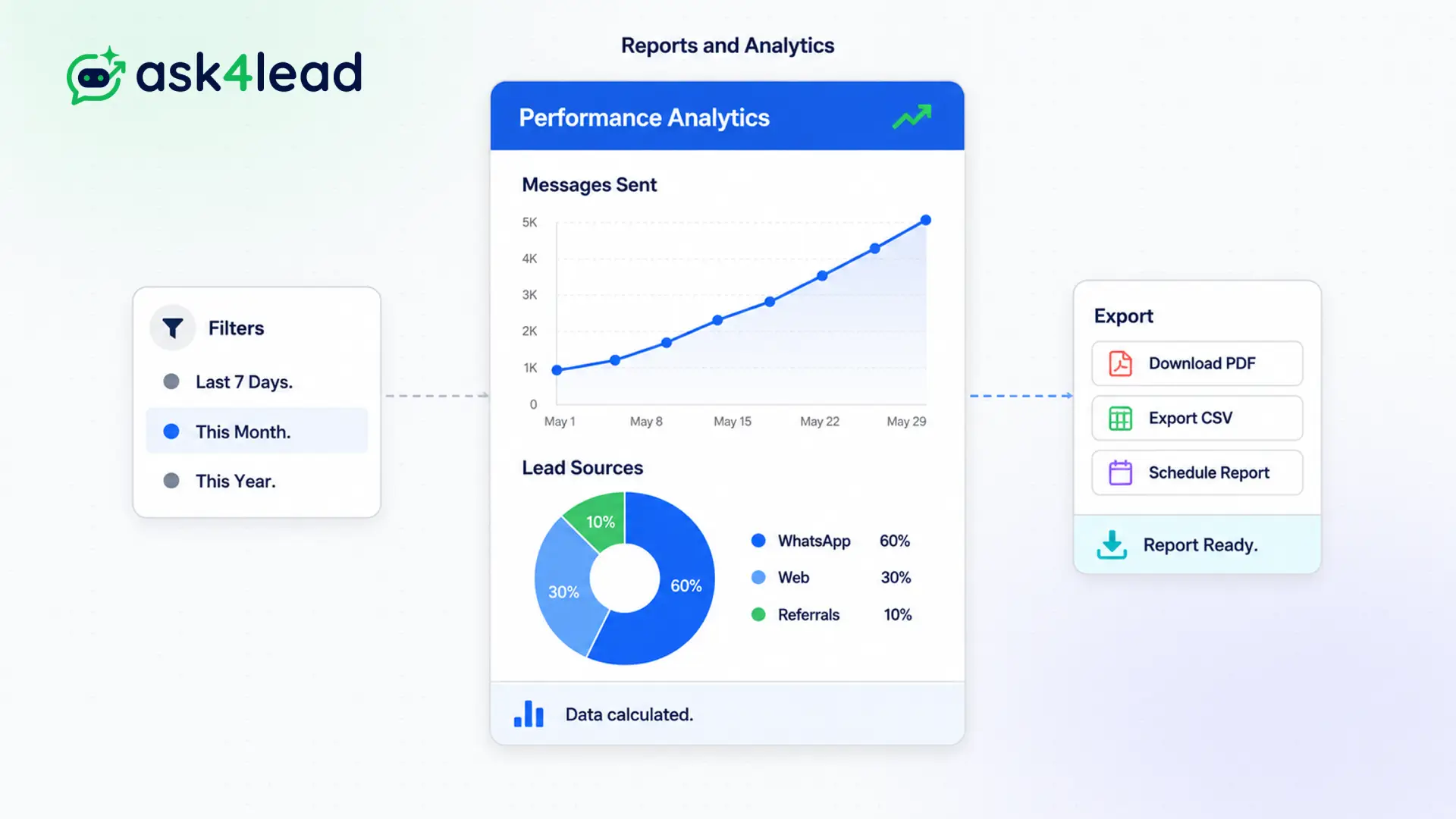
If you cannot measure it, you cannot improve it.
Standard WhatsApp provides zero data, leaving you to guess if your agents are ignoring customers or closing deals.
Track how fast your agents reply, measure how many conversations the AI resolves autonomously, and view exactly how much revenue is sitting in your pipeline.
Make data-driven decisions. Optimize your sales engine.
Why You Need a WhatsApp Analytics Dashboard
If you cannot measure it, you cannot improve it.
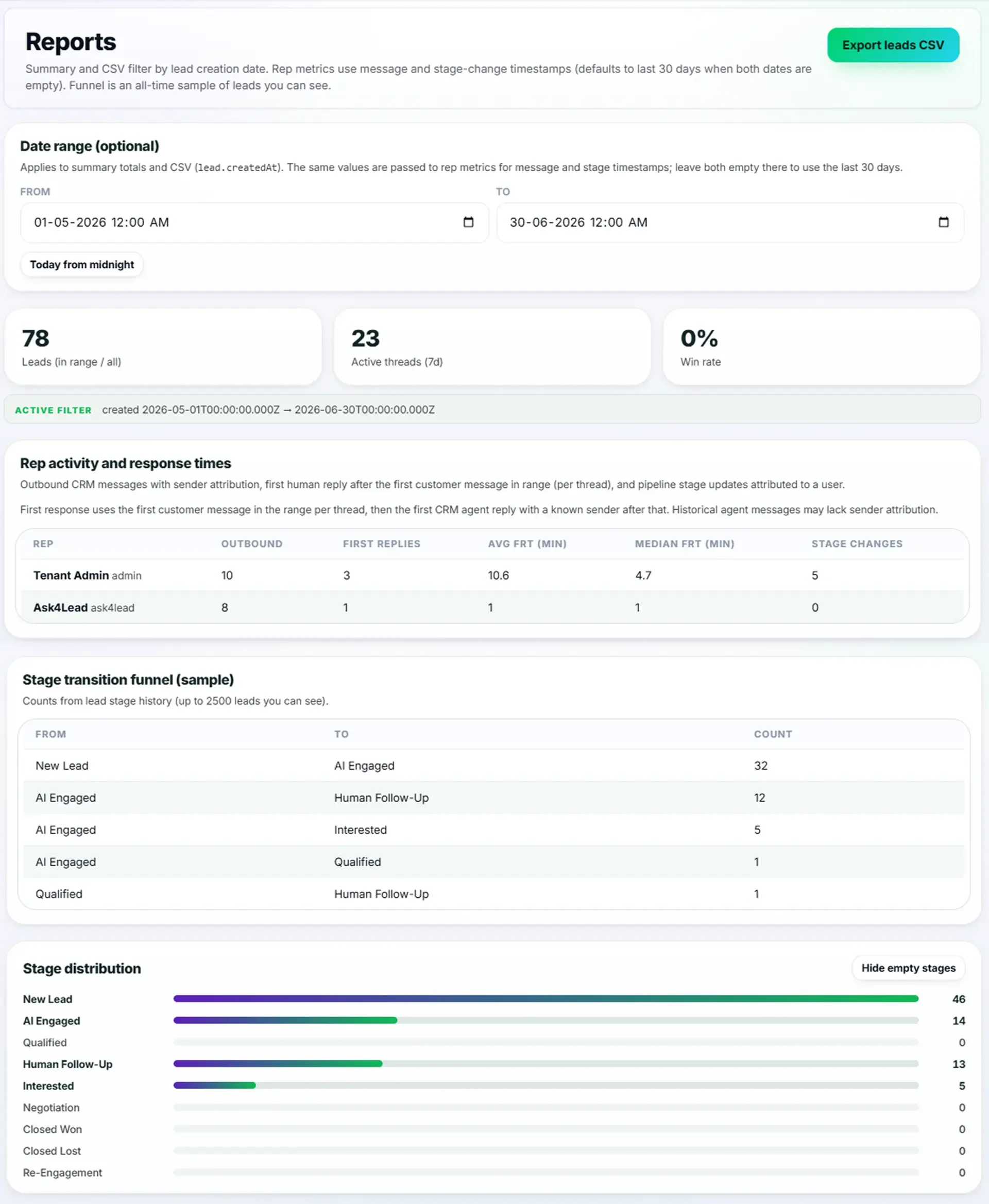
Standard WhatsApp provides zero data. You have no idea if your agents are ignoring customers or closing deals. The Reports and Analytics module transforms raw chat data into actionable visual insights.
Managers get a high-level overview of team health, while executives can track top-line revenue growth.
Stop Guessing Why Sales Are Dropping
When revenue falls, managers panic. Without data, they do not know if the marketing team is generating bad leads or if the sales team is simply replying too slowly.
This leads to finger-pointing and wasted advertising budgets.
Key Insight: Ask4Lead pinpoints the exact bottleneck. If the dashboard shows an average response time of 4 hours, you know exactly why deals are dying. You fix the process instantly.
How to Analyze Your Data, Step by Step
Reviewing your performance takes only seconds:
- Open the dashboard: Navigate to the Analytics tab in your main menu.
- Select a date range: Choose to view data for today, this week, or a custom month.
- Review team speed: Check the “Average Response Time” to ensure agents are fast.
- Measure AI impact: View how many chats the AI resolved without human help.
- Analyze revenue: Check the pipeline charts to see how many deals closed successfully.
Core Capabilities of the Analytics Suite
Our reporting tools are built for modern sales leaders:
- Track Average Response Time (ART) and First Response Time (FRT) globally or per individual agent.
- Monitor total inbound message volume to predict when you need to hire more staff.
- View AI deflection rates to see exactly how much time the bot is saving your human team.
- Analyze pipeline conversion rates to see where leads drop off in the funnel.
- Export all chart data to CSV or PDF for weekly executive management meetings.
- Filter metrics by specific custom tags to see how certain marketing campaigns performed.
Gut Feelings vs. WhatsApp Analytics Dashboard
| Managing by Guesswork | Ask4Lead WhatsApp Analytics Dashboard |
| Assume agents are replying quickly | Track exact response times down to the minute |
| Guessing the ROI of AI automation | Clear metrics showing exactly how many chats the AI handled |
| No visibility into lead drop-off | Visual funnel tracking shows the exact point of failure |
| Difficult to justify hiring more staff | Clear charts showing inbound message volume overwhelming the team |
How Reports Connect to Your CRM
The analytics dashboard aggregates data from every part of the platform. It pulls revenue numbers from the Sales Pipeline, agent speeds from the Shared Team Inbox, and automation metrics from the AI Sales Assistant.
- Sales Pipeline: Provides the monetary data for your revenue forecasting charts.
- Shared Team Inbox: Provides the timestamp data to calculate agent response times.
- AI Sales Assistant: Provides metrics on automated resolutions and qualification rates.
Teams That Rely on Analytics
- Sales Directors use the revenue charts to ensure the team is on track to hit quarterly targets.
- Customer Support Managers track response times strictly to ensure Service Level Agreements (SLAs) are met.
- Marketing Agencies export the campaign performance metrics to prove ROI to their clients.
- Operations Managers view peak message times to schedule agent shifts effectively.
FAQs
Can I view performance metrics for a specific agent?
Yes. The dashboard allows you to filter data by individual team members. You can see exactly who is performing well and who needs more training.
Is the data updated in real time?
Yes. As soon as a message is sent or a deal is closed, the analytics dashboard reflects the new data immediately.
Can I export these reports?
Absolutely. You can download the data in CSV format for use in Excel or export the visual charts as PDFs for presentations.
How does the system calculate AI deflection?
The system tracks every conversation where the AI Sales Assistant answers a query fully and the customer does not request to speak with a human agent.
Can I see which marketing campaign generated the most revenue?
Yes. By filtering the revenue reports by specific Lead Source tags, you can determine exactly which ads are driving closed deals.
Do agents have access to these reports?
By default, agents can only see their own personal performance metrics. Managers and admins have global visibility across the entire workspace.
Related Features

WhatsApp Campaigns
Email marketing is dying. Our WhatsApp marketing software lets you broadcast messages directly to your customers' phones with a 98% open rate.

Launch AI Email Campaign in WhatsApp
Run personalized email campaigns where AI writes a unique subject and body for each recipient, sent across multiple mailboxes for better deliverability.

WhatsApp Templates
If you want to initiate a chat with a customer or run a bulk campaign, you must use pre-approved WhatsApp message templates. Ask4Lead makes this complex approval process simple.