
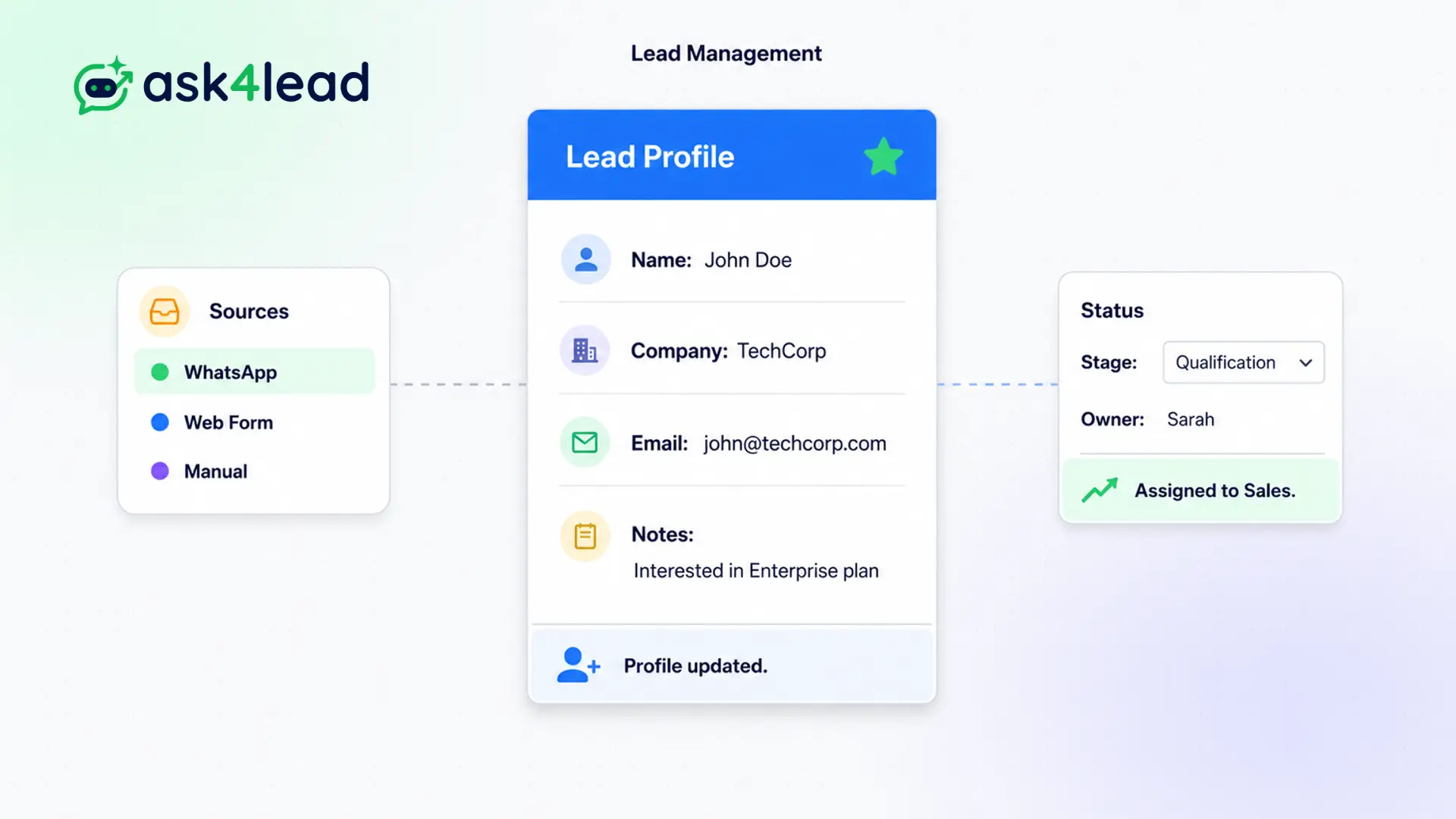
A standard WhatsApp inbox only shows you a phone number and a profile picture, forcing you to guess the context.
Our system solves this by building a comprehensive database around every single contact automatically.
Every conversation automatically generates a profile. Track the deal value, assign custom tags, view the lead source, and see the entire chronological timeline.
Stop guessing. Know exactly who you are talking to.
Why You Need Dedicated WhatsApp Lead Management Software
A standard WhatsApp inbox only shows you a phone number and a profile picture.
True lead management requires context. Our system builds a comprehensive database around every single contact. The AI automatically extracts their name, budget, and requirements from the chat and updates the fields.
This allows your business to treat WhatsApp like a professional sales channel.
Stop Treating High-Value Leads Like Anonymous Numbers
When you cannot see a customer’s history, you ask them the same questions repeatedly. This frustrates the buyer and kills the sale.
Sales managers also have zero visibility into deal sizes. They cannot forecast revenue because the data is trapped inside text messages.
Key Insight: Ask4Lead extracts the data from the chat and puts it into a structured CRM sidebar. You see the deal value, the lead source, and the next step at a single glance.
How Lead Management Works, Step by Step
The system builds the profile automatically as the conversation happens:
- New message arrives: The CRM instantly creates a new lead record using the phone number.
- AI extracts data: The AI Sales Assistant asks for their name and needs, updating the CRM fields automatically.
- Agent adds context: The human rep applies custom tags (e.g., “High Priority”) and sets a deal value.
- System tracks timeline: Every chat, note, and status change is logged chronologically in the lead’s history.
- Lead moves forward: The agent updates the pipeline stage directly from the lead profile sidebar.
Core Capabilities of the Lead Profile
Our WhatsApp lead management feature provides enterprise-grade data tracking:
- Assign deal values to quantify your exact pipeline revenue in real time.
- Create unlimited custom tags to segment your audience for future marketing campaigns.
- Track the exact Lead Source (e.g., “Facebook Ad” or “QR Code”) to measure marketing ROI.
- View a complete, unalterable timeline of every interaction the lead has had with your company.
- Assign specific owners to leads so multiple agents never clash over the same prospect.
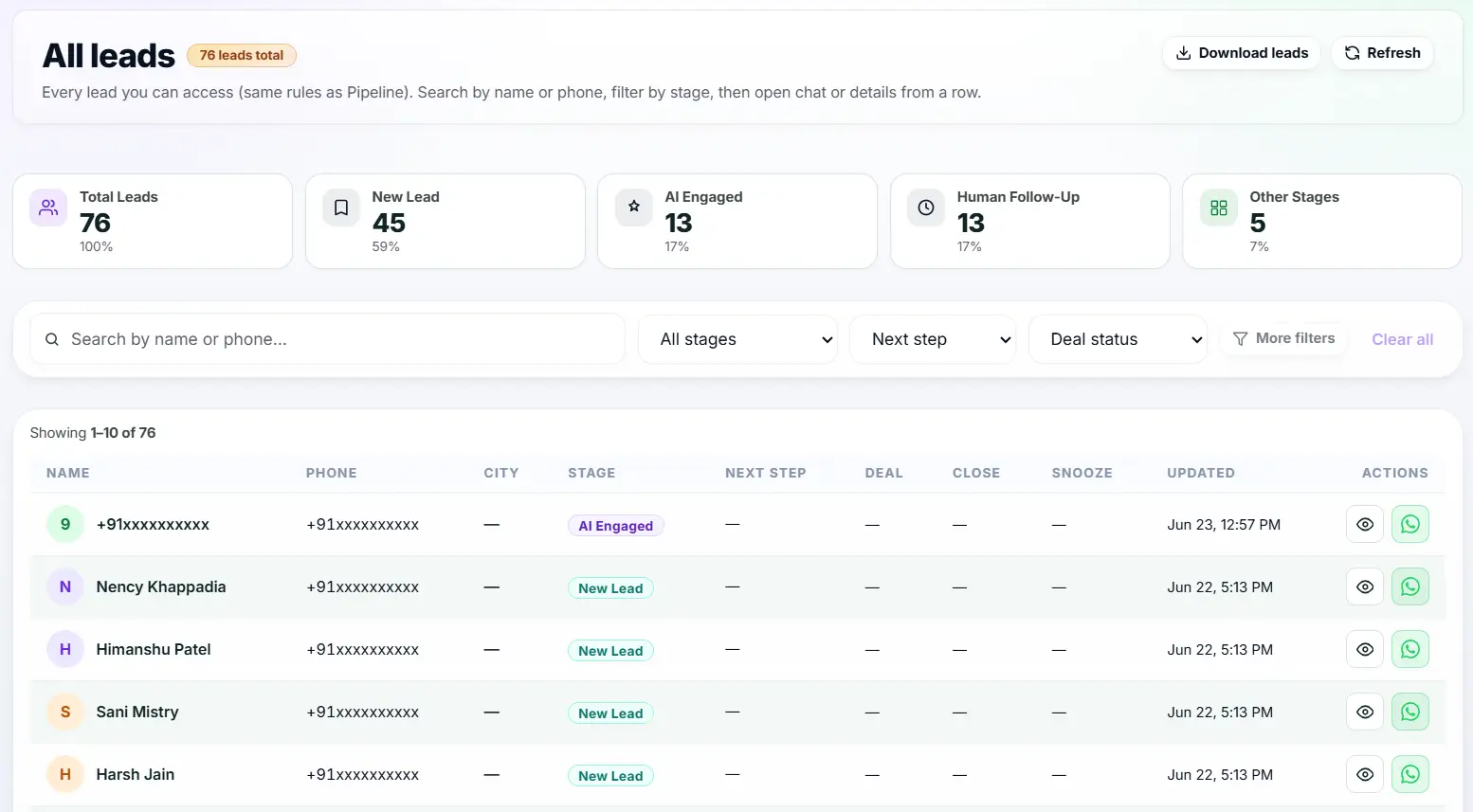
- Export your lead lists to CSV for external reporting or data backups.
Basic WhatsApp vs. WhatsApp Lead Management Software
| Basic WhatsApp Business | Ask4Lead WhatsApp Lead Management Feature |
| Identifies users by phone number only | Rich profiles with names, companies, and emails |
| No way to track deal values or revenue | Specific deal value fields tied to dashboard reporting |
| Cannot assign ownership to specific agents | Clear ownership assignment for every lead record |
| No chronological activity history | Full audit timeline of all chats, notes, and changes |
How Lead Profiles Connect to Your Workflow
Lead Management is the foundation of the platform. The profiles sit right next to the Shared Team Inbox. The data you enter here directly populates the visual Sales Pipeline.
- Shared Team Inbox: You edit the lead profile in the right-hand sidebar while chatting.
- Sales Pipeline: The deal values you enter determine the total revenue shown on your Kanban board.
- WhatsApp Campaigns: You use the custom tags on these profiles to segment your outbound broadcast lists.
Industries That Rely on WhatsApp Lead Management Software
- High-Ticket Sales use it to track deal values and assign VIP tags to big spenders.
- Marketing Agencies use the Lead Source tracking to prove which Facebook ads generated actual WhatsApp conversations.
- B2B Service Providers use the chronological timeline to get new account managers up to speed on old clients instantly.
- Automotive Dealerships use custom tags to track which specific car model a prospect is interested in.
FAQs
Does the AI update the lead profile automatically?
Yes. If the AI asks for the customer’s name, email, or specific budget during the chat, it will automatically populate those fields in the CRM record.
Can I export my lead data?
Yes. You have full ownership of your data. You can export your leads to a CSV file at any time for backup or use in external tools.
Can I segment my leads for bulk messaging?
Absolutely. You can apply custom tags (e.g., “Interested in Premium Plan”) and then use those tags to filter your audience when sending a WhatsApp Campaign.
Can multiple agents view the same lead profile?
Yes. The CRM provides a single source of truth. If one agent updates the deal value, every other agent sees that update instantly.
How does the lead source tracking work?
You can use unique wa.me links with embedded text (e.g., “I saw your Facebook Ad”) to automatically assign the Lead Source when they send that first message.
Is this CRM suitable for large teams?
Yes. Ask4Lead is built for scale. Role-based permissions ensure that junior agents only see their assigned leads, while managers can view the entire database.

