
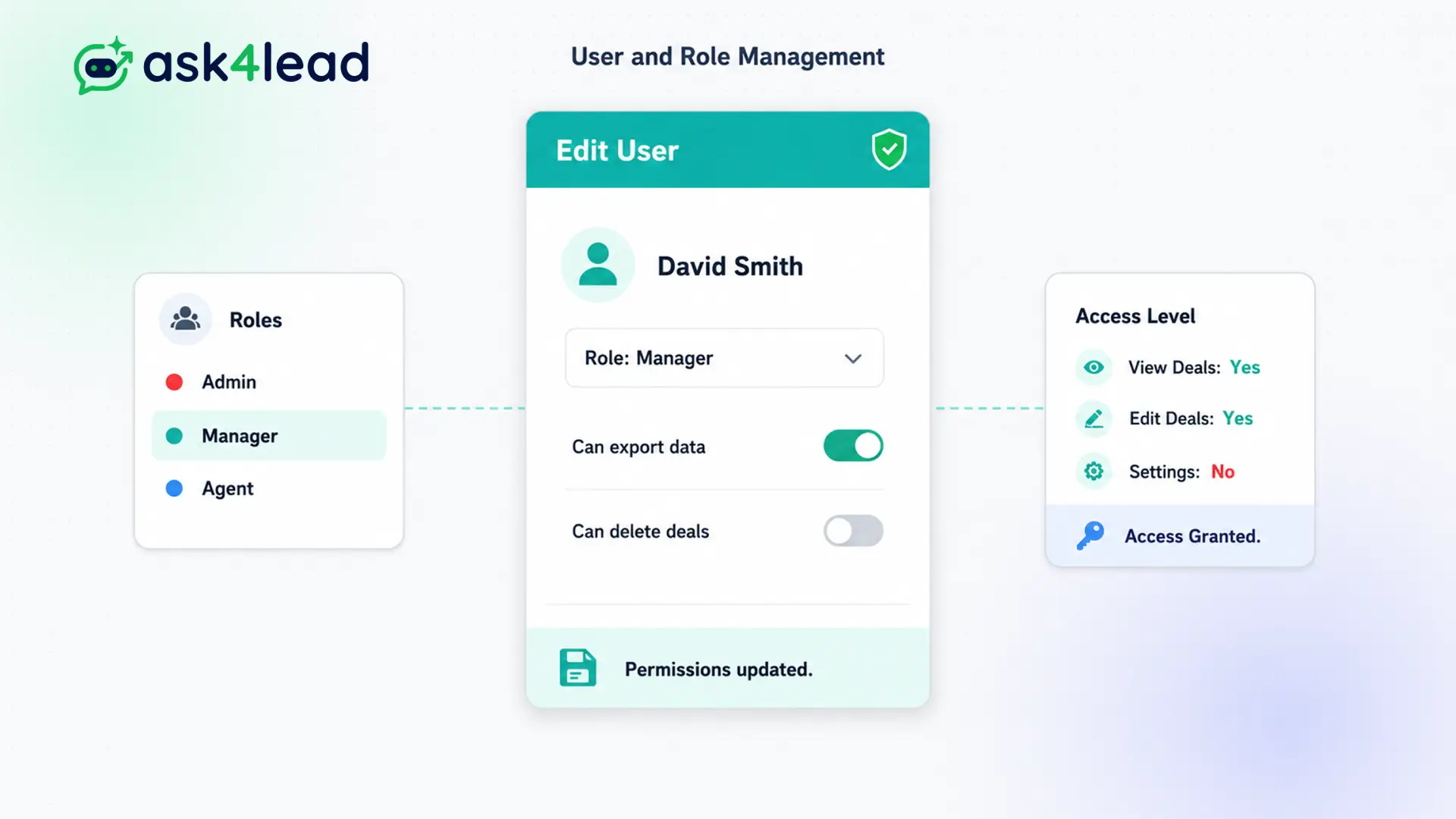
Data theft is a massive risk for growing companies.
If every employee has administrative access, anyone can export your entire client list to a CSV file and take it to a competitor.
Assign specific permissions to agents, managers, and admins. Ensure your team can do their jobs effectively without risking your sensitive client data.
Grant access safely. Prevent unauthorized exports.
Why You Need WhatsApp CRM Role Based Access
Data theft is a massive risk for growing companies. If every employee has administrative access, anyone can export your entire client list to a CSV file and take it to a competitor.
Role-based access control (RBAC) solves this. It restricts what users can see and do inside the software based on their job title.
You lock down your data while still allowing your sales team to chat with customers efficiently.
Stop Junior Staff from Breaking Your Settings
Beyond data theft, accidental changes cause massive disruptions. A new employee might accidentally delete a high-performing WhatsApp template or alter your AI training documents.
Without strict permissions, a single misclick can take your sales channel offline.
Key Insight: Ask4Lead explicitly removes destructive capabilities from standard agents. They can chat with assigned leads, but they cannot delete contacts, alter the AI, or view global analytics.
How to Assign Roles, Step by Step
Inviting new team members securely takes seconds:
- Open settings: Navigate to the Team Management tab.
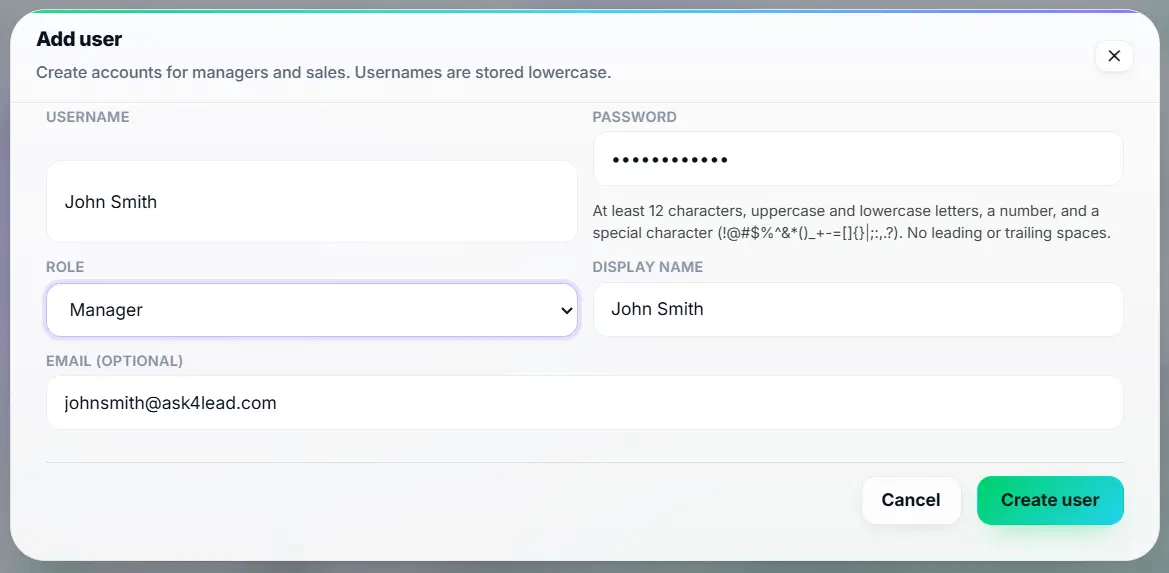
- Invite a user: Enter the new employee’s email address.
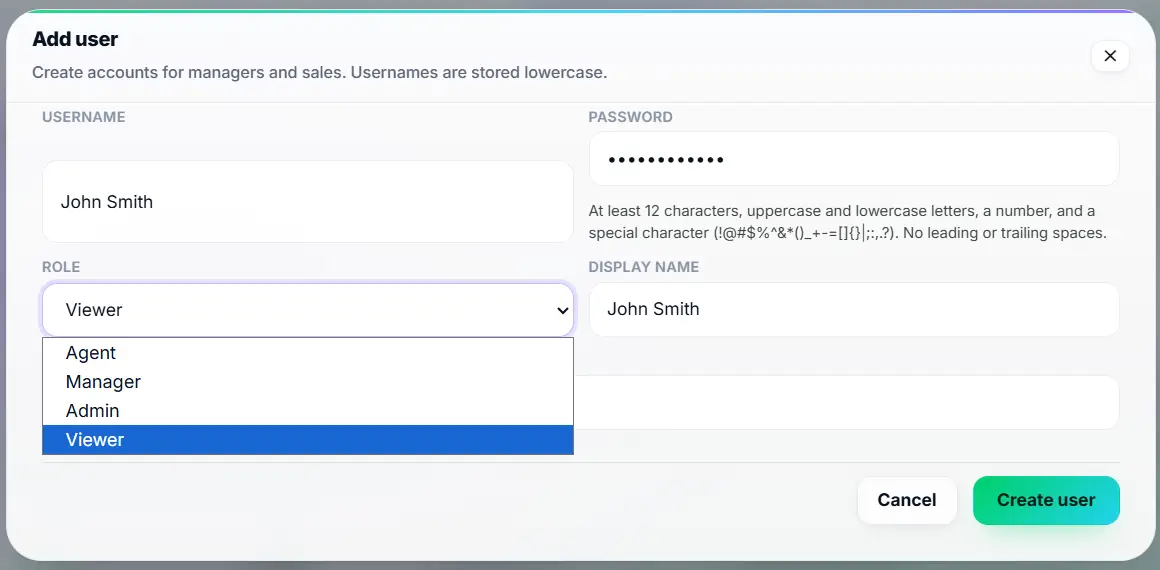
- Select a role: Choose from predefined roles (Agent, Manager, Admin).
- Assign permissions: The system automatically restricts their menu options based on the chosen role.
- Revoke instantly: If an employee leaves, click “Deactivate” to lock them out of the system immediately.
Core Capabilities of Role Management
Our permission structure is designed for enterprise security:
- Agents can only view and reply to WhatsApp conversations assigned directly to them.
- Managers can view all team conversations, approve AI drafts, and assign chats to specific agents.
- Admins have full control over billing, API integrations, and global AI training data.
- Prevent agents from exporting the lead database to a CSV file.
- Block agents from seeing the global revenue pipeline, restricting their view to personal metrics.
- Deactivate users with one click, preserving their chat history while revoking their login access.
Shared Passwords vs. WhatsApp CRM Role Based Access
| Sharing One Admin Password | Ask4Lead WhatsApp CRM Role Based Access |
| Everyone can delete contacts | Only Admins can delete or export contacts |
| Impossible to track who said what | Every action is tied to a specific user account |
| Employees take leads when they quit | You deactivate the employee’s account instantly |
| Junior reps see company revenue | Financial data is hidden from standard agents |
How Roles Connect to Your CRM Workflow
Role management dictates how users interact with the Shared Team Inbox. It also ties directly into the Audit Logs so you can trace exactly which user performed a specific action.
- Shared Team Inbox: Agents only see the chats you permit them to see.
- Audit Logs: Because every user has their own login, the system logs their exact actions perfectly.
- Multi User Workspaces: You can assign a user as an Admin in Workspace A, but give them zero access to Workspace B.
Teams That Rely on Strict Permissions
- Call Centers restrict hundreds of junior agents from seeing anything except their active assigned chats.
- Real Estate Teams use manager roles to let team leaders oversee junior agents without granting billing access.
- Healthcare Clinics enforce strict roles to ensure patient data is only visible to authorized medical staff.
- Franchises grant local managers access to local leads while hiding global corporate data.
FAQs
Can agents see leads assigned to other agents?
It depends on your configuration. By default, you can restrict agents so they only see the conversations specifically assigned to their own name.
What happens to an agent’s chats if they leave the company?
You simply deactivate their user account. The chats remain safely inside the CRM. A manager can then bulk-reassign those conversations to a new employee.
Can managers change the AI training data?
No. Training the AI Knowledge Profile is restricted to Administrators. This ensures that no one accidentally breaks the bot’s logic.
Can an agent export my leads?
No. The CSV export function is disabled for standard agent roles, protecting your database from theft.
Is there a limit to how many users I can add?
This depends entirely on your specific Ask4Lead subscription tier. However, the system architecture can easily support hundreds of simultaneous users.
Can I create a completely custom role?
Currently, Ask4Lead uses strict, predefined roles (Admin, Manager, Agent) designed to cover 99% of B2B sales workflows safely and predictably.
Related Features

Multi-Tenant CRM Workspaces
Deploy a multi user WhatsApp CRM workspace. Your team gets a centralized URL to collaborate on leads and close deals without limits.

WhatsApp CRM Audit Logs
When a lead drops out of the pipeline, you need to know exactly what happened. Ask4Lead provides detailed WhatsApp CRM audit logs for complete team accountability.

Self-Serve Organization Registration
Our client onboarding automation allows marketing agencies to launch new client CRM workspaces instantly, with zero manual setup.