
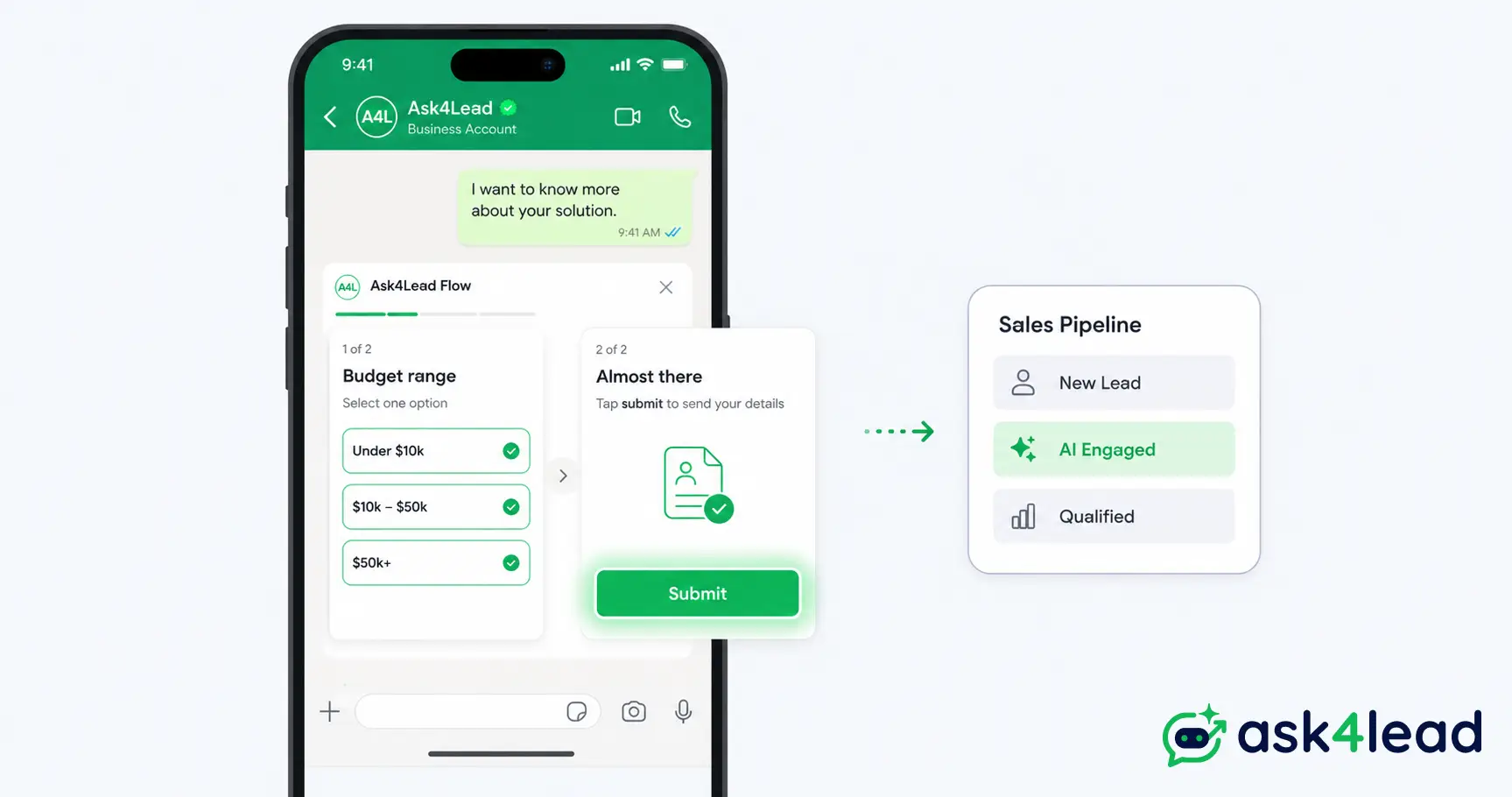
A WhatsApp Flow is a built-in feature on the WhatsApp Business Platform. It opens a form or short questionnaire directly inside a chat, instead of sending the customer to an outside website.
For anyone building WhatsApp lead generation, that single detail changes outcomes. Every extra tap outside the conversation is a chance for someone to lose interest and go quiet.
Quick answer: A WhatsApp Flow is Meta’s tool for multi-screen forms that open and submit inside a chat. Trigger one from a template message or a Click-to-WhatsApp ad, keep it to 3 screens or fewer, and route the answers into a CRM so a hot lead gets a reply within minutes.
Key Takeaways
- A Flow collects several structured answers in 1 submission, without the customer ever leaving WhatsApp.
- Meta assigns every Flow 1 of 8 categories; LEAD_GENERATION is the only one most sales teams need.
- Field labels have a short character limit, and dynamic Flows can fail on specific devices, 2 things most vendor guides never mention.
- A Flow only becomes a sale once its data reaches a person or an AI agent fast, which is where most self-built setups quietly break.
What a WhatsApp Flow Actually Is
A WhatsApp Flow is a structured, multi-screen interaction Meta renders natively inside the chat. It’s built from a JSON (JavaScript Object Notation, a structured data format) file called the Flow JSON.
A customer fills in radio buttons, checkboxes, dropdowns, date pickers, and text fields across 1 or more screens, then submits every answer at once.
Meta first showed Flows publicly at its Conversations event in Mumbai in September 2023. The feature rolled out worldwide to the WhatsApp Business Platform within weeks.
1. The 8 Flow categories Meta requires you to pick from
Every Flow gets assigned exactly 1 category when it’s created. That category decides which template message it can attach to and how Meta reviews it.
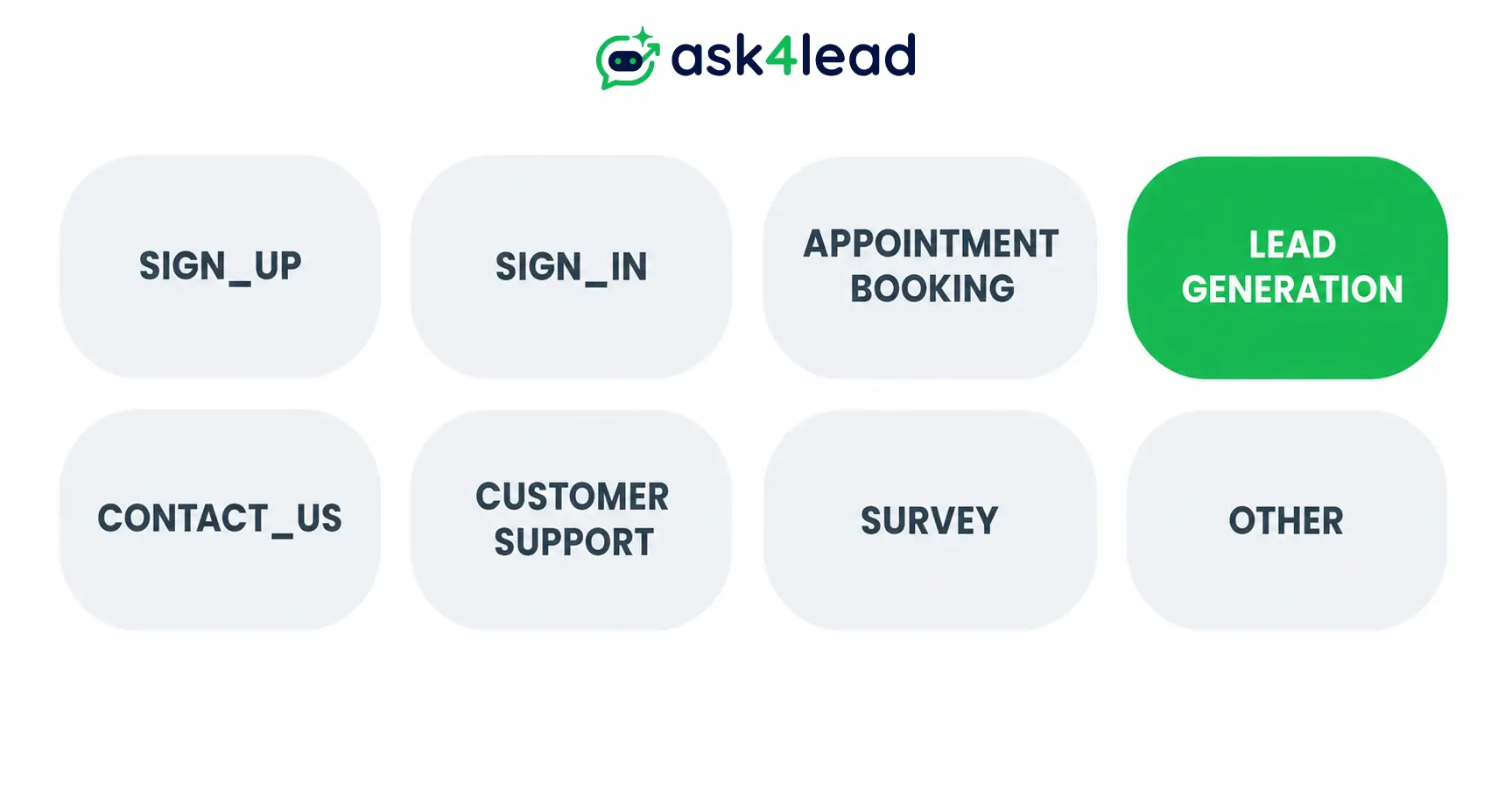
- SIGN_UP: account or waitlist registration
- SIGN_IN: authentication
- APPOINTMENT_BOOKING: scheduling a call, demo, or visit
- LEAD_GENERATION: capturing a prospect’s details and requirements
- CONTACT_US: routing a query to the right team
- CUSTOMER_SUPPORT: structured issue reporting
- SURVEY: feedback and research
- OTHER: anything that doesn’t fit above
Meta ships ready-made templates for LEAD_GENERATION, like “Get a quote” and “Book an appointment.” For lead capture, that’s the only category worth learning well; the other 7 rarely matter to a sales team.
2. Building a Flow: no-code, JSON, or the Flows API
There are 3 build paths, in order of technical effort:
- No-code template builder inside WhatsApp Manager, good for a simple lead form with no developer involved
- Visual Flow Builder, which generates the Flow JSON for you but still lets a developer add conditional logic
- Flows API, for teams publishing or updating Flows programmatically at scale
Skip the third option for a first Flow. It solves a scale problem a single lead form doesn’t have yet.
3. How a Flow differs from a button or list message
A button message offers up to 3 choices, still 1 tap for 1 answer. A list message offers more options but works the same way.
A Flow collects several answers across multiple fields before anything submits: role, team size, budget, and preferred time in a single go. That replaces 4 separate back-and-forth messages with 1 submission.
Why In-Chat Forms Convert Better Than an Off-Chat Link
A form that opens inside WhatsApp keeps the customer in the same app and trust context. That removes the biggest reason people abandon a lead form halfway through: the jarring switch to somewhere unfamiliar.
1. The problem with sending someone away from WhatsApp
Before Flows existed, the workaround was a button that opened a web form. That meant the phone’s browser, or Meta’s in-app browser (a mini browser window inside WhatsApp).
Both work, but both add a page load and a visible break from the conversation.
That cost isn’t unique to WhatsApp. Long forms carry it everywhere online: abandonment rates near 70% are common once a form runs past a handful of fields, on a website or inside a chat.
2. What changes when the form loads natively
- No app switch or new tab. Keyboard, back button, and scroll behave the way WhatsApp already does.
- Meta pre-fills what it already knows. Name and phone number are set, so the form only asks what’s missing.
- The answer returns as structured data, named fields rather than free text someone has to re-type into a CRM.
3. What the evidence actually shows
A WhatsApp lead-qualification platform reports Flows cutting abandonment by as much as 60% versus a mobile web form. Treat that number as directional, not a guarantee; it depends heavily on how many screens the Flow has.
What holds true across every vendor case study is simpler: fewer taps and zero page loads consistently beat a linked-out form.
How a WhatsApp Flow Works, From Tap to Submission
A Flow triggers from an approved template message or a Click-to-WhatsApp ad. The customer fills in 1 or more screens, and the answers land as structured data through a webhook (an automatic message your system receives the moment something happens).
1. Triggering a Flow from a template or an ad
A Flow opens 1 of 2 ways. The first is a WhatsApp template message (a pre-approved format, sometimes called an HSM) with a Flow button attached.
The second is a Click-to-WhatsApp ad, a Facebook or Instagram ad that opens a chat. It gets a free entry window of up to 7 days before template rules apply.
2. Static screens vs a Flow that calls your own backend
A static Flow uses fixed screens; nothing changes based on what the customer types. A dynamic Flow calls an external endpoint (a URL your system exposes) mid-session, for example to validate a pincode before the next screen.
Default to static for lead capture. A dynamic Flow demos well, but it trades a form that always works for one that sometimes doesn’t.
Save the endpoint calls for the rare case where the next question genuinely needs live data, like checking real-time inventory before a size dropdown.
3. The field types and screen limits Meta enforces
A Flow supports a few broad input types:
- Text and number fields
- Single and multi-select choices
- Date and time pickers
- Media, on dynamic Flows only
- Navigation buttons that move between screens
What most guides skip is a real constraint: field and button labels get cut off past roughly 20 characters, no wrap, no warning in the preview. Write “Budget range,” not “What is your approximate monthly budget.”
What It Takes to Set Up a Lead Capture Flow
You need an approved WhatsApp Business Account, a template carrying the Flow button, a Flow assigned the LEAD_GENERATION category, and somewhere for the data to land.
1. The prerequisites nobody skips
- A WhatsApp Business API integration; Flows aren’t available on the free WhatsApp Business app
- Business verification: unverified accounts get lower sending limits and slower template approval
- Genuine opt-in consent from the customer before the first message
- A template that doesn’t get rejected on review, submitted with the Flow attached
- A defined messaging tier, tied to your WhatsApp quality rating
2. Designing the form without losing people to it
Keep a first lead-capture Flow to 3 screens or fewer. Ask only what changes how you follow up, not what you can infer later.
Here’s what that looks like for a home-loan lead, the kind of query Ask4Lead’s finance customers see daily:
- Screen 1: “Loan type” (purchase, refinance, top-up) and “City”
- Screen 2: “Loan amount” and “Monthly income” as number fields
- Screen 3: “Preferred callback time,” then submit
3 screens, 5 fields, no free text to interpret. Confirm the last screen with a clear next-step message so the customer isn’t left wondering if it went through.
| Setup step | What it actually involves |
| Business verification | Meta reviews your business documents; unverified accounts send fewer messages per day |
| Template + Flow button | Submit the template for review; approval usually takes a few hours to a couple of days |
| Flow category | Pick LEAD_GENERATION so Meta reviews and routes it correctly |
| Data destination | Connect the webhook to a CRM, spreadsheet, or lead management system |
The Real Limits of WhatsApp Flows
Flows are genuinely useful, but 4 limits catch most teams off guard:
- The 24-hour messaging window
- Dynamic Flows that fail on specific devices
- Field constraints that push some teams to a workaround
- Rate limits that run out faster than expected
1. The 24-hour messaging window and template rules
A session message (a free-form reply) can only be sent within 24 hours of the customer’s last message. Outside that window, a Flow’s parent template inherits Meta’s stricter content rules.
That’s why a Flow button can seem to “disappear” once the window closes.
2. Why dynamic Flows sometimes fail to load
If a dynamic Flow’s backend is slow or briefly down, the screen depending on it fails silently. The error is almost always the same generic line: “Something went wrong. Try again later.” It doesn’t say why.
That failure tends to show up specifically while moving between screens, not on the first load. A second, current pattern: dynamic Flows breaking on WhatsApp Web and on certain iPhone models, while the identical Flow works fine on Android.
A short timeout plus a fallback screen, even one as simple as “we’ll follow up by message shortly,” is the difference between losing that lead and just delaying it.
3. WhatsApp Flows vs a linked-out web form
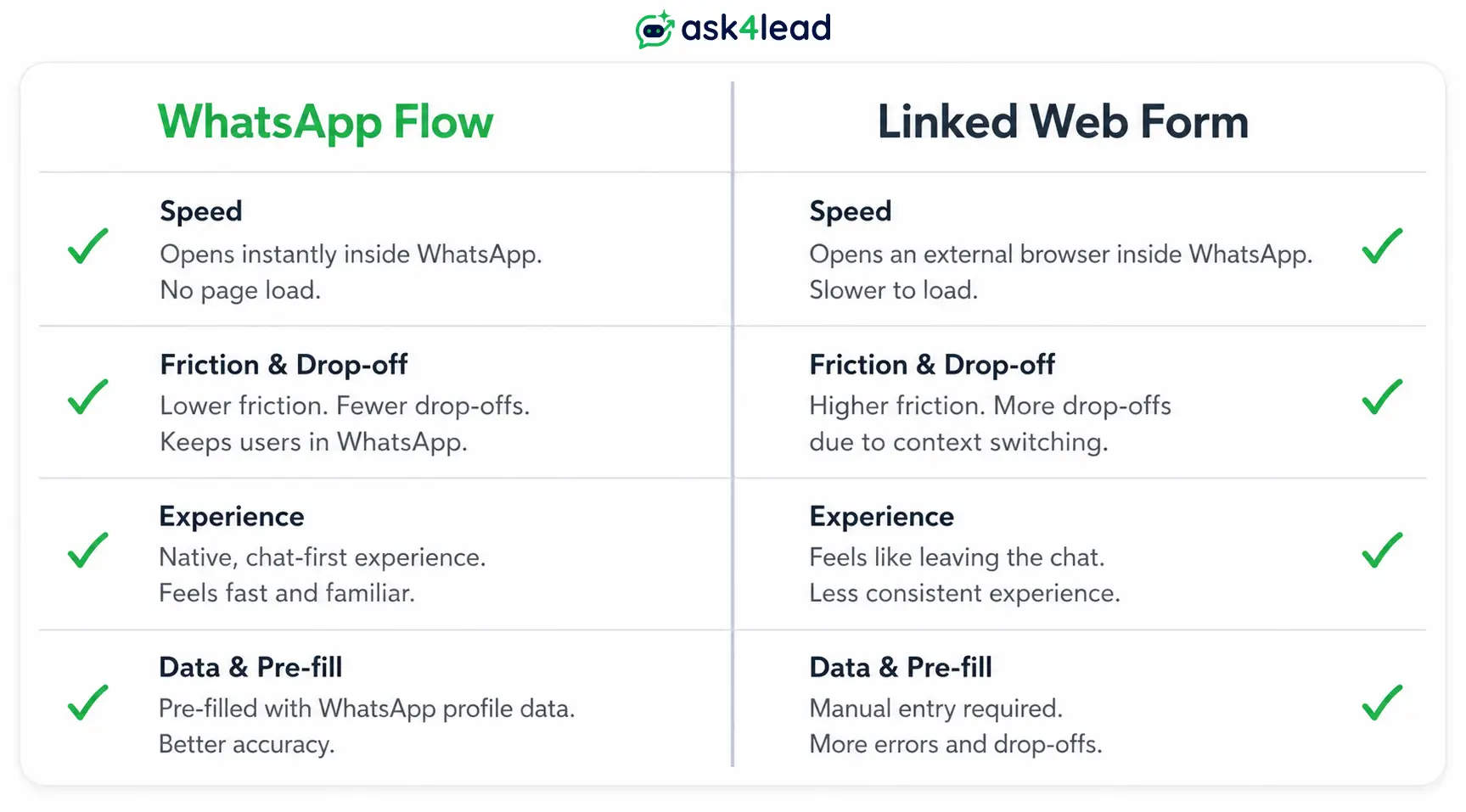
Some teams skip dynamic Flows entirely and link to a hosted web form that opens inside WhatsApp’s in-app browser instead. It’s less native, but a normal web server can retry and recover in ways a Flow’s fixed screen logic can’t.
| Pasrticulars | WhatsApp Flow | Linked web form (in-app browser) |
| Feels native | Yes, no page load | Opens inside a browser view |
| Handles live backend calls | Only within a short timeout | As long as your server allows |
| Design flexibility | Limited to Meta’s field types and label length | Full control over layout |
| Best for | Short, structured lead capture | Complex forms, file uploads, payments |
4. Why your rate limit runs out faster than expected
WhatsApp’s messaging limit sits on the business phone number itself, not on any single workflow. If a Flow follow-up, a broadcast, and a manual reply all send from the same number at once, they draw from 1 shared limit.
Teams building their own automation often discover this the hard way, when a burst of Flow follow-ups quietly eats the daily cap meant for something else.
WhatsApp Flows vs a Conversational AI Agent for Lead Capture
A Flow works best when you already know exactly which fields you need. A conversational AI agent works best when the right next question depends on what the customer just said, true for most real sales conversations.
1. When a structured Flow wins
Pick a Flow when questions never change and order doesn’t matter. Booking a demo slot or picking a budget bracket from a fixed set of plans are good fits.
A clean data field beats a sentence someone has to interpret, every time the question is genuinely fixed.
2. When free-text conversation captures more
A form can’t ask a genuine follow-up question. If a customer types “I need a home loan of around 50 lakhs, salaried, monthly income 75K,” a fixed dropdown either forces them into a bucket that doesn’t fit, or misses the nuance entirely.
Ask4Lead’s AI Sales Assistant is built for exactly that gap. Unlike a menu-first chatbot, it asks the follow-up a human rep would.
It still hands the sales team the same structured problem, need, and urgency a Flow would capture, just without forcing the customer into a dropdown first.
3. The hybrid setup most growing businesses land on
The strongest setup mixes both: a short Flow for fields that never change, handed to a conversational AI for anything that needs judgment.
Ask4Lead’s AI stays grounded in the business’s own knowledge profile instead of guessing.
Every reply can also require human approval before it sends, so the owner keeps control.
Turning Flow Data Into Follow-Up, Not Just a Spreadsheet Row
A submitted Flow only becomes a sale if something acts on it within minutes, not once someone checks a spreadsheet later that day.
1. Why structured answers still need scoring and a decision
Structured data makes it easy to sort leads by budget, timeline, or intent. But sorting isn’t the same as following up.
A hot lead sitting unscored for 3 hours converts at a fraction of the rate of one that gets a reply in the first 5 minutes.
Scoring gets sharper when it looks past the form fields too. Someone who replies in 2 minutes with a detailed message is a different conversation than someone who takes 2 hours to type “interested,” even with identical Flow answers.
Ask4Lead’s sales pipeline closes that gap.
It qualifies leads without waiting on a human, moving a completed Flow straight into the “AI Engaged” stage.
2. The 4 metrics that actually tell you if a Flow is working
Most teams only look at completions. 4 numbers tell the fuller story:
- Open rate, how many people who saw the Flow button actually tapped it
- Step completion rate, which screen loses the most people, not just the overall total
- Conversion rate, completed Flows that turn into an actual reply, booking, or sale
- Time-to-first-reply, how long a hot submission waits before a human or AI responds
Ask4Lead’s reports and analytics track these against your pipeline stages. A screen that’s quietly bleeding leads shows up before it costs a month of conversions.
3. Where automation tools fit, and where they get complicated
Many teams wire a Flow’s webhook data into a CRM using a general automation tool like n8n. That works well at low volume.
Once volume grows, that self-built glue inherits problems most teams don’t plan for: resending failed messages without duplicates, keeping every conversation’s stage in sync, and watching Meta’s account-level rate limit.
Teams running this themselves have lost hours of hot-lead notifications this way. A rate limit fails silently, and nobody notices until a prospect asks why no one replied.
Automated lead follow-ups built into Ask4Lead exist so a business doesn’t have to build and maintain that reliability layer itself.
4. Put this to work on your own WhatsApp number
A real estate team wants a site-visit request answered in minutes, not routed through 4 tools before a human even sees it.
Sign Up Free: 100 AI Credits and connect your WhatsApp Business number. Watch a submitted Flow turn into a followed-up, qualified lead instead of a row in a spreadsheet.
FAQs
1. Is WhatsApp Flows free to use?
Building and sending a Flow carries no separate fee. The underlying template or conversation that triggers it is what costs money.
That pricing changes from October 1, 2026, so check current WhatsApp Business Platform pricing before planning at scale.
2. Do I need the WhatsApp Business API to use Flows?
Yes. Flows run only on the WhatsApp Business Platform, typically set up through Meta’s Embedded Signup process, not inside the free consumer WhatsApp Business app.
3. Can WhatsApp Flows connect to my CRM automatically?
Not by default. A Flow sends completed answers to a webhook you control. Your own integration, whether custom-built, an automation tool, or a platform like Ask4Lead, routes that data into a CRM.
4. What is the difference between a WhatsApp Flow and a chatbot?
A Flow is a fixed form with predefined fields in a set order. An AI-driven chatbot holds a genuine back-and-forth conversation and changes its next question based on what the customer just said.
5. Why did a WhatsApp Flow fail to open for a customer?
Usually 1 of 4 reasons: an outdated WhatsApp app on their phone, a backend timing out, a device-specific bug on WhatsApp Web or certain iPhones, or the template falling outside the 24-hour session window.
6. How many screens should a lead capture Flow have?
Keep it to 3 screens or fewer for a first Flow. Every additional screen adds a fresh chance for someone to stop halfway.
Conclusion
WhatsApp Flows solve a real problem: getting structured information from a customer without sending them away from the chat. For fixed, predictable questions, that’s often the fastest way to capture a lead.
But no form, however well designed, can ask the follow-up question a real conversation would. Businesses converting the most leads on WhatsApp aren’t choosing between a Flow and an AI agent.
They use a Flow for what never changes and a conversational AI for everything that does. Then they make sure whatever comes back gets a reply before attention moves on.
