
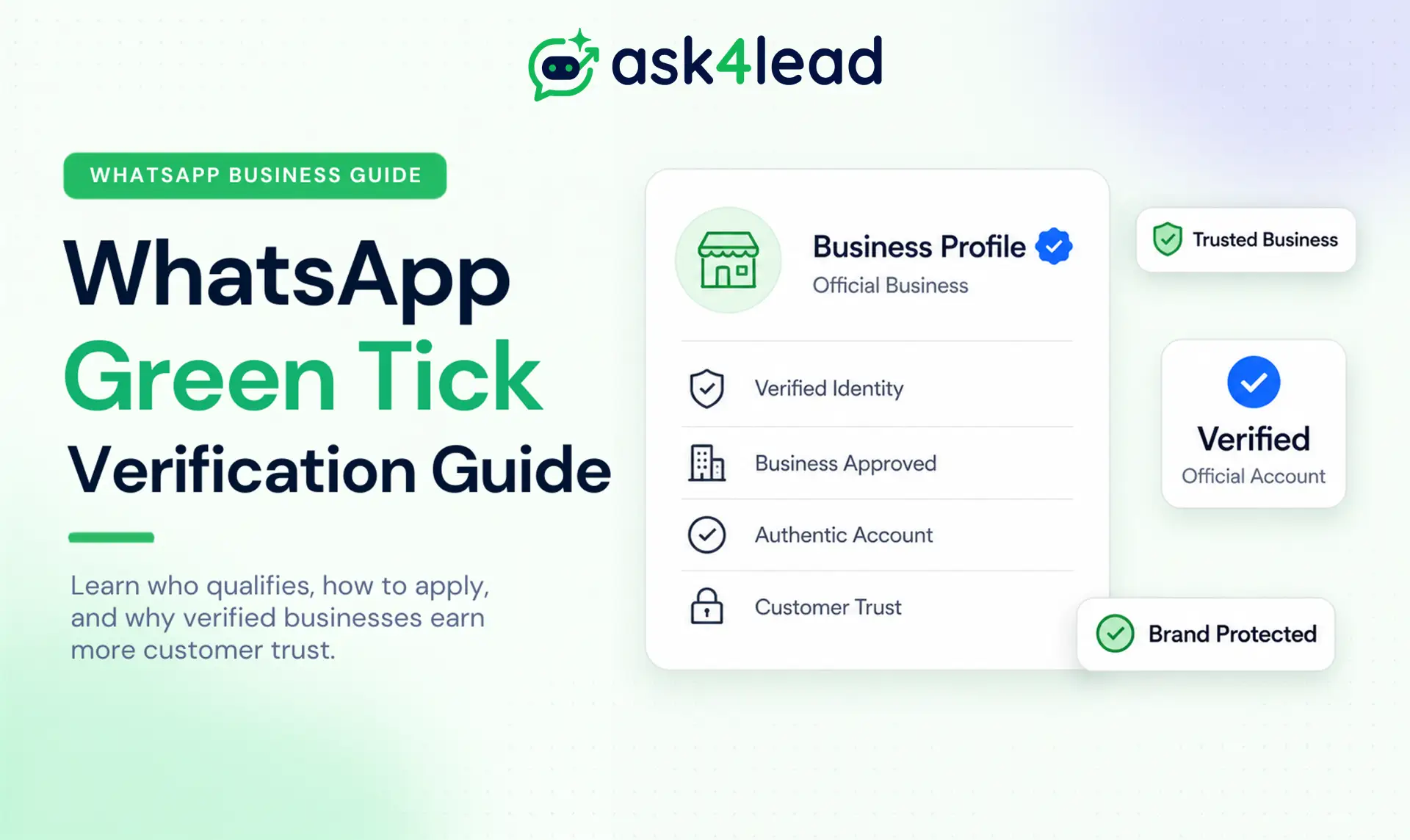
The WhatsApp green tick is a verification badge next to a business’s name that shows Meta has confirmed the account is a real, official business and not an impersonator. It is the trust signal you want when you are trying to win more leads on WhatsApp.
One thing to clear up first. The badge used to be green, but Meta is now changing it to a blue checkmark, so it matches the badges on Facebook and Instagram. Most people still search for the “green tick,” so that is the term we use here. On your phone, you may now see it in blue.
This guide covers:
- What the WhatsApp green tick is, and why Meta is turning it from green to blue.
- The two ways to get the green tick: paid Meta Verified, or the free Official Business Account.
- Which businesses qualify for the green tick, and the exact steps to apply.
- Why Meta rejects many green tick applications, and how to avoid a rejection.
- Whether your business actually needs the green tick at all.
Key Takeaways:
- The green tick (now shown blue) means Meta has verified your business as official.
- There are two paths: Meta Verified, a paid monthly subscription, or the classic Official Business Account, which is free but needs strong brand recognition.
- You usually need the WhatsApp Business API and an approved business name.
- The green tick is a trust signal, not a requirement. You can message customers without the badge.
What is the WhatsApp green tick?
The WhatsApp green tick is a checkmark badge next to your business name that shows Meta has confirmed you are the genuine owner of the account.
It signals trust to customers and stops other people from impersonating your brand, in the same way an official WhatsApp Business profile sets you apart from a personal number.
- What it looks like: a small checkmark beside your verified business name.
- What it proves: the account is the real, official business.
- Who grants it: Meta, after it reviews and approves your business.
What the green tick actually gets you
The badge builds customer confidence, which usually means more replies and more sales.
- A clear sign that you are the official business, not a copycat.
- Protection from scammers who set up fake accounts using your brand name.
- A stronger first impression in a crowded inbox.
Green tick vs grey badge vs approved name
It is easy to confuse the different marks WhatsApp shows. They are not the same thing, and WhatsApp’s own badge guidance spells them out.
- Plain name or number: the account is not verified as official.
- Approved business name: Meta approved your display name, so customers see your business name instead of a phone number. This is not the official badge.
- Green or blue checkmark: this is the real verification, the Official Business Account.
Getting your name approved is a normal early step. The checkmark is a separate, higher level of trust that not every business qualifies for.
The two ways to get the WhatsApp green tick
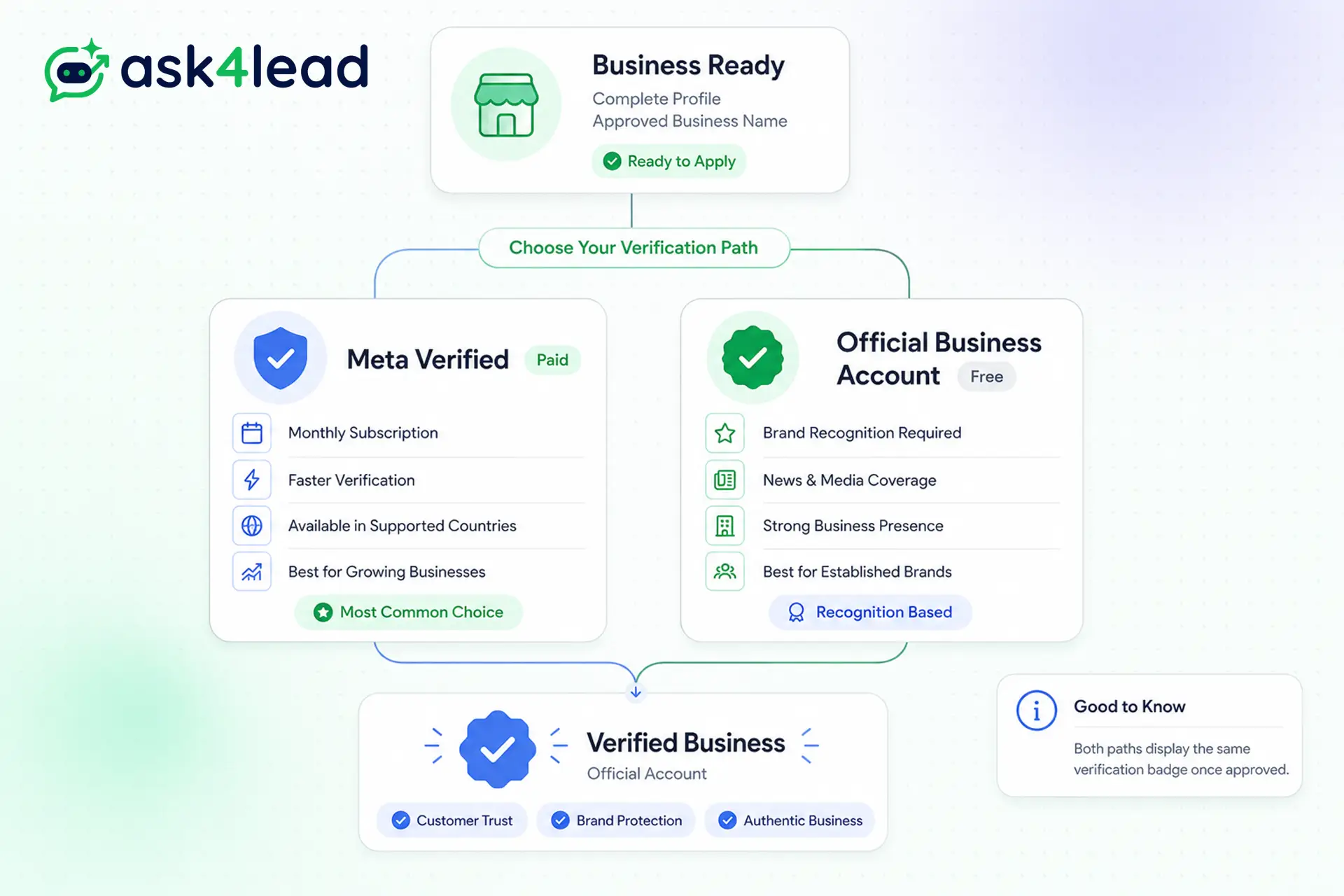
There are two separate paths, and mixing them up is where most confusion begins. You either pay for Meta Verified, or you earn the free badge through strong public recognition.
Path 1: Meta Verified (paid)
- A monthly subscription from Meta, managed through Meta Business Suite. You can see current plans on Meta Verified for businesses.
- Available in select countries so far, including India, Brazil, Indonesia, and Colombia.
- Plans start at roughly ₹639 per month and rise for extra features.
- Best for most small and mid-size businesses that are not yet well known.
Path 2: Official Business Account (free)
- Free, but Meta only grants it to businesses with strong public presence, such as genuine coverage in news and media.
- You apply through your WhatsApp Business API provider, not from the phone app.
- Best for well-known, established brands.
Here is the quick comparison:
| Meta Verified (paid) | Official Business Account (free) | |
| Cost | Monthly subscription | Free |
| Based on | Payment plus basic checks | Public recognition and media coverage |
| Best for | Growing businesses | Well-known brands |
| Where you apply | Business App or API dashboard | Through your API provider |
Who is eligible for the WhatsApp green tick?
To qualify, your business must be real and complete, follow WhatsApp’s rules, and either pass Meta’s recognition check or subscribe to Meta Verified in a supported country. It helps to have a complete business profile ready before you apply.
Requirements every business must meet
- A real, authentic business with a complete profile, including your name and logo.
- On the WhatsApp Business API with an approved business name, in most cases.
- Follows the WhatsApp Business Messaging Policy.
- Not in a restricted category. Alcohol, tobacco, drugs, gambling, weapons, and dating are not eligible.
Extra requirements by verification path
- For the free badge: genuine third-party media coverage, which usually follows consistent WhatsApp marketing and PR.
- For Meta Verified: an eligible account age, recent activity, and a supported country.
How to apply for the WhatsApp green tick
The steps are simple once you know which path you are on, and they start the moment you set up your account.
How to apply, step by step
- Get on the WhatsApp Business API and get your business name approved. You can review the setup in Meta’s WhatsApp Platform documentation.
- Complete your business profile with a logo, description, website, and address.
- Choose your path: subscribe to Meta Verified, or apply for the free Official Business Account through your provider.
- Submit your business details and any documents Meta requests.
- Wait for Meta’s review, which usually takes a few days.
- Once approved, the badge appears next to your name automatically.
Applying through your API provider
If you run WhatsApp through the official API with Ask4Lead, you already have an approved business name, so you can submit the verification request from one dashboard instead of piecing it together yourself.
Why most green tick applications get rejected
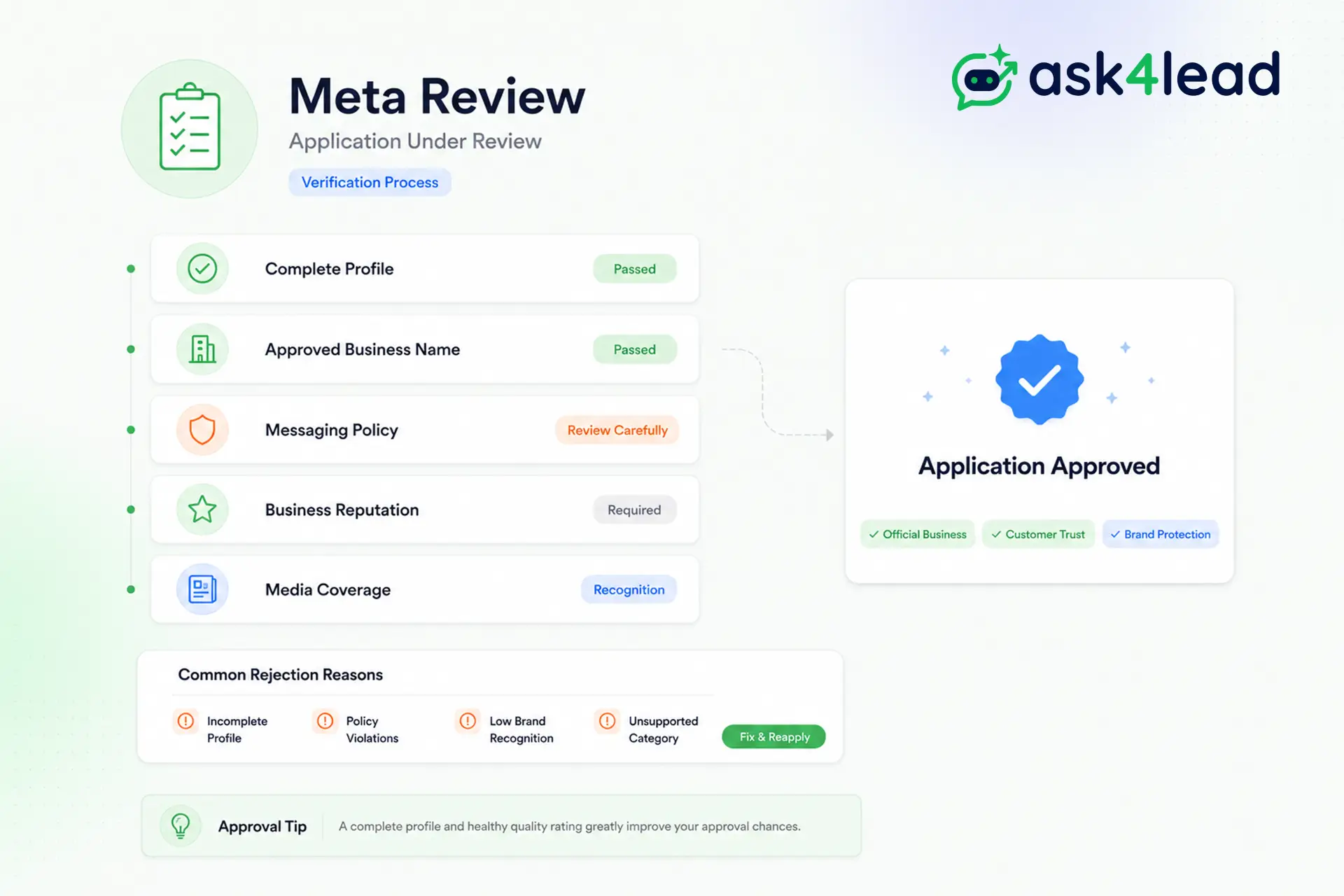
Most rejections are not bad luck. They come down to a few clear reasons, and each one is fixable, usually starting with a tidy, complete profile.
Common rejection reasons
- Not recognizable enough: For the free badge, Meta wants real news coverage, not social posts or paid ads.
- Incomplete or mismatched profile: Your name, logo, and details must match your real business.
- Restricted category: Some industries simply cannot get verified.
- Policy problems: A poor quality rating or past violations lower your chances.
- Unsupported country: Meta Verified is not available everywhere yet.
How to improve your approval odds
You can reapply after fixing the issue, so a first rejection is not the end of the road. A complete profile and a healthy quality rating improve your odds, and Ask4Lead keeps both tidy before you apply again.
What to do while you wait for verification
Verification can take days, and not every business qualifies right away. That does not have to slow your growth, because customers judge you far more on how quickly you reply than on a badge, so keep [following up with every lead](/feature/automate-lead-follow-ups/).
Keep the basics strong during review
- Reply fast. A quick, helpful answer beats a badge on a slow account.
- Run opt-in campaigns so customers hear from you at the right moment.
- Keep every lead organized in a shared team inbox so nothing slips through.
- Sound human, not robotic, in every message you send.
Ask4Lead runs all of this on the official API while you wait.
Do you actually need the WhatsApp green tick?
No. Plenty of businesses run successfully without the green tick. The badge is worth having, but it is a bonus, not a gate, and it matters less than picking the right WhatsApp software for how you sell.
What the green tick does and does not do
- The green tick does not raise your limits or unlock features. It only adds trust.
- The green tick is not required. You can manage every lead in Ask4Lead and use the API without the badge.
- Newer businesses grow without the badge while they build the recognition Meta looks for.
Build trust with or without the badge
The badge earns a customer’s first message. What happens next decides the sale. Ask4Lead’s humanized AI sales assistant answers every message, asks the right follow-up, and passes a ready lead to your team. Start free with 100 AI credits and turn more of those chats into customers.
FAQs
1. Is the WhatsApp green tick free?
One path is free, the recognition-based Official Business Account. Most businesses now get the badge through Meta Verified, a paid monthly subscription.
2. Why is my green tick blue now?
Meta is making badges the same across its apps, so the green tick is becoming a blue checkmark. Existing green ticks turn blue automatically.
3. Can I buy the WhatsApp green tick?
You cannot pay your way to the free badge, but you can subscribe to Meta Verified to get the blue badge if your business is eligible.
4. Do I need the WhatsApp Business API for the green tick?
In most cases yes, with an approved business name. Meta Verified can also be started from the Business App in supported countries.
5. How long does WhatsApp verification take?
Meta’s review usually takes a few days. Recognition-based applications can take longer.
The bottom line
The green tick is simpler than the confusion around it suggests. It proves your business is real, and you reach it by either subscribing to Meta Verified or earning the free Official Business Account through genuine recognition.
Pick the path that fits where your business is today, keep your profile and quality rating clean, and do not wait on the badge to start winning customers. The trust that closes a sale is built in every reply.
