
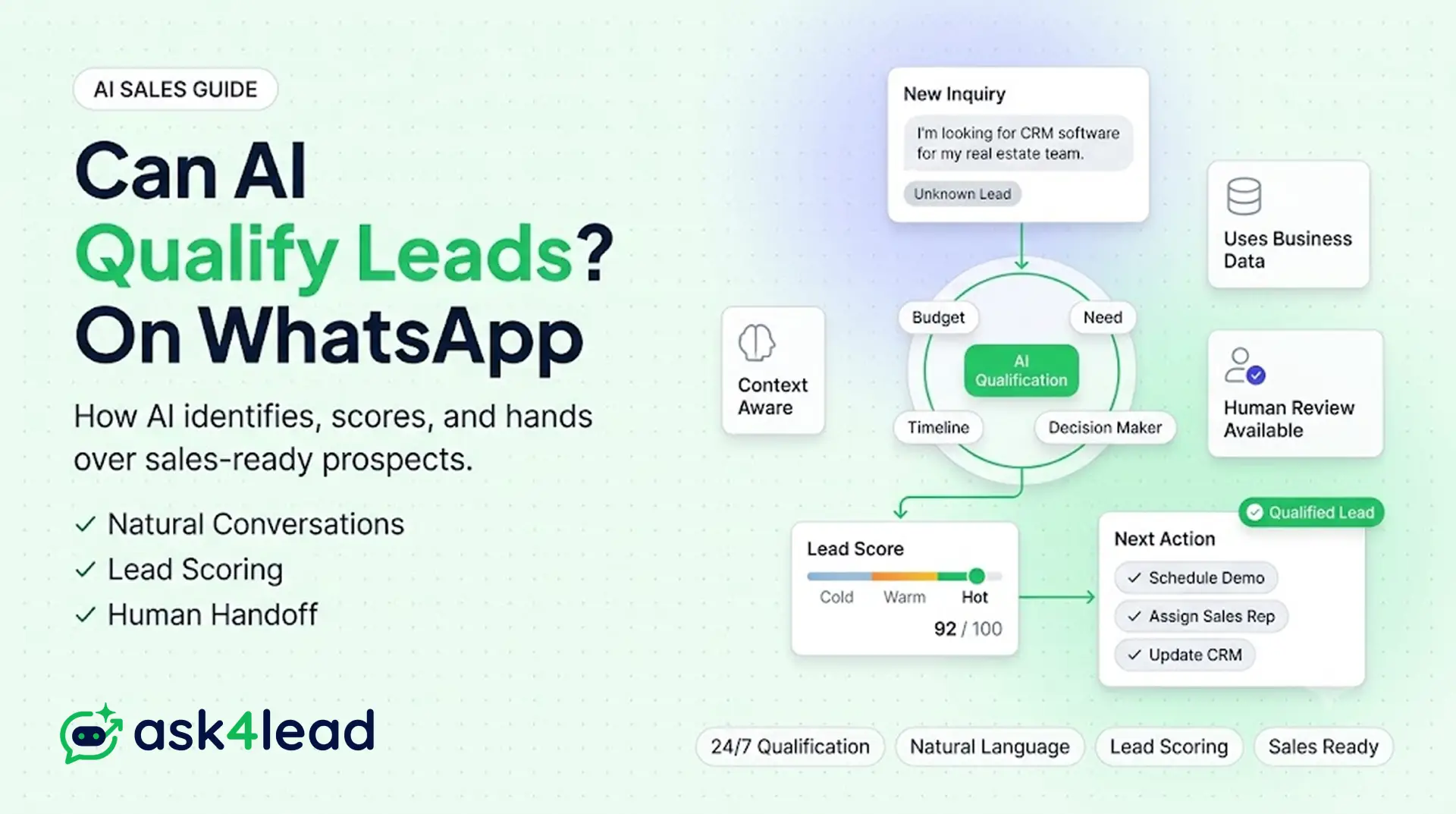
Quick Answer: Yes, a WhatsApp AI agent can qualify leads automatically for the entire discovery conversation. It reads the first message, asks 3 to 4 qualifying questions in natural language, checks the answers against real product or service data, scores the lead, and books the next step, with zero human typing a reply.
What it should not run alone is price negotiation, complaints, or any high-value deal. See Ask4Lead’s lead generation chatbots for WhatsApp for how the split between AI and human works in practice.
Key Takeaways
- Full autonomy and AI-assisted autonomy are different claims. Almost every working deployment uses the second one.
- The tricky part is never the AI’s language skill. It’s remembering where each conversation left off and knowing exactly when to step back.
- A lead qualification conversation only needs to confirm 4 things: fit, authority, intent, and urgency, the BANT framework run as a conversation.
- 5 specific triggers should always route to a human, regardless of how good the AI is.
- The official WhatsApp Business API and unofficial QR-based tools are not interchangeable risk profiles.
The rest of this guide walks through what makes automatic qualification actually work, where a human still has to step in, the 4 levels of “AI agent” claims, common setup mistakes, and the exact build sequence.
What Automated Lead Qualification on WhatsApp Actually Means
WhatsApp crossed 3 billion monthly active users in May 2025, which is exactly why manual, 1-at-a-time qualification stops scaling long before a growing business expects it to.
An AI-qualified lead is one where the fit, authority, intent, and urgency questions got answered by a system, not a person.
The system then labels the lead (hot, warm, cold) and either books a next step or routes it to sales.
That is a different claim than “chatbot,” a word that usually just means a menu forwarding every message to a human queue, untouched.
Most WhatsApp vendors use “AI agent” as a marketing label, not a technical one. Before trusting any tool’s claim, check what it actually verifies:
- Fit: does the request match what the business sells, at the budget and scope the customer named?
- Authority: is this person the actual decision-maker, or gathering information for someone else?
- Intent: are they ready to move, or just browsing?
- Urgency: is the timeline this week, or someday?
This is the same ground sales teams cover with the classic BANT framework, run conversationally instead of as a form.
| BANT (Classic) | On WhatsApp, Asked As |
| Budget | “What’s your budget range for this?” |
| Authority | “Are you the one making the final call here?” |
| Need | “What are you hoping to solve or find?” |
| Timeline | “When are you looking to move on this?” |
It also folds in 1 more job along the way: filtering out job seekers, vendors, and spam before they ever reach a rep’s queue. This matters most for leads arriving through Click-to-WhatsApp ads, where inbound volume spikes and manual screening breaks down first.
A button-menu bot never touches any of these checks. “Press 1 for Sales” routes a message; it does not qualify a lead, and it definitely doesn’t filter spam.
What a Real Qualification Exchange Looks Like
Here’s a real-estate example, built from how the conversation actually plays out on WhatsApp:
- Customer: “Hi, do you have 3BHK options in Whitefield?”
- AI: “Yes! To find the right fit fast, what’s your budget range?”
- Customer: “Around 85 to 90 lakhs”
- AI: “Got it. Ready-to-move-in, or open to under-construction?”
- Customer: “Ready possession only”
- AI: “I have 2 matching options. Want me to set up a site visit this week?”
3 questions, 3 confirmed data points, 1 booked outcome. No menu, no wrong-button dead end.
Fully Autonomous vs. Human-in-the-Loop AI Qualification
“Fully autonomous” means the AI makes every call, including disqualifying a lead, with no review step. Almost no serious deployment runs this way past simple FAQ traffic.
A human-in-the-loop model is different: the AI runs the full conversation and makes the qualification call on its own, but a person keeps a takeover switch. It reviews flagged edge cases instead of every message.
This is the model that survives real volume. Ask4Lead’s human-approval-for-AI-replies feature is built for exactly this: 1-click takeover for the owner, without sitting inside every chat.
What Makes a WhatsApp AI Agent Feel Smart Instead of Robotic
Getting the AI to write a good reply is the easy part. The hard part is making sure it remembers the conversation, doesn’t repeat itself, and knows when to stay quiet, and that’s exactly what separates a genuinely smart WhatsApp AI agent from a scripted bot with an AI label stuck on it.
1. It Remembers Where Each Conversation Left Off
Before the AI writes a reply, it should always check 1 thing first: where is this customer in their journey?
A brand-new conversation needs a different response than a customer who’s already answered 2 qualifying questions, already been handed to a sales rep, or is mid-way through placing an order.
Bots that skip this step treat every message the same way, and it shows fast. A customer mid-order gets re-greeted from scratch, or a lead who already said “yes” gets asked the same qualifying question twice.
2. It Waits a Few Seconds Before Replying, on Purpose
Real customers rarely send 1 tidy message. A greeting lands first, then the actual question follows a few seconds later in a second or third message.
A bot that jumps to reply after every single message causes 2 problems: it answers the greeting and ignores the real question sitting right behind it, or it asks something the customer already answered, just split across 2 messages.
The fix is simple: wait a few seconds of silence before replying, so related messages get read together. It’s a small detail, but it’s the difference between a bot that feels attentive and 1 that feels like it isn’t listening.
3. It Understands Voice Notes and Hinglish, Not Just Perfect English
On WhatsApp, especially across Indian and Southeast Asian markets, customers often reply with a voice note or mix English with a regional language mid-sentence, commonly called Hinglish in India.
A bot that only understands clean, typed English quietly fails this entire group of leads.
Any WhatsApp AI agent worth using should understand a voice note or a mixed-language reply just as naturally as plain text, not as some extra add-on bolted on later.
Test this before launch, not after the first missed lead points out the gap.
4. It Scores Leads Instead of Just Sorting Them Yes or No
Some tools only sort leads into 2 buckets: qualified or not qualified. That throws away real information. A lead who confirmed their budget and timeline but missed 1 answer isn’t the same as someone who ignored every question, but a simple yes/no system treats them identically.
A better AI agent scores leads on a scale: every confirmed answer adds to the score instead of triggering an instant yes or no.
Borderline leads go into a follow-up sequence instead of getting dropped, and that’s where a real share of “lost” leads actually come from.
Ask4Lead’s 9-stage sales pipeline reflects this directly: New Lead, AI Engaged, Human Follow-Up, Qualified, Interested, Negotiation, Closed Won, Closed Lost, Re-Engagement.
A lead doesn’t jump straight from “new” to “qualified,” it moves through the same graduated stages a human rep would use.
Ask4Lead applies this same conversational lead qualification model across its 16 live industry playbooks, from real estate to e-commerce. The questions change per industry, but the way it works underneath doesn’t.
What Runs Without a Human, and Where 1 Still Has to Step In
The honest boundary line matters more than the marketing claim. This table draws it clearly.
| Task | Runs Alone | Needs a Human |
| Asking budget, timeline, and need questions | Yes, 1 at a time | No |
| Checking answers against real inventory or pricing | Yes | No |
| Booking a demo, consultation, or site visit | Yes, against live calendar availability | No |
| Answering catalog, FAQ, and policy questions | Yes, from real source data | No |
| Re-engaging a lead who went quiet | Yes, via an approved template | No |
| Price negotiation | No | Yes, any discount outside a pre-set range |
| Complaints | No | Yes, any frustration or escalation signal |
| High-value deals | No | Yes, above a set order or contract size |
| Ambiguous intent after 2 attempts | No | Yes |
| A direct request for a person | No | Yes, always |
Every task in the “runs alone” column works because it’s grounded in real data instead of a guess. Ask4Lead’s AI Knowledge Profile feeds the agent the business’s own uploaded catalog, pricing sheets, and website content, so it retrieves an answer instead of improvising one.
Route the 5 “needs a human” triggers through a shared WhatsApp team inbox instead of a personal phone. Every takeover keeps an audit trail the sales manager can review later.
That gives the business the volume benefit of automation without gambling the moments that actually decide whether a deal closes.
Ground Your AI in Your Own Catalog. Sign Up Free
The 4 Levels of “AI Agent” Claims
Not every vendor selling “AI-powered WhatsApp automation” means the same thing by it. Use this table to place any tool honestly, including a business’s own current setup.
| Level | What It Actually Does | Who Handles the Rest | Where It Breaks |
| 1. Button menu | Routes to a fixed option list | A human, for everything | Any need that isn’t a listed button |
| 2. Scripted AI questions | Asks a fixed question sequence in natural language | A human, for anything off-script | Rigid product lines only |
| 3. Human-in-the-loop AI agent | Holds a full conversation, scores the lead, hands off on trigger events | A human, only on the 5 triggers above | Rarely, this is the working model |
| 4. Fully autonomous AI | Makes every decision, including closing deals, unreviewed | No 1 | High error cost at any real volume |
Most businesses asking “can this run without a human” are really asking whether Level 3 exists and holds up. It does. Level 4 is the one worth avoiding, since it trades a small automation gain for a large trust risk.
Where WhatsApp AI Agents Fail to Qualify Leads Automatically
Failed rollouts almost never trace back to a weak AI model. They trace back to 1 of these 4 setup mistakes.
1. Dumping Every Qualifying Question Into 1 Message
Sending 4 or 5 questions at once, instead of pacing them 1 at a time, is the single most common reason completion rates collapse. Customers answer the easiest question, ignore the rest, and the flow stalls with a half-qualified lead sitting in the queue.
2. Not Remembering Where the Conversation Left Off
Treating every incoming message as a brand-new conversation, instead of checking where the customer already is, means the AI re-greets someone mid-order or restarts qualification after a customer already confirmed budget. It reads as broken because, at that moment, it is.
3. Ignoring the 24-Hour Customer Service Window
Meta’s WhatsApp Business Platform policy only allows free-form replies inside 24 hours of the customer’s last message. Past that window, re-engaging requires an approved template message, not a dynamic AI-generated one.
Teams that don’t design around this lose leads to silence, not to a bad AI reply.
4. Choosing an Unofficial Connection to Dodge Conversation Costs
Some tools connect through unofficial WhatsApp Web sessions instead of the official Business API to avoid Meta’s 2026 conversation-based pricing. That trade brings a real number-ban risk, since it operates outside Meta’s terms.
For a business sending bulk WhatsApp messages through 1 number, a ban costs far more than the fee it was meant to dodge.
Official WhatsApp Business API vs. Unofficial Automation Tools
| Factor | Official WhatsApp Business API | Unofficial (QR/session-based) Tools |
| Ban risk | Low; Meta-approved | Real; sits outside Meta’s terms |
| Message limits | Set by messaging tier and quality rating | No official tier; suspension without warning |
| Template requirement | Required past the 24-hour window | Frequently bypassed, adding to the ban risk |
| Cost structure | Conversation-based pricing set by Meta | Often a flat vendor fee, risk not priced in |
| Right fit | Any business depending on WhatsApp for real revenue | Not recommended for qualification at real volume |
Why the Ban Risk Outweighs the Fee It Was Meant to Avoid
A banned WhatsApp number doesn’t just stop new leads. It disconnects every open conversation, every saved contact, and every CRM record tied to that number at once.
For a business where WhatsApp carries the sales pipeline, that is a continuity risk, not a pricing decision. Ask4Lead onboards exclusively through Meta’s official Embedded Signup, documented in Meta’s own WhatsApp Cloud API developer docs, for this reason.
How to Set Up a WhatsApp AI Agent to Qualify Leads Automatically
Getting this right is a sequencing problem more than a technical one, and the sequence below reflects how the WhatsApp Business Platform actually works in 2026, not a generic checklist.
- Connect through the official WhatsApp Business API, never a QR-based workaround, regardless of the fee it claims to save.
- Ground the AI in real business data. Upload the actual catalog, pricing sheet, and FAQ documents so answers come from real information.
- Cap qualifying questions at 3 or 4, mapped to what genuinely determines fit: budget, location, timeline, decision-maker status.
- Score leads on a scale, not a strict yes/no, so partial answers still route somewhere useful.
- Set the 5 human-handoff triggers from the table above, and nowhere else, so the AI’s boundary is explicit.
- Run human approval for the first 2 to 4 weeks. Review AI replies before they send, then loosen the gate once accuracy is proven.
- Land every qualified lead in 1 shared workspace, not a personal phone, so follow-up doesn’t depend on 1 person remembering.
Ask4Lead’s AI Sales Assistant runs this sequence by default: qualification through natural conversation, scoring into the pipeline, and a shared work queue so nothing sits unclaimed after the AI hands it off.
Teams running multiple brands or locations manage this through multi-tenant CRM workspaces instead of 1 shared login.
Pre-Launch Readiness Checklist
Run through this before turning the AI loose on real customers:
| Requirement | Why It Matters |
| Official API connected, not a QR workaround | Removes the number-ban risk entirely |
| Catalog and pricing uploaded and current | Prevents the AI from guessing or improvising |
| Qualifying questions capped at 3 to 4 | Keeps completion rates high |
| All 5 handoff triggers configured | Stops the AI from freelancing on high-risk moments |
| Human approval mode on for the first stretch | Catches errors before they reach a customer |
| Voice notes and Hinglish replies tested | Makes sure the AI doesn’t quietly fail on real customer messages |
Skipping any 1 row here is usually where a “the AI isn’t working” complaint traces back to.
What Actually Changes When Qualification Runs on WhatsApp Instead of a Personal Phone
Response speed and consistency move together once an AI agent takes over, and neither one is fixable by adding more staff to a manual process.
1. Response Speed Is the Variable Manual Handling Can’t Fix
A rep juggling 30 open chats a day cannot consistently reply inside 30 seconds. An AI agent hits that mark by default, every time, including outside business hours.
Response speed is the single biggest lever here. A lead’s attention window closes fast once they’ve moved on to a competitor’s chat.
2. Consistency Is the Variable Nobody Budgets For
A human team’s qualifying questions drift depending on who’s answering that day, their mood, or how backed up the queue is.
An AI agent asks the same 3 or 4 questions, in the same order, every time, which is what makes lead scoring comparable across weeks instead of anecdotal.
Teams that add reporting and analytics on top of this usually spot the pattern within the first month: response time and qualification consistency move together, not separately.
It’s the same reason Ask4Lead gets compared against WhatsApp AI agent platforms rather than static chatbot tools like Wati. The conversation itself is the product, not the button menu around it.
FAQs
1. Can a WhatsApp AI agent fully replace a human sales rep?
No. It removes the repetitive part of the job, asking the same qualifying questions dozens of times a day. Negotiation, objection-handling, and closing high-value deals still perform better with a person.
2. How fast does the AI need to reply for it to actually matter?
Under 30 seconds is the working benchmark, since response speed correlates directly with whether a lead is still paying attention when the reply lands. A human team answering 20 to 30 chats a day rarely holds that pace consistently.
3. Does WhatsApp allow an AI agent to message a customer first?
Only inside specific rules. If the customer messages first, the AI can reply freely for 24 hours. To message someone who hasn’t opened a conversation, the business needs explicit opt-in and, in most cases, an approved template message.
4. What happens if the AI misqualifies a lead?
In a properly built setup, very little happens, because a human is still reviewing flagged or edge-case conversations. The real risk only shows up at Level 4 (fully autonomous, no review) run at real volume with no takeover option.
5. Is a WhatsApp AI agent the same thing as a WhatsApp chatbot?
Not quite. “Chatbot” usually means button-menu flows, Level 1 on the ladder above. “AI agent” means a system holding a real conversation and making qualification calls inside it, Level 3 territory.
6. How many qualifying questions should the AI ask before booking a next step?
3 to 4 is the practical ceiling. Past that, completion rates drop sharply as the exchange starts to feel like an interrogation instead of a conversation.
Conclusion
A WhatsApp AI agent can qualify leads automatically for the entire discovery conversation: asking the right questions, checking fit against real data, and scoring the result, all without a human writing a single reply.
It should not run alone through price pushback, complaints, or high-stakes deals, where a wrong call costs more than the automation saves.
The setups that actually work aren’t chasing full autonomy. They’re running human-in-the-loop qualification with an explicit handoff point and a person who can take over in 1 click.
Ask4Lead is built around that exact split: a humanized AI conversation engine that qualifies every lead with full context, not a button menu, backed by a 9-stage pipeline so nothing sits unclaimed once the AI hands it off.
