
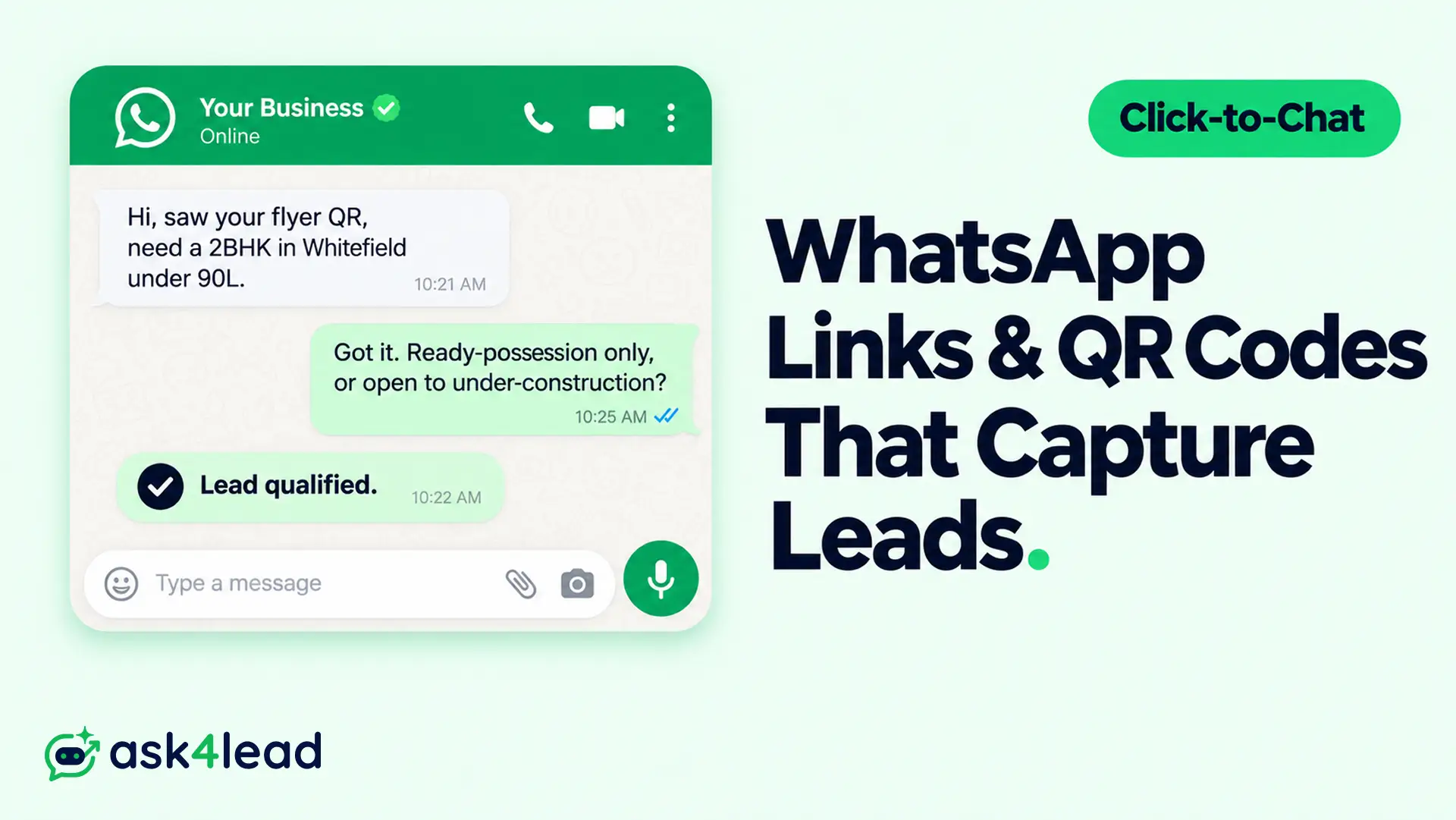
A WhatsApp click-to-chat link opens a chat with your business number the moment someone taps it. Nothing to save, nothing to dial.
A WhatsApp QR code is that same link as a scannable square for print, packaging, and shop windows.
Both are free and take minutes to set up, and both feed a working WhatsApp lead generation system. This guide covers how to build them, where to place them, how to track leads by source without UTM tags, and how to stop good clicks from dying in your inbox.
Short answer: Build a
wa.melink yourself and give it a pre-filled message that names the source, like “Hi, I saw your Instagram ad.” Turn that link into a QR code for print.To track the leads, layer 4 methods: the pre-filled message, a Google Analytics click event, Click-to-WhatsApp ads, and the WhatsApp Business API wired into a CRM.
Key takeaways
- A click-to-chat link is stateless. It never reports whether the message was sent or answered, so every tracking method is a workaround.
- The pre-filled message is your source tag. It is the only tracking method that survives on a printed QR code.
- Use
wa.me, not the Business App short link. The short link carries 1 fixed message for every placement, so it cannot tell channels apart. - Print static QR codes for a number you will keep. Dynamic codes add analytics but can be locked behind a paywall later.
- A click is not a lead. Around 40% of taps never become a sent message, and most that do still need qualifying.
- Speed decides the outcome. Reply inside the 24-hour window, or pay for a template message to reopen the chat.
What a WhatsApp click-to-chat link and QR code do for lead capture
A click-to-chat link, which WhatsApp calls “click to chat,” is a URL that opens a one-to-one chat with a single number. The person tapping it does not need you saved as a contact.
A WhatsApp QR code holds the identical link as a camera-readable pattern. Scanning the code and tapping the link do exactly the same thing.
Links belong on screens people can tap. QR codes belong on things people photograph. Most lead setups use both.
Why businesses lean on them:
- Lower friction than a form: no fields, and a real reply is already attached
- Bridges offline to online: a code on a box or a delivery van becomes a chat
- Free and fast: a link takes 2 minutes and needs no developer
- Strong engagement: WhatsApp open rates commonly sit at 90 to 98 percent, a channel benchmark rather than a promise for your account
Note: The link is stateless. It hands the visitor to WhatsApp and forgets them, so your analytics cannot follow. That single fact shapes the whole tracking section below.
How to build a WhatsApp click-to-chat link that tags its own source
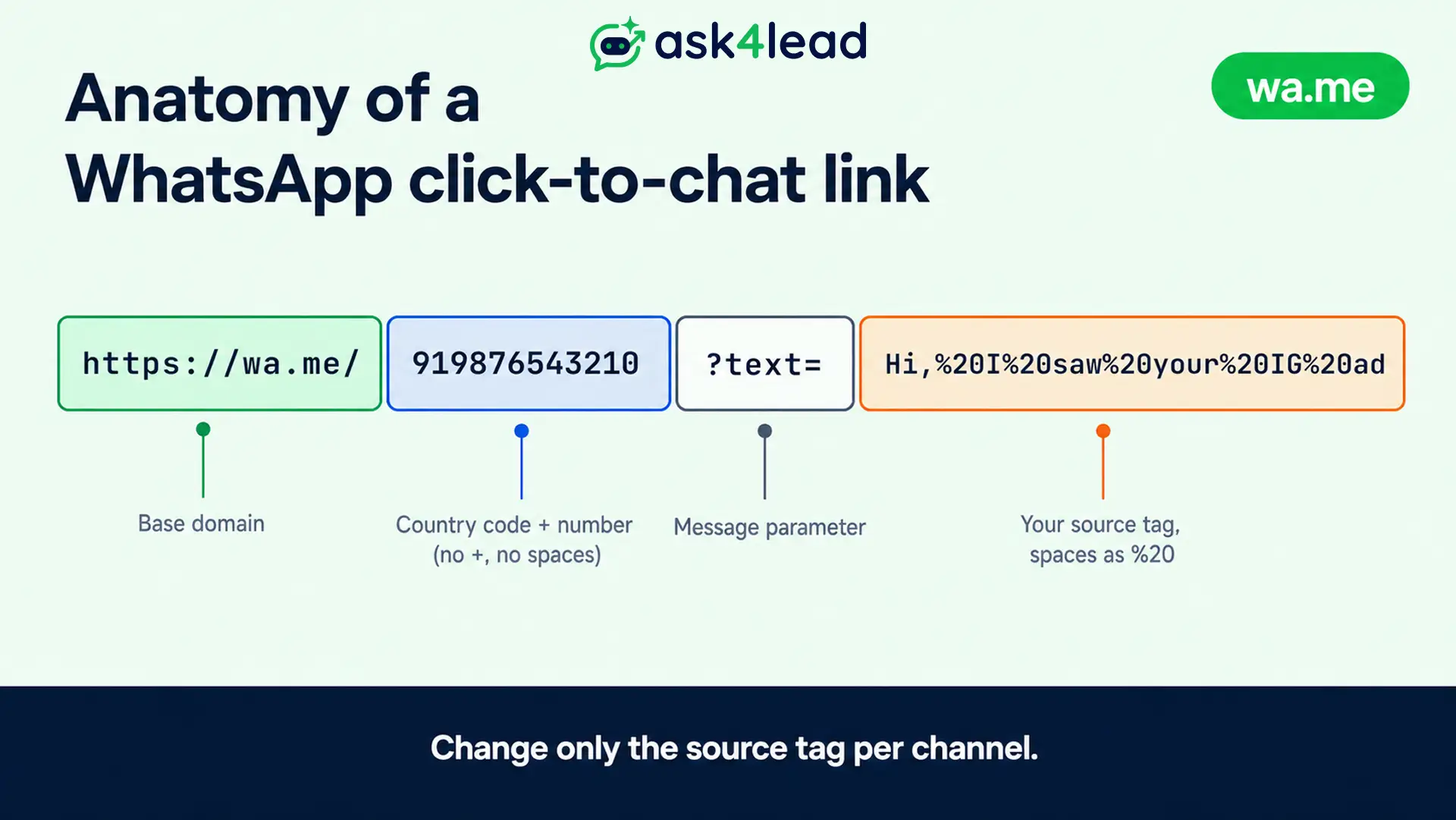
The format never changes. You fill in 2 blanks: your number and an optional message.
1. Format your number in international style
- Country code first, digits only
- No plus sign, no spaces, no dashes, no brackets
- India becomes
919876543210. The United States becomes15551234567
2. Add the pre-filled message that names the channel
Append ?text= and then your message, with spaces written as %20.
Example: https://wa.me/919876543210?text=Hi%2C%20I%20saw%20your%20Instagram%20ad
Write it with a simple 3-part shape: greeting, what they want, where they came from. That last clause is what your team reads to know the source.
- “Hi, price for the 3BHK listing. Saw it on Instagram.”
- “Hello, help with an order. Came from the packaging QR.”
- “Hi, book a demo. Found you on Google.”
3. Test the link on a phone without your number saved
- Confirm it opens the right chat
- Confirm the message sits in the typing box and does not send on its own
- If a tool auto-sends the message, stop using it; that behaviour is non-standard and puts your number’s quality rating at risk
Warning: A pre-filled message is deletable. A lead can wipe your source tag before hitting send. Treat the pre-fill as a strong hint, not proof, and back it with the layers further down.
wa.me, api.whatsapp.com, and the Business App short link compared
3 formats open the same chat. The differences are practical, not functional.
| Format | Looks like | Best for | Catch |
wa.me link |
wa.me/9198...?text=Hi |
Almost everything | None. WhatsApp’s recommended format |
api.whatsapp.com |
api.whatsapp.com/send?phone=9198...&text=Hi |
Ad destination URLs, older tools | Longer, and uglier as a QR pattern |
| Business App short link | wa.me/message/ABC123 |
1 generic “contact us” button | 1 fixed pre-fill, so it cannot tag sources |
When to use a wa.me link you build yourself
- You control the message, so you get a different source tag per channel
- It is short, which keeps the QR pattern simple and fast to scan
- WhatsApp’s click-to-chat documentation treats it as the standard
Why the Business App short link is weak for source tracking
The short link generated inside the WhatsApp Business App carries 1 pre-filled message for every placement.
Put it on your flyer, your ad, and your invoice, and all 3 conversations look identical. You lose the channel.
If you run the API instead of the Business App, your provider gives you a link tied to the API number, and the same rules apply.
How to turn your link into a WhatsApp QR code for print and packaging
1. WhatsApp’s built-in QR code, free and static
Open the Business App, then Settings, Business Tools, Short Link, and pick the QR option. WhatsApp’s QR code guide covers the steps.
It is free and never expires. It also has no scan data, and you cannot repoint it later.
2. Your own QR code from a wa.me link
- Paste your
wa.melink, with its channel-specific pre-fill, into a QR generator - Download a vector file such as SVG or PDF so it stays sharp at any print size
- Quick free option: in Chrome or Edge, right-click a page and choose “Create QR code for this page”
3. Static versus dynamic, and the paywall trap
| Question | Static QR | Dynamic QR |
| Change the destination after printing | Reprint to change it | Repoint any time |
| Scan analytics | None | Scans by time, place, device |
| Cost | Free | Usually a subscription |
| Print reliability | Denser pattern | Simpler, scans faster when small |
| Main risk | Locked to 1 number | Generator can expire or paywall it |
A common and costly mistake: printing 10,000 flyers with a free “dynamic” code, then finding the generator now charges to keep it live. Businesses have reprinted entire runs over this.
If you go dynamic, point the code at a domain you own, or a provider you trust to stay free. The redirect behind dynamic QR codes is what gives you both the analytics and the risk.
When in doubt, print a static QR of a wa.me link to a number you will keep for years.
Where to place click-to-chat links and QR codes so leads actually arrive
Placement decides volume. A link nobody sees captures nothing.
Screens that take a tappable link
- Website header, footer, and a floating chat button
- Instagram and Facebook bio, plus Story stickers
- Email signature and newsletter footer
- Google Business Profile
- Paid social, through Click-to-WhatsApp ads
Physical surfaces that take a QR code
- Product packaging and pack inserts
- Delivery vehicles, shopfront glass, counter standees
- Event badges, booth walls, business cards
- Invoices, receipts, warranty cards
- Print ads, posters, brochures
For higher-intent capture on your site, pair the link with WhatsApp Flows forms so budget, timeline, and location are collected in-chat before a human joins. Treat all of this as part of your wider WhatsApp marketing plan, not a standalone tactic.
How to track WhatsApp leads by source without UTM parameters
This is where most programs break. The enquiry leaves your site and continues inside WhatsApp, where analytics cannot reach. WhatsApp links also do not pass UTM tags anywhere useful.
Treat tracking as 4 layers. Each one recovers a bit more of the picture.

1. A unique pre-filled message per channel
- Costs nothing, and works on print where UTMs cannot go
- Your team reads the source at a glance
- Weakness: manual, and the lead can delete the text
2. A GA4 click event through Google Tag Manager
- Fire an event when someone taps a link matching your
wa.meURL pattern - Send it to GA4 as an event and mark it a conversion
- Weakness: it counts the tap, not whether a message was sent or answered
3. Click-to-WhatsApp ads for paid traffic
- Meta attributes the conversation to the ad, audience, and campaign
- Best paid-attribution option, with no tag setup
- Weakness: covers only paid traffic from Facebook and Instagram
4. The WhatsApp Business API wired into a CRM
- The only layer that sees the reply, the qualification, and the closed deal
- Source travels with the contact record, so a flyer QR can be traced to revenue
- Needs a WhatsApp Business API integration, not the free app
| Layer | Captures | Effort | Blind spot |
| Pre-filled message | Source, read manually | Minutes | Manual, deletable |
| GA4 and Tag Manager | Website link taps | 1 to 2 hours | No send, no reply |
| Click-to-WhatsApp ads | Paid conversations, attributed | Ad setup | Paid Meta traffic only |
| API and CRM | Message, reply, qualified, won or lost | Onboarding | Needs the API |
The practical stack for most small businesses: always use pre-fills, add the GA4 event, run Click-to-WhatsApp ads if you spend on Meta, and move to API-plus-CRM once volume justifies it.
Why most WhatsApp click-to-chat leads never convert, and the fix
Teams obsess over tracking and miss the bigger leak. Click-to-chat pulls in a lot of low-intent contacts alongside the good ones.
1. A click is not a message, and a message is not a lead
Around 40% of link taps never turn into a sent message. Of the messages that do land, many are browsers, price-checkers, or wrong-fit enquiries.
One founder counted 37 WhatsApp conversations from a campaign and closed a single sale. The problem there was lead quality, not the tracking setup.
Report on qualified conversations, not raw clicks. A cost-per-click figure from click-to-chat flatters itself.
2. Feed Meta only your converted leads, not every chat
- Upload converted leads back to Meta as offline events, matched by phone number
- Do not upload all 37 conversations as “leads,” or the algorithm optimises for people who message rather than people who buy
- Keep a plain log: number, channel, date, converted yes or no
3. Reply inside the 24-hour window, or pay for it later
Once a lead messages you, the 24-hour customer service window lets you reply freely.
Miss it and you can only reopen the chat with a paid, pre-approved template message. A slow reply turns a paid click into a paid re-contact.
Before you scale placements, confirm your opt-in and consent path so captured chats can be marketed to later.
Turning a click into a qualified lead with Ask4Lead
The link and QR code only open the conversation. The next 60 seconds decide whether you get a lead or a ghost. This is the half the tool pages skip.
1. Answer every chat in seconds, day or night
A prospect who taps a click-to-chat link expects a reply as fast as live chat.
When your team is asleep or busy, the Ask4Lead AI answers the first message straight away and keeps the thread warm.
Automatic follow-ups then chase the people who go quiet, so no paid click is wasted.
2. Qualify inside the chat instead of on the first call
Ask the qualifying questions in the conversation: budget, timeline, location, use case.
A scripted button menu often fails here, because if the real problem is not on the menu, the lead drops.
Ask4Lead, a humanized AI WhatsApp chatbot and CRM, holds a plain-English conversation grounded in your own catalog and pricing, so a lead-generation chatbot that understands the question replaces the decision tree. You keep control with human approval before send, backed by an AI sales assistant trained on your business.
3. Route the qualified lead into a pipeline with its source attached
A qualified chat needs an owner and a next step.
Ask4Lead files it into a 9-stage pipeline with the channel tag from the pre-fill, so lead management connects the flyer QR to a closed deal.
A shared team inbox stops chats piling up in a single person’s WhatsApp.
FAQs
1. Do WhatsApp click-to-chat links work without saving the number?
Yes. The link or QR code opens a chat with your business number directly, so the person never adds you as a contact. It works on the standard app, the Business App, and API numbers.
2. Can I track a WhatsApp lead’s source without the API?
Partly. A different pre-filled message per channel lets your team read the source, and a GA4 click event counts website taps. Neither confirms a reply. Only the API plus a CRM shows the full path from source to sale.
3. Do WhatsApp links support UTM parameters?
Not usefully. You can append them, but nothing inside WhatsApp reads or forwards them. The working substitute is a source phrase in the pre-filled message, plus a click event fired on your site before the visitor leaves.
4. Should I print a static or dynamic QR code?
Static for a number you will keep, since it is free and permanent. Dynamic when you need scan analytics or the option to repoint it, and only with a provider that redirects through a domain you control.
5. Why do my ad clicks outnumber my WhatsApp chats?
A click opens WhatsApp, but the send is a separate action many people abandon. Roughly 40% of taps never become a message. Judge cost per lead on messages received, not clicks.
6. What is the fastest way to lose a WhatsApp lead?
Replying late. After a lead messages you, a 24-hour window lets you respond for free. Past that, reopening costs a paid template, and the interest has usually cooled.
Conclusion
A WhatsApp click-to-chat link and QR code are the cheapest lead-capture tools you can deploy, and the easiest to deploy badly.
Build the link yourself so the pre-filled message carries the source. Print static QR codes to a number you trust, and layer your tracking from the pre-fill up to the API and CRM.
The click is only the doorway. A fast reply and real qualification are what pay for it.
That second half is what Ask4Lead runs for you. The AI answers the click in seconds and qualifies the lead in plain English against your own catalog.
You stay in control with approval before send, and every chat lands in a pipeline tagged with its source. You finally see which flyer, ad, or bio link produces revenue.
See Ask4Lead qualify your WhatsApp leads
Connect your number, add your wa.me link to your site and 1 campaign, and let the AI handle the first replies while your team sleeps.
Start free with 100 AI credits, no card required, or message the team on WhatsApp.
