
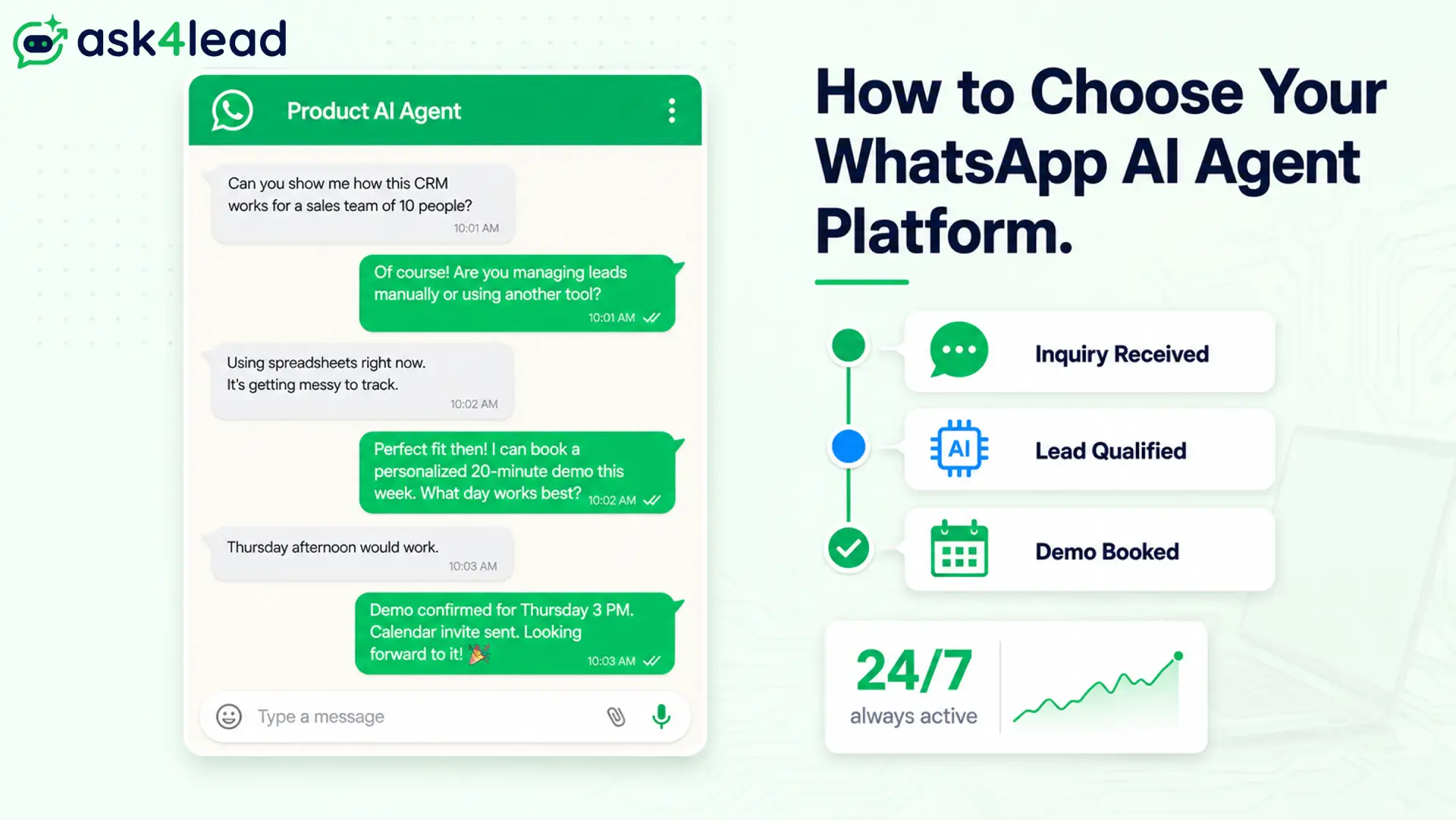
Quick Answer: A WhatsApp AI agent platform connects to the official WhatsApp Business API to autonomously read, comprehend, and reply to customer messages in real-time.
By utilizing Large Language Models (LLMs) bounded by your specific business data, these agents instantly qualify leads, answer FAQs, and book appointments 24/7 without a human operator touching the keyboard.
When a lead reaches out to your business on WhatsApp, they expect a response in under 60 seconds. A delay of just a few hours significantly drops your chances of closing the deal, as consumers quickly move to competitors who answer immediately.
Unfortunately, most businesses still rely on human staff to manually read, interpret, and reply to every single message.
This guide explains the technical and operational realities of deploying conversational AI on WhatsApp. It is specifically designed for fast-paced SMBs such as real estate agencies, healthcare clinics, and service providers that need immediate lead capture but lack the technical expertise to code a machine-learning bot from scratch.
What is a WhatsApp AI Agent Platform?
A WhatsApp AI agent platform replaces manual typing with intelligent, contextual automation. To understand its value in a live business environment, you must first understand how it differs from traditional automation methods.
1. Beyond Simple Chatbots
Old, rigid chatbots force users to navigate complex button menus (“Press 1 for Sales, Press 2 for Support”). These bots fail because they force the customer to adapt to the machine’s rigid logic. An AI agent does the exact opposite: it adapts to the customer by understanding natural language.
If a customer types, “I need to change my booking from Tuesday to Thursday,” a standard chatbot triggers an error message because “change booking” isn’t an exact keyword match. An AI agent, however, understands the intent behind the words.
It checks your connected calendar, updates the sales pipeline in your CRM, and confirms the change with the customer instantly.
2. The Technology: Bounded Language Models
At the core of a professional AI agent platform is a Large Language Model (LLM) like GPT-4 or Claude. These models are trained to comprehend context, tone, and nuance.
However, raw LLMs are dangerous for business because they invent answers. When connected to your WhatsApp inbox via a specialized platform like Ask4Lead, the LLM is “bounded.”
It reads incoming messages, cross-references only your uploaded business PDFs and policies, and generates a conversational response that is both accurate and entirely human-sounding.
The Coverage Gap: Running Your Inbox Without AI
Many business owners believe their customer service is excellent because their staff works diligently during the day. However, consumer behavior does not respect business hours.
1. The 9 PM Lead Problem
Your WhatsApp number gets a message at 9 PM from a high-intent lead asking about a real estate property listing, an insurance quote, or a healthcare clinic appointment.
Because your office is closed, the message sits unread in the app until your team logs in the next morning at 9 AM. That 12-hour delay is not a training gap; it is a critical coverage gap.
In the 12 hours that lead sat waiting, they inevitably messaged three of your competitors. The business that replies first usually wins the conversation. By relying entirely on human staff, businesses leave significant revenue on the table simply because humans have to sleep.
2. The True Cost of Manual Follow-ups
During the day, your human team is forced to act like robots. They spend hours copy-pasting the exact same answers to questions like, “Where are you located?” or “Can you send the pricing PDF?”
This repetitive administrative work drains morale and prevents your best salespeople from focusing on what they do best: closing high-value deals and building complex relationships.
Standard WhatsApp App vs. AI Platforms (The API Requirement)
A common operational mistake is attempting to build an AI agent using the standard, free WhatsApp Business App installed on a single smartphone.
1. Why the Free App Falls Short
The free WhatsApp Business app is designed strictly for micro-businesses. It allows for basic “away messages” and quick keyboard shortcuts, but it is a closed system.
You cannot programmatically connect an LLM, a CRM pipeline, or a multi-agent shared inbox to the app running on your phone.
If you try to use unauthorized third-party apps to screen-scrape your phone’s WhatsApp to fake an AI integration, Meta will permanently ban your phone number for violating their Terms of Service.
2. The Power of the API Connection and the 24-Hour Rule
To deploy a functional, autonomous AI agent legally and safely, you must use the official WhatsApp Business Platform (API).
The API is designed specifically for programmatic messaging, allowing software to read and send messages at scale without a physical phone.
Using the API also requires navigating Meta’s strict technical rules, such as the 24-Hour Messaging Window.
When a customer messages your API number, a 24-hour timer starts. During this window, your AI agent can reply freely with natural text. If the window closes, you cannot send free-form text; you must use pre-approved WhatsApp message templates to re-engage the customer.
A professional AI platform automatically manages these windows, ensuring your follow-ups are compliant and your WhatsApp Account Health remains in the Green.
Core Capabilities: Manual vs. Automated Chat
Implementing an AI agent fundamentally changes the unit economics of your customer support and sales teams. Here is how an AI platform outperforms a manual human inbox.
1. Speed and Scale Metrics
An AI agent does not get overwhelmed by volume. Whether you have 5 leads messaging you or 5,000 during a marketing campaign, the response time remains instant.
| Metric / Capability | Manual Chat (Human Only) | WhatsApp AI Agent Platform |
| Average Response Time | Hours to Days (after hours) | Under 5 seconds (24/7) |
| Lead Qualification | Rep asks basic questions manually, often skipping steps | AI automatically extracts budget, location, and intent every time |
| Concurrent Chats | 1 to 3 chats per human agent | Unlimited simultaneous conversations |
| CRM Data Entry | Manual copy-pasting required, high error rate | Automatic synchronization with pipeline stages |
2. Intelligent Lead Qualification Pipelines
Instead of just saying “Hello, we will be with you shortly,” the AI agent actively works the lead. It is programmed to ask sequential qualifying questions.
For example, it will ask for the lead’s location, timeline, and budget.
Only when all criteria are met does the AI label the lead as “Qualified” in the CRM and automatically push them into the next stage of your sales work queue to alert a human closer.
Real Industry Workflows: AI Agents in Action
To truly understand the operational depth of this technology, look at how an AI agent executes specific workflows across different industries, performing tasks that previously required human intervention.
1. Real Estate: The Midnight Inquiry
When a prospect is browsing property listings late at night, their intent is highest. If they hit a generic “we are closed” auto-responder, they bounce.
The Ask4Lead Real Estate Workflow:
A prospect clicks your Facebook ad at 11:30 PM and messages your WhatsApp number: “Is the downtown unit still available?”
The AI agent replies in 4 seconds: “Yes, we have 2 units available in that building starting at $400k. Are you looking for a 2BHK or 3BHK?”
The lead replies “2BHK.”
The AI agent tags the CRM contact with “2BHK Downtown,” and asks, “Would you like to schedule a site visit tomorrow at 10 AM?” The appointment is booked and confirmed before your sales agent even wakes up.
2. Healthcare: The Missing Appointment Intake
Clinic front desks are notoriously overwhelmed, missing calls and WhatsApp messages while dealing with in-person patients. An AI agent acts as a flawless digital receptionist.
The Ask4Lead Healthcare Workflow:
A patient messages at 2:00 PM: “How much is an Invisalign consultation?”
The AI, reading the clinic’s uploaded pricing PDF, replies instantly: “Our initial Invisalign consultation is $50, which is fully credited toward your treatment if you proceed. Do you have dental insurance you’d like us to verify?”
After confirming insurance, the AI provides a link to the clinic’s secure booking calendar. The front desk staff simply sees a new verified appointment appear in their system without ever typing a word.
3. E-commerce: Cart Recovery at Minute 59
Email cart recovery campaigns typically see open rates below 20%. WhatsApp messages command a 98% open rate, making it the ultimate recovery tool for e-commerce brands.
The Ask4Lead E-commerce Workflow:
Exactly 59 minutes after a customer abandons a cart, the AI triggers a pre-approved WhatsApp broadcast campaign: “Hi Sarah, we noticed you left the Blue Running Shoes in your cart. Do you have any questions about sizing?”
Sarah replies: “Do they run small?”
The AI instantly checks the sizing chart uploaded to its profile and replies: “They fit true to size, but if you have a wider foot, we recommend sizing up half a size. Would you like a 10% discount code to complete your order today?”
Preventing AI Hallucinations in Customer Chats
The primary concern business owners have regarding AI is “hallucination” the tendency of language models to invent facts, quote incorrect prices, or make false promises to customers (such as offering a 50% discount that doesn’t exist).
1. Building a Bounded AI Knowledge Profile
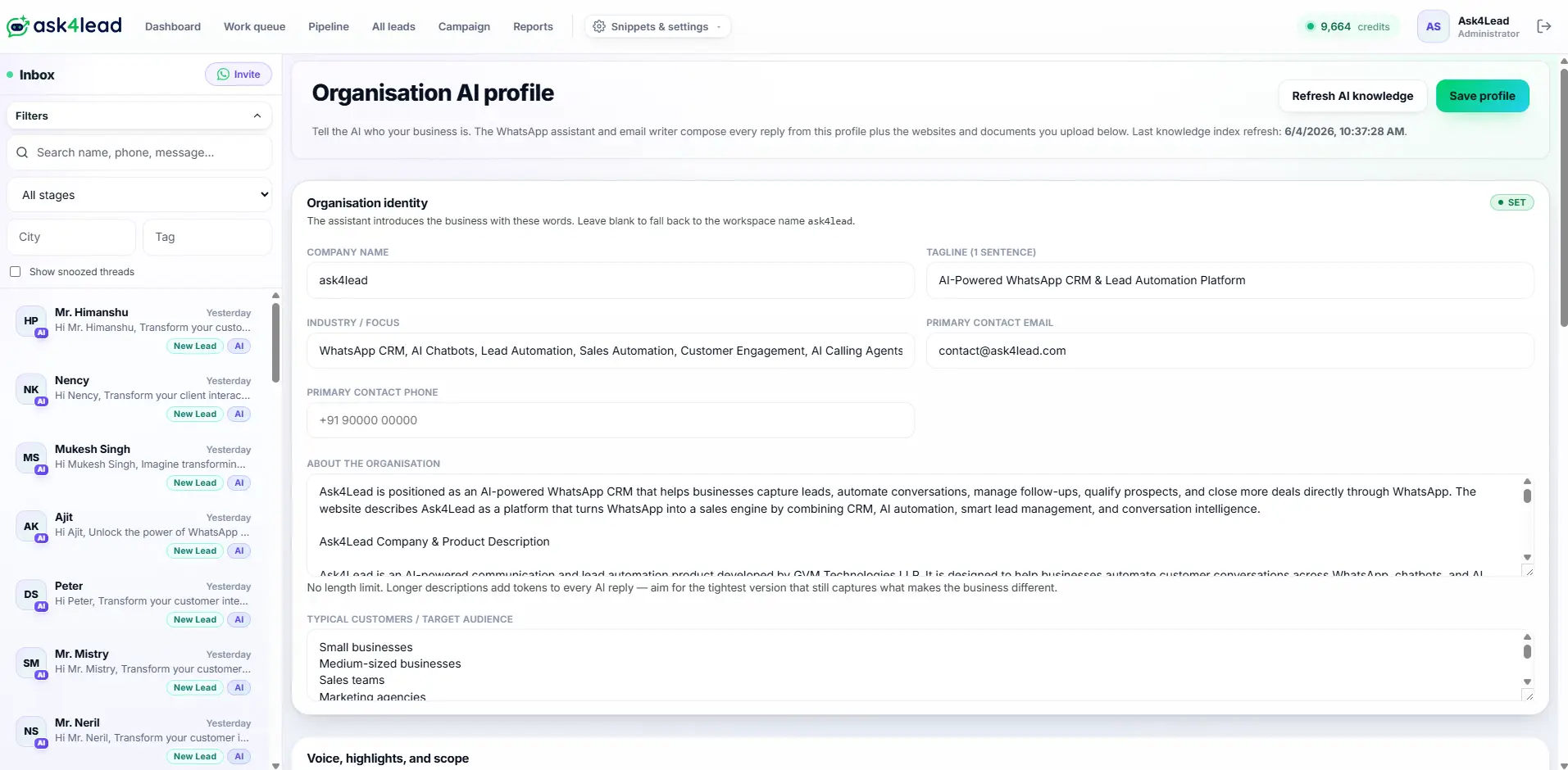
To operate safely in a commercial environment, the AI must be strictly contained. While enterprise developer tools offer broad, uncontained automation, specialized platforms like Ask4Lead use a dedicated AI Knowledge Profile (often built on Retrieval-Augmented Generation, or RAG) to prevent errors. You train your AI by uploading specific, rigid boundaries:
- Document Ingestion: You upload your property brochures, clinic pricing PDFs, sizing charts, and FAQ documents directly into the dashboard.
- Strict Confinement: The AI is explicitly instructed to ignore general internet knowledge. It is locked into only pulling answers from the specific documents you provided. If a customer asks about a competitor’s product, or a price not listed in your PDF, the AI will not invent one.
2. Setting Up Guardrails and Human Handoff
No AI is perfect, and sometimes a customer has a highly complex, emotional, or unique request.
A professional platform requires strict fallback protocols to protect the customer experience:
- Keyword Triggers: If a customer types “manager,” “complaint,” “human,” or expresses frustration, the AI instantly pauses its automated responses.
- Confusion Thresholds: If the AI cannot confidently find an answer in your Knowledge Profile, it executes a fallback response: “Let me connect you with a specialist who can look into that exact detail for you.”
- Seamless Handoff: When the AI pauses, it tags the chat as “Needs Human” in the CRM and sends a push notification to your sales team’s Ask4Lead shared inbox. Your human agent steps into the exact same chat thread, reading the full AI context before replying.
Deploying Your WhatsApp AI Agent with Ask4Lead
Ask4Lead is designed specifically to solve the coverage gap for service businesses.
It serves as both the technical bridge to the WhatsApp API and the intelligent CRM that manages the captured data, meaning you don’t need an IT department to deploy it.
1. Step-by-Step Setup Process
The deployment process skips complex coding and focuses directly on business logic:
- Connect Your Number: Link your existing business phone number to the WhatsApp API directly through the Ask4Lead dashboard.
- Upload Knowledge: Drag and drop your PDFs, return policies, and FAQs into the AI Knowledge Profile.
- Define the Objective: Tell the AI what its ultimate goal is (e.g., “Your goal is to collect the user’s email, determine their budget, and book a calendar appointment”).
- Test in Sandbox: Chat with your AI agent in a safe testing environment to verify it quotes the right prices before setting it live for your customers.
2. Integrating with Your Existing CRM
As the AI agent captures data, Ask4Lead automatically synchronizes the information.
You can use native webhooks to push these qualified leads directly into Hubspot, Salesforce, or Google Sheets.
This ensures your sales team always has access to real-time data, completely eliminating manual data entry.
Conclusion: The Future of Customer Engagement
The transition from manual chat to an AI-driven inbox is no longer just a technical upgrade; it is a fundamental shift in how businesses operate.
The cost of a 12-hour coverage gap is too high when customers expect instant answers and competitors are only a tap away.
By connecting your WhatsApp Business API to a bounded, intelligent platform like Ask4Lead, you eliminate repetitive administrative work, instantly qualify leads, and secure bookings 24/7.
Your sales team wakes up to a pipeline of qualified appointments, not a backlog of frustrated inquiries. The business that replies first wins, and an AI agent ensures you are always first.
FAQs
1. What is a WhatsApp AI agent?
A WhatsApp AI agent is an intelligent virtual assistant that integrates with the WhatsApp Business API to automate customer conversations. It uses natural language processing to understand incoming messages, answer questions, qualify leads, and book appointments without human intervention, operating 24/7.
2. Do I need the WhatsApp Business API to run an AI agent?
Yes. You cannot run an autonomous AI agent on the standard, free WhatsApp Business app. You must upgrade to the WhatsApp Business API and connect it to a software platform like Ask4Lead to enable automated, AI-driven messaging.
3. What are the benefits of using a WhatsApp AI agent?
The primary benefits are instant response times and 24/7 availability. AI agents eliminate the delay when human staff are offline, meaning leads are qualified and answered immediately, drastically increasing conversion rates and reducing staff workload.
4. Which are the top-rated WhatsApp AI agent platforms?
Top platforms depend on your needs. Plivo is often used by enterprise developers, AiSensy by marketers for broadcasts, and Ask4Lead specifically by service-based SMBs (like clinics and real estate) who need concrete CRM pipelines and AI lead qualification without complex coding.
5. How do I build a WhatsApp AI agent without coding?
Modern platforms like Ask4Lead provide a no-code interface. You build the AI by simply uploading your business PDFs, FAQs, or website URLs into an AI Knowledge Profile. The agent reads this material and uses it to automatically generate accurate responses to customer queries.
