
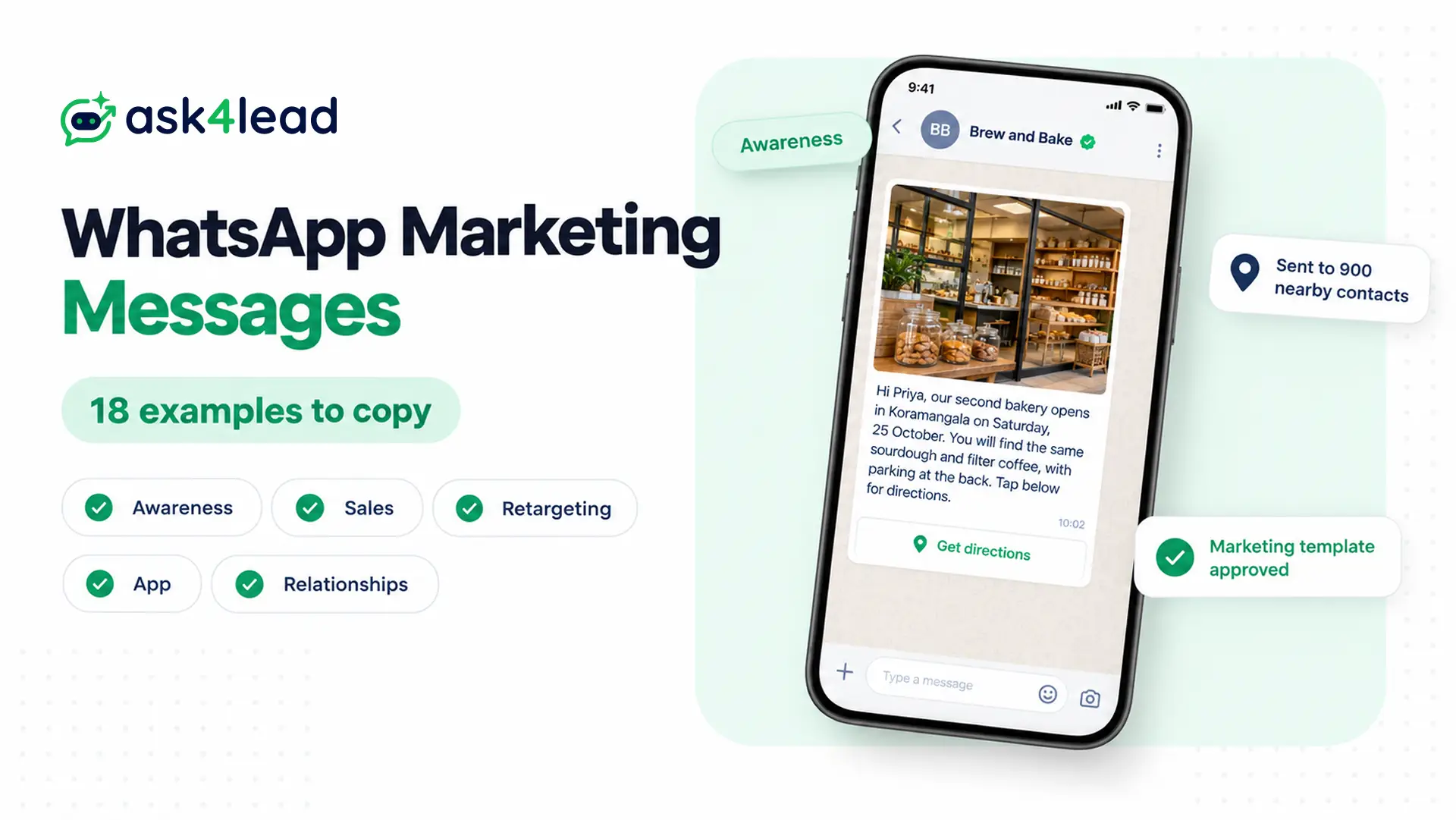
WhatsApp marketing messages are messages a business sends to opted-in customers to drive a sale, win someone back or keep the relationship warm. Below are 18 samples to copy, sorted by the five marketing goals Meta itself uses.
You can send them from the WhatsApp Business app. Or, for larger lists, send approved templates on the WhatsApp Business API (Meta’s paid system for messaging at scale). However, if you only need discount and festival offers, these 20 promotional WhatsApp messages cover that ground.
What counts as a WhatsApp marketing message
Meta treats any template meant to create awareness, drive sales, retarget people or build relationships as marketing. So WhatsApp marketing messages include a birthday wish and a thank-you note, even with no offer inside.
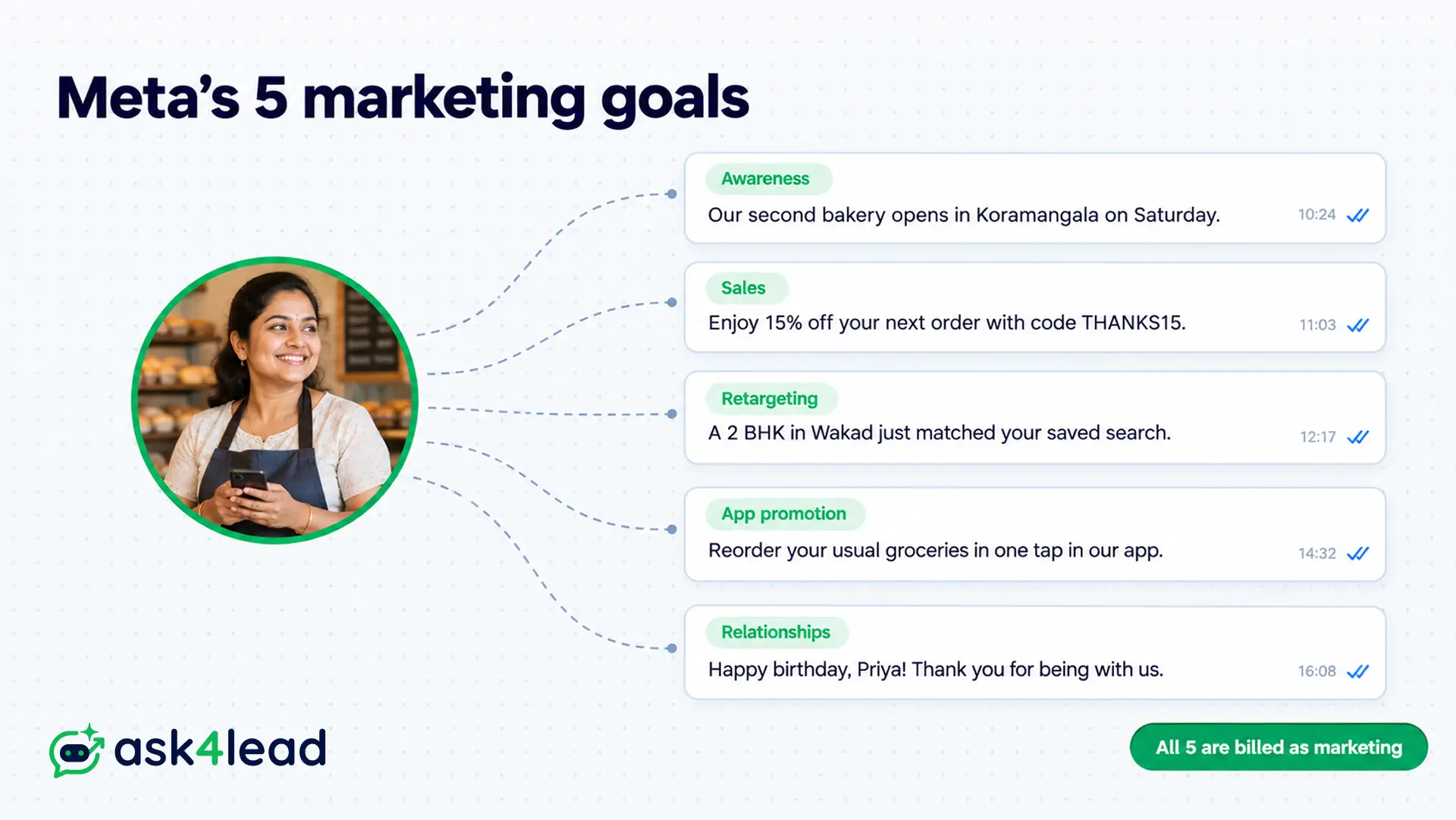
Meta’s template categorization page groups marketing into five goals, and each sample below sits under one of them.
| Meta’s goal | What the message does | Samples |
| Awareness | Tells subscribers what is new, so they remember you | 1 to 4 |
| Sales | Sends an offer or a renewal push, so they buy now | 5 to 7 |
| Retargeting | Follows up after someone viewed or started something | 8 to 11 |
| App promotion | Asks people to install your app, then use it | 12 and 13 |
| Customer relationships | Greets or thanks people, often without an offer | 14 to 18 |
Two more rules catch people out. First, a template that mixes an order update with an offer counts as marketing. Second, Meta also files unclear content, such as a body that says only “Congratulations!”, as marketing.
Two ways to send WhatsApp marketing messages
You can send WhatsApp marketing messages through the WhatsApp Business app’s paid tool or through the API. The app suits a small, saved contact list, while the API suits larger lists, automation and replies at scale.
Marketing messages in the WhatsApp Business app
The Business app has a Marketing messages tool under the Tools tab, although some countries now call it business broadcasts. Inside it, you add a photo or video, the customer’s name and an action button.
According to the WhatsApp Help Center, you pay for each message delivered within five days of sending. Meta Verified subscribers also get some free messages. Meanwhile, the free broadcast list still reaches up to 256 contacts, but only people who saved your number receive it.
Marketing templates on the WhatsApp Business API
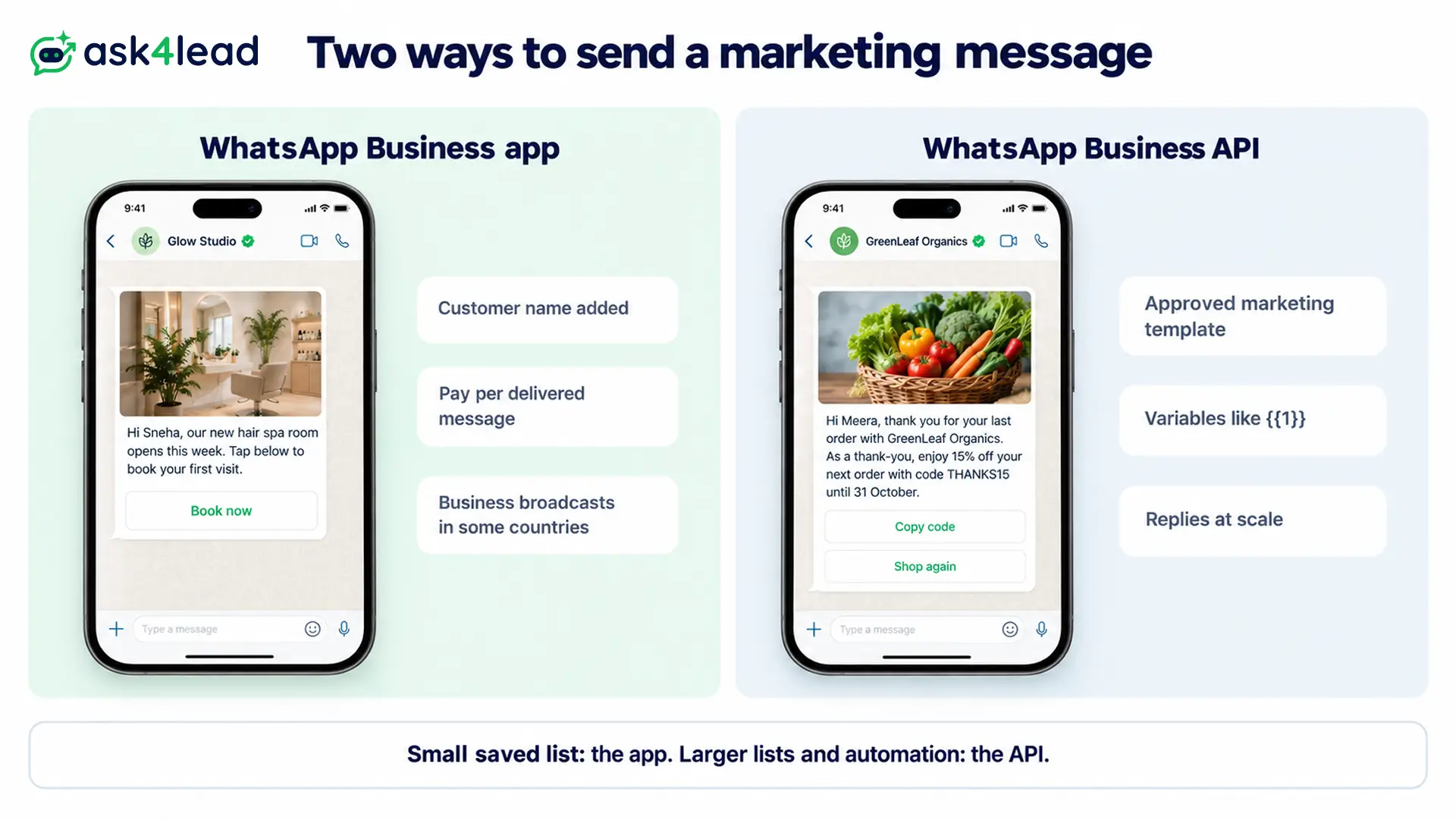
On the API, each message is a marketing template (a pre-approved format with blanks for names and offers). Meta reviews it first, and you also need the customer’s opt-in. After that, you can type freely only inside the 24-hour customer service window, which opens when they write to you.
Meta also offers the Marketing Messages API for WhatsApp, a separate route for marketing templates only. In an India test, its features page reports up to 9% more high-engagement messages delivered than the standard Cloud API. It also lets a message expire after 12 hours to 30 days. So a sale message never lands after the sale ends.
Variables used in these WhatsApp marketing messages
Each sample uses brackets, such as [Priya], for the details you replace. When you build the template, swap each bracket for a numbered variable, such as {{1}}. Then your software fills it for each customer.
| Variable | Holds | Example |
| {{1}} | First name | Priya |
| {{2}} | Business, branch or product | Koramangala bakery |
| {{3}} | Date, time or deadline | Saturday, 25 October |
| {{4}} | Offer, code or link | THANKS15 |
Also, keep fixed words before the first variable and after the last one. Otherwise, Meta rejects a body that starts or ends with a blank.
Awareness WhatsApp marketing messages
Awareness messages tell subscribers something new, but they do not ask them to buy today. For example, Meta’s own samples cover a new mobile tower, a Diwali event and a resort opening.
1. New branch opening
Hi [Priya], our second [bakery] opens in [Koramangala] on [Saturday, 25 October]. You will find the same [sourdough and filter coffee], with [parking at the back]. So tap below for directions.
Button: Get directions
2. Useful tip for subscribers
Hi [Rohan], monsoon humidity makes [leather shoes] grow mould in about a week. So wipe them dry, stuff them with newspaper and keep them out of closed cupboards. Reply TIPS for our [shoe care guide].
3. In-store event invitation
Hi [Anita], we are hosting a free [rangoli workshop] at our [Baner store] on [2 November, 4 pm]. Bring your kids, because we supply the colours. Then tap below to save a seat.
Button: Save my seat
For invites with RSVP buttons, see these WhatsApp event invitation messages.
4. New service announcement
Hi [Sameer], our [Andheri] clinic now offers [physiotherapy] on [weekday evenings from 6 to 9 pm]. Reply BOOK, and our front desk will share open slots.
Sales WhatsApp marketing messages
Sales messages carry a reason to buy now: a discount, an upgrade or a renewal. Meta counts renewal pushes as marketing, even when the customer already pays you every month.
5. Thank-you offer on the next order
Hi [Meera], thank you for your last order with [GreenLeaf Organics]. As a thank-you, enjoy [15%] off your next order with code [THANKS15] until [31 October].
Button: Copy code
6. Membership renewal offer
Hi [Arjun], your [FitZone] membership ends on [5 November]. Renew before then, and you get [one free month] added to a [12-month plan].
Button: Renew now
7. Plan upgrade offer
Hi [Kavita], your home broadband runs at [100 Mbps]. For [Rs 200] more a month, the [300 Mbps plan] adds [a free router upgrade]. Reply UPGRADE, and we will call to set it up.
Retargeting WhatsApp marketing messages
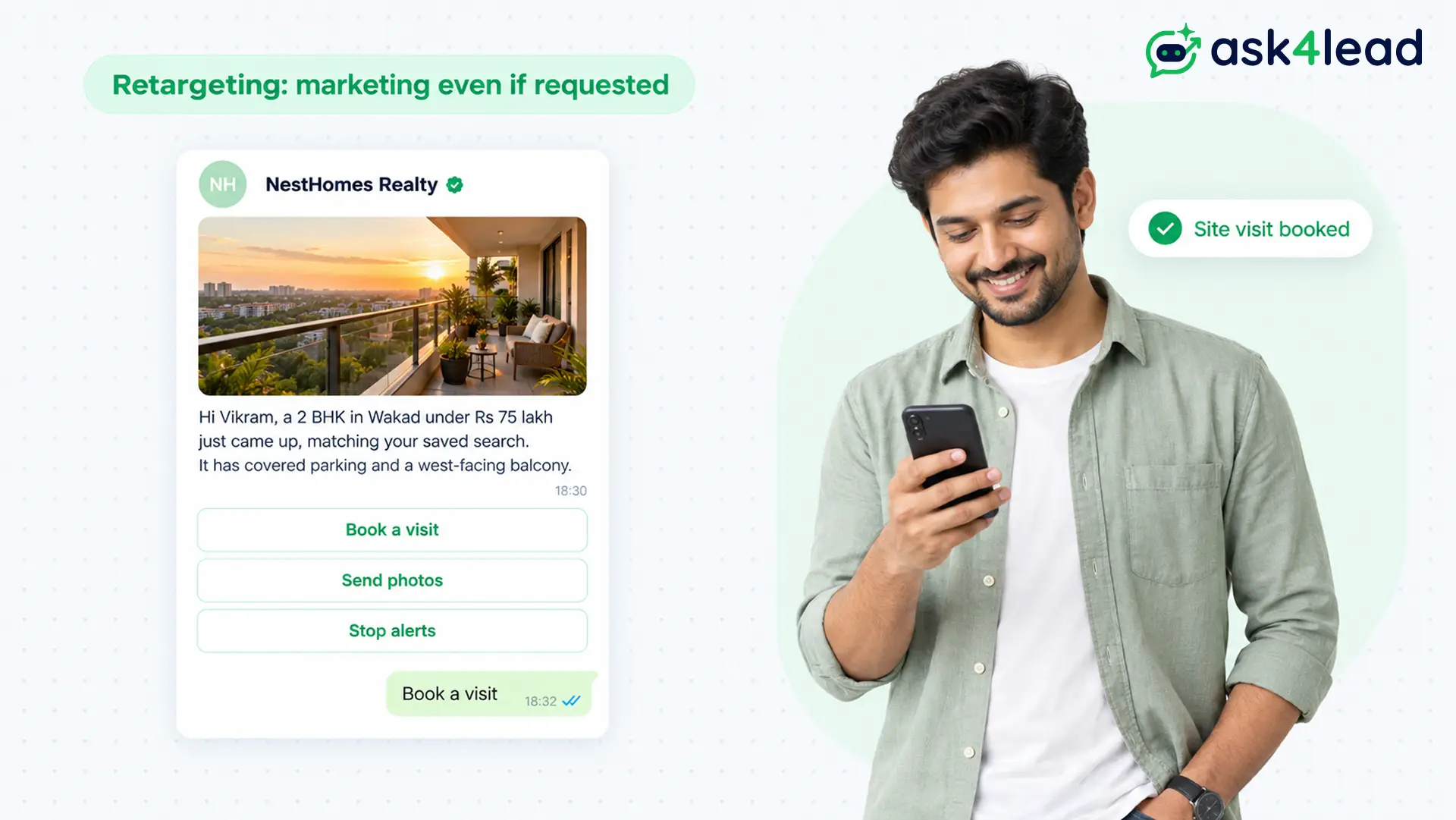
Retargeting messages follow up when someone viewed a product, started a form or saved a search. According to Meta, these stay marketing “even if requested by users”, so they never qualify as utility.
8. Saved search match
Hi [Vikram], a [2 BHK in Wakad] under [Rs 75 lakh] just came up, matching your saved search. It has [covered parking and a west-facing balcony].
Quick replies: Book a visit · Send photos · Stop alerts
9. Unfinished application
Hi [Neha], your admission form for the [JEE weekend batch] is [80%] complete. Only the [photo upload] remains, and seats close on [10 November].
Button: Finish my form
10. Viewed but not bought
Hi [Rahul], the [walnut study table] you looked at is still in stock in [your city]. It ships in [3 days], and you can pay on delivery.
Button: View the table
For full cart sequences, see this guide to WhatsApp abandoned cart recovery.
11. Price drop on a viewed item
Hi [Pooja], the [cotton saree set] you viewed dropped from [Rs 2,499] to [Rs 1,999] today. The new price holds until [Sunday night].
App promotion WhatsApp marketing messages
App promotion messages ask customers to install your app or try a feature inside it. They suit businesses whose app does something WhatsApp cannot, such as live tracking or saved addresses.
12. App download for a new feature
Hi [Aman], you can now [reorder your usual groceries in one tap] in our app. Download it below, and your [saved addresses] carry over.
Button: Get the app
13. Unused feature nudge
Hi [Divya], thanks for using the [MediQuick] app. You have not tried [medicine reminders] yet, which alert you at each dose time. Tap below to set one up.
Customer relationship WhatsApp marketing messages
Relationship messages greet, thank or introduce, often with no offer at all. Even so, Meta lists a birthday wish and a year-end thank-you as marketing. So budget for them at the marketing rate.
14. Birthday wish
Happy birthday, [Priya]! Everyone at [Bloom Florists] wishes you a lovely year ahead. Thank you for letting us be part of your celebrations.
15. Hinglish birthday wish for a salon
Happy birthday, [Sneha] ji! [Glow Studio] ki poori team ki taraf se bahut saari shubhkamnayein. Aapka din utna hi khoobsurat ho jitni aapki muskaan.
16. Customer anniversary thank-you
Hi [Rakesh], it has been [one year] since your first order with [Spice Route]. Thank you for [14 orders] and some very kind reviews. We look forward to cooking for you again.
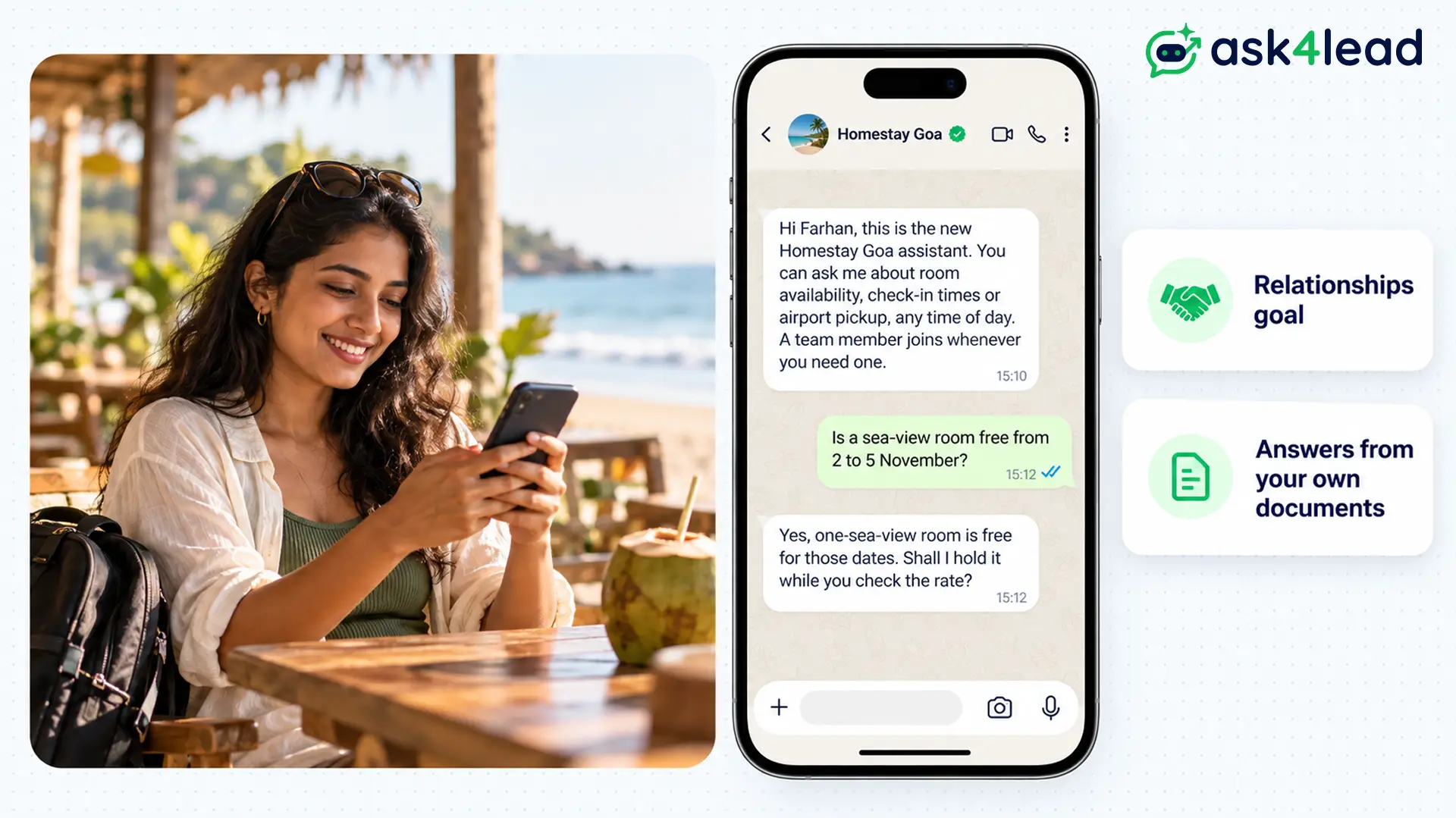
17. AI assistant introduction
Hi [Farhan], this is the new [Homestay Goa] assistant. You can ask me about [room availability, check-in times or airport pickup], any time of day. A team member joins whenever you need one.
18. Feedback request with an offer
Hi [Lakshmi], how was your [deep-cleaning service] on [18 October]? Reply with a rating from 1 to 5, and get [Rs 100] off your next booking.
Sample 18 counts as marketing because of the offer, since Meta treats a feedback survey with promotional content as mixed.
Messages that are not WhatsApp marketing messages
Many online template lists file order confirmations, shipping updates and payment reminders as marketing. However, Meta treats those as utility (transactional updates about the customer’s own order or account) while they carry no offer.
| Message | Category | Why |
| Order confirmed, no offer | Utility | Because it confirms a specific order and sells nothing |
| Shipping update with tracking | Utility | Since it reports the customer’s own order |
| Order confirmed, plus a code for next time | Marketing | Because the offer makes it mixed content |
| “Congratulations! {{1}}” | Marketing | Since Meta files unclear content as marketing |
| One-time passcode | Authentication | Because only authentication templates may carry OTPs |
So keep each template to one job. Then, if Meta files a genuine utility template as marketing, request a category review in WhatsApp Manager.
Here is a before and after. The draft “{{1}}, Happy birthday! {{2}}” starts and ends with a variable, so Meta’s template review rules would likely reject it. Instead, sample 14 becomes “Happy birthday, {{1}}! Everyone at {{2}} wishes you a lovely year ahead.” Now the blanks sit inside clear words. For other causes, read about WhatsApp template rejection.
What WhatsApp marketing messages cost in India
From 1 October 2026, Meta charges Rs 0.8631 for each marketing template it delivers to an Indian number. Failed messages cost nothing, although your provider may add a fee and tax.
Worked example: blast or segment. A bakery has 3,000 opted-in contacts and wants to announce its new Koramangala branch (sample 1). If every message arrives, a blast to all 3,000 costs:
3,000 × Rs 0.8631 = Rs 2,589.30
However, only 900 contacts live within 5 km of the new branch. Sending sample 1 to those 900 costs:
900 × Rs 0.8631 = Rs 776.79
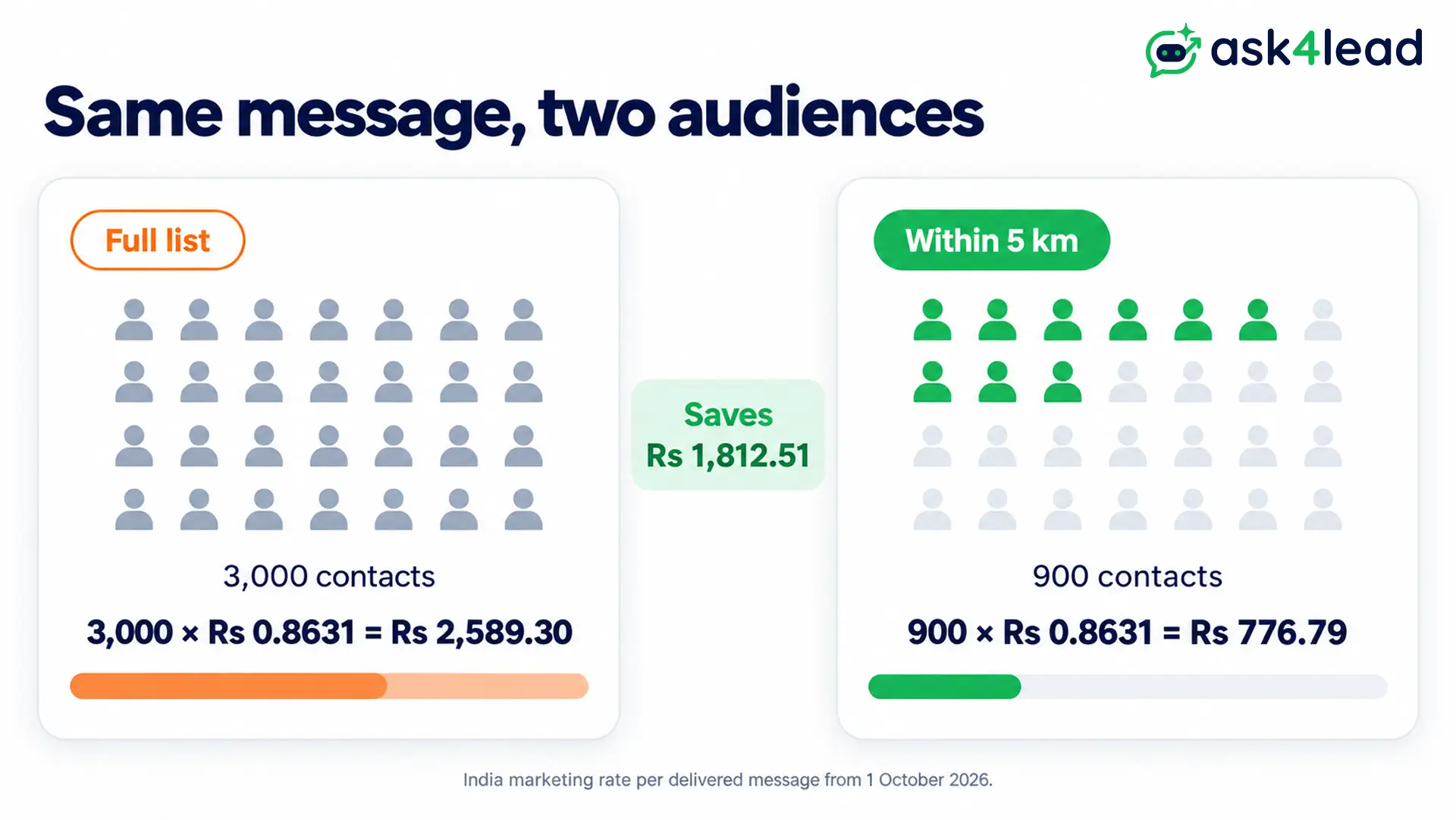
That saves Rs 1,812.51 on one message. On top of that, the 2,100 people living far away never get a message they might report as spam. Replies stay cheap too, because Meta’s pricing page gives each number 1,000 free service messages a month.
Also, when a customer writes from a click-to-WhatsApp ad and you reply in time, Meta opens a free window of up to 7 days. Inside it, even WhatsApp marketing messages cost nothing. The 2026 WhatsApp API pricing guide lists every other rate.
Rules that keep WhatsApp marketing messages arriving
Meta limits how many marketing templates each person receives from all businesses, based on how often they read them. So the same message can reach one customer and fail for another.
- Error 131049: the person hit their marketing limit. Wait at least 24 hours before you resend, as Meta’s per-user limits page advises.
- Error 131050: the customer stopped your marketing messages. Remove them from future lists, because a retry never arrives.
- US numbers: Meta currently delivers no marketing templates to US phone numbers. So this guide does not apply to US lists.
- Quality rating: blocks and reports lower your WhatsApp quality rating, and then Meta can restrict your sending.
Finally, collect a clear WhatsApp opt-in before any of these samples, since a phone number alone is not permission.
Which WhatsApp marketing messages to send first
Start with the messages that people expect: the thank-you offer, the saved search match and the birthday wish. Expected messages get read, and Meta sets each person’s marketing limit partly on how often they read.
Before you submit a marketing template, check that you have:
- An opt-in record for every contact on the list
- One goal per template, without utility details mixed in
- Fixed words before the first variable and after the last
- A smaller segment, such as a city or a tag, instead of the full list
- A way to stop, such as a “Stop alerts” quick reply
Once the first three earn replies, add the awareness and app messages to a wider segment.
Send to the right segment and answer every reply
A well-targeted message still fails when replies sit unanswered for a day. Ask4Lead, a humanized AI WhatsApp chatbot and CRM, covers both the send and the replies:
- WhatsApp Campaigns: filter contacts by tag, lead source or pipeline stage, pick an approved template and schedule the send.
- Lead management: add unlimited custom tags, such as a city or a product interest, to build the segment.
- AI Knowledge Profile: the AI answers replies using only the documents you upload, so prices and timings stay correct.
- Shared team inbox: replies land in one inbox, where an agent taps “Assign to Me” to take a chat.
Ask4Lead sells this software, and every feature named here appears on its features pages.
Sign Up Free on Ask4Lead: 100 AI Credits Included
FAQs
1. How do I write a marketing message on WhatsApp?
Pick one goal, use the customer’s name and give one action, such as a button or a reply word. Then submit it as a marketing template.
2. How do I send 10,000 marketing messages on WhatsApp?
Use the WhatsApp Business API with approved templates. Your messaging limit decides how many people you reach in 24 hours.
3. Are WhatsApp marketing messages free?
No. Both the Business app tool and the API charge per delivered message. However, API messages inside the free window after a click-to-WhatsApp ad cost nothing.
4. How do customers stop WhatsApp marketing messages?
Customers can stop a business’s offers through the Offers and announcements setting, or block the number. After that, marketing templates to them fail with error 131050.
5. Is a birthday wish a marketing message on WhatsApp?
Yes. Meta lists birthday wishes under its customer relationship goal, so they count as marketing even with no offer.
