
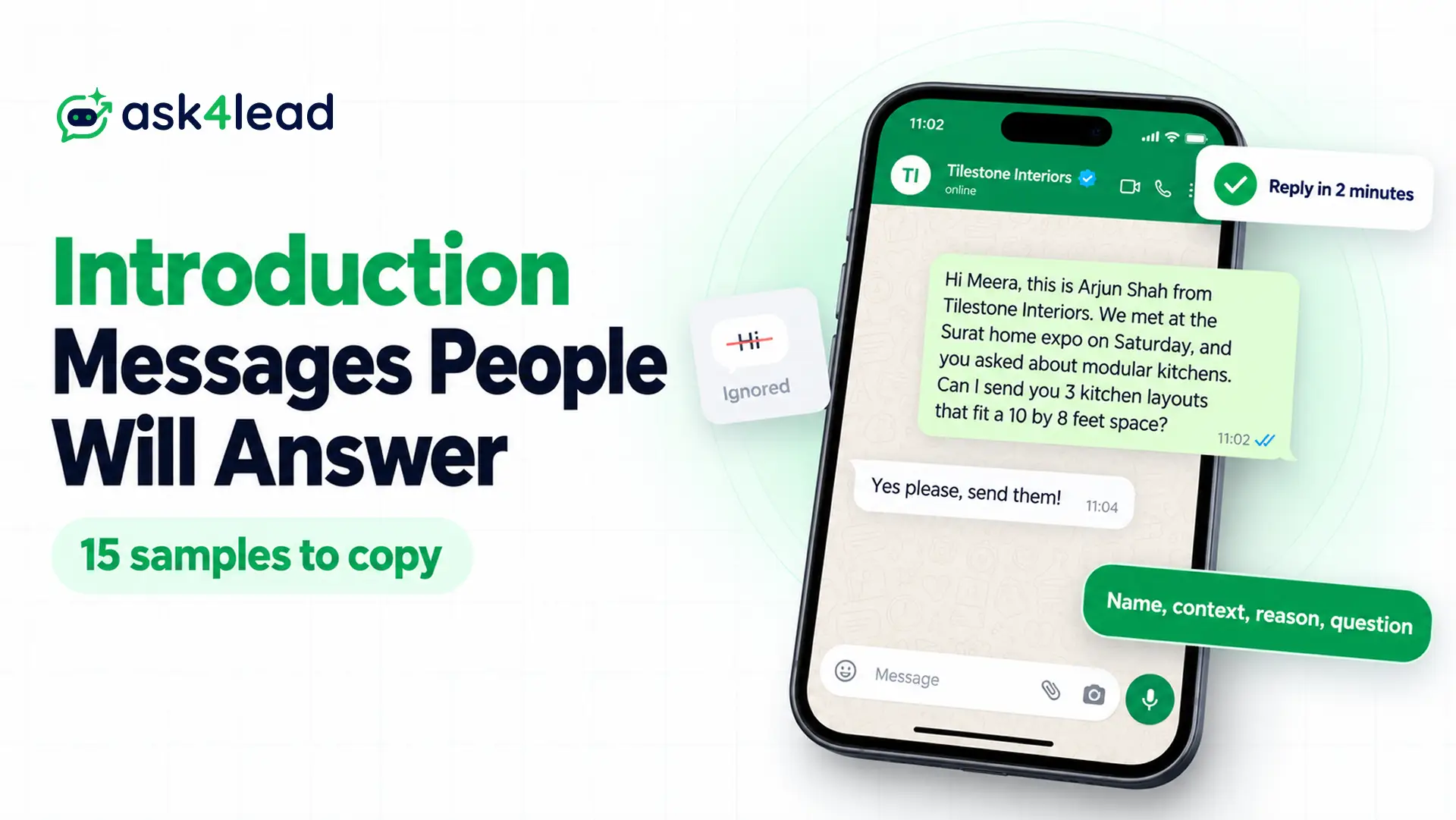
An introduction message in WhatsApp is the first message you send to someone who may not have your number saved, so it says who you are, how you got their number and why you are writing. Below, you get 15 samples to copy: 8 for introducing yourself to a person, and 7 for introducing your business to customers.
The business samples also show their Meta category, because a business intro you send first through the WhatsApp Business API needs an approved template, and Meta charges for most of them.
What makes a good introduction message in WhatsApp
A good introduction message in WhatsApp answers 4 questions in one short message: who you are, how you know the person, why you are writing, and what they should reply. When one is missing, the reader has to guess, so an unknown number often stays on “seen”.
- Your name and role, because your number shows up as digits, not a name.
- The link between you, such as an event, a mutual friend or a form they filled in.
- One reason for writing, in a single sentence.
- One easy question, so they can answer in a few words.
For example, compare a first WhatsApp message that people ignore with the same message rewritten.
Before: Hi
After: Hi Meera, this is Arjun Shah from Tilestone Interiors. We met at the Surat home expo on Saturday, and you asked about modular kitchens. Can I send you 3 kitchen layouts that fit a 10 by 8 feet space?
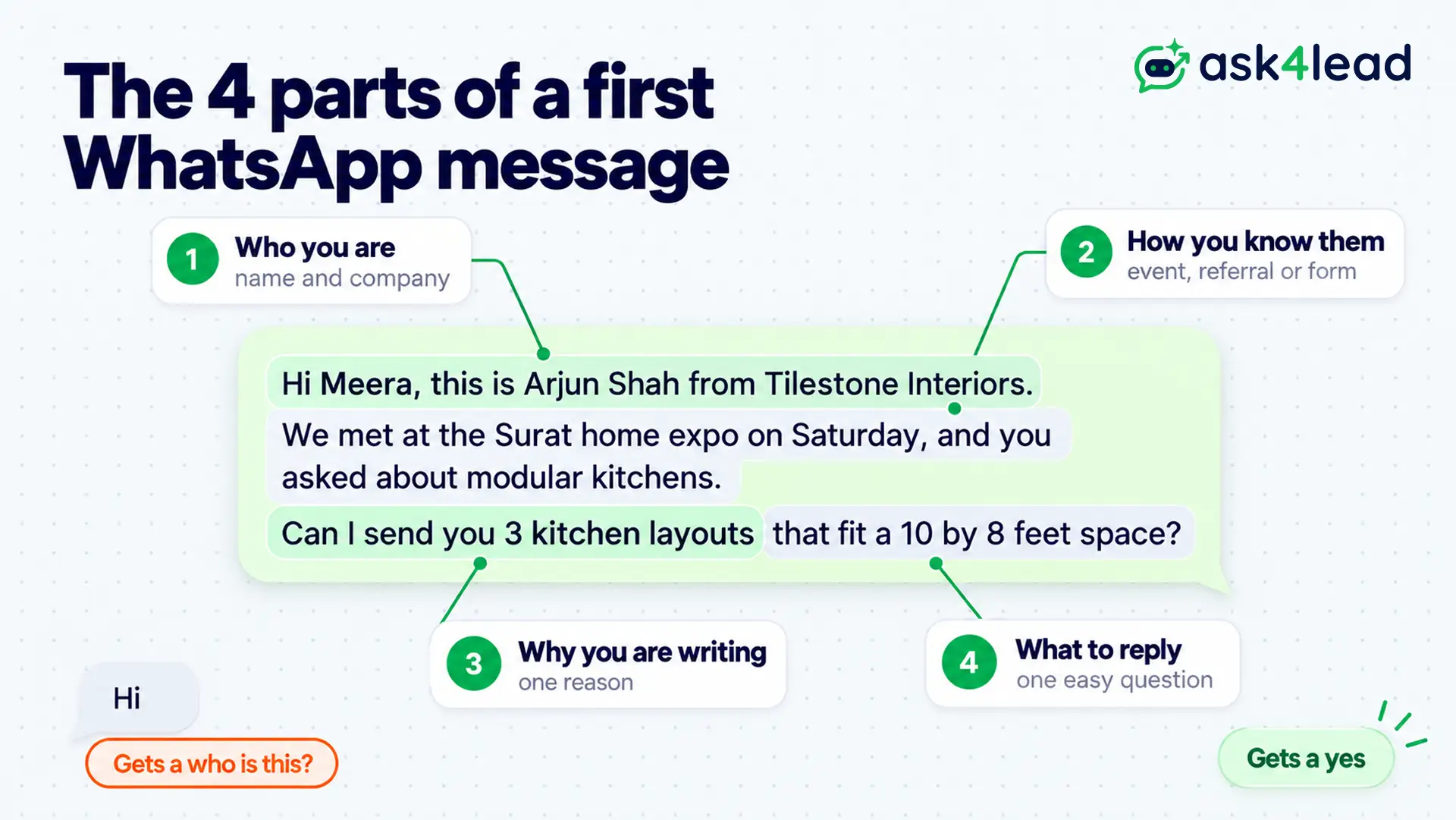
The “before” version forces Meera to ask “who is this?”, while the “after” version lets her simply reply yes.
Introduction messages in WhatsApp to introduce yourself
These 8 samples are for one-to-one chats from your own WhatsApp or WhatsApp Business app. Since you type them yourself, no Meta approval applies, and you can edit every word.
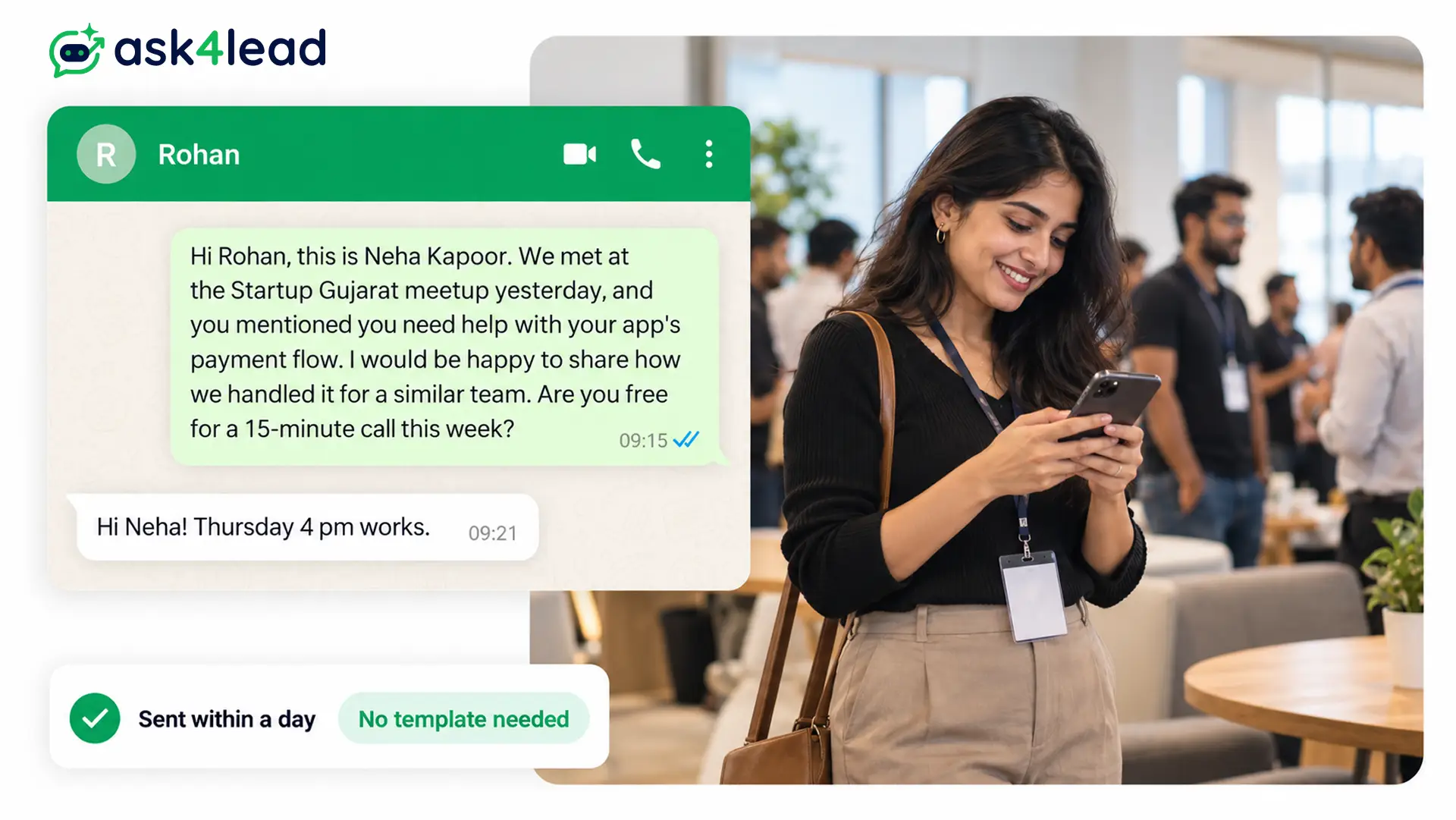
1. WhatsApp introduction message after meeting someone at an event
Hi Rohan, this is Neha Kapoor. We met at the Startup Gujarat meetup yesterday, and you mentioned you need help with your app’s payment flow. I would be happy to share how we handled it for a similar team. Are you free for a 15-minute call this week?
Send it within a day, while they still remember you.
2. WhatsApp introduction message through a mutual contact
Hi Ms Iyer, my name is Kunal Mehta, and Ankit Desai shared your number with me. He said you need a CA for GST filing for your boutique, so I thought I would reach out. I file GST returns for 3 retail shops in Pune. Would a short call help?
Name the mutual contact early, because that name is the only reason a stranger keeps reading.
3. Introduction message to a recruiter on WhatsApp
Hello Mr Rao, I am Sneha Pillai, and I saw your post about the Sales Executive opening at your Kochi branch. I have 2 years of field sales experience in consumer durables. I can send my CV here or by email, so which works better for you?
Ask before you attach a file, since some recruiters prefer CVs by email.
4. Freelancer introduction to a potential client
Hi Aditi, I am Farhan, a freelance product photographer in Mumbai. I found your bakery on Instagram, and your cakes deserve sharper photos than the ones on your menu page. I have shot for 2 bakeries in Bandra, so shall I share 4 sample shots here?
Keep the compliment specific, because “I love your work” reads like a copy-paste.
5. New account manager introduction to a client
Hi Mr Joshi, I am Priya Nair, and from today I am your account manager at Brightway Logistics, taking over from Rahul. Your shipments and invoices stay the same. Please save this number, so you can reach me here for any update.
Ask the client to save your number. Otherwise, your next message arrives as an unknown number again.
6. Hinglish introduction message for WhatsApp
Hi Vikram ji, main Pooja Sharma, Ramesh uncle ki beti. Unhone bataya ki aap Jaipur mein flat dekh rahe ho, so I wanted to share 2 options near Vaishali Nagar. Aapko kab call karna theek rahega?
Hinglish suits family referrals and local deals, but not recruiters or corporate clients.
7. Short introduction when the person expects your message
Hi Anjali, Karan here from the yoga studio. Saving my number as promised, so see you at the 7 am class on Monday!
Use the short version only when the person already expects you to write.
8. WhatsApp introduction message for students
Good evening Dr Menon, I am Aarav Gupta from your Monday Data Structures batch, roll number 42. I missed the class on 13 October because of a fever. Could you tell me which topics you covered, so I can catch up before the quiz?
Add the batch or roll number, because a teacher with 200 students cannot place a first name. Also, before you send any of these, set a clear photo and your full name on your profile.
Business introduction messages on WhatsApp for customers and leads
A business introduction message welcomes a customer, a lead or a new opt-in to your number. The rules depend on who wrote first: when the customer writes first, you can reply freely, but when you write first through the API, Meta requires an approved template.
9. Reply to a lead who messaged you first (no template needed)
Hi Sameer, thanks for messaging Greenleaf Solar. I am Divya, and I help homeowners in Ahmedabad size their rooftop systems. To suggest the right size, could you share your average monthly electricity bill?
The customer’s message opens a 24-hour customer service window, so you can type any reply. The 24-hour rule guide covers what happens after it closes. To get more leads writing first, add a click-to-chat link to your website and Instagram bio.
10. Welcome message after a website form or sign-up
Hi {{1}}, thank you for signing up with {{2}}. I am {{3}}, and I will help you with your {{4}} enquiry here on WhatsApp. Reply with a good time to call, and I will keep it under 10 minutes.
Category: marketing. Variables: first name, business name, agent name, product.
11. Opt-in confirmation message
Hi {{1}}, thanks for confirming that {{2}} can message you on WhatsApp. We will send your order updates and appointment reminders here. Reply STOP at any time to stop these messages.
Category: utility, as long as it carries no offer, because Meta lists an opt-in confirmation among its utility examples. Collect the opt-in first, as the opt-in consent guide explains.
12. Agent handover introduction
Hi Nisha, I am Manoj from the Homeland Realty sales team, and I will take your 2 BHK search from here. You mentioned a budget of Rs 60 lakh in Baner, so shall I send you 3 matching flats today?
Repeat what the customer already told you. Also, teams with many leads can also let a WhatsApp AI agent for real estate send the first reply.
13. New WhatsApp number introduction for existing customers
Hi {{1}}, {{2}} now has an official WhatsApp number, so you can save this chat for orders, bookings and support. You can still call us on {{3}} as before. Reply HI to see what we can help with.
Category: marketing. Send it only to customers who agreed to WhatsApp messages. Also, a verified green tick helps customers trust a new number faster.
14. Greeting message for the WhatsApp Business app
Hi, thanks for messaging Sunrise Dental Clinic. Our front desk works from 10 am to 7 pm, Monday to Saturday. Please share your name and the treatment you need, and we will reply shortly.
The free Business app sends this automatically, and the setup steps come further down.
15. Follow-up when a lead did not reply to your introduction
Hi Sameer, Divya here from Greenleaf Solar again. I know electricity bills are not the most exciting thing to dig out. Whenever you have a moment, a photo of your last bill is enough for me to suggest a system size.
Send one follow-up only, 2 or 3 days later. After that, more messages invite blocks, and blocks lower your WhatsApp quality rating.
Is a WhatsApp introduction message utility or marketing?
A business introduction template is almost always marketing. Meta’s template categorization page files “building customer relationships” under marketing, and its own example is an introduction: “Hello, I am the new {{virtual_assistant}}.” By contrast, utility needs a user’s action or request and no persuasive intent.
| Message | Likely category | Why |
| Reply to a lead who wrote first (sample 9) | No template | Because a normal reply inside the open window needs no approval |
| Welcome after a form or sign-up (sample 10) | Marketing | Since the business starts the chat and introduces itself |
| Opt-in confirmation (sample 11) | Utility | Because Meta lists opt-in confirmation as a utility example |
| New number introduction (sample 13) | Marketing | Since it invites the customer to use a service |
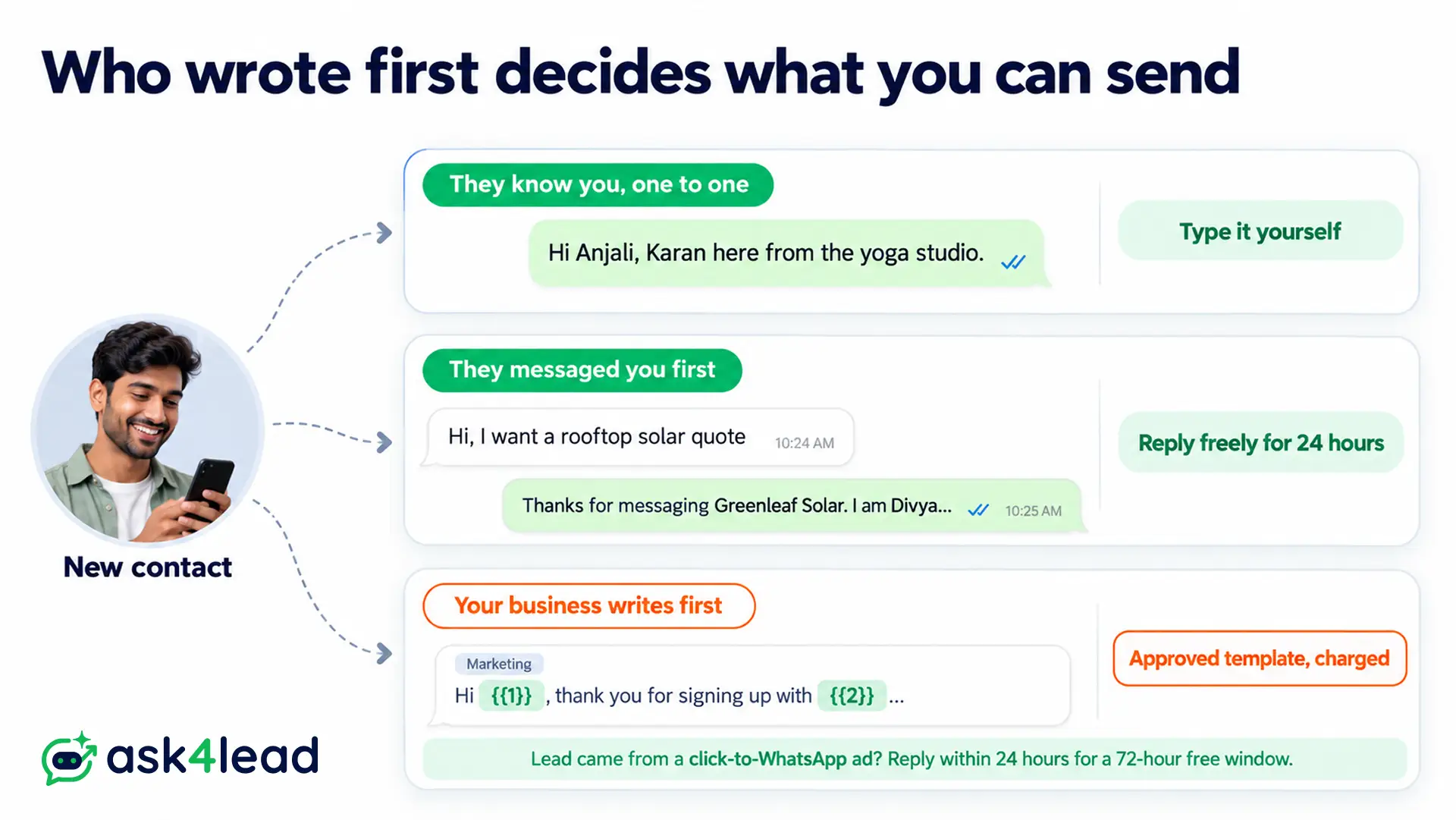
The category also decides the cost. Meta’s pricing page charges every marketing template, while a utility template inside an open customer service window is free. The 2026 WhatsApp API pricing guide lists the rates by country.
However, there is one useful exception. When a lead writes from a click-to-WhatsApp ad or a Facebook Page button on their phone, and you reply within 24 hours, Meta opens a 72-hour free entry point window. So within it, even a marketing introduction message in WhatsApp costs nothing.
Variables and rejection causes for a WhatsApp introduction message template
A WhatsApp introduction message template needs 3 to 5 variables at most: first name, business name, agent name and what they asked about. Also keep fixed words around every variable, since Meta rejects a body made mostly of placeholders. Meta’s template review page lists these common causes:
- A variable opens or closes the body, for instance “{{1}}, welcome” instead of “Hi {{1}}, thank you for”.
- Too many variables for the length of the message.
- Numbers skip ({{1}}, {{2}}, {{4}}), or the braces do not match.
- Special characters inside a variable, such as #, $ or %.
Here is a before and after. The draft “{{1}} welcome to {{2}} {{3}} will call you {{4}}” opens with a variable and holds little but placeholders. In contrast, sample 10 carries the same details in full sentences. For more fixes, see the guide to WhatsApp template rejection reasons.
How to set up a greeting message in the WhatsApp Business app
A greeting message is the Business app’s automatic introduction. It goes to customers who message you for the first time, or after 14 days of no activity, so the WhatsApp Help Center notes that anyone who wrote in the last 14 days will not get it. The setting screen also warns that greetings fail while your phone is offline.
- Open the WhatsApp Business app, and go to Tools (on some versions, Settings, then Business tools).
- Tap Greeting message, then turn on Send greeting message.
- Tap the message, paste sample 14 or your own text, then tap OK.
- Choose the recipients, for example everyone, or only people not in your address book.
- Tap Save.
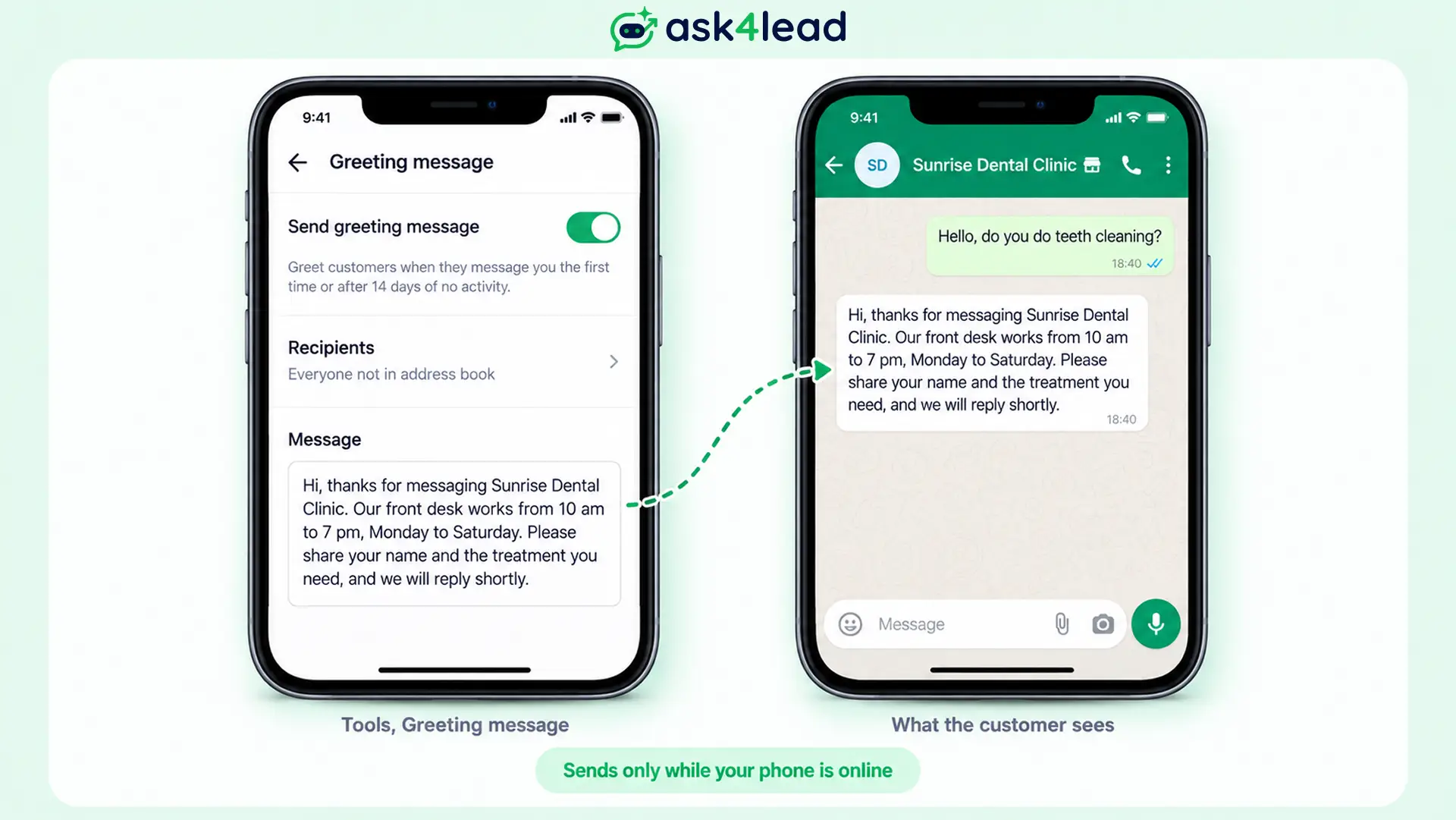
However, a greeting message only answers people who write to you, so for outreach you type samples 1 to 8 yourself.
Mistakes that get a WhatsApp introduction message ignored
Most introductions fail for one of 5 reasons, and each one costs you the reply or gets your number reported.
- Sending “Hi” and waiting, so the reader has to ask who you are.
- Splitting one thought into 5 messages, which makes the phone buzz 5 times.
- Opening with a voice note, since few people play audio from an unknown number.
- Hiding the reason, for instance “I have an exciting opportunity for you”, which reads like spam.
- Messaging strangers in bulk from a personal number, because reports from people who never agreed to hear from you can get the number banned.
Take this worked example. A real estate agent gets 200 leads from a property portal in a week. Of those, 60 tap the agent’s chat link and write first, so the agent replies with sample 9 and needs no template. The other 140 never wrote in, so the agent needs their opt-in first, and then sample 10 as an approved marketing template.
Typing “Hi, interested in flats?” to all 200 from a personal phone skips both steps. Instead, the guide to sending bulk WhatsApp messages without a ban shows the safe route. This advice does not apply to the one-to-one samples, where you write to a single person who expects you.
Which introduction message in WhatsApp to send first
Choose your introduction message in WhatsApp by who wrote first. When the person expects you, type samples 1 to 8; when a lead writes in, reply with sample 9; and when your business writes first, submit sample 10 or 13 as a marketing template.
Before you send, check that you have:
- Your name and role in the first line
- How you got the number, or where you met
- One reason for writing, in one sentence
- One question the person can answer in a few words
Once the person replies, the next message is often a quote or an event invitation message.
Send every first reply from one inbox
Introductions break down when leads arrive faster than your team can type. Ask4Lead, a humanized AI WhatsApp chatbot and CRM, helps you answer every new chat:
- AI Sales Assistant: replies to new leads from your own business knowledge, then asks about their needs instead of sending a button menu.
- Chat snippets: type a slash to paste your saved introduction, then edit the name before you send.
- Template builder: submit samples 10, 11 and 13, then track Pending, Approved or Rejected.
- Shared team inbox: every new chat lands in one inbox, so any teammate can pick it up.
Ask4Lead sells this software, and each feature named here is on its features pages.
Sign Up Free on Ask4Lead: 100 AI Credits Included
FAQs
1. How do I introduce myself on WhatsApp for the first time?
Send one message with your name, how you got their number, why you are writing and one easy question. Do not send “Hi” on its own and wait.
2. Do I need a template for a WhatsApp intro message?
Only when your business writes first through the WhatsApp Business API. Personal chats and replies to a customer who wrote first need no template.
3. How long should a first WhatsApp message be?
Keep it to 2 to 4 sentences, so it fits on one phone screen.
4. Can I introduce myself in Hinglish on WhatsApp?
Yes, for family referrals and local contacts it often feels warmer. However, use English for recruiters and corporate clients.
