
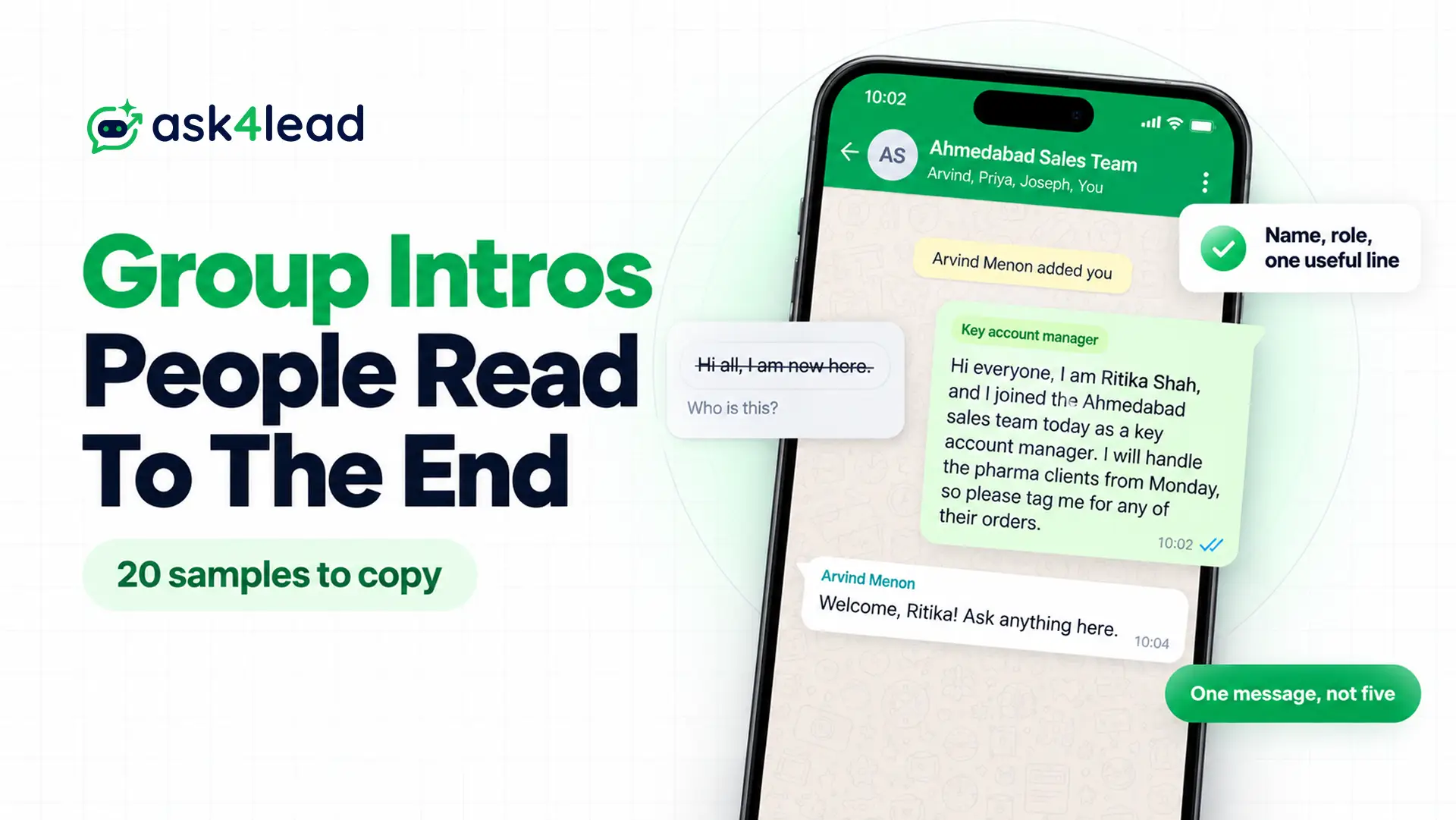
An introduction message in WhatsApp group chats tells everyone who you are, why you joined and how you fit in. Keep it to 2 or 3 lines, and below, you get 20 samples to copy: 10 for introducing yourself after someone adds you, and 10 welcome messages for admins.
The last part covers what a business can and cannot automate in groups, because a wrong tool here can get a number banned.
What to write in an introduction message in a WhatsApp group
A good introduction message in a WhatsApp group answers 3 questions: who you are, why you are here and how you can help. So add one link to the group, such as your role, flat number or batch, because 200 members cannot place a first name.
- Your name and role, because most members have not saved your number.
- Your link to the group, such as “joined the sales team” or “Flat B-304”.
- One useful line, for example what you handle or when to tag you.
On top of that, skip any question that asks everyone to reply. In a busy group, 50 replies saying “welcome” bury the next real message.
For example, here is a weak WhatsApp group introduction message and the same one rewritten.
Before: Hi all, I am new here.
After: Hi everyone, I am Ritika Shah, and I joined the Ahmedabad sales team today as a key account manager. I will handle the pharma clients from Monday, so please tag me for any of their orders.
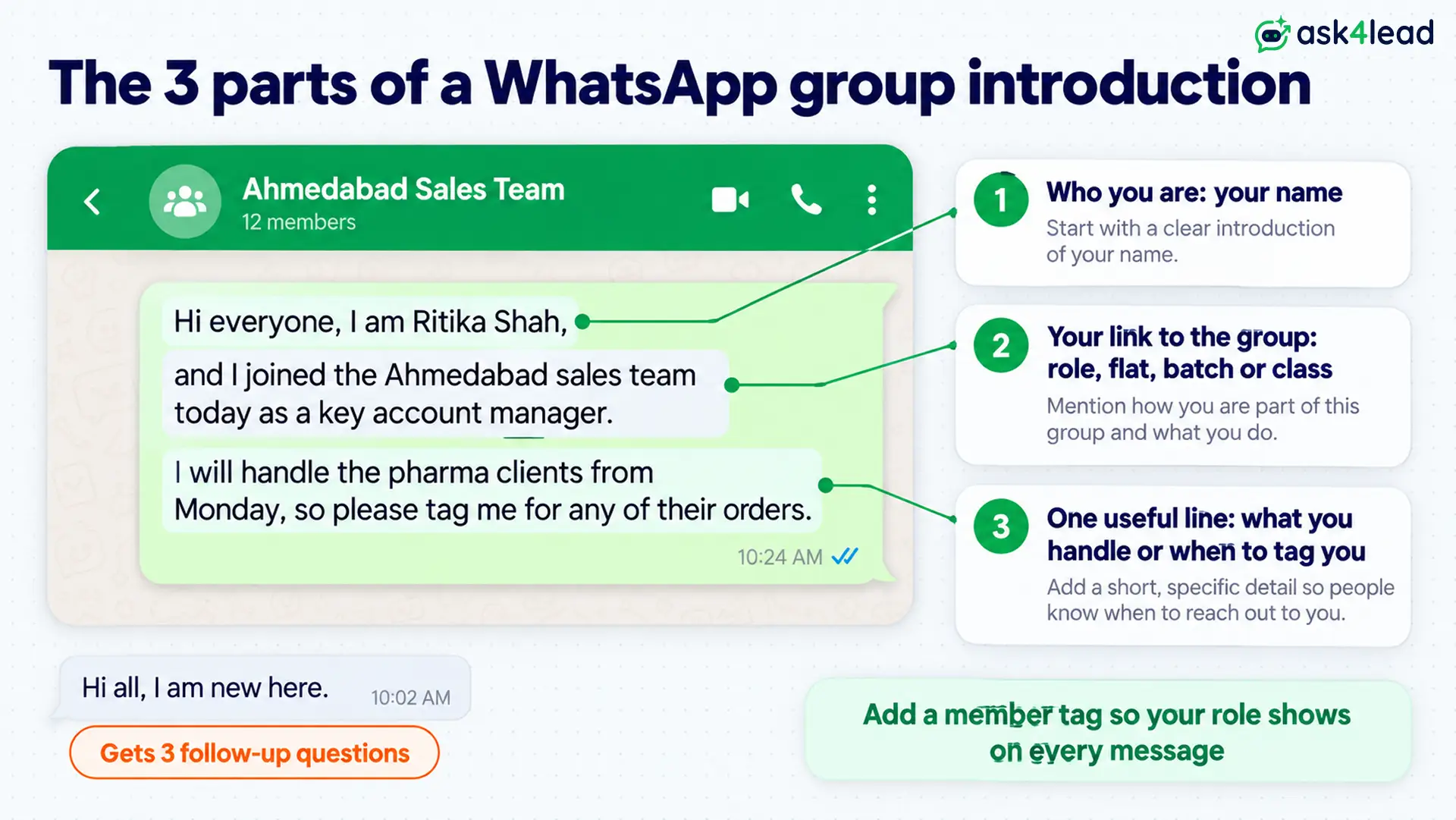
The “after” version saves 3 follow-up questions, so the group can simply move on. Also, add a member tag, which WhatsApp launched in January 2026. Open the group, tap its name, then tap Add member tag in the members list, so your role shows next to your name in every message.
10 samples of an introduction message in a WhatsApp group
Each introduction message in a WhatsApp group below suits the moment right after someone adds you. Since you type it yourself, change every detail, and send only one message.
1. New employee introduction message in an office WhatsApp group
Hi everyone, I am Ritika Shah, and I joined the Ahmedabad sales team today as a key account manager. I will handle the pharma clients from Monday, so please tag me for any of their orders.
Send it on day one, since a late intro reads like an afterthought.
2. New team lead introduction in a team group
Hello team, I am Arvind Menon, and I take over as your team lead from today. Since I want to learn how you work first, I will message each of you this week to fix a 15-minute chat.
Promise one-to-one chats instead of a group meeting, so nobody has to speak up in front of everyone.
3. Vendor introduction message in a client’s WhatsApp group
Hi all, I am Sana Qureshi from Brightway Logistics, and I will coordinate your Surat shipments from this week. For anything urgent, tag me here, and I will reply within working hours.
Name your company once, and keep sales pitches out of the client’s group.
4. Introduction message in a WhatsApp group for students
Hi everyone, I am Aarav Gupta from section B, roll number 42. I joined late because of a hostel transfer, so if anyone shares the Data Structures notes, I would be grateful.
Add the section or roll number, because a class group often has more than one Aarav.
5. Parent introduction in a school class group
Hello everyone, I am Meera Joshi, Kabir’s mother from class 3C. We moved to Pune last month, so I am glad to be in the loop for homework and school updates.
Write your child’s name and class, since parents’ groups list numbers, not names.
6. New resident introduction message in a society WhatsApp group
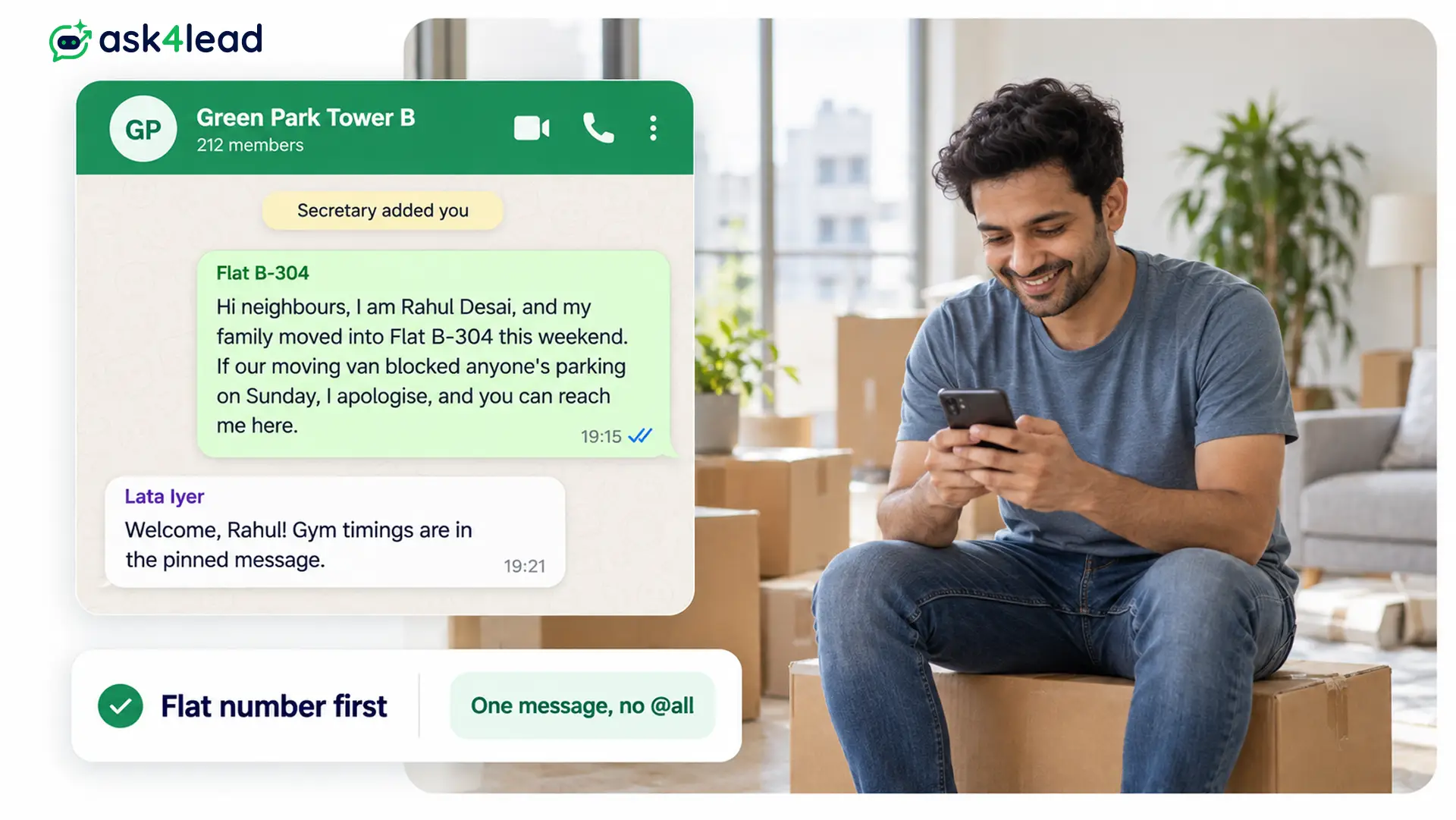
Hi neighbours, I am Rahul Desai, and my family moved into Flat B-304 this weekend. If our moving van blocked anyone’s parking on Sunday, I apologise, and you can reach me here.
Start with the flat number, because that is how residents will search for you later.
7. Alumni or batch WhatsApp group introduction message
Hi everyone, Neha Kapoor here from the 2016 MBA batch. I now run a small design studio in Bengaluru, so if anyone is in town, coffee is on me.
Share what you do now, since people remember you from years ago.
8. Introduction in a professional community group
Hello all, I am Farhan Ali, a freelance product photographer in Mumbai. I mostly shoot for bakeries and cafes, so I am happy to help if anyone needs menu photos or a quick tip on lighting.
Offer help instead of a sales pitch. In fact, many community groups remove members who post ads.
9. Hinglish introduction message for a family WhatsApp group
Namaste sabko, main Pooja, Rohan ki wife. Shaadi ke baad pehli baar is group mein hoon, so thoda time lagega sabke naam yaad karne mein. Aap sabse milke bahut achha laga!
Hinglish suits family and local groups, but use English in office or client groups.
10. Short introduction message for a busy WhatsApp group
Hi all, Karan Mehta here, the new design intern on the website project. Glad to be in!
Use this short version when the group already knows why you joined.
WhatsApp group welcome message samples for admins
A welcome message for WhatsApp groups greets the new member, explains the group’s purpose and points to the rules. However, pin the rules instead of retyping them each time, as the next section shows.
11. Welcome message for a new member
Welcome to the group, Sneha! This group shares weekend trek plans around Pune. Please read the pinned message for the rules, and tell us which trek you liked most.
12. Welcome message for several new members at once
A warm welcome to Imran, Divya and Joseph, who joined this week. Before you post, please read the group description, and feel free to introduce yourselves in one message each.
Batch your welcomes once a week, so the group gets one notification instead of 10.
13. Welcome message for a community or hobby group
Welcome to Surat Runners! We plan Sunday runs here, and we keep this chat for running only. Please share your name and usual distance, and check the pinned message for this week’s route.
14. Welcome message for a new joiner in an office group
Everyone, please welcome Ritika Shah, who joins us today as a key account manager for the pharma clients. Ritika, the team is here to help, so ask anything in this group.
When the manager welcomes first, the new person does not have to break the ice alone.
15. Welcome message for a customer community group
Welcome to the Greenleaf Solar owners’ group! Here you get maintenance tips and service updates for your rooftop system. For billing or a service request, please message our support number directly, so your details stay private.
Send account questions to a one-to-one chat, because a group shows every member’s number.
16. Welcome message for a coaching class group
Welcome to the JEE 2027 weekend batch! I am your physics teacher, and I will post the class schedule and homework here. Only teachers can post in this group, so please send doubts to me personally.
17. Welcome message for a trip or event group
Welcome to the Goa trip group! We leave on 14 November from Mumbai Central. All bookings and the packing list are pinned, so please confirm your seat by Friday.
For a formal guest list, send an event invitation message first, then add people who said yes.
18. Welcome message for a WhatsApp Community announcement group
Welcome to the Green Park Residents community. This announcement group carries notices from the committee only, so you will not see members’ chats here. Please join your tower’s group from the community page.
A Community announcement group lets only admins post, as the guide to WhatsApp channels, broadcast lists and groups explains.
19. Reply to an admin who welcomed you
Thank you, Sneha! Happy to be here, and I will read the pinned rules before I post.
20. Funny welcome message for a friends group
Welcome, Vikram! Ground rules: no forwarded good morning messages before 9 am, and whoever plans the trip does not pay for chai.
Keep jokes for friends’ groups only, and skip them in office, class or client groups.
How to set up a welcome as a WhatsApp group admin
An admin can make one welcome do the work of 50 by pinning it and locking the group settings. First, set up the group like this:
- Write the rules in the group description, so they stay visible to everyone who opens the group info.
- Pin the welcome message. WhatsApp’s messaging page says you can pin up to 3 messages for 24 hours, 7 days or 30 days, so choose 30 days.
- Turn on Approve new members, so you see each request first, as the WhatsApp Help Center explains.
- Limit who can post, if the group only carries notices. Open the group, then tap Group permissions and turn off Send new messages for members.
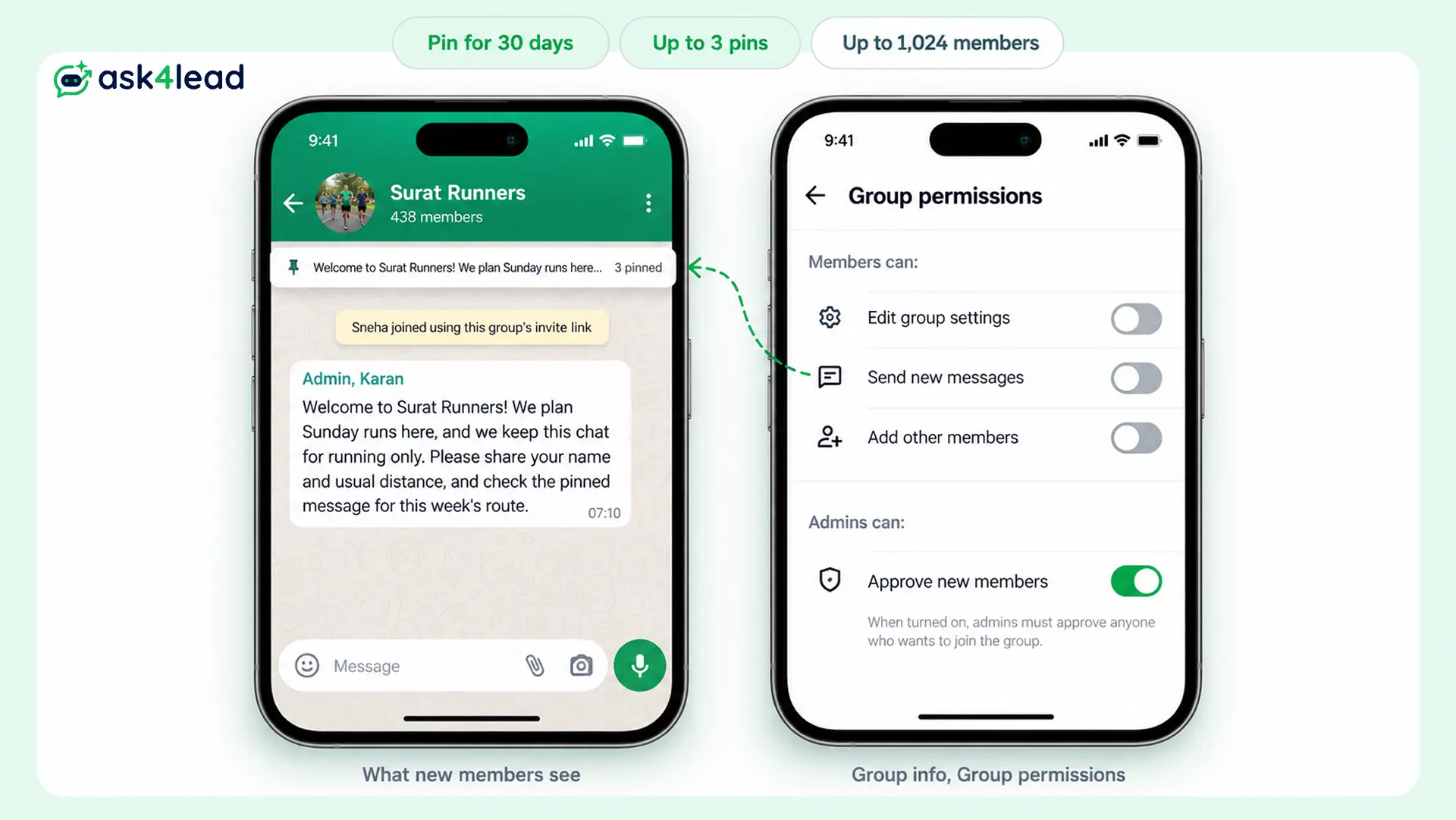
Meanwhile, keep the size limit in mind: a group holds up to 1,024 members, according to the Help Center page on joining groups.
Here is a worked example. A housing society group has 300 members, and 40 new families join in a year. If 25 members type “welcome” to each family, that is 1,000 messages and 300,000 notifications across the group. By contrast, 40 short admin welcomes plus one pinned rules message cost a few minutes.
Also, WhatsApp is testing an automatic welcome for groups. According to WABetaInfo (12 August 2026), admins will set one greeting in Group permissions, and only the new member will see it. As of 16 October 2026, it has not rolled out, so pin your welcome by hand for now.
Can a business send an introduction message in a WhatsApp group automatically?
Only in a narrow way. The free Business app’s greeting message answers customers who message you first, so it does not post in groups. Some blogs claim the toggle welcomes new group members, but that setting has no group option.
Instead, Meta’s Groups API lets a business create groups through the WhatsApp Business API. Yet the limits are tight:
| Rule (checked 16 October 2026) | What it means for a welcome |
| Official Business Account only | Because you need the green tick before you can use it |
| Up to 8 participants per group | So it suits client or project groups, not communities |
| Members join through an invite link | Since you cannot add people directly |
| Charged per delivered member | So a marketing message to 5 members bills 5 times |
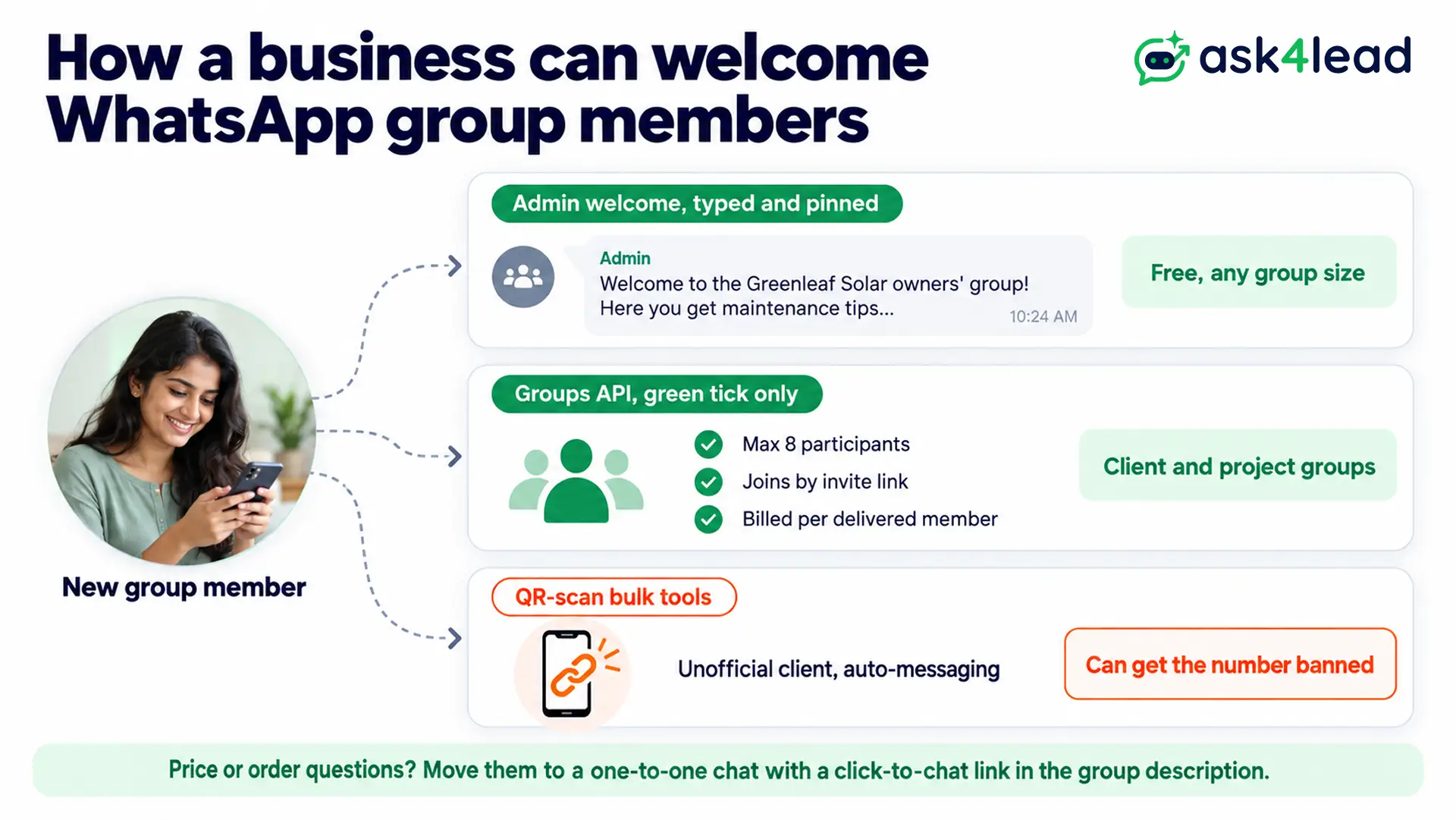
Meta’s Groups API pricing page adds one more detail. From 1 October 2026, utility messages in an open group window are charged, and free replies share the 1,000-message free tier with your one-to-one chats. For rates by country, see the 2026 WhatsApp API pricing guide.
However, avoid tools that ask you to scan a QR code and then auto-post welcomes from your personal number. WhatsApp’s Messaging Guidelines list unofficial clients, bulk messaging and auto-messaging as adversarial behaviour, so the number can be banned. The guide to WhatsApp business automation and bans covers the safe route.
Mistakes that make a WhatsApp group introduction backfire
Most group intros go wrong in one of 5 ways, and each one costs you goodwill or a report.
- Pasting your full CV, because a 10-line intro looks like spam in a 300-member group.
- Pitching your business in a community group, since repeated unwanted contact is spam under WhatsApp’s guidelines.
- Tagging everyone with @all just to say hello, which wakes up every phone.
- Adding people without asking, even though they can block it in Settings, Privacy, Groups.
- Sharing a customer’s details in the group, which every member can see.
However, a WhatsApp group introduction message is overkill in a 3-person family chat, where “Hi, it’s me” is enough.
Which introduction message in WhatsApp group chats to send
Choose the introduction message for WhatsApp group chats by your role. When someone adds you, send one of samples 1 to 10; when you run the group, send a welcome from samples 11 to 20 and pin the rules.
Before you post, check that you have:
- Your name and role, or your flat, batch or class
- Why you joined, in one line
- When or how people can reach you
- No sales pitch and no request for everyone to reply
For one-to-one chats outside a group, the WhatsApp introduction message guide has 15 more samples.
Move group questions into one inbox
Customer groups get noisy when members ask about prices or orders in front of everyone. So, post a click-to-chat link in the group description, and Ask4Lead, a humanized AI WhatsApp chatbot and CRM, picks up each private chat:
- AI Sales Assistant: replies from your own business knowledge, then asks about each customer’s needs.
- Lead management: each new chat becomes a lead record with tags and the lead source.
- Chat snippets: type a slash to paste your saved welcome, then edit the name before you send.
- Shared team inbox: every private chat lands in one inbox, so any teammate can reply.
Ask4Lead sells this software, and it does not post in WhatsApp groups; each feature named here is on its features pages.
Sign Up Free on Ask4Lead: 100 AI Credits Included
FAQs
1. How do I introduce myself in a WhatsApp group?
Send one message with your name, your role or link to the group and one useful line, such as what you handle. Then let the group carry on.
2. How do I welcome a new member to a WhatsApp group?
Greet the person by name, say what the group is for and point to the pinned rules. If several people join in one week, welcome them together.
3. Can WhatsApp send an automatic welcome message in groups?
Not yet for most users. WhatsApp is testing a group greeting that only the new member sees, but as of 16 October 2026 it has not rolled out.
4. How do I introduce myself in 5 lines?
Write your name, your role, where you are based, why you joined and how people can reach you. In a group, though, 2 or 3 lines usually work better.
5. How do I make an announcement in a WhatsApp group?
Post it, then pin it for 7 or 30 days. For notices only, turn off Send new messages for members in Group permissions.
