
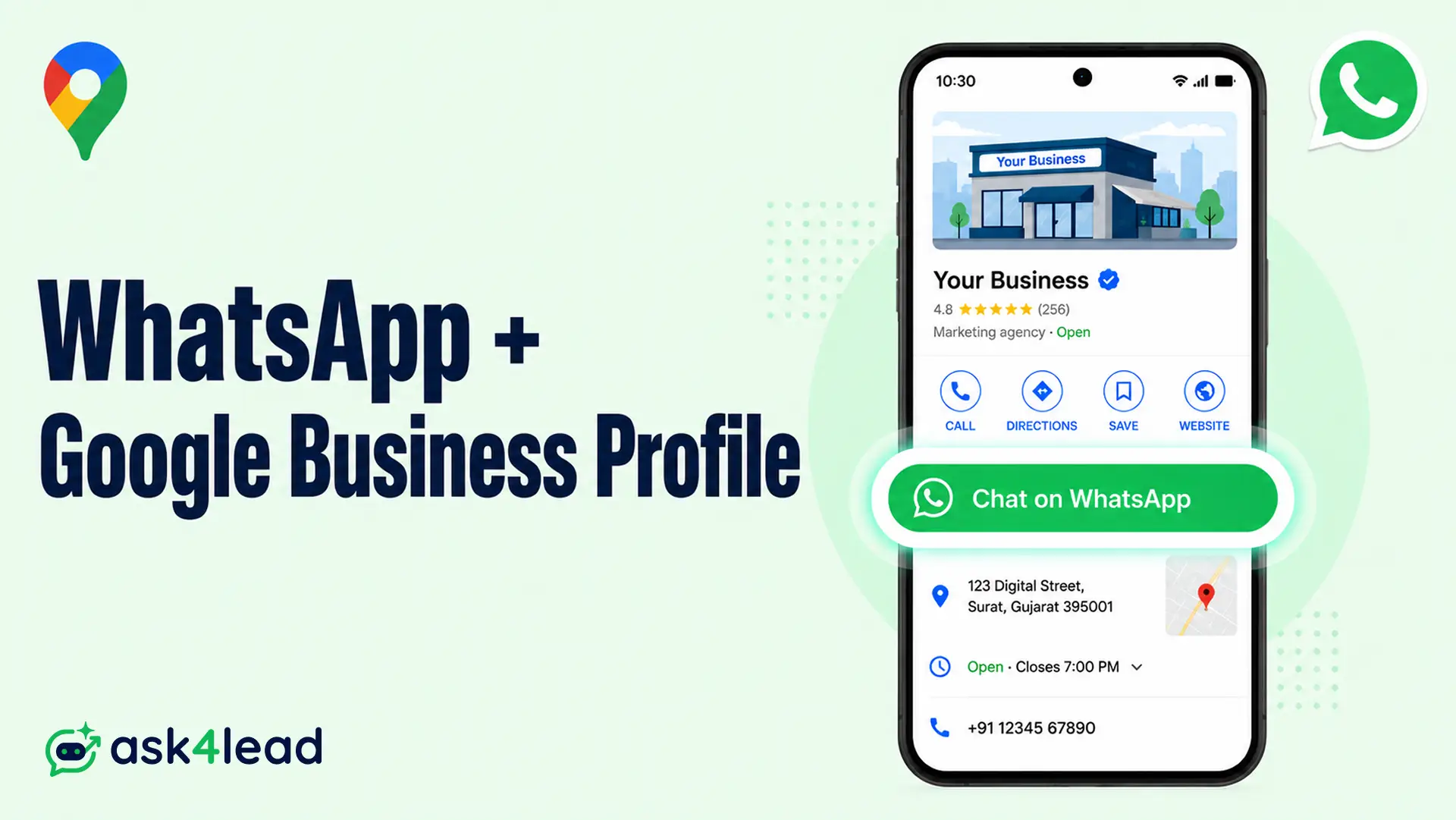
Your Google Business Profile is the free listing that shows your business in Google Search and Google Maps. Adding WhatsApp to it lets a searcher tap one button and open a chat with you instead of calling or filling a form.
You set this up by pasting a WhatsApp click-to-chat link into the Chat field of your profile, and the button then appears on mobile results.
Quick answer: Open Edit profile, go to Contact, select Chat, choose WhatsApp, and paste your
https://wa.me/link with country code and no plus sign. The button shows only on mobile Search and Maps, only in supported regions, and only on a verified profile. Add WhatsApp on its own, because adding SMS as well hides the WhatsApp button.
Key takeaways
- Google removed its built-in Business Profile chat in July 2024 and now routes customers to WhatsApp or SMS through a link you add yourself.
- You add it under Edit profile > Contact > Chat, using a
wa.melink with your country code and no plus sign, spaces, or dashes. - The button is mobile only, region gated, and hidden when your profile is unverified, suspended, or in a category that does not support messaging.
- Add WhatsApp alone. If you also enter an SMS number, Google shows the text button and hides WhatsApp.
- The button lifts contacts, not rankings. What you do in the first hour after a chat decides whether it becomes a customer.
How the WhatsApp and Google Business Profile connection works now
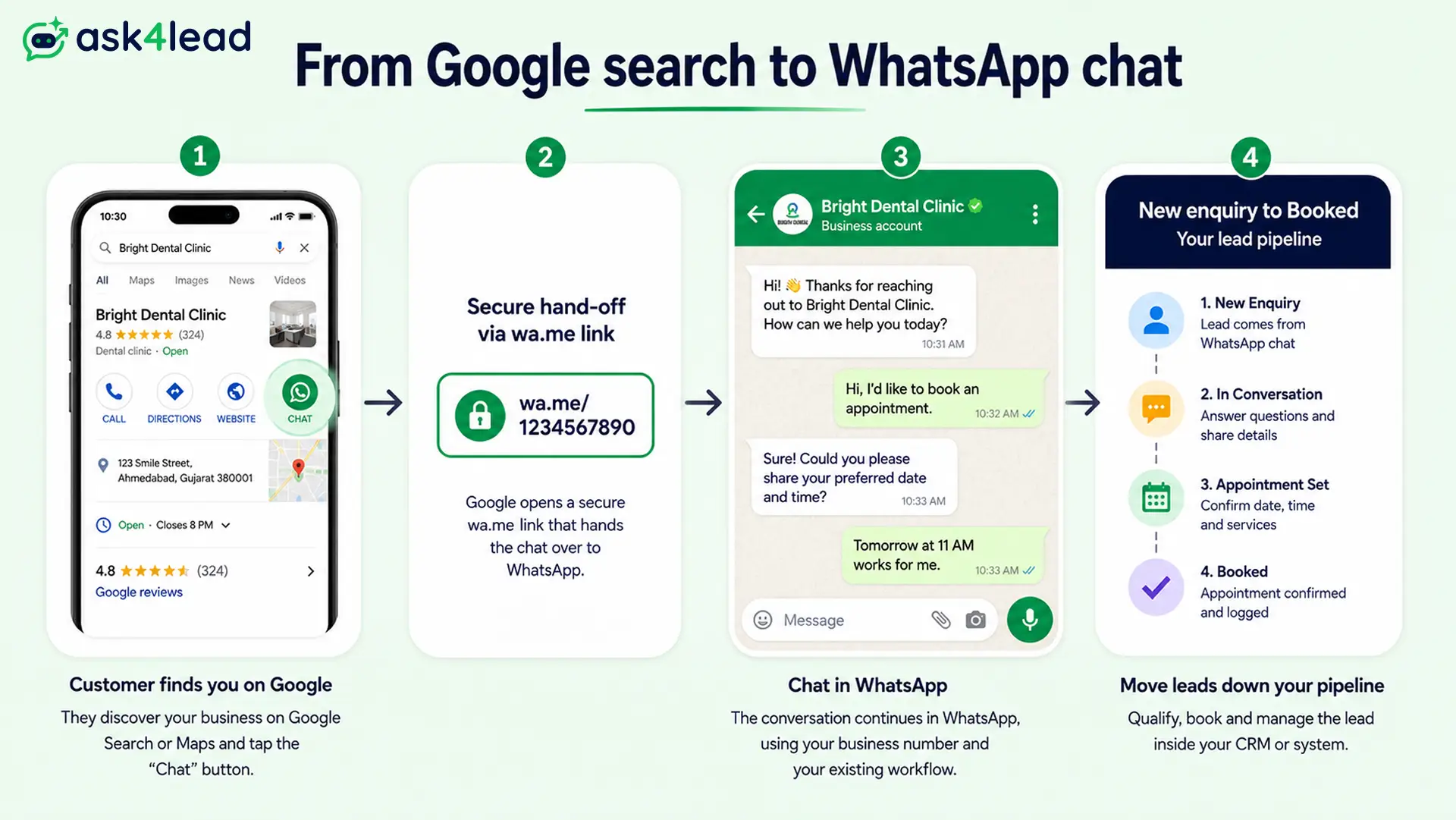
What changed across 2024 and 2025
Google shut down its native Business Profile messaging in July 2024. In early 2025 it replaced that inbox with a Chat field that points customers to WhatsApp or SMS instead.
Older guides that describe a Google-hosted chat thread are out of date. The conversation now lives entirely on WhatsApp.
Why this is a link, not an integration
Google does not host, store, or route these chats. It sends the customer straight into your WhatsApp and steps out.
That has two practical effects:
- You keep the full contact and history on a platform Google cannot switch off again.
- Google gives you no reply tools and no reporting for these chats, so whatever you use to run WhatsApp is what runs this traffic. For most local businesses that is a WhatsApp CRM or chatbot.
How to add WhatsApp to your Google Business Profile
1. Confirm you meet the three requirements
All three must be true before the Chat field works:
- Your profile is claimed and verified.
- Chat is live in your country. Google is still rolling this out market by market.
- Your primary category supports messaging. Some categories never show the option.
2. Build your wa.me click-to-chat link
The format is https://wa.me/ followed by your full number with country code and nothing else. No plus sign, no spaces, no brackets, no dashes.
The numbers below are placeholders that only show the format:
| Country | Example number | Link |
| India | +91 12345 67890 | https://wa.me/911234567890 |
| United States | +1 123 456 7890 | https://wa.me/11234567890 |
| United Kingdom | +44 1234 567890 | https://wa.me/441234567890 |
Use the number that is actually active on WhatsApp, and match it to the phone number on your profile. A landline or a number with no WhatsApp account will be rejected.
WhatsApp’s click-to-chat guide and Google’s developer docs both confirm the format.
3. Paste the link into the Chat field
- Open your Business Profile and select Edit profile.
- Go to the Contact section.
- Select Edit next to Chat.
- Choose WhatsApp from the dropdown.
- Paste your
wa.melink and save.
Google’s Business Profile Help documents the same path if the menu has moved.
4. Know that only one chat button can show
You can enter both a WhatsApp link and a text number, but customers see only one button.
| What you enter | What customers see |
| WhatsApp only | WhatsApp button |
| SMS only | Text message button |
| Both | Text message button (WhatsApp hidden) |
The button sits next to Call, Directions, and Website, and only on phones. Desktop searchers never see it, so keep a WhatsApp link on your site for them.
Why your WhatsApp button is not showing yet
This is the top complaint in Google’s own Business Profile forum. You can do everything right and still see nothing. Work through the causes in order.
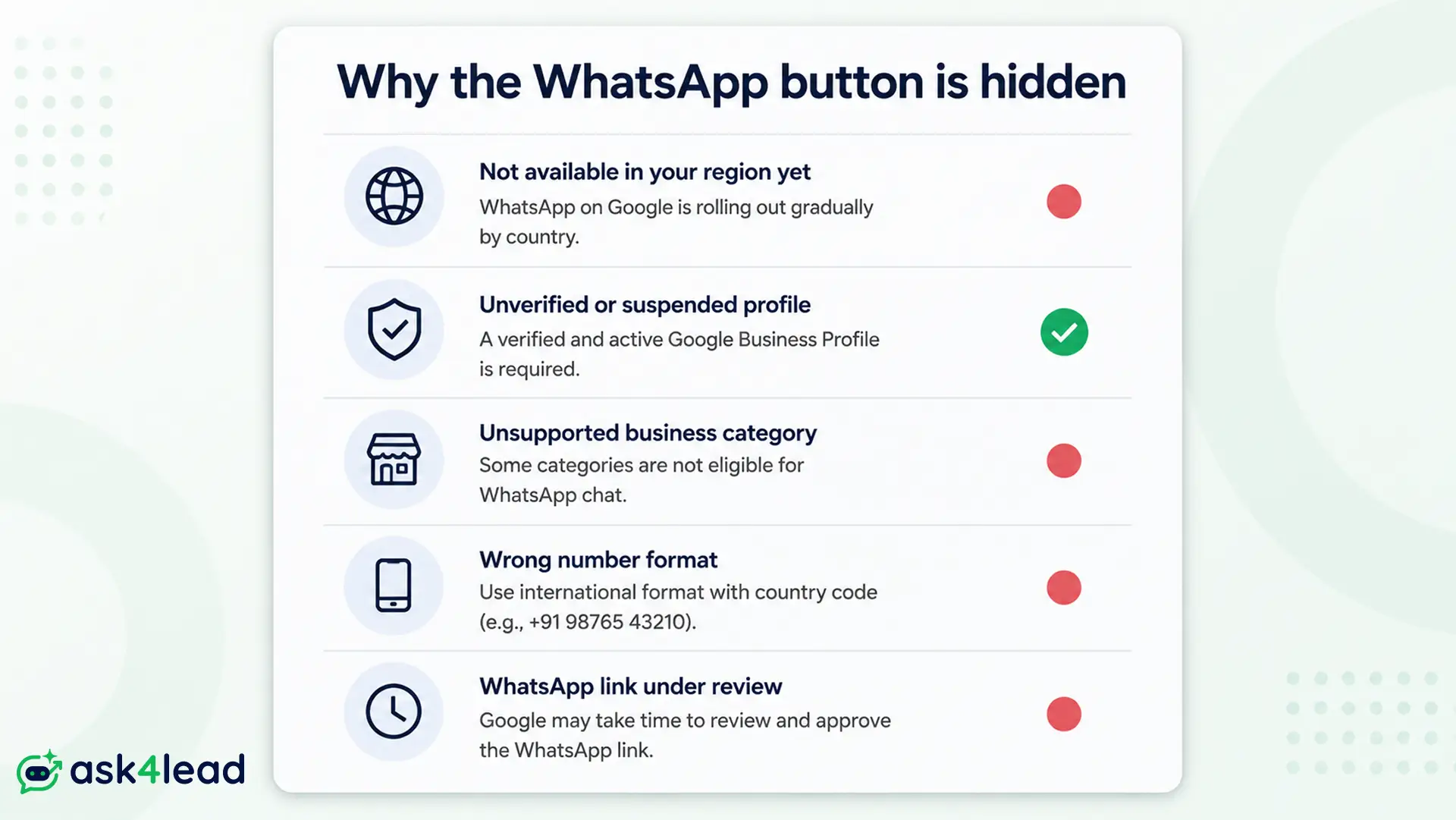
1. Chat has not reached your country
Google launches chat market by market. It can appear weeks after setup, vanish later, or show in Maps but not Search. If chat is not live where you are, no setup will force it.
2. Your profile is unverified or suspended
Chat is hidden for any profile that is not in good standing. Clear an open suspension or reinstatement first.
3. Your business category blocks messaging
Set your primary category to the closest one that genuinely fits, then re-check after a day.
4. Your link or number is wrong
Re-check the wa.me link for a stray plus sign or space. Confirm the number is logged into WhatsApp and matches your profile.
5. The link still says “not approved”
Some profiles show the link as pending for days while Google reviews it. Leave it alone and re-check after 48 to 72 hours.
| Symptom | Likely cause | Fix |
| No Chat option in Edit profile | Region or category unsupported | Confirm rollout, adjust category |
| Chat set, button never appears | Profile unverified or under review | Resolve verification or suspension |
| Link rejected on save | Bad wa.me format or inactive number |
Rebuild link, use the live number |
| Shows on Maps, not Search | Partial rollout | Wait, no action needed |
Does adding WhatsApp help your local ranking
The direct ranking effect is close to zero
In Whitespark’s Local Search Ranking Factors study, a WhatsApp or SMS click sits near the bottom of the measured signals.
The study’s author has said he would weight its direct ranking impact at essentially nothing, in every region.
The indirect effect runs through engagement
The value is conversion. More people contacting you from the same listing, more reviews afterward, and fewer people bouncing back to the results page are the things that feed the local pack over time.
Note: If you want ranking movement, the levers are still reviews, categories, proximity, and links. Treat the chat button as a way to win the customer, not the position.
Turn Google chats into booked customers, not a second inbox
A button that leads to an ignored inbox is worse than no button. The channel works, but most businesses have no process behind it, so leads get buried in a scroll of chats.
1. Set a reply-time rule you can keep
Local buyers usually message more than one business. The first useful reply often wins the job.
A simple standard that experienced service businesses use:
- Acknowledge every new chat within 1 hour during working hours.
- Follow up any quote at 24 hours and again at 72 hours.
- Send a review request 48 hours after the job is done.
An AI agent that replies the moment a chat lands makes the 1-hour rule automatic rather than aspirational, which is the job Ask4Lead does on this traffic.
2. Respect the 24-hour messaging window
Once a customer messages you, you can reply freely for 24 hours. After that, on the WhatsApp Business App or the API, you can only re-open the chat with a pre-approved template.
Getting a template message approved before you need it keeps late leads reachable.
3. Write a greeting and deflect the repeat questions
Set a greeting so nobody messages into silence. Then handle the questions you answer 20 times a day with a saved or automated first reply:
- Pricing and starting rates
- Opening hours and service area
- Availability and how to book
- Parking, access, or what to bring
4. Give every lead a pipeline stage
The free WhatsApp Business app has labels: New enquiry, Quote sent, Booked, Needs follow-up. That is the minimum viable pipeline.
A chat thread tells you what was said, not where the deal stands. When labels stop coping, a shared team inbox lets several people reply from one number and shows each lead in a visible stage.
Mistakes local businesses make with WhatsApp and GBP
1. Building the whole business on one number
Owners who run everything through a single WhatsApp number describe losing years of relationships overnight when that number is flagged.
One reported trigger: a weak connection released 15 to 20 queued replies at once, and the system read the burst as spam.
Keep the contact record and history somewhere you own. That is the real goal of WhatsApp lead generation done properly.
2. Stopping after the first reply
Most lost deals are not rejections. They are people who asked, got an answer, went quiet, and were never contacted again.
Automated follow-ups that nudge a quiet lead and stop when they respond close that gap.
3. Ignoring which Google action actually changed
If chats rose while calls fell by the same amount, you moved the channel without growing demand.
That is still useful, but it is not more customers.
Track whether the WhatsApp button is working
1. Watch actions, not profile views
Google’s performance report shows calls, direction requests, website clicks, and messages. Watch the mix.
| Metric | What it tells you |
| Chat clicks | Demand for messaging over calling |
| Calls | Whether chat replaces or adds to phone volume |
| Bookings or form completions | Whether chats turn into commitments |
| Reply time | Whether you hit your own 1-hour rule |
2. Use a separate link for each placement
Add pre-filled text to each wa.me link so the first message tells you the source:
- Google:
https://wa.me/15551234567?text=Hi,%20I%20found%20you%20on%20Google - Website: a different pre-filled line
- Ads and social: another, matched to your opt-in points
3. Measure close rate over a full month
A jump in chats means nothing if none of them book. Track how many Google chats become paying customers across 30 days.
A low rate usually points to slow replies or a weak first message, not the button.
4. Bring it together with Ask4Lead
Adding the link takes 20 minutes. Making it pay takes a system, and that is where most local businesses lose the lead.
Ask4Lead connects to the same number on your Business Profile and works the moment a chat lands:
- An AI agent trained on your prices, hours, and services answers in seconds, day and night, and qualifies each lead before you step in.
- Every enquiry drops into a pipeline stage you can see, not a chat list you scroll.
- Follow-ups fire on their own at 24 and 72 hours and stop when the customer replies.
- The contact and full history sit in your CRM, so a number problem never wipes your pipeline, and the chats turn into sales instead of unread notifications.
Point your Google Business Profile chat button at Ask4Lead and stop losing local leads to a slow reply. Start your free Ask4Lead account.
FAQs
1. Can I use both WhatsApp and SMS on Google Business Profile?
You can enter both, but Google shows only one button, and it displays SMS when both are present. Add WhatsApp alone to keep its button visible.
2. Do I need the WhatsApp Business app or the API?
The link works with any WhatsApp account. The free Business app suits one person answering chats. Move to the API when you need multiple agents, automation, or the phone number quality rating protections it brings.
3. Can a WhatsApp link get my profile suspended?
No. A wa.me link in the Chat field is a supported feature. Suspensions come from profile problems like a fake address or a keyword-stuffed name.
4. Why does the button not show on my computer?
The chat button is mobile only, on Search and Maps. Desktop visitors need a WhatsApp link on your website instead.
5. How long until the WhatsApp button appears?
Anywhere from a few hours to several weeks. Region rollout, category, and profile status all affect it, and in unsupported countries it will not appear at all.
6. Is WhatsApp chat on Google Business Profile free?
Yes. The link and the button cost nothing. Charges only start if you move to the WhatsApp Business API, which bills per conversation, or add a tool to manage the chats.
Conclusion
WhatsApp on your Google Business Profile turns a listing into a doorway. Someone finds you on Google, taps once, and is talking to your business in the app they already use every day.
The setup is free and quick. The result depends on the first hour after the tap: a fast answer, a place for the lead to sit, a follow-up that fires on its own, and a record kept on your side.
Do that, and the chat button becomes a steady source of booked work.
For a second view on messaging tactics, read BrightLocal’s messaging guide alongside this one.
