
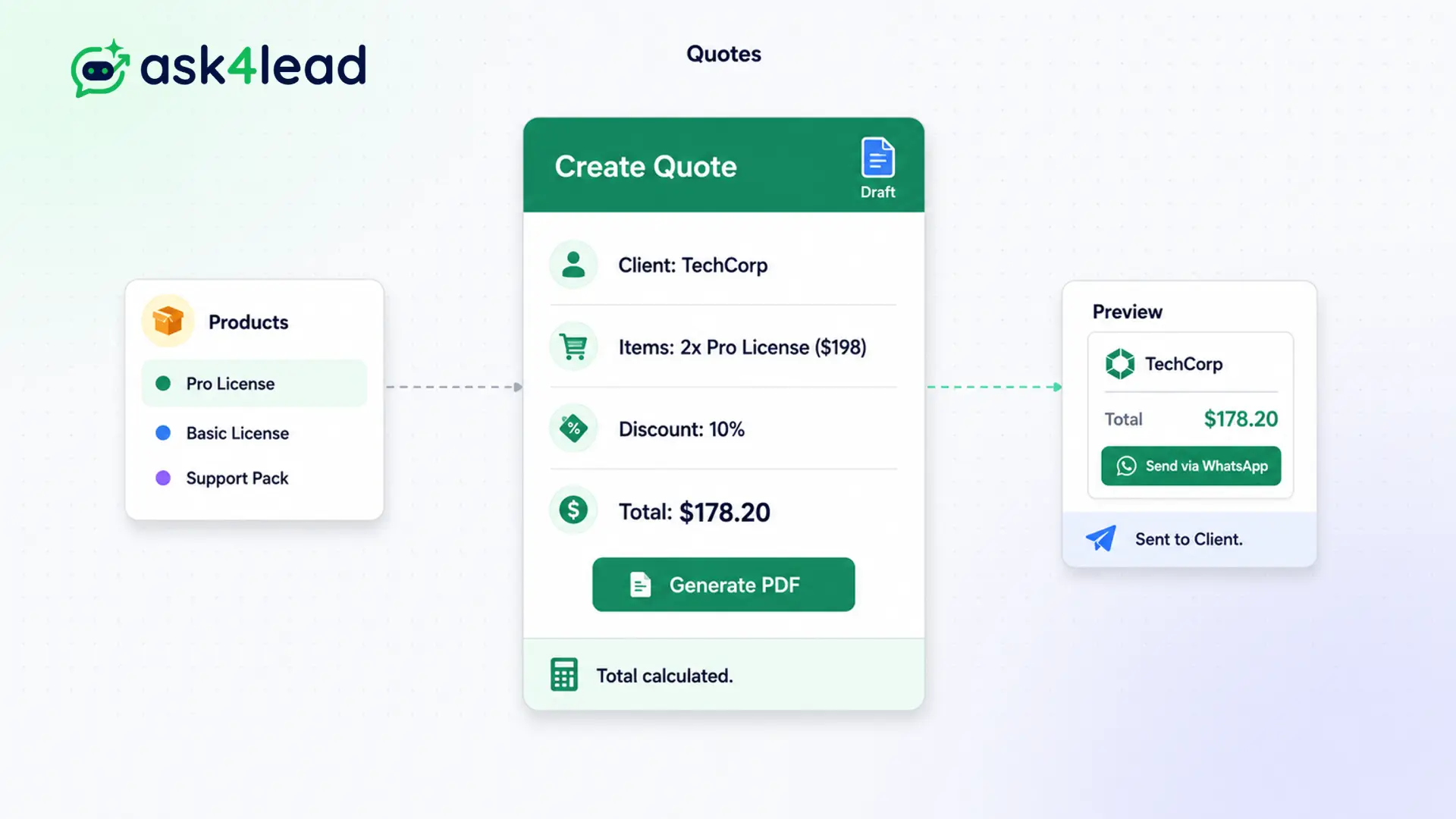
If you tell a prospect that you will email them a quote shortly, you introduce massive friction into the sales cycle.
Our Quote Builder keeps the entire transaction native so you never lose their attention.
Pull items from your services catalog, apply a discount, and hit send. The customer reviews your quote instantly on their phone.
Quote faster. Eliminate friction. Win more deals.
Why You Need WhatsApp Quoting Software
Speed is the ultimate competitive advantage in modern sales.
If you tell a WhatsApp prospect, “I will email you a quote shortly,” you introduce massive friction. They have to leave the app, refresh their inbox, and read a PDF on a small screen. Many never return.
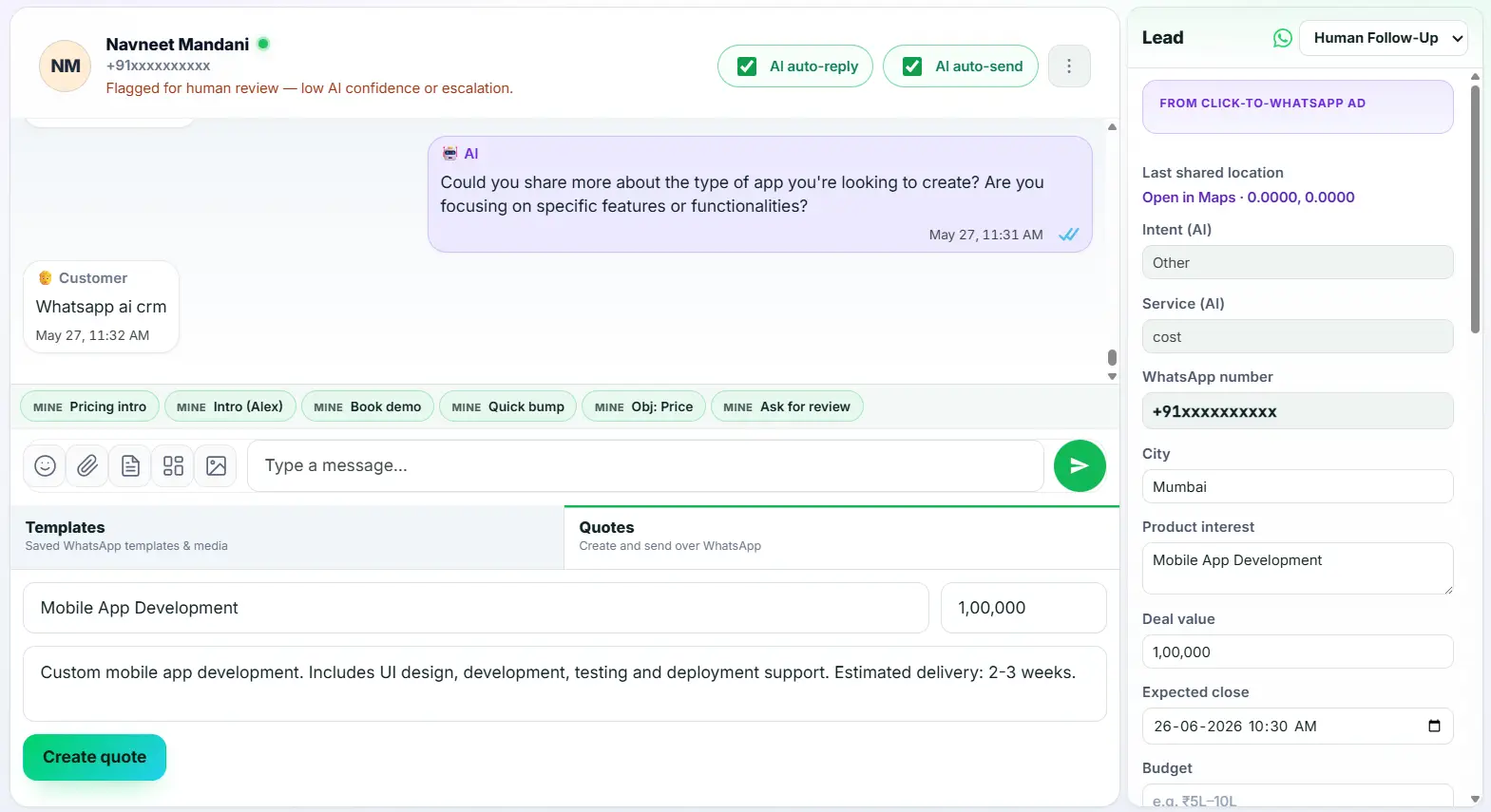
Our Quote Builder keeps the entire transaction native. You generate the proposal inside the CRM, and the customer receives it instantly in their chat thread.
Stop Wasting Time on Word Documents
Creating quotes manually is a miserable process for sales reps. They copy and paste pricing from spreadsheets into Word templates, save it as a PDF, and then email it.
This process takes 15 minutes per lead. It is prone to typos and math errors.
Key Insight: Ask4Lead turns a 15-minute chore into a 10-second action. You select predefined services from your catalog, and the system handles the formatting and the math automatically.
How to Build and Send a Quote, Step by Step
Sending a professional proposal takes only a few clicks:
- Open the tab: Click the “Quotes” tab inside any active customer chat window.
- Select items: Choose the requested products or services from your pre-loaded catalog.
- Adjust pricing: Apply any custom discounts or modify the quantity.
- Preview the quote: The system generates a clean, readable summary instantly.
- Hit send: The quote drops directly into the WhatsApp thread for the customer to review.
Core Capabilities of the Quote Builder
Our quoting software is designed for high-velocity commerce:
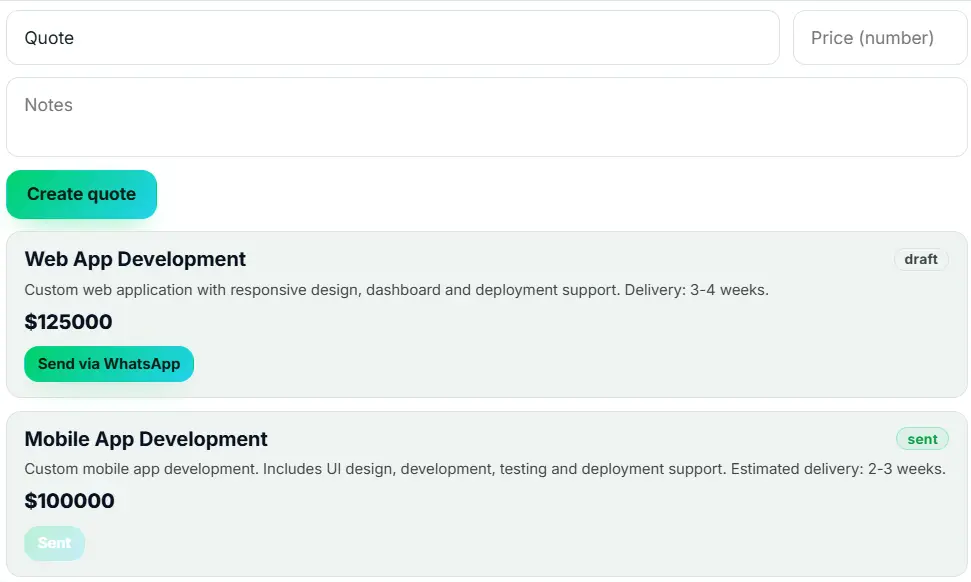
- Pull items instantly from the Services Catalog so you never type a price manually.
- Apply percentage-based or fixed-amount discounts to sweeten the deal on the spot.
- The system formats the text beautifully for WhatsApp, using bolding and clean spacing.
- Quotes are saved to the lead’s chronological timeline for easy auditing later.
- The total quote amount automatically updates the “Deal Value” field in the CRM.
- Managers can restrict which agents are allowed to offer custom discounts.
Email PDFs vs. WhatsApp Quoting Software
| Traditional Email PDF Quotes | Ask4Lead WhatsApp Quotes |
| Forces customer to leave the chat | Keeps the customer inside the WhatsApp thread |
| Takes 10–15 minutes to generate | Takes 10 seconds to generate from the catalog |
| Math errors happen manually | System calculates totals and discounts flawlessly |
| Emails get lost in spam folders | WhatsApp messages boast a 98% open rate |
How Quotes Connect to Your CRM
The quoting tool draws directly from your Services Catalog. Once you send a quote, the system updates the Deal Value in Lead Management, which instantly reflects on your visual Sales Pipeline.
- Services Catalog: The master database of your products and prices that powers the quote builder.
- Lead Management: The deal value automatically updates based on the quote you just sent.
- Sales Pipeline: Watch your potential revenue increase instantly on the Kanban board.
Industries That Rely on WhatsApp Quotes
- Travel Agencies build custom itinerary quotes for flights and hotels while the customer is still excited.
- B2B Service Providers send instant pricing for consulting packages to block competitors.
- Event Planners quote catering and venue options quickly during initial inquiry chats.
- Custom Manufacturing sends rapid estimates for bulk orders based on catalog variables.
FAQs
Does the customer receive a PDF or a text message?
The system generates a highly structured, clean text summary optimized specifically for reading on WhatsApp. This ensures the fastest possible load time and zero friction.
Can I offer a discount on a quote?
Yes. You can apply both percentage discounts (e.g., 10% off) or fixed amount discounts before generating the final proposal.
Where do the prices come from?
The Quote Builder pulls prices directly from your Ask4Lead Services Catalog. This guarantees that your agents always quote the correct, up-to-date pricing.
Does sending a quote update my sales pipeline?
Yes. The total value of the quote automatically syncs with the “Deal Value” field in the CRM, updating your pipeline revenue projections instantly.
Can I track if the customer read the quote?
Yes. Because the quote is sent as a native WhatsApp message, you can see the standard blue double-ticks when the customer reads it.
Can I create a quote from my mobile phone?
Yes. The Ask4Lead platform is fully responsive. Agents in the field can generate and send professional quotes directly from their smartphones.

