
If you don’t track your standing with Meta, a sudden block can destroy your primary sales channel.
Monitoring your account metrics ensures you always stay compliant.
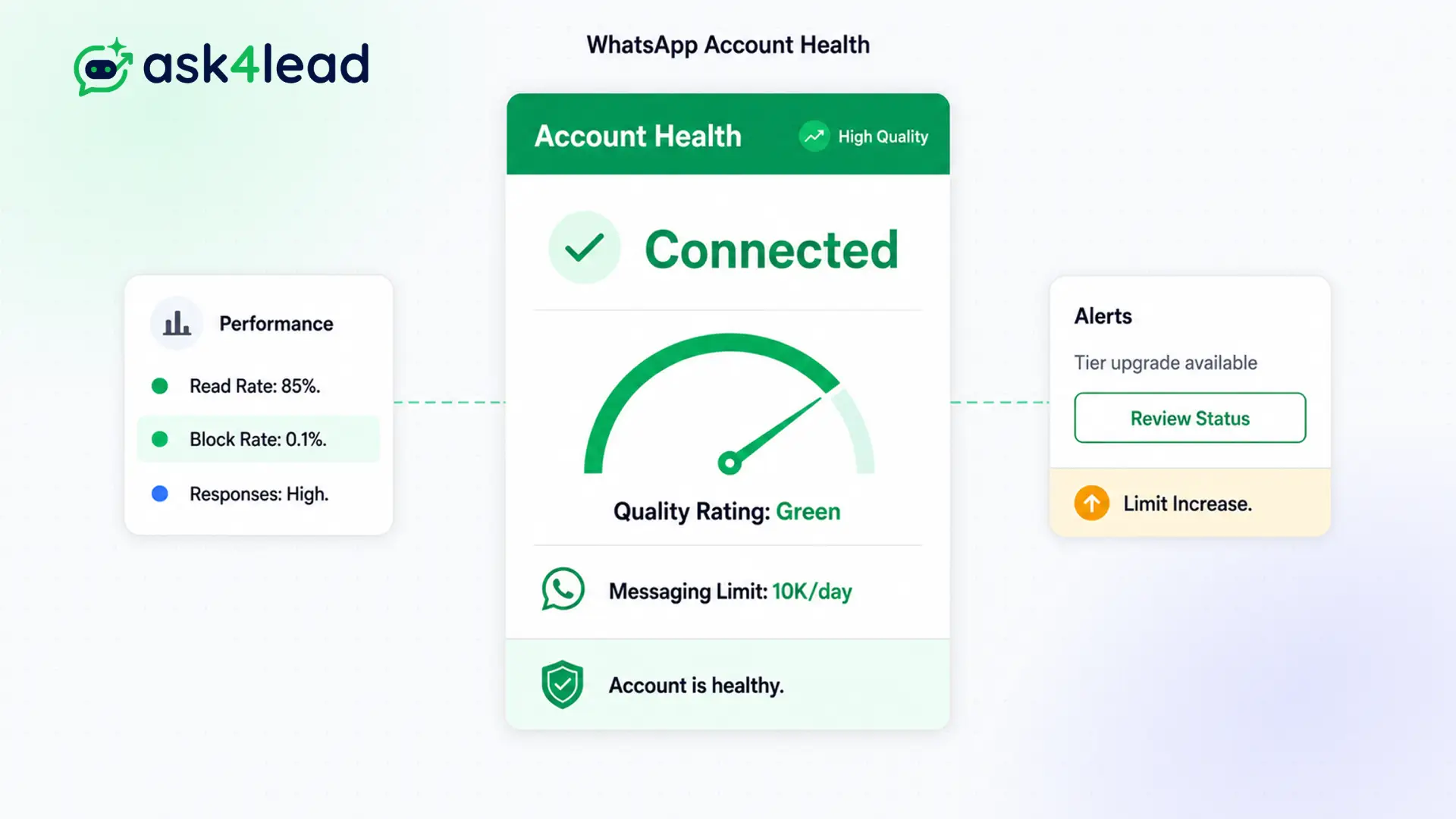
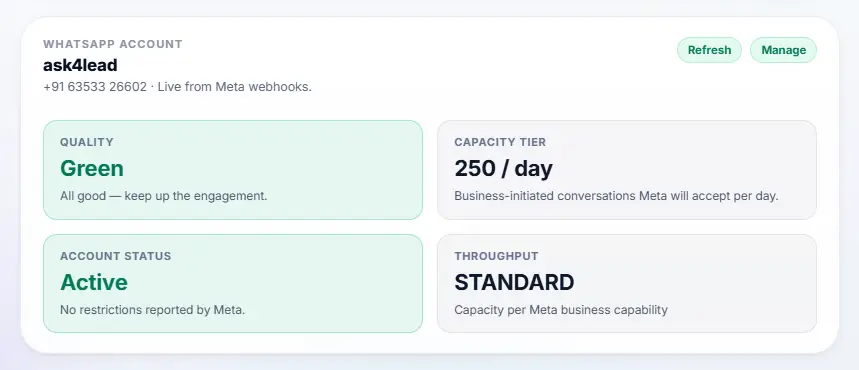
The Ask4Lead dashboard displays your official Quality Rating and daily messaging limits in real time. Take action before Meta restricts your account.
Stay in the green. Keep your sales channel safe.
Why WhatsApp Number Health Matters
WhatsApp protects its users aggressively. If you send annoying marketing messages and users block you, Meta lowers your Quality Score.
If your score drops to “Red/Low,” Meta will restrict your ability to send outbound messages. And if it stays low, they will permanently disconnect your number.
Our monitoring tool pulls this vital data directly from the API and displays it prominently on your dashboard.
Stop Getting Blindsided by Account Restrictions
Many businesses launch massive broadcast campaigns without testing them. The audience hates the message, blocks the number, and the business wakes up the next day unable to reply to new leads.
Operating without seeing your health score is like driving without a fuel gauge.
Key Insight: Ask4Lead warns you the moment your rating drops to “Yellow/Medium.” You can pause your marketing campaigns immediately, allowing the score to recover before a ban occurs.
How to Monitor Your Health, Step by Step
Checking your compliance takes only one glance:
- Open settings: Navigate to the WhatsApp integration tab in Ask4Lead.
- Check the color: Look at your Quality Rating (Green, Yellow, or Red).
- Check limits: See your current daily messaging tier limit (e.g., 10,000 messages).
- Pause if necessary: If the rating is Yellow, stop sending promotional templates immediately.
- Recover: Continue sending high-quality, requested messages until the rating returns to Green.
Core Capabilities of Health Monitoring
Our dashboard provides complete transparency into Meta’s backend:
- Real-time syncing with Meta to display exact Quality Rating changes instantly.
- Clear display of your Current Messaging Limit (1K, 10K, 100K, or Unlimited).
- Warnings when your number is flagged or placed in a “Restricted” state.
- Visual indicators showing how close you are to upgrading to the next messaging tier.
- Guidance on exactly what to do if your score drops (e.g., auditing your template quality).
- Status checks for your Meta Business Manager verification process.
Guessing vs. Real-Time Health Monitoring
| Without Ask4Lead Monitoring | With Ask4Lead Health Dashboard |
| You find out you are banned after it happens | You see early warning signs (Yellow status) |
| You do not know your daily sending limit | Clear visual display of your exact messaging tier |
| Requires logging into complex Meta dashboards | Viewed instantly alongside your daily CRM tasks |
| You send bad campaigns until you get blocked | You pause campaigns the moment the score drops |
How Account Health Connects to Your CRM
Your WhatsApp number health dictates your ability to use WhatsApp Campaigns. It relies entirely on a secure WhatsApp Business API Integration to pull the data.
- WhatsApp Business API Integration: The connection that provides the health data from Meta.
- WhatsApp Campaigns: The feature you must pause immediately if your health score turns yellow.
- WhatsApp Templates: The messages you need to rewrite if customers are frequently blocking them.
Teams That Rely on Health Monitoring
- Marketing Directors check the health score daily to ensure their broadcast campaigns are not annoying customers.
- IT Administrators monitor the dashboard to ensure the company’s primary communication channel remains online.
- E-commerce Managers verify their daily limits are high enough before launching massive holiday sales.
- Compliance Officers use the data to enforce strict opt-in rules across the sales team.
FAQs
What causes my Quality Rating to drop?
Your rating drops when customers actively click “Block” or “Report Spam” on their WhatsApp application after receiving your message.
How do I improve a bad rating?
Stop sending outbound promotional messages immediately. Focus only on answering inbound customer queries. Provide excellent service, and the rating will recover to Green within a few days.
What does the Daily Messaging Limit mean?
Meta limits how many unique users you can initiate conversations with in a 24-hour period. New accounts start at 1,000. As you send quality messages, it upgrades to 10,000 and beyond.
Can Ask4Lead stop my account from being banned?
We provide the warning system, but you must take the action. If you see a Yellow warning and continue to blast spam messages, Meta will ban the account.
Does the AI Sales Assistant affect my score?
If your AI is frustrating and unhelpful, users might block you, lowering your score. Always ensure your AI provides accurate answers and offers a human handoff.
Is the health score visible to my whole team?
No. Typically, only Admins and Managers have access to the backend settings where the account health metrics are displayed.
Related Features

WhatsApp Business API Integration
Stop risking your company number on unofficial workarounds. Ask4Lead uses an official WhatsApp Business API integration powered directly by Meta.

WhatsApp Credits
Manage your messaging costs with total transparency. Buy prepaid credit packs and pay only for what you use, with zero hidden fees.